Skip to content
OnMSFT.com
  • Home
  • About
  • Contact
  • Windows
  • Surface
  • Xbox
  • How-To
  • OnPodcast
  • Edge
  • Teams
  • Gaming
Menu
  • Home
  • About
  • Contact
  • Windows
  • Surface
  • Xbox
  • How-To
  • OnPodcast
  • Edge
  • Teams
  • Gaming
  1. Home
  2. News
  3. Google promises big performance improvements with latest Chrome update

Google promises big performance improvements with latest Chrome update

Laurent Giret Laurent Giret
November 18, 2020
2 min read

Google announced yesterday that its popular Chrome browser was getting big performance and speed improvements with its last update for 2020. The Big G announced no less than “the largest gain in Chrome performance in years,” which is a big deal for a browser known for being a resource hog.

Overall, Google promised recused CPU usage by up to 5x by prioritising active tabs, leading to up to 1.25 hours more of battery life on laptops. The web browser should start up to 25% faster and load pages up to 7% faster, ” all of this using less power and RAM than before,” Google said.

In addition to these welcome performance improvements, Google Chrome will also allow users to search for open tabs, a feature that’s coming first on Chrome OS. The address bar will also soon support Chrome Actions for deleting browsing data, manage passwords, and more without going to settings.
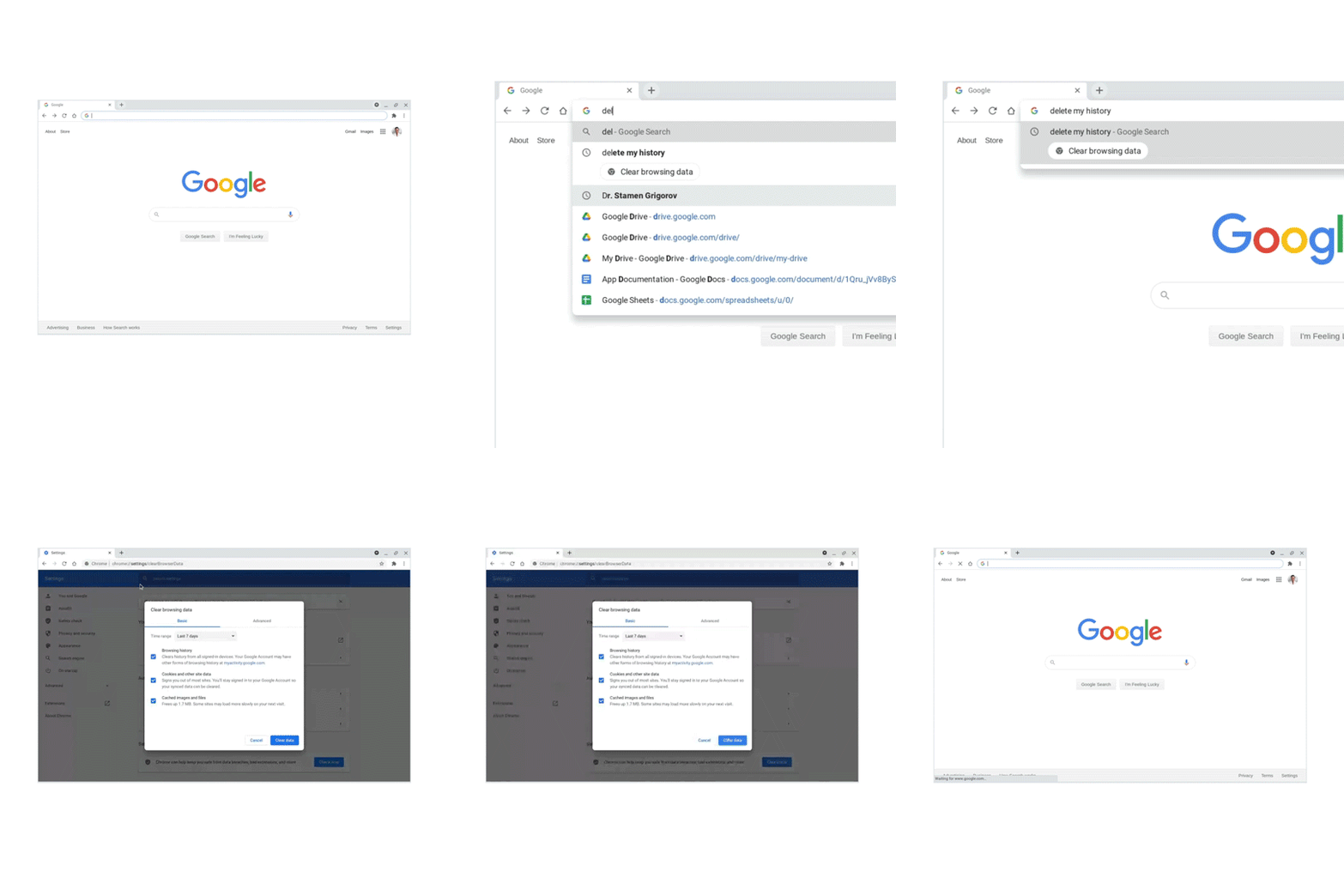
Chrome Actions in the search bar

Lastly, Google is planning to add cards to the new tab page in Chrome showing relevant content based on your browsing history. Cards will include recently-visited websites and related content to help Chrome users pick up where they left off.

The aforementioned new features will roll out over the next few weeks to Chrome users, but the performance improvements are now available for all desktop users with Chrome version 87. Microsoft Edge, which follows the same Chromium release cycle should also be updated to version 87 this week, and we’ll let you know more about new features and improvements as soon as it’s available.


Share This Post:

Tags: Google Chrome | Web browser | Windows
Share this article:
Tags:
Google Chrome Web browser Windows
Previous Article Microsoft details new Fluent Design updates for its Edge browser Next Article How to rename a OneNote notebook

Related Articles

Paramount will shut down BET+ in June and move its content to Paramount+, forcing subscribers to switch to the main service.

BET+ ends in June, Paramount+ to take over full library

March 18, 2026

NVIDIA might have fixed OpenClaw biggest security and privacy flaws

March 18, 2026

Tim Cook Visits China, Calls Market “Very Important” for Apple

March 18, 2026

Leave a Comment Cancel reply

Your email address will not be published. Required fields are marked *

Recent Posts

  • BET+ ends in June, Paramount+ to take over full library
  • NVIDIA might have fixed OpenClaw biggest security and privacy flaws
  • Tim Cook Visits China, Calls Market “Very Important” for Apple
  • Chrome may ask you to sign in after opening AI Mode Search results
  • Pentagon Develops Alternatives to Anthropic AI After Deal Collapse

Recent Comments

No comments to show.
OnMSFT.com

The Tech News Site

Categories

  • Windows
  • Surface
  • Xbox
  • How-To
  • OnPodcast
  • Gaming
  • Edge
  • Teams

Recent Posts

  • BET+ ends in June, Paramount+ to take over full library
  • NVIDIA might have fixed OpenClaw biggest security and privacy flaws
  • Tim Cook Visits China, Calls Market “Very Important” for Apple
  • Chrome may ask you to sign in after opening AI Mode Search results
  • Pentagon Develops Alternatives to Anthropic AI After Deal Collapse

Quick Links

  • About OnMSFT.com
  • Contact OnMSFT
  • Join Our Team
  • Privacy Policy
© 2010–2026 OnMSFT.com LLC. All rights reserved.
About OnMSFT.comContact OnMSFTPrivacy Policy
