Skip to content
OnMSFT.com
  • Home
  • About
  • Contact
  • Windows
  • Surface
  • Xbox
  • How-To
  • OnPodcast
  • Edge
  • Teams
  • Gaming
Menu
  • Home
  • About
  • Contact
  • Windows
  • Surface
  • Xbox
  • How-To
  • OnPodcast
  • Edge
  • Teams
  • Gaming
  1. Home
  2. News
  3. Microsoft Teams is getting a mobile-optimized Large Gallery layout for meetings – onmsft.com

Microsoft Teams is getting a mobile-optimized Large Gallery layout for meetings – onmsft.com

Rabia Noureen Rabia Noureen
May 20, 2021
1 min read

Microsoft is getting ready to bring a mobile-optimized Large Gallery view to its Teams collaboration platform. As of today, the feature is available via the Teams desktop client, but it will soon be supported on mobile devices as well.

The Large Gallery layout update is currently marked as “in development” on the Microsoft 365 roadmap and will start rolling out to the Teams mobile clients in June 2021. This means that the Teams Android and iOS apps will allow users to swipe to see up to 49 participants in Teams meetings. “To provide a better experience for our Large Gallery for meetings on Teams mobile, we are introducing a mobile-optimized layout that let you swipe through all the participants in a meeting,” Microsoft explained on its product roadmap.
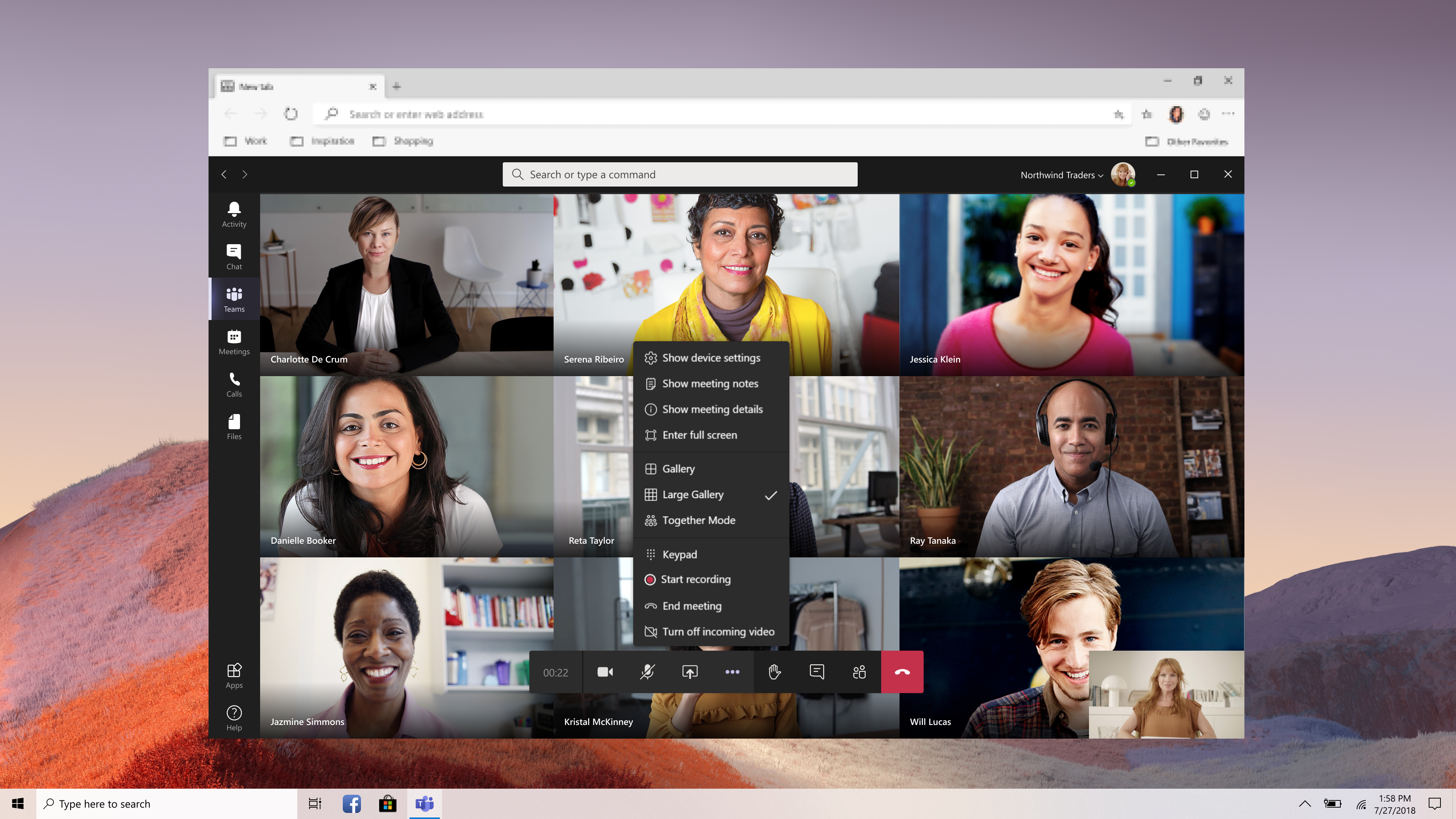
Large gallery entry point.

In addition, Microsoft Teams is releasing the Large Gallery view and Together Mode to all web users. This update was previously available in public preview, and it lets users change the layout to Large Gallery or Together mode during a meeting in Microsoft Edge or Google Chrome.

Microsoft has also revealed other improvements for Teams, including support for Webinars with up to 1000 participants, a restart option for Live Events, and the ability to disable video feeds. Microsoft Teams personal features such as group chats and video calls are now available for free to all users.


Share This Post:

Share this article:
Tags:
Microsoft 365 Microsoft Teams
Previous Article Getting started with GitHub Marketplace: how to list your apps and tools – onmsft.com Next Article Dell Curved 34 Gaming Monitor Review: Good for Gaming

Related Articles

Chrome’s Organizer feature may sync Gemini and AI conversations across devices

March 14, 2026

After Chrome, Edge tests launching the browser automatically when you sign into Windows

March 13, 2026
Latest iPhone Fold rumors reveal display crease details, hole-punch cameras, iOS multitasking layout, 12GB RAM, and storage options for Apple’s first foldable iPhone.

iPhone Fold Latest Rumors: Display, Cameras, RAM and Price Details Revealed

March 13, 2026

Leave a Comment Cancel reply

Your email address will not be published. Required fields are marked *

Recent Posts

  • Chrome’s Organizer feature may sync Gemini and AI conversations across devices
  • After Chrome, Edge tests launching the browser automatically when you sign into Windows
  • iPhone Fold Latest Rumors: Display, Cameras, RAM and Price Details Revealed
  • Samsung fears first mobile operating loss due to memory price surge
  • Elon Musk’s X to Change Verification in Europe Following EU Fine

Recent Comments

No comments to show.
OnMSFT.com

OnMSFT.com covers Microsoft news, reviews, and how-to guides. Formerly known as WinBeta, we have been your source for Microsoft news since 1998.

Categories

  • Windows
  • Surface
  • Xbox
  • How-To
  • OnPodcast
  • Gaming
  • Edge
  • Teams

Recent Posts

  • Chrome’s Organizer feature may sync Gemini and AI conversations across devices
  • After Chrome, Edge tests launching the browser automatically when you sign into Windows
  • iPhone Fold Latest Rumors: Display, Cameras, RAM and Price Details Revealed
  • Samsung fears first mobile operating loss due to memory price surge
  • Elon Musk’s X to Change Verification in Europe Following EU Fine

Quick Links

  • About OnMSFT.com
  • Contact OnMSFT
  • Join Our Team
  • Privacy Policy
© 2010–2026 OnMSFT.com LLC. All rights reserved.
About OnMSFT.comContact OnMSFTPrivacy Policy
