Skip to content
OnMSFT.com
  • Home
  • About
  • Contact
  • News
  • How-to
  • Feature stories
  • Deals
  • Microsoft / office 365
  • Reviews
Menu
  • Home
  • About
  • Contact
  • News
  • How-to
  • Feature stories
  • Deals
  • Microsoft / office 365
  • Reviews
  1. Home
  2. News
  3. Microsoft 365 for Mac apps now run natively on Apple Silicon Macs

Microsoft 365 for Mac apps now run natively on Apple Silicon Macs

Rabia Noureen Rabia Noureen
December 15, 2020
2 min read

Microsoft has announced some important updates for Microsoft 365 users on the Mac today. Indeed, the company has rolled out new versions of various Microsoft 365 for Mac apps optimized to run natively on Apple’s new Macs with M1 processors.

“Our core flagship Office apps—Outlook, Word, Excel, PowerPoint, and OneNote—will run faster and take full advantage of the performance improvements on new Macs, making you even more productive on the latest MacBook Air, 13-inch MacBook Pro, and Mac mini,” the company explained today.
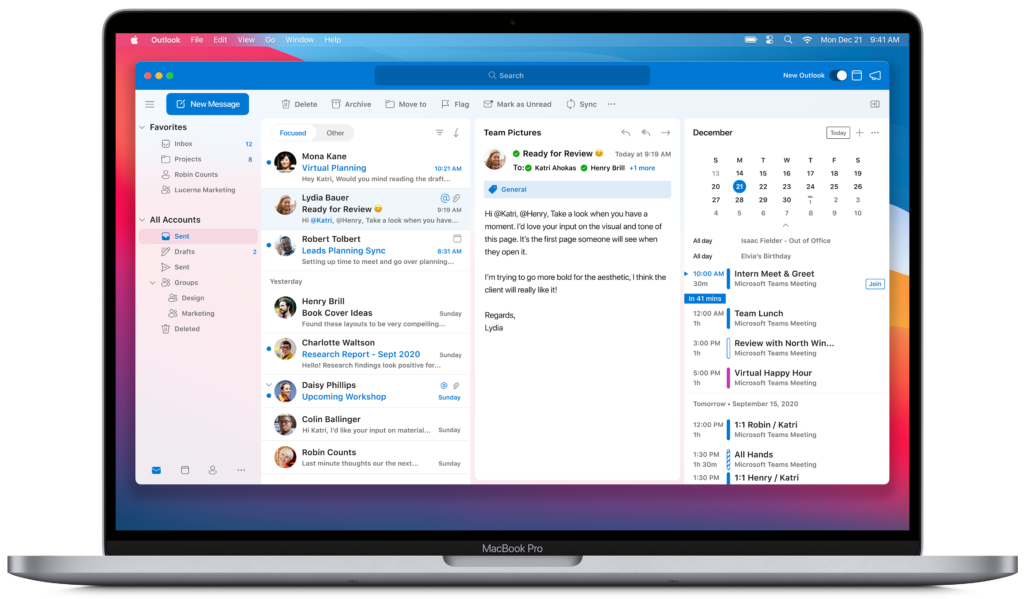
According to Microsoft, the company’s Microsoft 365 for Mac apps are now Universal, which means that they will continue to run on Intel Macs with the latest updates. However, these changes don’t apply to Microsoft Teams, though the company is working to bring native ‌M1‌ support to the team communication hub.

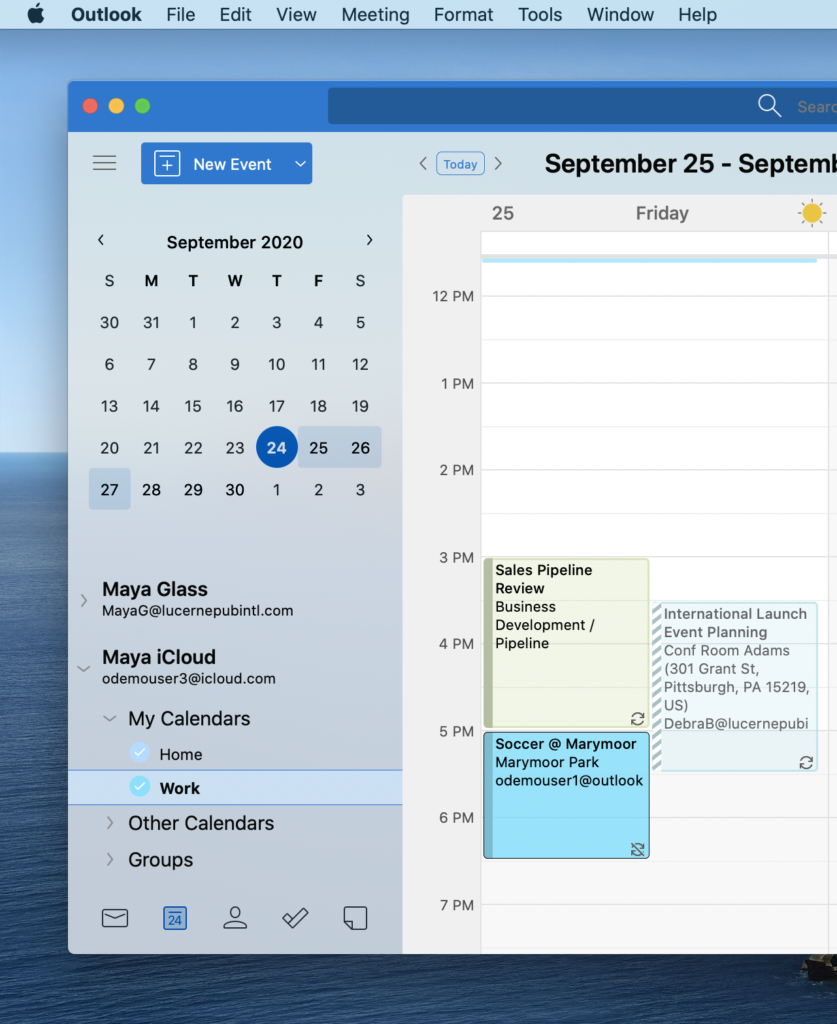
The software giant has also announced some notable changes for Outlook for Mac today, which will soon support iCloud accounts. The feature will start rolling out to Outlook for Mac users in the coming weeks.
Furthermore, Microsoft has unveiled an improved Office Start experience for a bunch of Microsoft 365 apps including PowerPoint, OneNote, Word, and Excel. The redesigned experience matches the new look of macOS Big Sur, and it is inspired by the Microsoft Fluent UI design system.
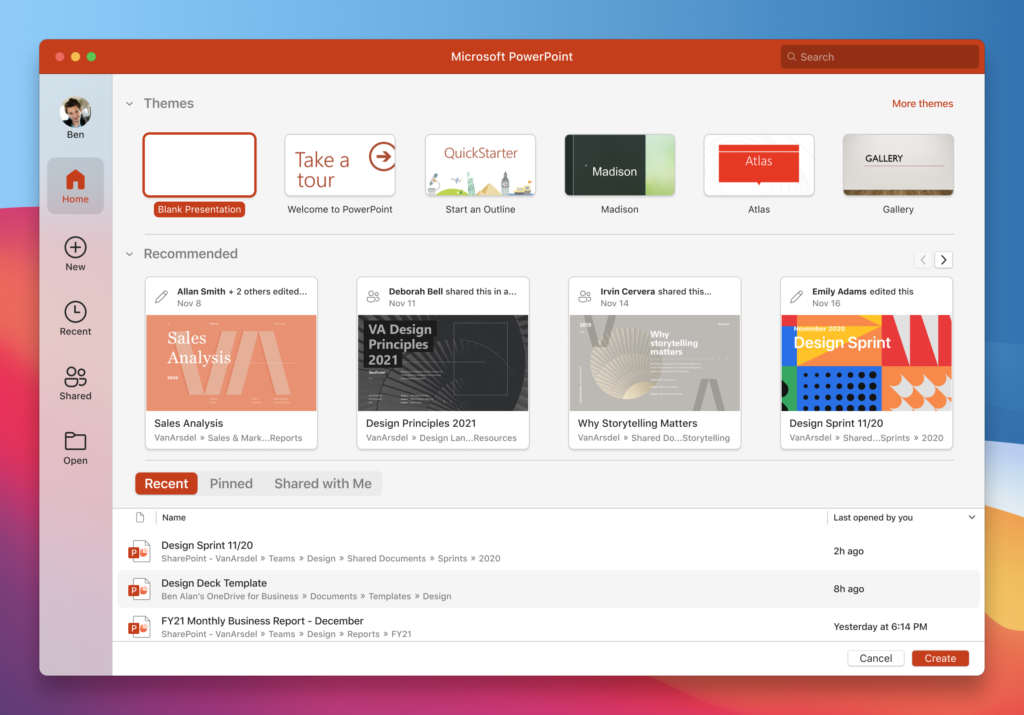
Microsoft PowerPoint presentation themes.

Finally, there are some new collaboration capabilities for Mac users, and the list includes a new Tell Me search box, shared calendars, and a modern commenting experience in Word for Mac. The company has also introduced a new dictation toolbar for Word and Outlook for Mac that lets users create content with voice commands.

These updates are automatically rolling out to all Mac users who have already turned on automatic updates, but other users can manually check for updates by heading to the Mac App Store and clicking the Updates tab.


Share This Post:

Tags: macOS | Microsoft | Microsoft 365 | Microsoft Teams | Microsoft Word | Office 365 | PowerPoint
Share this article:
Tags:
macOS Microsoft Microsoft 365 Microsoft Teams Microsoft Word Office 365 PowerPoint
Previous Article The Gears 5: Hivebusters campaign DLC is now available on Xbox consoles and PC Next Article Last major update to Edge before the holidays roll out to the Dev channel — Here’s what’s new

Related Articles

Chrome tests Google Drive file uploads in the AI Mode compose box

April 14, 2026
Gemini image creation using right click desktop Chrome

Chrome lets you remake images with Gemini on desktop using just a right-click

April 13, 2026
Samsung Display crosses 5 million QD-OLED monitor shipments as demand grows fast, with new panels and strong premium market expansion worldwide.

Samsung Display Ships 5 Million QD-OLED Monitor Panels in Four Years

April 9, 2026

Leave a Comment Cancel reply

Your email address will not be published. Required fields are marked *

Recent Posts

  • Chrome tests Google Drive file uploads in the AI Mode compose box
  • Chrome lets you remake images with Gemini on desktop using just a right-click
  • Samsung Display Ships 5 Million QD-OLED Monitor Panels in Four Years
  • Intel Arc Pro B70 Teardown Reveals Blower Cooler and Early Board Design Details
  • Users Modify RTX 5090 Lightning Z Hardware to Unlock MSI’s Restricted 2500W BIOS

Recent Comments

  1. XxRIVTYxX on Intel Says It Tried to Help Before Crimson Desert Dropped Arc Support
  2. Gaurav Kumar on Chrome Prepares Nudge to ‘Move Tabs to the Side’ as Vertical Tabs Near Release
OnMSFT.com

The Tech News Site

Categories

  • Windows
  • Surface
  • Xbox
  • How-To
  • OnPodcast
  • Gaming
  • Edge
  • Teams

Recent Posts

  • Chrome tests Google Drive file uploads in the AI Mode compose box
  • Chrome lets you remake images with Gemini on desktop using just a right-click
  • Samsung Display Ships 5 Million QD-OLED Monitor Panels in Four Years
  • Intel Arc Pro B70 Teardown Reveals Blower Cooler and Early Board Design Details
  • Users Modify RTX 5090 Lightning Z Hardware to Unlock MSI’s Restricted 2500W BIOS

Quick Links

  • About OnMSFT.com
  • Contact OnMSFT
  • Join Our Team
  • Privacy Policy
© 2010–2026 OnMSFT.com LLC. All rights reserved.
About OnMSFT.comContact OnMSFTPrivacy Policy
