If Apple announced the public release of iOS 14 earlier this week, Microsoft is keen to provide details about its suite of Office apps that are fully prepared for the new software update. Here’s a look at everything you need to know about all the changes introduced in the latest update.
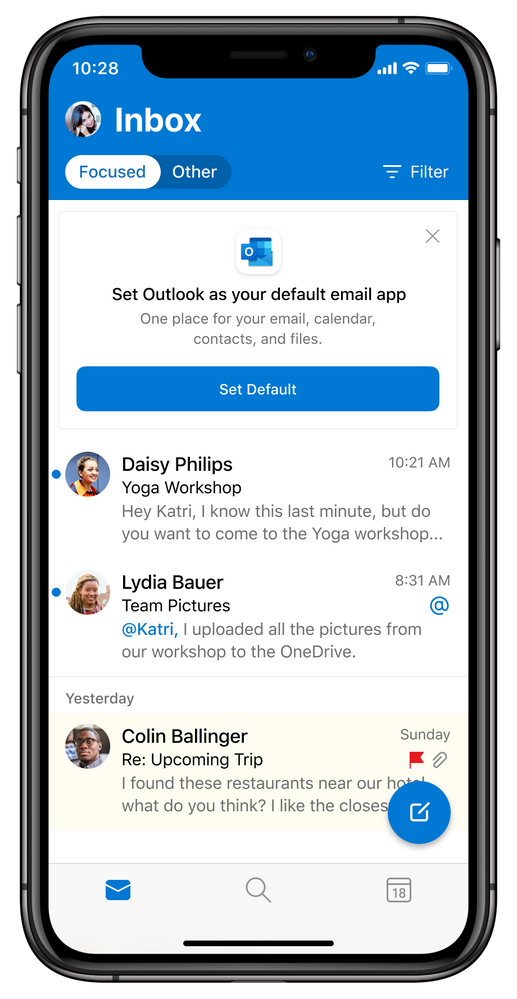
First off, Microsoft Outlook and Edge can now be configured as the default apps on iOS 14. This means that users will be able to choose Outlook to replace the default mail app, while Microsoft Edge can take the place of Safari on their devices. However, users first need to update their Microsoft Outlook and Edge apps to get the ability to switch defaults on iOS 14 from the settings menu. To change your default apps, head over to Settings, and scroll down to the respective app (Microsoft Edge or Outlook). On the next screen, tap Default Browser/Email App to set your preferred one as default.
Another important update for Microsoft’s apps is the new support for widgets in iOS14. The company has finally updated Microsoft Outlook and OneDrive with the ability to add widgets to the iOS and iPad home screen for easier access. More specifically, the OneDrive widget will allow users to see their photo memories from the On This Day feature, and the Outlook Calendar widget will provide a quick glimpse of the day.
“With the flexibility to pick your widget size and location, you can stay on top of what matters at a glance with an Outlook Calendar widget to see what’s next in your day with your work, school, and personal account. When using OneDrive with your personal account, you can see your photo memories from the On This Day feature, highlighting photos taken on this day across previous years. If you don’t have any On This Day photos for today, you’ll see the most recent photos that you’ve saved to the cloud,” the company explained.

More about upcoming updates
Last but not least, the company has promised to deliver offline editing support for Office files in Fall 2020. With this change, iOS users will be able to download their Word, Excel, or PowerPoint files on iPhone or iPad devices for offline editing.
Microsoft also plans to introduce the new Home experience for OneDrive users later this month. It will let them access their most recently used files, shared libraries, and offline files together regardless of what device they last used.
Moreover, the company is also bringing new capabilities to Big Sur and OneDrive on macOS. The future OneDrive update will add automatic renaming support for those files and folders that contain invalid characters or errors.
If you’re looking to learn more about the new updates coming to Outlook for Mac and more, be sure to register for Microsoft Inspire 2020, which will be held on September 23rd.