Skip to content
OnMSFT.com
  • Home
  • About
  • Contact
  • Windows
  • Surface
  • Xbox
  • How-To
  • OnPodcast
  • Edge
  • Teams
  • Gaming
Menu
  • Home
  • About
  • Contact
  • Windows
  • Surface
  • Xbox
  • How-To
  • OnPodcast
  • Edge
  • Teams
  • Gaming
  1. Home
  2. Feature
  3. Here are four pen nibs for your Surface Pro 4 and Surface Book Pen

Here are four pen nibs for your Surface Pro 4 and Surface Book Pen

Oliver Fuh Oliver Fuh
November 10, 2015
1 min read

The new Surface Pen for the Surface Pro 4 and Surface Book features several improvements over its predecessor, namely 1024 levels of pressure sensitivity, year long battery life, improved responsiveness and accuracy, a magnetic silo that latches onto the side of a device, and a physically textured eraser on top. Another very unique improvement can be found in an accessory for the new Surface Pen.

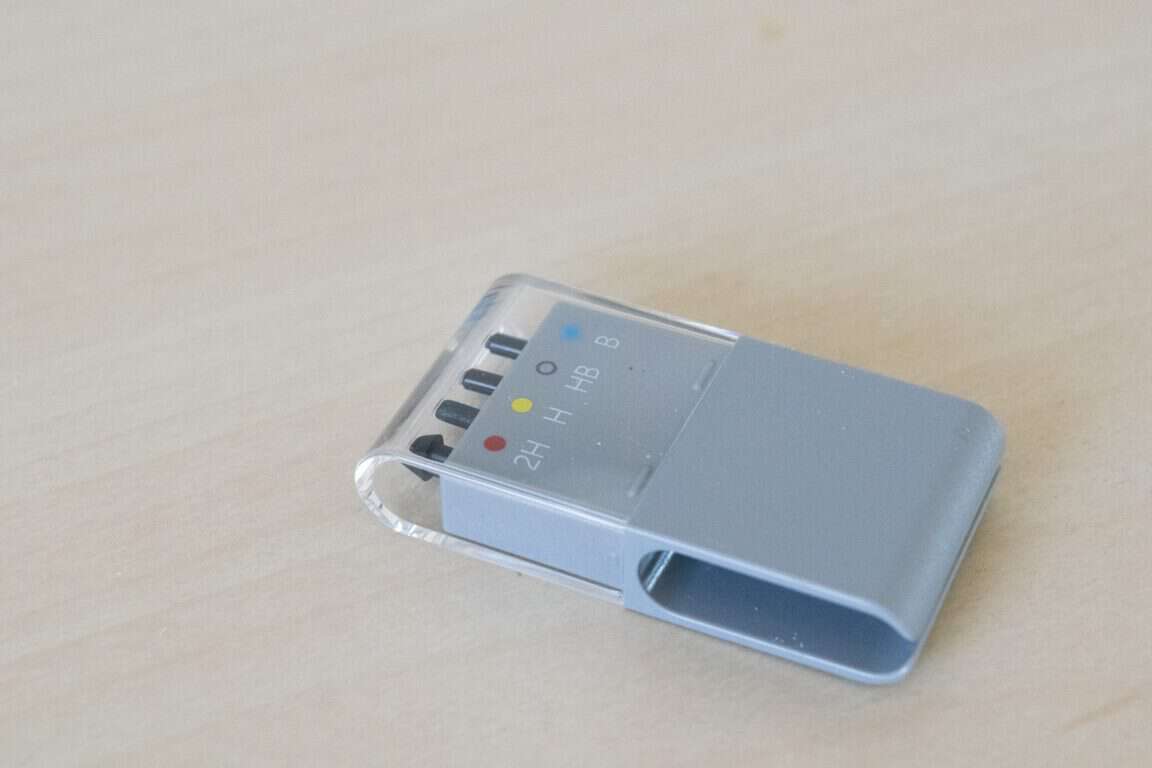
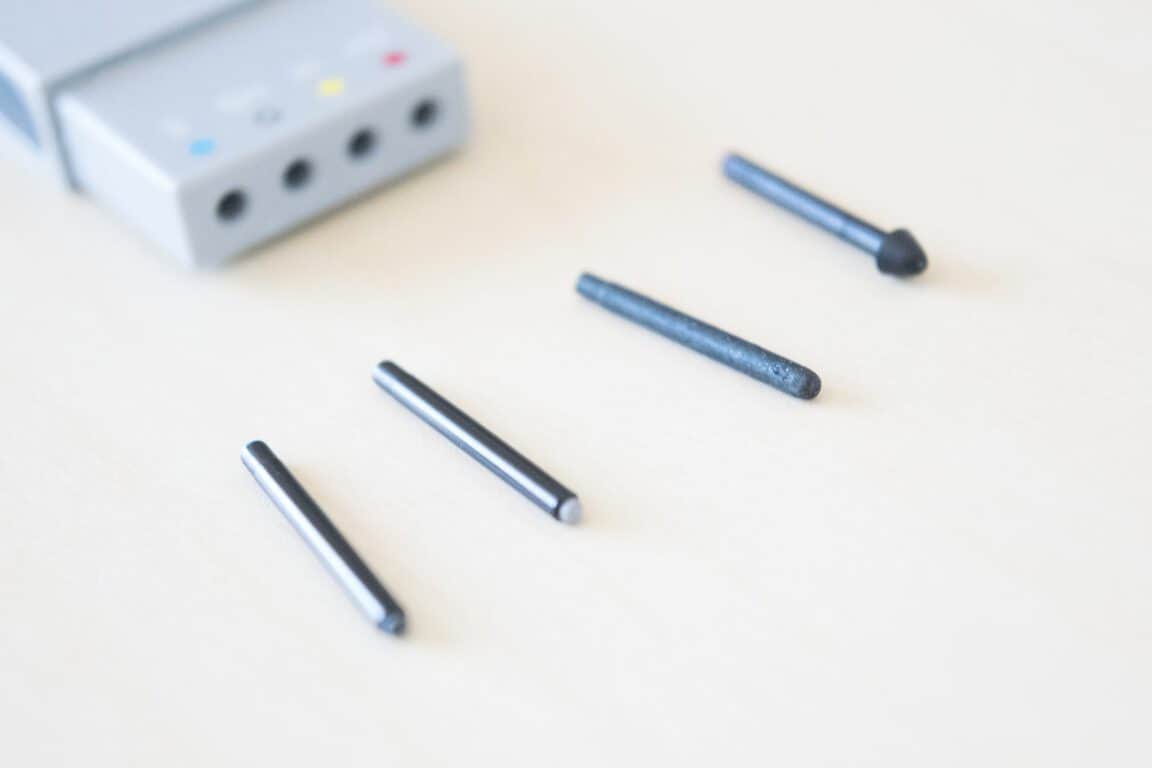
The Surface Pen Tip Kit features four pencil nibs that can be swapped with the Surface Pen’s nibs on demand for a drawing or writing experience tailored to the user’s preferences.
band2-4

From left to right – B, HB, H, 2H

The four pen nibs come in four textures: 2H, H, HB (same as the standard pen nib), and B, each designed to mimic the frictions and textures of real world writing utensils. The nibs come mounted atop a wide tweezer-like mechanism that not only safely stores and transport the nibs, but also assists the user in pulling out the skinny nibs currently affixed to the Surface Pen.

band2-2

Beats using your fingernails.

Unlike the new Type Cover and the new Surface Pen, the pencil nibs are not backwards compatible with the previous pen.

The pencil nibs can be had for a modest $10 USD. You can read my first impressions of each individual pen nib in my Surface Pro 4 hands-on experience. Look forward to our review on how the pen nibs enhance the pen experience in the coming weeks.

Further reading: Surface Book, Surface Pen, Surface Pro 4

Share this article:
Tags:
Surface Book Surface Pen Surface Pro 4
Previous Article New cumulative update available for Windows 10 (KB3105213) Next Article The iPad Pro vs Surface Pro 4: which one comes out on top?

Related Articles

Welcoming a New Chapter: Transition to WindowsReport

October 26, 2023

Is Assassin’s Creed Mirage a return to form or a big step back? – our review roundup

October 5, 2023

Opinion: Panos is gone but Surface will remain

September 20, 2023

Leave a Comment Cancel reply

Your email address will not be published. Required fields are marked *

Recent Posts

  • Intel Laptop Price Increase Hits Panther Lake Models, Apple MacBook M5 Stays Stable
  • State of Decay 3 Playtests Confirmed With Mutated Zombies and Co-op
  • Starfield Launches on PS5 With Two Modes and Full DualSense Support
  • ASUS Accused of Failing to Fix Laptop After 10 RMAs, User Denied 11th Request
  • New Rowhammer Attacks Turn NVIDIA GPUs Into a System-Level Security Risk

Recent Comments

  1. XxRIVTYxX on Intel Says It Tried to Help Before Crimson Desert Dropped Arc Support
  2. Gaurav Kumar on Chrome Prepares Nudge to ‘Move Tabs to the Side’ as Vertical Tabs Near Release
OnMSFT.com

The Tech News Site

Categories

  • Windows
  • Surface
  • Xbox
  • How-To
  • OnPodcast
  • Gaming
  • Edge
  • Teams

Recent Posts

  • Intel Laptop Price Increase Hits Panther Lake Models, Apple MacBook M5 Stays Stable
  • State of Decay 3 Playtests Confirmed With Mutated Zombies and Co-op
  • Starfield Launches on PS5 With Two Modes and Full DualSense Support
  • ASUS Accused of Failing to Fix Laptop After 10 RMAs, User Denied 11th Request
  • New Rowhammer Attacks Turn NVIDIA GPUs Into a System-Level Security Risk

Quick Links

  • About OnMSFT.com
  • Contact OnMSFT
  • Join Our Team
  • Privacy Policy
© 2010–2026 OnMSFT.com LLC. All rights reserved.
About OnMSFT.comContact OnMSFTPrivacy Policy