Skip to content
OnMSFT.com
  • Home
  • About
  • Contact
  • News
  • How-to
  • Feature stories
  • Deals
  • Microsoft / office 365
  • Reviews
Menu
  • Home
  • About
  • Contact
  • News
  • How-to
  • Feature stories
  • Deals
  • Microsoft / office 365
  • Reviews
  1. Home
  2. News
  3. Xbox Adaptive Controller to get keyboard and mouse remapping and other features

Xbox Adaptive Controller to get keyboard and mouse remapping and other features

Robert Collins Robert Collins
October 18, 2023
1 min read

Microsoft and Xbox have announced a suite of new accessibility features for the Xbox Adaptive Controller.

Perhaps most notable among them is the ability to remap controller buttons to keyboard and mouse. This will allow players to use the controller with games that only support mouse and keyboard input. This remapping feature also comes to the Elite Series 2. Remapping is done via the Xbox Accessories App on both console and PC.
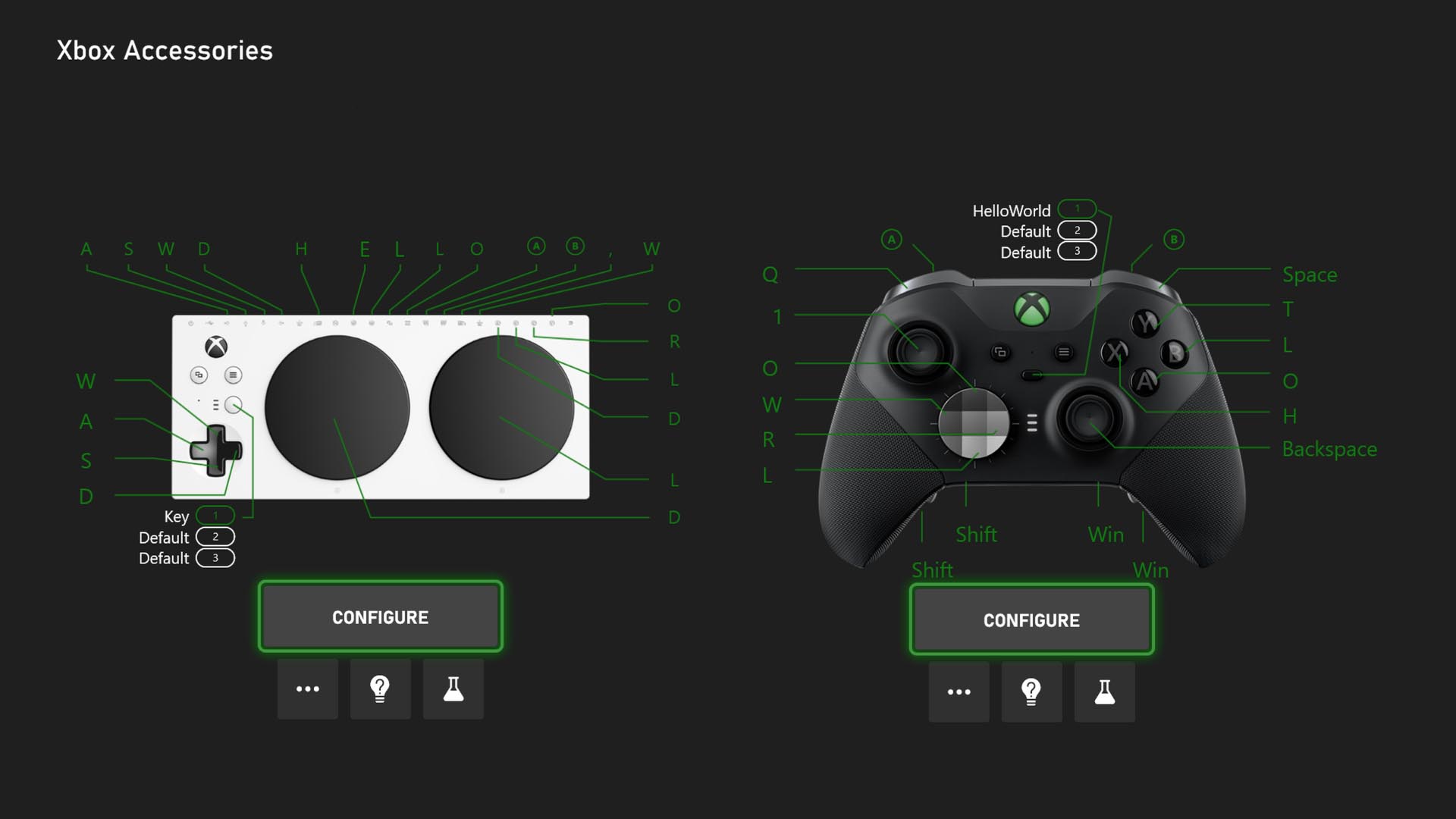
An “Xbox Accessories” menu on-console displays different configuration settings that allow players to remap buttons for the Xbox Adaptive Controller and Xbox Elite Series 2 Controller.

A Game Accessibility Settings menu will be added to the Xbox Game Bar widgets for easier access to visual and audio-related accessibility controls on PC.
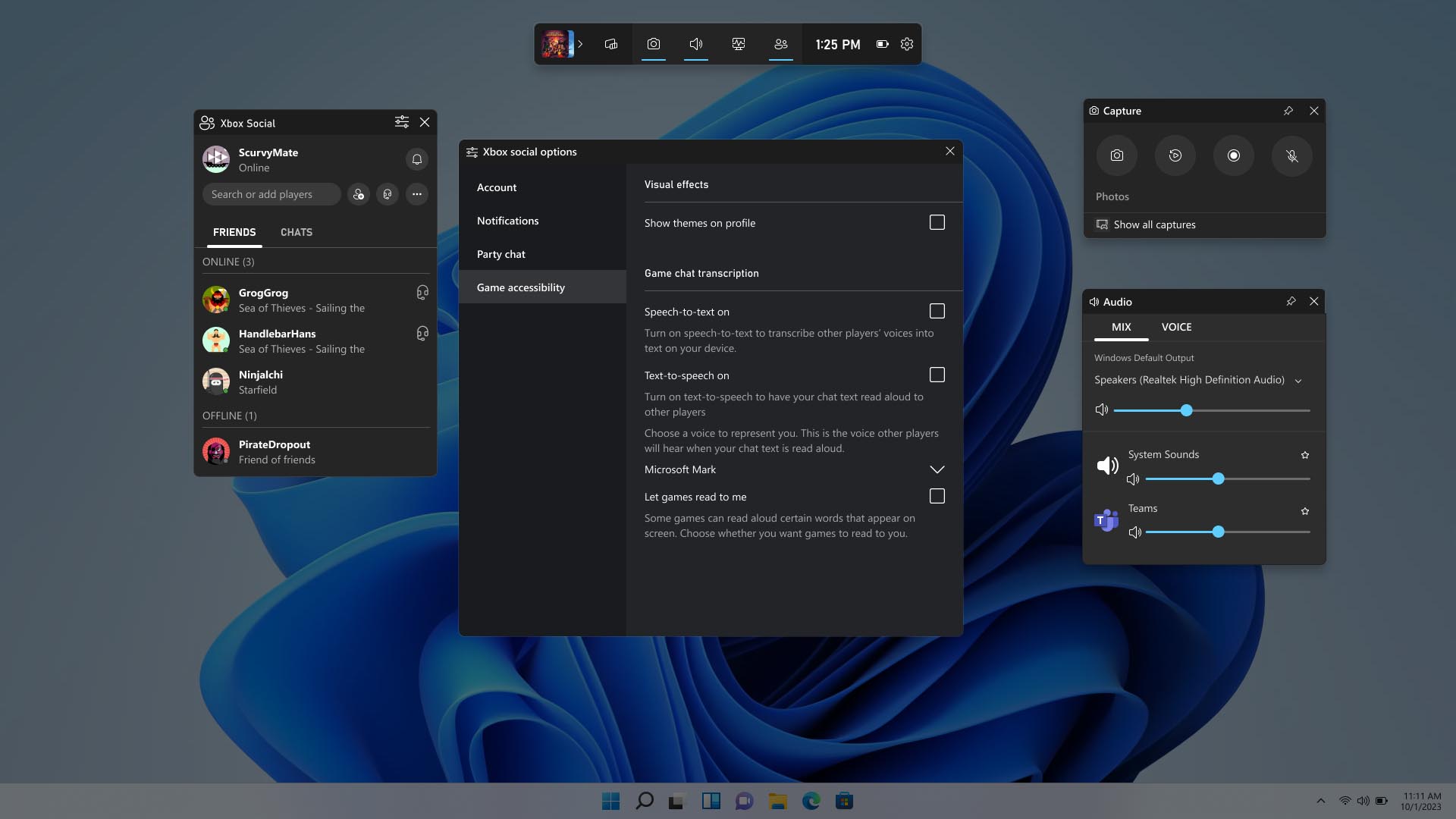
A menu on PC depicts the Game Accessibility Settings Menu for Xbox Widgets in Game Bar.

Additionally, there is a new Accessibility in Games channel on the Xbox Store featuring an array of filters that will help find the most accessible games easier than ever.
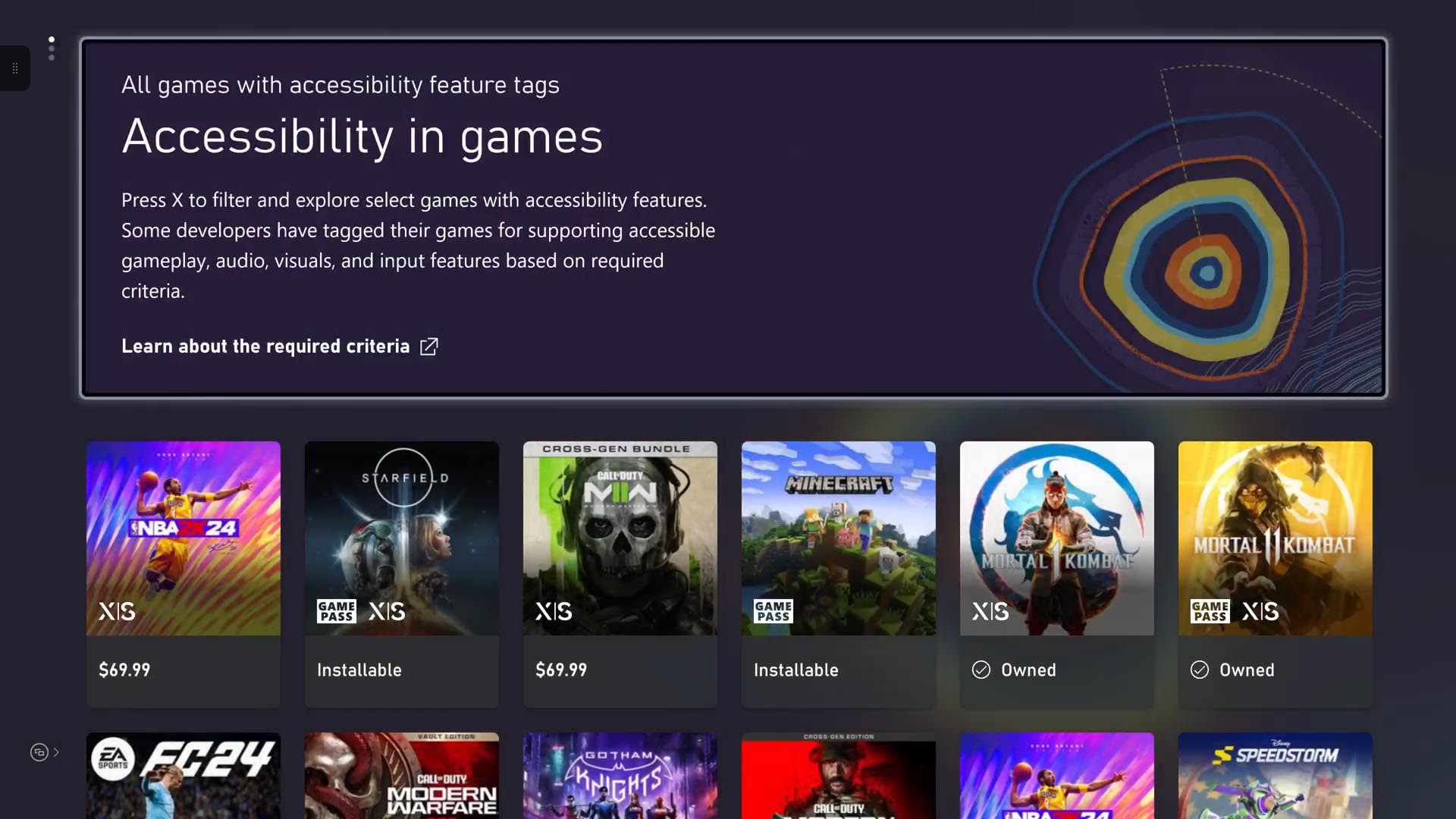
The ‘Accessibility in games’ channel is displayed on an Xbox console, with rows of small icons representing different games on Xbox that have Xbox Accessibility Feature Tags.

Microsoft also listed accessibility improvements for  several of its first party Xbox games like Forza Motorsport, Sea of Thieves and Age of Empires IV.

If you are interested in picking up the Xbox Adaptive Controller, you can find it right here.

Via Techradar. 

Featured image via PCMag. 

Related

Share this article:
Previous Article Microsoft OneDrive now integrated with Azure Virtual Desktop RemoteApps Next Article Microsoft CEO Satya Nadella raises alarm on AI: losing grip could spell trouble

Related Articles

Chrome tests Google Drive file uploads in the AI Mode compose box

April 14, 2026
Gemini image creation using right click desktop Chrome

Chrome lets you remake images with Gemini on desktop using just a right-click

April 13, 2026
Samsung Display crosses 5 million QD-OLED monitor shipments as demand grows fast, with new panels and strong premium market expansion worldwide.

Samsung Display Ships 5 Million QD-OLED Monitor Panels in Four Years

April 9, 2026

Leave a Comment Cancel reply

Your email address will not be published. Required fields are marked *

Recent Posts

  • Chrome tests Google Drive file uploads in the AI Mode compose box
  • Chrome lets you remake images with Gemini on desktop using just a right-click
  • Samsung Display Ships 5 Million QD-OLED Monitor Panels in Four Years
  • Intel Arc Pro B70 Teardown Reveals Blower Cooler and Early Board Design Details
  • Users Modify RTX 5090 Lightning Z Hardware to Unlock MSI’s Restricted 2500W BIOS

Recent Comments

  1. XxRIVTYxX on Intel Says It Tried to Help Before Crimson Desert Dropped Arc Support
  2. Gaurav Kumar on Chrome Prepares Nudge to ‘Move Tabs to the Side’ as Vertical Tabs Near Release
OnMSFT.com

The Tech News Site

Categories

  • Windows
  • Surface
  • Xbox
  • How-To
  • OnPodcast
  • Gaming
  • Edge
  • Teams

Recent Posts

  • Chrome tests Google Drive file uploads in the AI Mode compose box
  • Chrome lets you remake images with Gemini on desktop using just a right-click
  • Samsung Display Ships 5 Million QD-OLED Monitor Panels in Four Years
  • Intel Arc Pro B70 Teardown Reveals Blower Cooler and Early Board Design Details
  • Users Modify RTX 5090 Lightning Z Hardware to Unlock MSI’s Restricted 2500W BIOS

Quick Links

  • About OnMSFT.com
  • Contact OnMSFT
  • Join Our Team
  • Privacy Policy
© 2010–2026 OnMSFT.com LLC. All rights reserved.
About OnMSFT.comContact OnMSFTPrivacy Policy

