Skip to content
OnMSFT.com
  • Home
  • About
  • Contact
  • Windows
  • Surface
  • Xbox
  • How-To
  • OnPodcast
  • Edge
  • Teams
  • Gaming
Menu
  • Home
  • About
  • Contact
  • Windows
  • Surface
  • Xbox
  • How-To
  • OnPodcast
  • Edge
  • Teams
  • Gaming
  1. Home
  2. How-to
  3. How to uninstall Microsoft Store on Windows 11 even though it’s definitely not a good idea

How to uninstall Microsoft Store on Windows 11 even though it’s definitely not a good idea

admin admin
February 22, 2023
4 min read

\\n

\\n

\\n

In this article

\\n

\\n

  • Why would you want to uninstall the Microsoft Store?
  • How to uninstall the Microsoft Store on Windows 11
  • Why you shouldn’t uninstall the Microsoft Store
  • How to reinstall Microsoft Store

\\n

If you’re a Windows 11 user, you may have thought about  what happens if you were to uninstall Microsoft Store. Perhaps it’s because you prefer to download and install your applications via winget, or maybe you’re trying to free up some space on your hard drive. Whatever the reason, you should be aware that uninstalling apps like the Microsoft Store is not recommended. In this guide, we will show you how to uninstall the Microsoft Store on Windows 11 and also discuss the reasons why you should think twice before uninstalling it from your PC.

\\n

Why would you want to uninstall the Microsoft Store?

\\n

Before we get to the how-to part of uninstalling the Microsoft Store, let’s talk about the reasons why you would want to do it in the first place. Here are some of the most common reasons why people might want to uninstall the Microsoft Store:

\\n

\\n

\\n

\\n

\\n

\\n

\\n

\\n

\\n

\\n

\\n

\\n

\\n

\\n

    \\n

  1. Free up space: The Microsoft Store is a built-in app on Windows 11, and it takes up some storage space on your hard drive. If you’re running low on space, you might want to uninstall it.
  2. \\n

  3. To remove bloatware: Some people consider the Microsoft Store to be bloatware, which is any software that comes pre-installed on a computer that’s not essential for the operating system to function. If you’re one of those people, you might want to get rid of it.
  4. \\n

  5. To disable automatic app updates: By default, the Microsoft Store automatically updates the apps installed on your computer. Some people might find this annoying, especially if they have a slow internet connection or limited data.
  6. \\n

\\n

How to uninstall the Microsoft Store on Windows 11

\\n
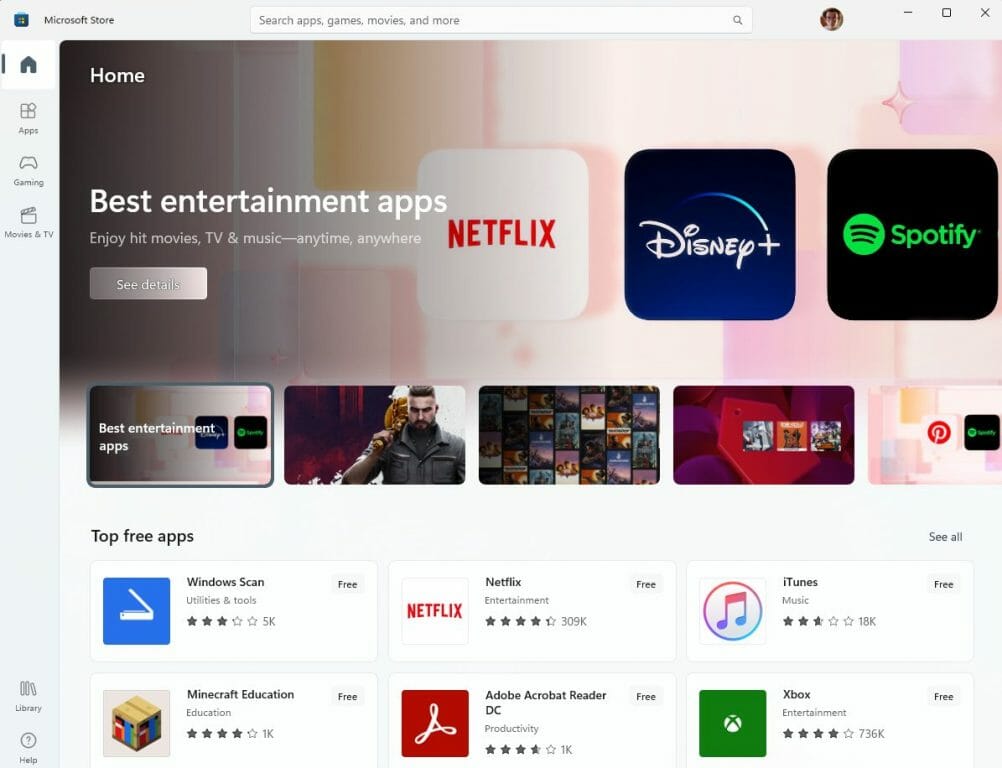
uninstall microsoft store

\\n

Now that we’ve talked about the reasons why you might want to uninstall Microsoft Store, let’s get into the how-to part. Before we proceed, it’s essential to note that uninstalling Microsoft Store is not recommended. It’s a built-in app and removing it might cause issues with other apps that rely on it. However, if you still want to proceed, here’s how to do it:

\\n

    \\n

  1. Open a new PowerShell window with administrator privileges. Use the Windows key + X keyboard shortcut and then click Terminal (Admin).
  2. \\n

  3. In the PowerShell window, type the following command and press Enter: Get-AppxPackage -alluser *WindowsStore* | Remove-Appxpackage. This command will uninstall the Microsoft Store from your computer.
  4. \\n

\\n

That’s it! The Microsoft Store is now uninstalled from your computer.

\\n

Why you shouldn’t uninstall the Microsoft Store

\\n

One of the biggest risks of uninstalling the Microsoft Store is that it can break the ability of other apps to update or install. Many apps in Windows 11 rely on the Microsoft Store app to check for and install updates, and without it, you may not be able to update at all.

\\n

In addition, some apps may not work properly or at all without the Microsoft Store installed. This is because the Microsoft Store provides important framework and support for some apps, and without it, they may not function properly.

\\n

\\n

\\n

\\n

\\n

\\n

\\n
\\n

\\n

\\n

\\n

\\n

\\n

\\n

uninstall microsoft store

\\n

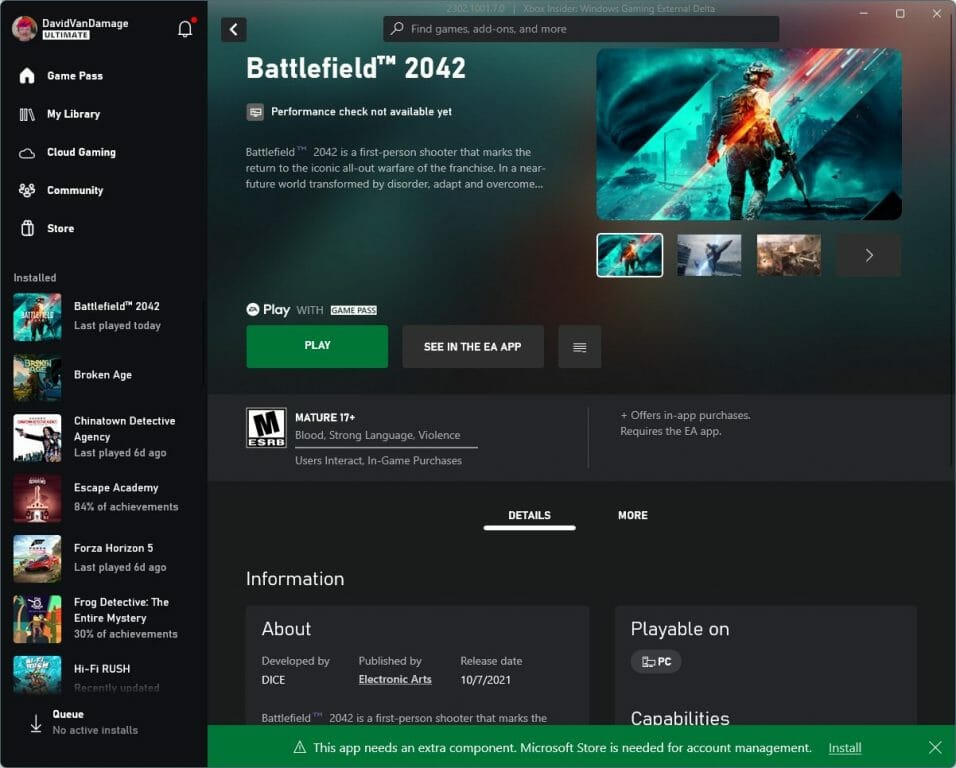
The Xbox app will flash a warning that the app requires the Microsoft Store for account management with a prompt for you to reinstall the Microsoft Store. So, if you play Xbox games on your PC, you can’t (or shouldn’t) uninstall Microsoft Store.

\\n

How to reinstall Microsoft Store

\\n

If you want or need to reinstall Microsoft Store on Windows 11, there are some options you can use to reinstall Microsoft Store on Windows 11:

\\n

    \\n

  1. In a PowerShell window with administrator privileges, type the following command and press Enter: Get-AppxPackage -AllUsers Microsoft.WindowsStore* | Foreach {Add-AppxPackage -DisableDevelopmentMode -Register "$($_.InstallLocation)\\\\AppXManifest.xml"}.
  2. \\n

  3. Reinstall it via this link for Microsoft Store from the Microsoft Store website.
  4. \\n

\\n

As mentioned earlier in this guide, you shouldn’t uninstall Microsoft Store on Windows 11. The Microsoft Store is a built-in app that provides you access to various apps, games, movies, and TV shows and offers a secure way to download and install apps that are free from malware and viruses.

\\n

Microsoft Store is essential for the proper functioning of some Windows features such as the ability to download language packs, fonts, or system updates. Uninstalling Microsoft Store can also break the integration of some apps with Windows 11, which may also cause issues.

\\n\\n

Share this article:
Previous Article Elden Ring has now sold over 20 million copies Next Article Bing Chat comes to Bing and Edge Mobile apps, Skype

Related Articles

43 Microsoft Edge keyboard shortcuts to remember for stylish and speedy web surfing

October 31, 2023

How to use accessibility features in Microsoft 365 like Narrator, Read aloud and Voice Search easily

October 30, 2023

How to use Windows Backup on Windows 11 for efficient data protection

October 26, 2023

Leave a Comment Cancel reply

Your email address will not be published. Required fields are marked *

Recent Posts

  • PowerToys 0.75 released; Environment Variables editor is here
  • Former Halo developer Bungie announces layoffs in wake of game delays
  • Siemens and Microsoft partner to bring GenAI to industries worldwide
  • 43 Microsoft Edge keyboard shortcuts to remember for stylish and speedy web surfing
  • Here is what’s coming to (and leaving) Xbox Game Pass soon

Recent Comments

No comments to show.

Archives

  • October 2023
  • September 2023
  • August 2023
  • July 2023
  • June 2023
  • May 2023
  • April 2023
  • March 2023
  • February 2023
  • January 2023
  • December 2022
  • November 2022
  • October 2022
  • September 2022
  • August 2022
  • July 2022
  • June 2022
  • May 2022
  • April 2022
  • March 2022
  • February 2022
  • January 2022
  • December 2021
  • November 2021
  • October 2021
  • September 2021
  • August 2021
  • July 2021
  • June 2021
  • May 2021
  • April 2021
  • March 2021
  • February 2021
  • January 2021
  • December 2020
  • November 2020
  • October 2020
  • September 2020
  • August 2020
  • July 2020
  • June 2020
  • May 2020
  • April 2020
  • March 2020
  • February 2020
  • January 2020
  • December 2019
  • November 2019
  • October 2019
  • September 2019
  • August 2019
  • July 2019
  • June 2019
  • May 2019
  • April 2019
  • March 2019
  • February 2019
  • January 2019
  • December 2018
  • November 2018
  • October 2018
  • September 2018
  • August 2018
  • July 2018
  • June 2018
  • May 2018
  • April 2018
  • March 2018
  • February 2018
  • January 2018
  • December 2017
  • November 2017
  • October 2017
  • September 2017
  • August 2017
  • July 2017
  • June 2017
  • May 2017
  • April 2017
  • March 2017
  • February 2017
  • January 2017
  • December 2016
  • November 2016
  • October 2016
  • September 2016
  • August 2016
  • July 2016
  • June 2016
  • May 2016
  • April 2016
  • March 2016
  • February 2016
  • January 2016
  • December 2015
  • November 2015
  • October 2015
  • September 2015
  • August 2015
  • July 2015
  • June 2015
  • May 2015
  • April 2015
  • March 2015
  • February 2015
  • January 2015
  • December 2014
  • November 2014
  • October 2014
  • September 2014
  • August 2014
  • July 2014
  • June 2014
  • May 2014
  • April 2014
  • March 2014
  • February 2014
  • January 2014
  • December 2013
  • November 2013
  • October 2013
  • September 2013
  • August 2013
  • July 2013
  • June 2013
  • May 2013
  • April 2013
  • March 2013
  • February 2013
  • January 2013
  • December 2012
  • November 2012
  • October 2012
  • September 2012
  • August 2012
  • July 2012
  • June 2012
  • May 2012
  • April 2012
  • March 2012
  • February 2012
  • January 2012
  • December 2011
  • November 2011
  • October 2011
  • September 2011
  • August 2011
  • July 2011
  • June 2011
  • May 2011
  • April 2011
  • March 2011
  • February 2011
  • January 2011
  • December 2010
  • November 2010
  • October 2010
  • September 2010

Categories

  • Announcements
  • Deals
  • Developer
  • Editorial
  • Feature
  • Feature stories
  • Hero-post
  • Hotdeals
  • How-to
  • Latest news
  • Microsoft / office 365
  • News
  • Office 365
  • Onpodcast
  • Opinion
  • Our featured post
  • Polls
  • Review
  • Reviews
  • Videos
OnMSFT.com

OnMSFT.com covers Microsoft news, reviews, and how-to guides. Formerly known as WinBeta, we have been your source for Microsoft news since 1998.

Categories

  • Windows
  • Surface
  • Xbox
  • How-To
  • OnPodcast
  • Gaming
  • Edge
  • Teams

Recent Posts

  • PowerToys 0.75 released; Environment Variables editor is here
  • Former Halo developer Bungie announces layoffs in wake of game delays
  • Siemens and Microsoft partner to bring GenAI to industries worldwide
  • 43 Microsoft Edge keyboard shortcuts to remember for stylish and speedy web surfing
  • Here is what’s coming to (and leaving) Xbox Game Pass soon

Quick Links

  • About OnMSFT.com
  • Contact OnMSFT
  • Join Our Team
© 2010–2026 OnMSFT.com LLC. All rights reserved.
About OnMSFT.comContact OnMSFT