Skip to content
OnMSFT.com
  • Home
  • About
  • Contact
  • Windows
  • Surface
  • Xbox
  • How-To
  • OnPodcast
  • Edge
  • Teams
  • Gaming
Menu
  • Home
  • About
  • Contact
  • Windows
  • Surface
  • Xbox
  • How-To
  • OnPodcast
  • Edge
  • Teams
  • Gaming
  1. Home
  2. News
  3. Xbox Adaptive Controller to get keyboard and mouse remapping and other features

Xbox Adaptive Controller to get keyboard and mouse remapping and other features

Robert Collins Robert Collins
October 18, 2023
1 min read

Microsoft and Xbox have announced a suite of new accessibility features for the Xbox Adaptive Controller.

Perhaps most notable among them is the ability to remap controller buttons to keyboard and mouse. This will allow players to use the controller with games that only support mouse and keyboard input. This remapping feature also comes to the Elite Series 2. Remapping is done via the Xbox Accessories App on both console and PC.
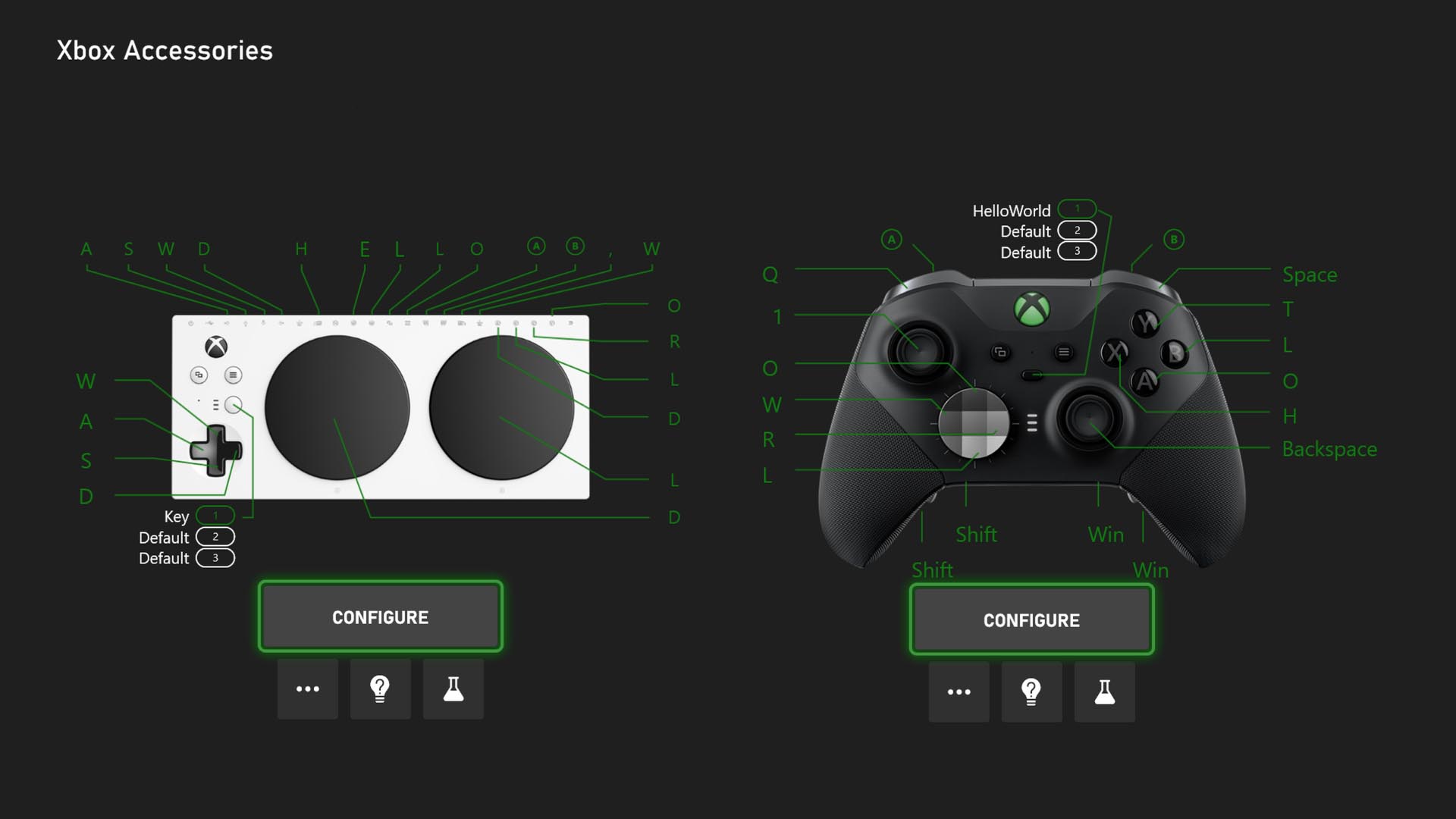
An “Xbox Accessories” menu on-console displays different configuration settings that allow players to remap buttons for the Xbox Adaptive Controller and Xbox Elite Series 2 Controller.

A Game Accessibility Settings menu will be added to the Xbox Game Bar widgets for easier access to visual and audio-related accessibility controls on PC.
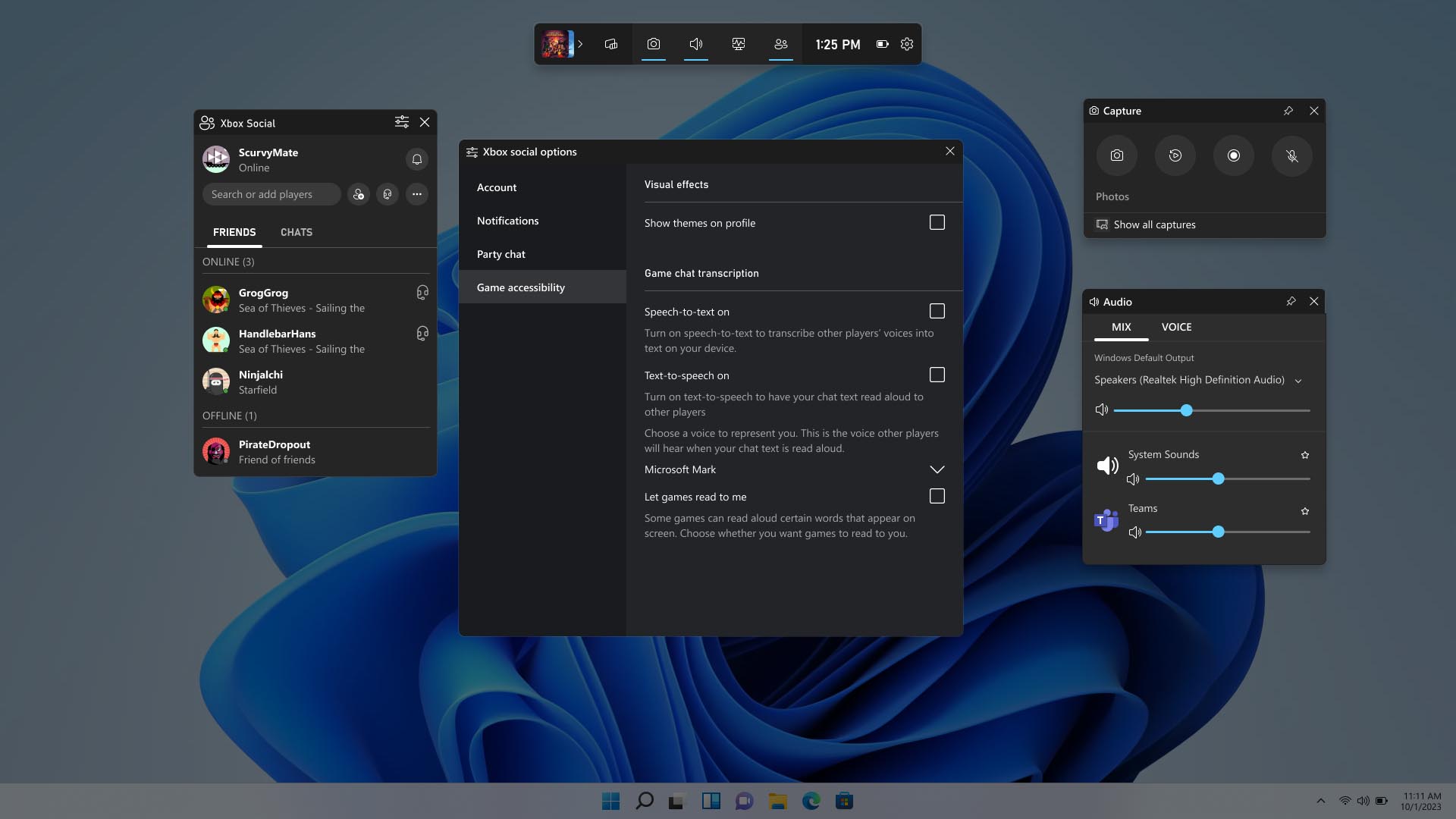
A menu on PC depicts the Game Accessibility Settings Menu for Xbox Widgets in Game Bar.

Additionally, there is a new Accessibility in Games channel on the Xbox Store featuring an array of filters that will help find the most accessible games easier than ever.
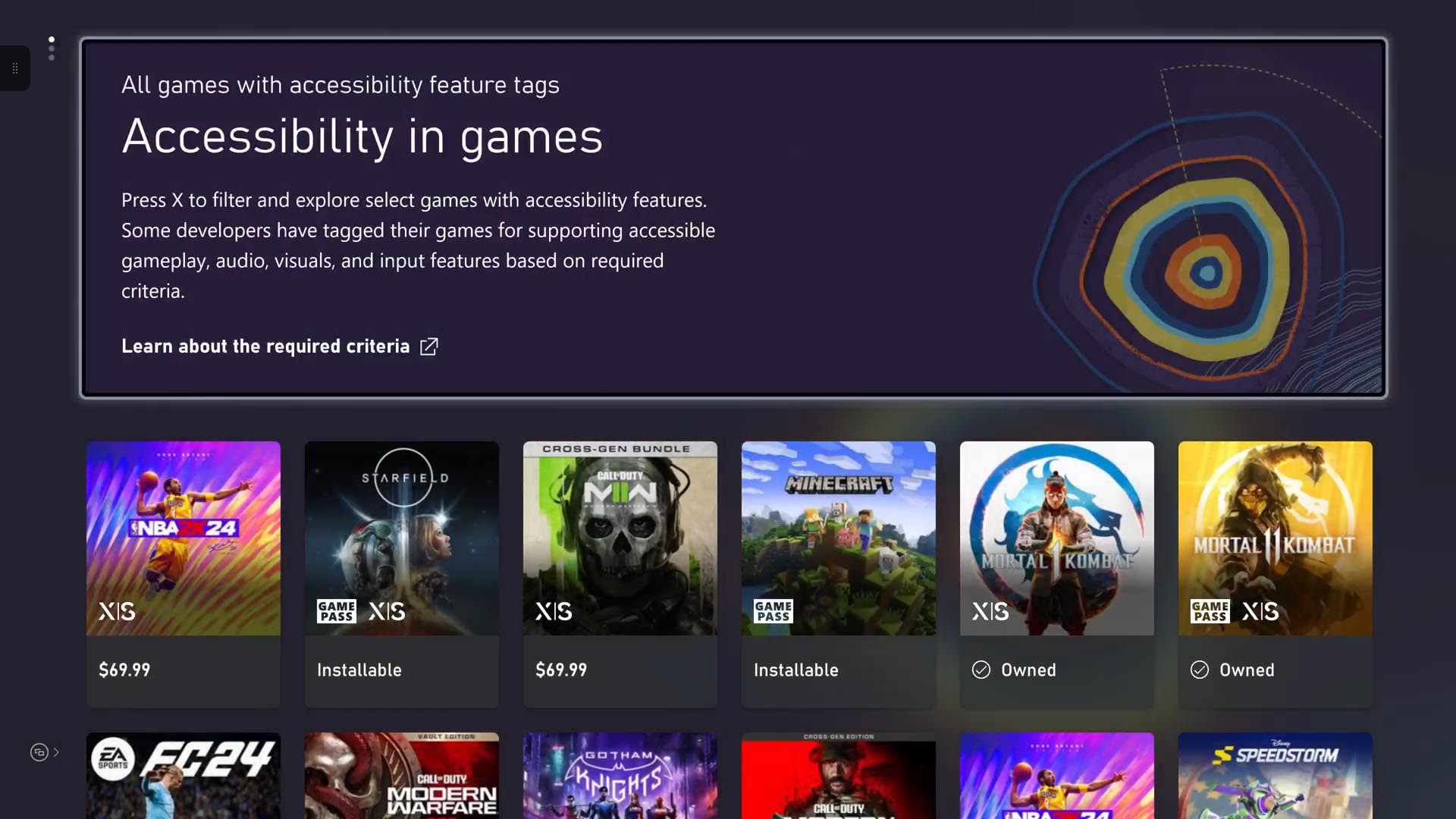
The ‘Accessibility in games’ channel is displayed on an Xbox console, with rows of small icons representing different games on Xbox that have Xbox Accessibility Feature Tags.

Microsoft also listed accessibility improvements for  several of its first party Xbox games like Forza Motorsport, Sea of Thieves and Age of Empires IV.

If you are interested in picking up the Xbox Adaptive Controller, you can find it right here.

Via Techradar. 

Featured image via PCMag. 

Related

Share this article:
Previous Article Microsoft OneDrive now integrated with Azure Virtual Desktop RemoteApps Next Article Microsoft CEO Satya Nadella raises alarm on AI: losing grip could spell trouble

Related Articles

Chrome for Android Prepares Gemini “Let Chrome Browse for You” Setting

March 7, 2026

Microsoft, Google Say Claude Will Stay in Their Platforms Despite Pentagon Designation

March 7, 2026

Chrome’s Projects Panel Will Show Gemini and AI Mode Activity

March 7, 2026

Leave a Comment Cancel reply

Your email address will not be published. Required fields are marked *

Recent Posts

  • Chrome for Android Prepares Gemini “Let Chrome Browse for You” Setting
  • Microsoft, Google Say Claude Will Stay in Their Platforms Despite Pentagon Designation
  • Chrome’s Projects Panel Will Show Gemini and AI Mode Activity
  • Chrome’s GlowUp Design Brings Tab Strip Declutter, Tab Glow Effect, and Glass Toolbar
  • X Tests New Ad Format That Recommends Products Under Posts

Recent Comments

No comments to show.
OnMSFT.com

OnMSFT.com covers Microsoft news, reviews, and how-to guides. Formerly known as WinBeta, we have been your source for Microsoft news since 1998.

Categories

  • Windows
  • Surface
  • Xbox
  • How-To
  • OnPodcast
  • Gaming
  • Edge
  • Teams

Recent Posts

  • Chrome for Android Prepares Gemini "Let Chrome Browse for You" Setting
  • Microsoft, Google Say Claude Will Stay in Their Platforms Despite Pentagon Designation
  • Chrome's Projects Panel Will Show Gemini and AI Mode Activity
  • Chrome’s GlowUp Design Brings Tab Strip Declutter, Tab Glow Effect, and Glass Toolbar
  • X Tests New Ad Format That Recommends Products Under Posts

Quick Links

  • About OnMSFT.com
  • Contact OnMSFT
  • Join Our Team
  • Privacy Policy
© 2010–2026 OnMSFT.com LLC. All rights reserved.
About OnMSFT.comContact OnMSFTPrivacy Policy