Skip to content
OnMSFT.com
  • Home
  • About
  • Contact
  • Windows
  • Surface
  • Xbox
  • How-To
  • OnPodcast
  • Edge
  • Teams
  • Gaming
Menu
  • Home
  • About
  • Contact
  • Windows
  • Surface
  • Xbox
  • How-To
  • OnPodcast
  • Edge
  • Teams
  • Gaming
  1. Home
  2. News
  3. Traces of “Switch to S Mode” option appear in Windows 10 Insider build 17686

Traces of “Switch to S Mode” option appear in Windows 10 Insider build 17686

Laurent Giret Laurent Giret
June 7, 2018
2 min read

Contrary to what Microsoft previously said, it seems that it may soon be possible to switch “S mode” for Windows 10 on and off in the near future. Indeed, after installing the latest Insider build 17686, you’ll see that a new “Switch to S mode” option pops up when you search for S mode in the Settings app (via Thurrott.com).

Clicking on this option just redirects you to the Activation page, but you won’t have any “Switch to S mode” for now. It’s not clear yet if the option to enable S mode could actually be a thing, but it does make sense to bring this mode to more Windows 10 users.

Earlier this year, Microsoft said that Windows 10 in S mode would replace the pre-existing Windows 10 S SKU, and that it would be up to PC manufacturers to configure it on new PCs. Windows 10 in S mode is actually a renamed Windows 10 S, a more secure and battery efficient configuration of Windows 10 that can only run Microsoft Store apps.

Disabling S Mode is free for consumers regardless of Windows 10 edition , but as of today you can’t go back to S mode after switching out of it in the Microsoft Store. This may be a missed opportunity for Microsoft, as despite its shortcomings (you can’t use any other browser than Microsoft Edge or install new drivers, as an example), S Mode definitely has its merits.

As Microsoft explained, the purpose of S mode is to provide consumers, schools and enterprise users a streamlined version of Windows 10 that won’t get bogged down by desktop apps and other bloatware in the long run. This is really something that some consumers may want to turn on older machines, or PCs that are just being used for some light web browsing and other basic things. However, it would be interesting to know what would happen to your desktop apps once you turn on S Mode, as losing some important data would not be a great experience.

Anyway, when there’s smoke there’s fire, as the adage says, and the fact that this “Switch to S mode” option appears in the Settings app suggests that this is something that Microsoft may be considering. Do you think it makes sense to make S Mode something that all Windows 10 users can turn on and off at will? Let us know below.


 

Share This Post:

Tags: Windows 10 | Windows Insider
Share this article:
Tags:
Windows 10 Windows Insider
Previous Article LinkedIn job postings now include commute times via Bing Maps | On MSFT Next Article Give dad the gift of Surface, Xbox, and Windows 10 PCs with these Father’s day deals – onmsft.com

Related Articles

Nvidia introduces DLSS 5 to improve game realism with generative AI

NVIDIA DLSS 5 launch video blocked on YouTube after Italian broadcast claim

April 6, 2026

Intel Ends Support for XeSS Unity Plugin, Leaves Developers With Frozen Codebase

April 6, 2026
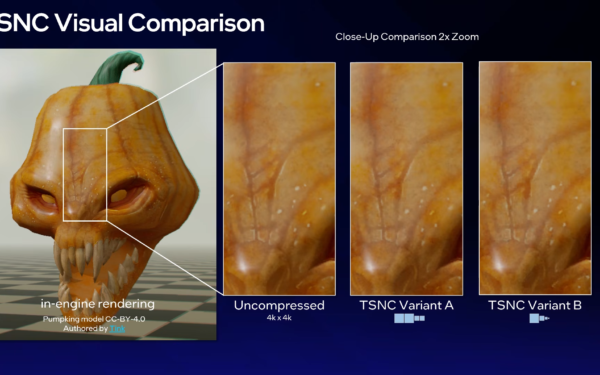
Intel TSNC Brings 18x Texture Compression With Trade-Offs in Image Quality

Intel TSNC Promises Up to 18x Texture Compression With Neural Tech

April 6, 2026

Leave a Comment Cancel reply

Your email address will not be published. Required fields are marked *

Recent Posts

  • NVIDIA DLSS 5 launch video blocked on YouTube after Italian broadcast claim
  • Intel Ends Support for XeSS Unity Plugin, Leaves Developers With Frozen Codebase
  • Intel TSNC Promises Up to 18x Texture Compression With Neural Tech
  • Intel Reveals Full BMG-G31 Specs Powering Arc Pro B70 and B65 GPUs
  • AI Companies Lock In DRAM Supply Through 2030, Prices Expected to Stay High

Recent Comments

  1. XxRIVTYxX on Intel Says It Tried to Help Before Crimson Desert Dropped Arc Support
  2. Gaurav Kumar on Chrome Prepares Nudge to ‘Move Tabs to the Side’ as Vertical Tabs Near Release
OnMSFT.com

The Tech News Site

Categories

  • Windows
  • Surface
  • Xbox
  • How-To
  • OnPodcast
  • Gaming
  • Edge
  • Teams

Recent Posts

  • NVIDIA DLSS 5 launch video blocked on YouTube after Italian broadcast claim
  • Intel Ends Support for XeSS Unity Plugin, Leaves Developers With Frozen Codebase
  • Intel TSNC Promises Up to 18x Texture Compression With Neural Tech
  • Intel Reveals Full BMG-G31 Specs Powering Arc Pro B70 and B65 GPUs
  • AI Companies Lock In DRAM Supply Through 2030, Prices Expected to Stay High

Quick Links

  • About OnMSFT.com
  • Contact OnMSFT
  • Join Our Team
  • Privacy Policy
© 2010–2026 OnMSFT.com LLC. All rights reserved.
About OnMSFT.comContact OnMSFTPrivacy Policy