Skip to content
OnMSFT.com
  • Home
  • About
  • Contact
  • Windows
  • Surface
  • Xbox
  • How-To
  • OnPodcast
  • Edge
  • Teams
  • Gaming
Menu
  • Home
  • About
  • Contact
  • Windows
  • Surface
  • Xbox
  • How-To
  • OnPodcast
  • Edge
  • Teams
  • Gaming
  1. Home
  2. News
  3. Microsoft updates Sway, makes it even easier to create beautiful presentations

Microsoft updates Sway, makes it even easier to create beautiful presentations

Fahad Al-Riyami Fahad Al-Riyami
August 26, 2019
1 min read

Microsoft updates Sway to make it even easier to create beautiful presentations

Today, Microsoft has updated Sway with great new features to help users unleash their creativity. If you haven’t heard of Sway before, it’s a new presentation tool that hopes to make it extremely easy to create great presentations.

Sway is a cloud-based solution to it can be accessed from any platform including the web. Some of the new features that come as part of this update include the ability to add third-party embeds to presentations, so users just need to use an embed code to get new content. Embeds could be in the form of videos, images, audio clips, maps, charts, or documents.

Another new feature is the ability to import content from a document automatically into a Sway presentation. In addition to importing for .pdf files that was added back in December, users can now also import from Word and PowerPoint files. In the previous update, Microsoft made it easy to group images and text together, but after doing so, it was difficult to separate them. This is now fixed as Microsoft has added a handy ‘Separate’ function to make the experience as smooth as possible.

Unsurprisingly, Microsoft has been heavily relying on user feedback to improve Sway which is still in its Preview stage, so if you like Sway and think it has potential to be better, don’t hesitate to contact Microsoft with your ideas and suggestions, the company wants to hear from you!

Further reading: Microsoft, Office, Sway, Sway Preview

Share this article:
Tags:
Microsoft Office Sway Sway Preview
Previous Article NOOK for Windows 8.1 app receives update, adds plethora of new features Next Article Microsoft researchers show off intuitive stylus, don’t know how to hold a pencil (video)

Related Articles

Nvidia introduces DLSS 5 to improve game realism with generative AI

NVIDIA DLSS 5 launch video blocked on YouTube after Italian broadcast claim

April 6, 2026

Intel Ends Support for XeSS Unity Plugin, Leaves Developers With Frozen Codebase

April 6, 2026
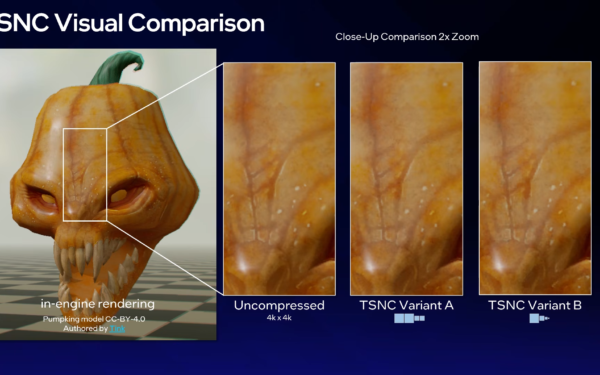
Intel TSNC Brings 18x Texture Compression With Trade-Offs in Image Quality

Intel TSNC Promises Up to 18x Texture Compression With Neural Tech

April 6, 2026

Leave a Comment Cancel reply

Your email address will not be published. Required fields are marked *

Recent Posts

  • NVIDIA DLSS 5 launch video blocked on YouTube after Italian broadcast claim
  • Intel Ends Support for XeSS Unity Plugin, Leaves Developers With Frozen Codebase
  • Intel TSNC Promises Up to 18x Texture Compression With Neural Tech
  • Intel Reveals Full BMG-G31 Specs Powering Arc Pro B70 and B65 GPUs
  • AI Companies Lock In DRAM Supply Through 2030, Prices Expected to Stay High

Recent Comments

  1. XxRIVTYxX on Intel Says It Tried to Help Before Crimson Desert Dropped Arc Support
  2. Gaurav Kumar on Chrome Prepares Nudge to ‘Move Tabs to the Side’ as Vertical Tabs Near Release
OnMSFT.com

The Tech News Site

Categories

  • Windows
  • Surface
  • Xbox
  • How-To
  • OnPodcast
  • Gaming
  • Edge
  • Teams

Recent Posts

  • NVIDIA DLSS 5 launch video blocked on YouTube after Italian broadcast claim
  • Intel Ends Support for XeSS Unity Plugin, Leaves Developers With Frozen Codebase
  • Intel TSNC Promises Up to 18x Texture Compression With Neural Tech
  • Intel Reveals Full BMG-G31 Specs Powering Arc Pro B70 and B65 GPUs
  • AI Companies Lock In DRAM Supply Through 2030, Prices Expected to Stay High

Quick Links

  • About OnMSFT.com
  • Contact OnMSFT
  • Join Our Team
  • Privacy Policy
© 2010–2026 OnMSFT.com LLC. All rights reserved.
About OnMSFT.comContact OnMSFTPrivacy Policy