
It’s been quite the busy week for Microsoft, having held its annual developer conference, Build 2023 alongside dropping its Moment 3 update for Windows 11 users. We’ll still get to conclude this week and the month of May with our weekly recap of some of the key features the company announced as coming to its Microsoft 365 suite.
Here’s everything you need to know:
Text Predictions for OneNote on Windows
Microsoft has announced that the text predictions feature is shipping for OneNote on Windows users. The feature tagged 124909 in the Microsoft 365 Roadmap will let users see text predictions when writing documents in English in OneNote on Windows. They can then use the tab or right arrow key to accept the suggested text that aligns with whatever they were writing.
The feature will help enhance productivity for users and is expected to start rolling out next month. It should hit general availability by late July 2023.
New UI for the Microsoft Whiteboard app
The Microsoft Whiteboard app is also set to get a refreshed and revamped user interface across all its clients. According to Microsoft, the update will also make move the whiteboarding tools upfront and the toolbar at the bottom of the screen. This change is designed to enhance the user’s interaction with the app while simultaneously enhancing discoverability.
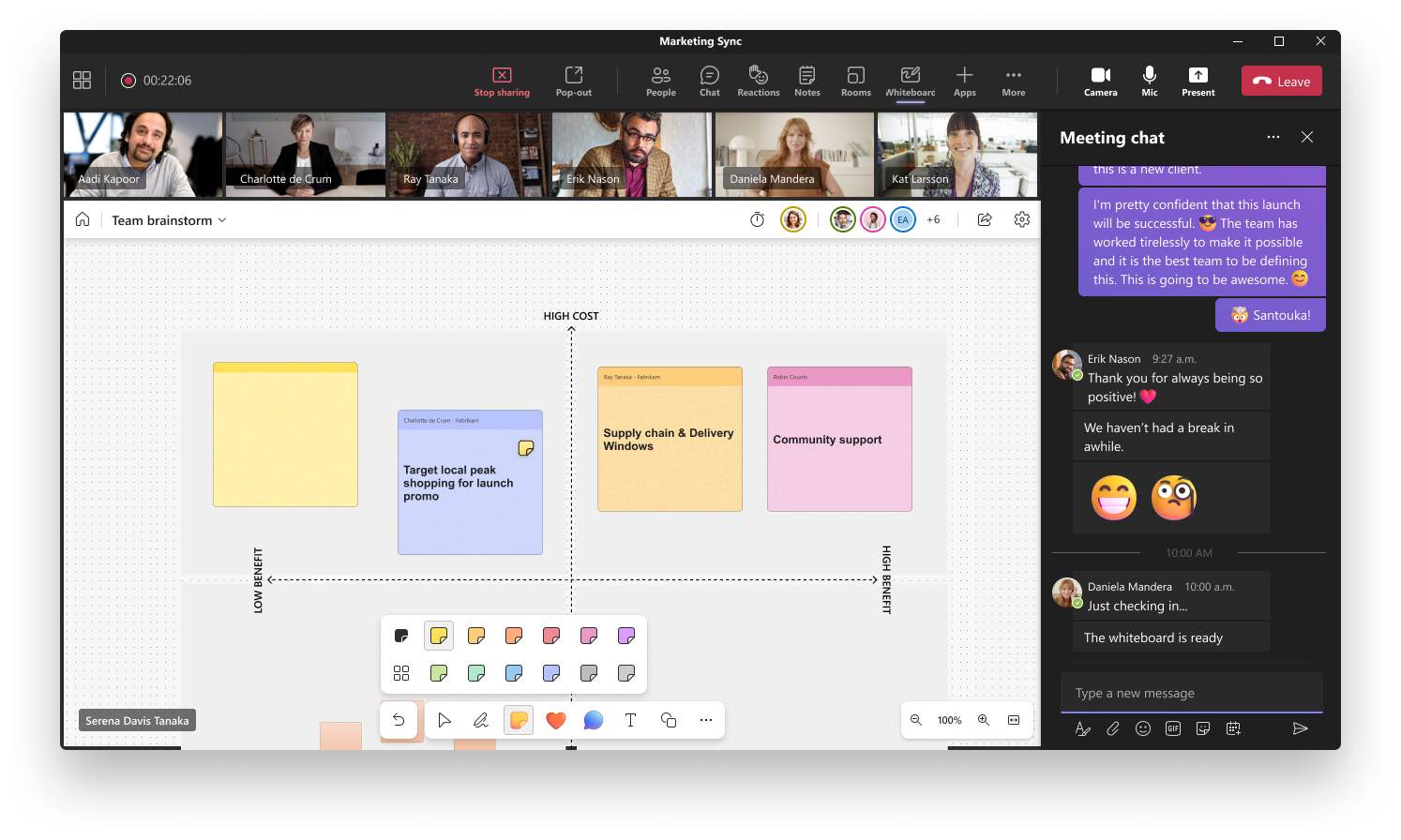
The feature tagged 124900 in the Microsoft 365 Roadmap should start rolling out to users in early June and hit broad availability later in the same month.
What’s more, Microsoft has also announced the incorporation of an Ink Picker into the platform. The company further added:
Users will soon be able to enjoy a wide range of colors for inking using the latest color picker feature. In addition to color picker, a slider will also be provided to change opacity level of pens. This functionality will be rolled out automatically to Whiteboard for the web, Microsoft Teams, Windows App & Surface Hubs/MTR experiences as well as Annotations in Teams meetings.
The feature tagged 124899 in the Microsoft 365 Roadmap is expected to roll out to users in early June and ship to broad availability by late June 2023.
Microsoft Viva Connections News Notifications
Microsoft has also unveiled mobile push notifications for SharePoint news in Viva Connections. The feature tagged 98112 in the Microsoft 365 Roadmap will deliver notifications to users via the Teams app when Viva Connections is installed.
The company also indicated that the notifications will also pop up when:
- News is published to a SharePoint site a user follows or visits frequently.
- Someone comments on a News post the user authored.
- Someone has ‘Liked’ a News post the user authored.
- The user is @ mentioned in a comment on a news post.
- When opened, notifications will take users directly to the news content in the Viva Connections app.
It is set to start rolling out to users next month and hit general availability towards mid-June.
That’s it for this week folks. Be sure to catch up with all our Build 2023 coverage here, and also check out our podcast, OnPodcast, with the crew, Kareem Anderson and David Allen this Sunday to catch up on anything you might have missed.
Featured image via Bing Image Creator


