Skip to content
OnMSFT.com
  • Home
  • About
  • Contact
  • Windows
  • Surface
  • Xbox
  • How-To
  • OnPodcast
  • Edge
  • Teams
  • Gaming
Menu
  • Home
  • About
  • Contact
  • Windows
  • Surface
  • Xbox
  • How-To
  • OnPodcast
  • Edge
  • Teams
  • Gaming
  1. Home
  2. Microsoft / office 365
  3. Microsoft Whiteboard in Microsoft Teams now lets you use Sticky Notes and Text objects

Microsoft Whiteboard in Microsoft Teams now lets you use Sticky Notes and Text objects

Arif Bacchus Arif Bacchus
August 5, 2020
1 min read

Microsoft today announced that the Whiteboard app in Microsoft Teams has been updated with some new features, including the ability to add Sticky Notes, as well as the ability to add text objects. Thanks to these latest additions, Microsoft Whiteboard in Teams is near complete to the experience on iOS, Android, Windows 10, and the web.

The most interesting novelty is the ability to add Sticky Notes. With this, you’ll be able to quickly add ideas and your thoughts during meetings. It will be available through the toolbar and by right-clicking on the canvas. As for Text objects, Microsoft says you can use these to add structure fo the canvas. They also can be added by right-clicking on the canvas, or through the toolbar.

When it comes to the other updates, Microsoft says you’ll be able to select and move objects in Whiteboard in Teams. This makes it easier to move and re-order objects when organizing ideas, tasks, or other content. Performance updates also cap off the list of features. Though these are only for the web app, Microsoft notes that it has completely rebuilt the experience for Whiteboard on the web. This means that heading into the future, you can see more capabilities for Whiteboard in Teams.


Share This Post:

Tags: Microsoft | Microsoft 365 | Microsoft Teams | Microsoft Whiteboard
Share this article:
Tags:
Microsoft Microsoft 365 Microsoft Teams Microsoft Whiteboard
Previous Article Microsoft Edge Dev updated with ability to install themes from Google Web Store Next Article Parallels Desktop for Chromebook Enterprise will bring full Windows apps to Chromebooks later this fall

Related Articles

Intel Nova Lake CPUs Drop Xe4 Plans, Shift to Xe3 and Xe3P Graphics Setup

April 7, 2026

Analyst Says Fortnite’s “Forever Game” Era Is Ending After Epic Games Layoffs

April 6, 2026
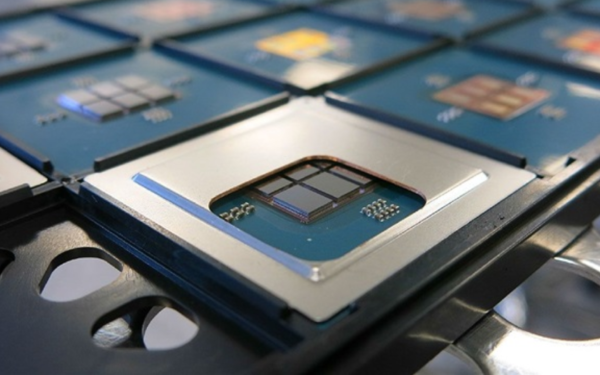
Intel’s Advanced Packaging Business Grows Fast as AI Companies Look Beyond TSMC

Intel’s Advanced Packaging Business Grows Fast as AI Companies Look Beyond TSMC

April 6, 2026

Leave a Comment Cancel reply

Your email address will not be published. Required fields are marked *

Recent Posts

  • Intel Nova Lake CPUs Drop Xe4 Plans, Shift to Xe3 and Xe3P Graphics Setup
  • Analyst Says Fortnite’s “Forever Game” Era Is Ending After Epic Games Layoffs
  • Intel’s Advanced Packaging Business Grows Fast as AI Companies Look Beyond TSMC
  • TSMC Earnings Call to Address Middle East Crisis and Supply Chain Risks
  • Samsung Could Launch Four Galaxy S27 Models With New Pro Variant

Recent Comments

  1. XxRIVTYxX on Intel Says It Tried to Help Before Crimson Desert Dropped Arc Support
  2. Gaurav Kumar on Chrome Prepares Nudge to ‘Move Tabs to the Side’ as Vertical Tabs Near Release
OnMSFT.com

The Tech News Site

Categories

  • Windows
  • Surface
  • Xbox
  • How-To
  • OnPodcast
  • Gaming
  • Edge
  • Teams

Recent Posts

  • Intel Nova Lake CPUs Drop Xe4 Plans, Shift to Xe3 and Xe3P Graphics Setup
  • Analyst Says Fortnite’s “Forever Game” Era Is Ending After Epic Games Layoffs
  • Intel’s Advanced Packaging Business Grows Fast as AI Companies Look Beyond TSMC
  • TSMC Earnings Call to Address Middle East Crisis and Supply Chain Risks
  • Samsung Could Launch Four Galaxy S27 Models With New Pro Variant

Quick Links

  • About OnMSFT.com
  • Contact OnMSFT
  • Join Our Team
  • Privacy Policy
© 2010–2026 OnMSFT.com LLC. All rights reserved.
About OnMSFT.comContact OnMSFTPrivacy Policy