Skip to content
OnMSFT.com
  • Home
  • About
  • Contact
  • Windows
  • Surface
  • Xbox
  • How-To
  • OnPodcast
  • Edge
  • Teams
  • Gaming
Menu
  • Home
  • About
  • Contact
  • Windows
  • Surface
  • Xbox
  • How-To
  • OnPodcast
  • Edge
  • Teams
  • Gaming
  1. Home
  2. News
  3. PowerPoint for web users can easily insert videos to presentations directly from their device

PowerPoint for web users can easily insert videos to presentations directly from their device

Kevin Okemwa Kevin Okemwa
March 30, 2023
1 min read

If you often interact with PowerPoint to make your presentations, then you’ll be happy to know that Microsoft has added a new feature. 

While it has been possible to add videos to your presentation from online platforms like YouTube and Vimeo, PowerPoint didn’t support the incorporation of videos from a user’s own device.

Microsoft is now rolling out this long-requested feature to PowerPoint for web users. This means that you can now insert videos into your presentation directly from your computer.

To access this feature:

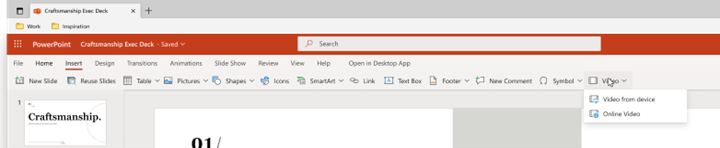
  1. Launch a new or existing presentation in PowerPoint for the web.
  2. Next, select Insert > Video > Video from the device.Video menu showing the Video from device command
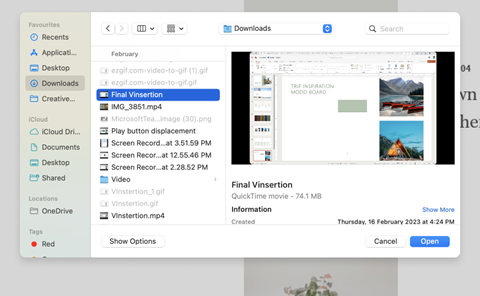
  3. Then, pick the video you’d like to add to your presentation and click on the Open button to insert it.Selected video file and highlighted Open button

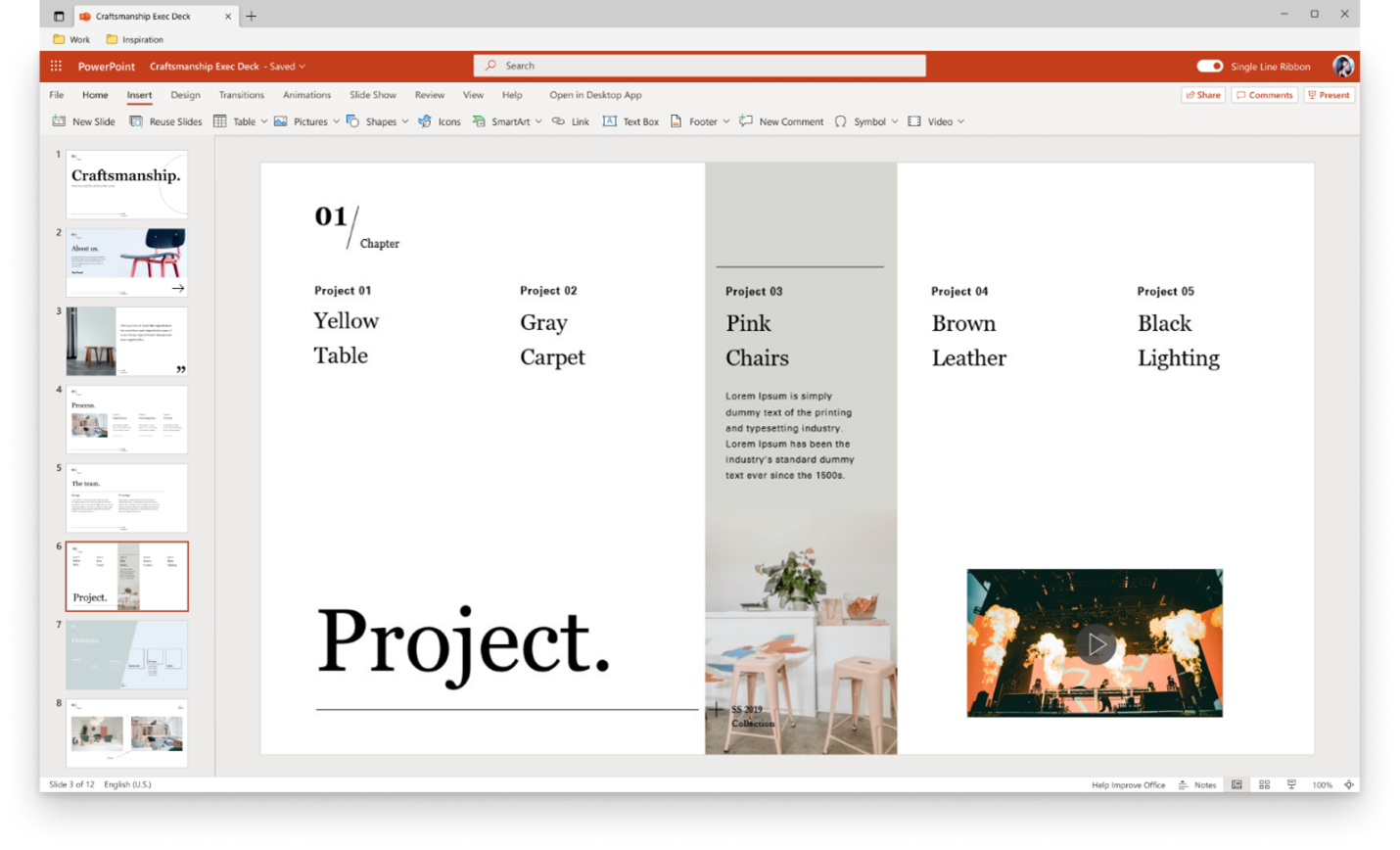
Note: Once the video appears in your slide, you can resize, move, or even apply shape effects to it.PowerPoint for the web presentation with newly added video from computer
It should also be noted that the maximum size of the video you can include in your presentation is 256MB. Microsoft also recommends a .mp4 video file format for a better and quality experience.

Your internet connection also plays a major role and determines how fast you are able to insert a video into your PowerPoint presentation. In related news, users can also be able to convert their presentations to animated GIFs.


Share this article:
Previous Article Apples World Wide Developer Conference (WWDC) gets underway June 5, 2023 Next Article Microsoft maps out its plans inject ads into Bing Chat

Related Articles

Chrome and Gemini icons representing Gemini Live voice assistant integration in Chrome

Chrome tests Gemini Live voice assistant in a floating overlay panel

March 14, 2026

Chrome’s Organizer feature may sync Gemini and AI conversations across devices

March 14, 2026

After Chrome, Edge tests launching the browser automatically when you sign into Windows

March 13, 2026

Leave a Comment Cancel reply

Your email address will not be published. Required fields are marked *

Recent Posts

  • Chrome tests Gemini Live voice assistant in a floating overlay panel
  • Chrome’s Organizer feature may sync Gemini and AI conversations across devices
  • After Chrome, Edge tests launching the browser automatically when you sign into Windows
  • iPhone Fold Latest Rumors: Display, Cameras, RAM and Price Details Revealed
  • Samsung fears first mobile operating loss due to memory price surge

Recent Comments

No comments to show.
OnMSFT.com

OnMSFT.com covers Microsoft news, reviews, and how-to guides. Formerly known as WinBeta, we have been your source for Microsoft news since 1998.

Categories

  • Windows
  • Surface
  • Xbox
  • How-To
  • OnPodcast
  • Gaming
  • Edge
  • Teams

Recent Posts

  • Chrome tests Gemini Live voice assistant in a floating overlay panel
  • Chrome’s Organizer feature may sync Gemini and AI conversations across devices
  • After Chrome, Edge tests launching the browser automatically when you sign into Windows
  • iPhone Fold Latest Rumors: Display, Cameras, RAM and Price Details Revealed
  • Samsung fears first mobile operating loss due to memory price surge

Quick Links

  • About OnMSFT.com
  • Contact OnMSFT
  • Join Our Team
  • Privacy Policy
© 2010–2026 OnMSFT.com LLC. All rights reserved.
About OnMSFT.comContact OnMSFTPrivacy Policy