Skip to content
OnMSFT.com
  • Home
  • About
  • Contact
  • Windows
  • Surface
  • Xbox
  • How-To
  • OnPodcast
  • Edge
  • Teams
  • Gaming
Menu
  • Home
  • About
  • Contact
  • Windows
  • Surface
  • Xbox
  • How-To
  • OnPodcast
  • Edge
  • Teams
  • Gaming
  1. Home
  2. News
  3. OneNote users gain OneNote Clipper for Chrome, and Springpad migration tool

OneNote users gain OneNote Clipper for Chrome, and Springpad migration tool

Ron Ron
August 18, 2019
2 min read

OneNote users gain OneNote Clipper for Chrome and Springpad migration tool

Microsoft has unveiled two OneNote utilities that enable users to get more from the notes tool. To complement the OneNote Clipper release recently, the OneNote Clipper for Chrome is an extension for Google’s web browser that makes light work of capturing online content and saving to OneNote.

The initial Clipper tool proved so popular with Chrome users that the decision was made to release a dedicate extension. It can be downloaded free of charge and adds a new button to Chrome. The extension replaces the OneNote Clipper tool, so this can be uninstalled as the two are not needed at the same time. The first time you click the new toolbar button, you’ll need to sign into your account, but from that point forward, clicking it will save the current page or selection to OneNote for you.

Also announced today is the Springpad to OneNote migration tool. Many users were surprised by Springpad’s sudden revelation that the service will be closing down towards the end of the month. Anyone who has used Springpad for any length of time probably has a good deal of content looking for a new home, and this is where the migration tool can help.

Before it’s too late, you’ll need to sign into your Springpad account and use the Export Your Data option to option a zip file. This file can then be uploaded to OneNote, and each Springpad notebook will be transformed into a section in your notebook, and each page becomes its own page in the section.

OneNote Clipper for Chrome

Further reading: Microsoft, OneNote

Share this article:
Tags:
Microsoft OneNote
Previous Article Skype improves chat with enhanced notifications, better syncing — and there’s more to come! Next Article Windows Phone 8.1 gets listed on the Microsoft website

Related Articles

Tencent steps in to support OpenClaw after creator complaints

March 17, 2026

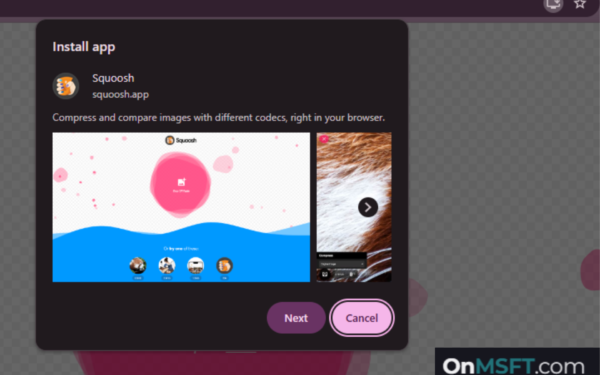
Installing Web Apps in Chrome May Soon Take More Than One Click

March 17, 2026
Nvidia CEO Jensen Huang says demand for Blackwell and Rubin AI chips could reach $1 trillion as AI infrastructure spending grows rapidly.

Nvidia CEO Jensen Huang sees $1 trillion demand for Blackwell and Rubin AI chips

March 16, 2026

Leave a Comment Cancel reply

Your email address will not be published. Required fields are marked *

Recent Posts

  • Tencent steps in to support OpenClaw after creator complaints
  • Installing Web Apps in Chrome May Soon Take More Than One Click
  • Nvidia CEO Jensen Huang sees $1 trillion demand for Blackwell and Rubin AI chips
  • Nvidia introduces DLSS 5 to improve game realism with generative AI
  • Dictionary Publisher Files Copyright Lawsuit Against OpenAI

Recent Comments

No comments to show.
OnMSFT.com

The Tech News Site

Categories

  • Windows
  • Surface
  • Xbox
  • How-To
  • OnPodcast
  • Gaming
  • Edge
  • Teams

Recent Posts

  • Tencent steps in to support OpenClaw after creator complaints
  • Installing Web Apps in Chrome May Soon Take More Than One Click
  • Nvidia CEO Jensen Huang sees $1 trillion demand for Blackwell and Rubin AI chips
  • Nvidia introduces DLSS 5 to improve game realism with generative AI
  • Dictionary Publisher Files Copyright Lawsuit Against OpenAI

Quick Links

  • About OnMSFT.com
  • Contact OnMSFT
  • Join Our Team
  • Privacy Policy
© 2010–2026 OnMSFT.com LLC. All rights reserved.
About OnMSFT.comContact OnMSFTPrivacy Policy
