Skip to content
OnMSFT.com
  • Home
  • About
  • Contact
  • Windows
  • Surface
  • Xbox
  • How-To
  • OnPodcast
  • Edge
  • Teams
  • Gaming
Menu
  • Home
  • About
  • Contact
  • Windows
  • Surface
  • Xbox
  • How-To
  • OnPodcast
  • Edge
  • Teams
  • Gaming
  1. Home
  2. News
  3. Microsoft PowerToys to get new Screen Ruler – onmsft.com

Microsoft PowerToys to get new Screen Ruler – onmsft.com

Abhinav Fating Abhinav Fating
August 11, 2022
1 min read

Microsoft PowerToys will soon unveil a new feature called Screen Ruler. The PowerToys Github repository reveals early details of the upcoming new feature that will allow users to measure the pixels between objects on the screen.

Microsoft PowerToys’s new feature Screen Ruler will come with new four measuring modes, that will helps the users ease their tasks. The four modes include crosshair, horizontal or vertical distance to the nearest object, and rectangular area. Users can change the mode using a small popup on top of the screen.

The new Screen Ruler has another notable feature, with the help of that feature users can detect the borders, buttons, and other parts of the user interface. That feature also allows users to get precise measures without manually drawing straight lines between two elements.  Like other PowerToys tools, the Screen Ruler also has a dedicated and customizable shortcut and also has a few personalization options. You can also check out more details on Screen Ruler in its repository Github.

The Github repository lead Clint Rutkas says the Screen Ruler feature is still under testing and developers still implementing adjustments and performing other preparations before shipping the tool to the public.

For more latest and exclusive tech news follow us on Google News.

Share This Post:

Share this article:
Tags:
Microsoft Powertoys
Previous Article Xbox is accusing Sony of paying developers “block fees” to keep games off Xbox Game Pass – onmsft.com Next Article You can now shop smarter with Microsoft Bing thanks to these changes – onmsft.com

Related Articles

Chrome’s Organizer feature may sync Gemini and AI conversations across devices

March 14, 2026

After Chrome, Edge tests launching the browser automatically when you sign into Windows

March 13, 2026
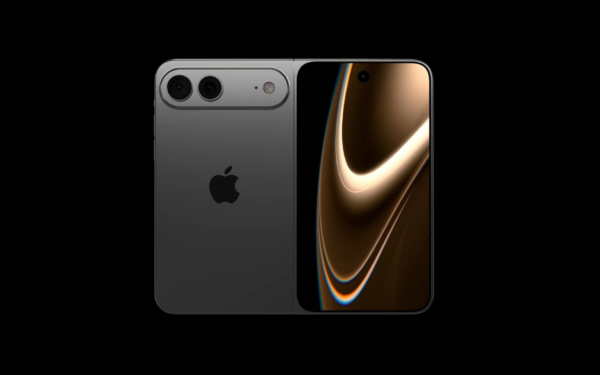
Latest iPhone Fold rumors reveal display crease details, hole-punch cameras, iOS multitasking layout, 12GB RAM, and storage options for Apple’s first foldable iPhone.

iPhone Fold Latest Rumors: Display, Cameras, RAM and Price Details Revealed

March 13, 2026

Leave a Comment Cancel reply

Your email address will not be published. Required fields are marked *

Recent Posts

  • Chrome’s Organizer feature may sync Gemini and AI conversations across devices
  • After Chrome, Edge tests launching the browser automatically when you sign into Windows
  • iPhone Fold Latest Rumors: Display, Cameras, RAM and Price Details Revealed
  • Samsung fears first mobile operating loss due to memory price surge
  • Elon Musk’s X to Change Verification in Europe Following EU Fine

Recent Comments

No comments to show.
OnMSFT.com

OnMSFT.com covers Microsoft news, reviews, and how-to guides. Formerly known as WinBeta, we have been your source for Microsoft news since 1998.

Categories

  • Windows
  • Surface
  • Xbox
  • How-To
  • OnPodcast
  • Gaming
  • Edge
  • Teams

Recent Posts

  • Chrome’s Organizer feature may sync Gemini and AI conversations across devices
  • After Chrome, Edge tests launching the browser automatically when you sign into Windows
  • iPhone Fold Latest Rumors: Display, Cameras, RAM and Price Details Revealed
  • Samsung fears first mobile operating loss due to memory price surge
  • Elon Musk’s X to Change Verification in Europe Following EU Fine

Quick Links

  • About OnMSFT.com
  • Contact OnMSFT
  • Join Our Team
  • Privacy Policy
© 2010–2026 OnMSFT.com LLC. All rights reserved.
About OnMSFT.comContact OnMSFTPrivacy Policy