Skip to content
OnMSFT.com
  • Home
  • About
  • Contact
  • Windows
  • Surface
  • Xbox
  • How-To
  • OnPodcast
  • Edge
  • Teams
  • Gaming
Menu
  • Home
  • About
  • Contact
  • Windows
  • Surface
  • Xbox
  • How-To
  • OnPodcast
  • Edge
  • Teams
  • Gaming
  1. Home
  2. News
  3. Microsoft explains the mysterious unlabeled toggle switches seen in Windows 10 build 14946

Microsoft explains the mysterious unlabeled toggle switches seen in Windows 10 build 14946

Arif Bacchus Arif Bacchus
December 28, 2016
1 min read

Windows 10 build 14946 might have been released over three months ago, but that does not mean the folks at Microsoft have forgotten it. Today, Microsoft’s Raymond Chen took to the MSDN “Old New Thing” Blog to explain a bug with four specific unlabeled settings toggle switches which many Windows Insiders had noticed after installing build 14946.

According to Raymond, the toggle buttons were “never really hooked up to anything,” and were rather associated with a new feature that, “if supported would have provided descriptive text as well as hooking up the toggle buttons.”  Members of the Windows team from inside Microsoft, nonetheless, had several wishes for what the toggles really did.

  • “Make ⟨internal tool 1⟩ take less than 2 hours.”
  • “⟨internal tool 2⟩ always finds a valid checkpoint.”
  • “Always submit my jobs to the front of the queue.”
  • “Prevent partner teams from checking in stupid bugs.”

Did you notice these unlabeled toggle switches when you had installed build 14946? What did you think they were for? As always, let us know what you think by dropping us a comment below!

Further reading: build 14946, Microsoft, Raymond Chen, Windows 10, Windows Insider

Share this article:
Tags:
build 14946 Microsoft Raymond Chen Windows 10 Windows Insider
Previous Article Microsoft hasn’t given up on Windows phone, but it’s been a very bad year Next Article Microsoft will FINALLY let users pause Windows 10 updates | On MSFT

Related Articles

Chrome’s Organizer feature may sync Gemini and AI conversations across devices

March 14, 2026

After Chrome, Edge tests launching the browser automatically when you sign into Windows

March 13, 2026
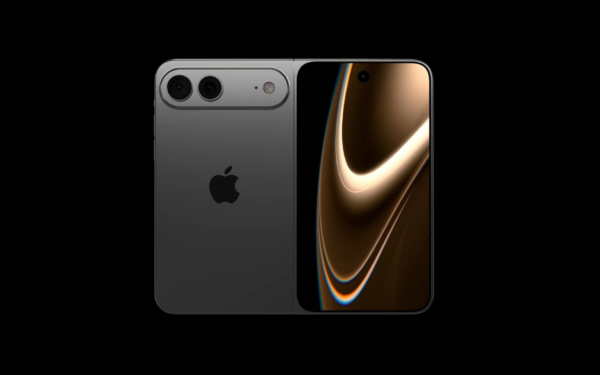
Latest iPhone Fold rumors reveal display crease details, hole-punch cameras, iOS multitasking layout, 12GB RAM, and storage options for Apple’s first foldable iPhone.

iPhone Fold Latest Rumors: Display, Cameras, RAM and Price Details Revealed

March 13, 2026

Leave a Comment Cancel reply

Your email address will not be published. Required fields are marked *

Recent Posts

  • Chrome’s Organizer feature may sync Gemini and AI conversations across devices
  • After Chrome, Edge tests launching the browser automatically when you sign into Windows
  • iPhone Fold Latest Rumors: Display, Cameras, RAM and Price Details Revealed
  • Samsung fears first mobile operating loss due to memory price surge
  • Elon Musk’s X to Change Verification in Europe Following EU Fine

Recent Comments

No comments to show.
OnMSFT.com

OnMSFT.com covers Microsoft news, reviews, and how-to guides. Formerly known as WinBeta, we have been your source for Microsoft news since 1998.

Categories

  • Windows
  • Surface
  • Xbox
  • How-To
  • OnPodcast
  • Gaming
  • Edge
  • Teams

Recent Posts

  • Chrome’s Organizer feature may sync Gemini and AI conversations across devices
  • After Chrome, Edge tests launching the browser automatically when you sign into Windows
  • iPhone Fold Latest Rumors: Display, Cameras, RAM and Price Details Revealed
  • Samsung fears first mobile operating loss due to memory price surge
  • Elon Musk’s X to Change Verification in Europe Following EU Fine

Quick Links

  • About OnMSFT.com
  • Contact OnMSFT
  • Join Our Team
  • Privacy Policy
© 2010–2026 OnMSFT.com LLC. All rights reserved.
About OnMSFT.comContact OnMSFTPrivacy Policy