Skip to content
OnMSFT.com
  • Home
  • About
  • Contact
  • Windows
  • Surface
  • Xbox
  • How-To
  • OnPodcast
  • Edge
  • Teams
  • Gaming
Menu
  • Home
  • About
  • Contact
  • Windows
  • Surface
  • Xbox
  • How-To
  • OnPodcast
  • Edge
  • Teams
  • Gaming
  1. Home
  2. Latest news
  3. Assistive technology users can switch from Windows 10 S to Windows 10 Pro for free, says Microsoft | On MSFT

Assistive technology users can switch from Windows 10 S to Windows 10 Pro for free, says Microsoft | On MSFT

Arif Bacchus Arif Bacchus
May 18, 2017
3 min read

Assistive technology users can switch from Windows 10 S to Windows 10 Pro for free, says Microsoft

Arif Bacchus
1 month ago in Latest news

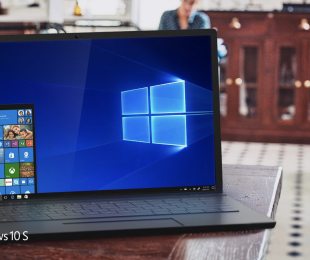
Today marks Global Accessibility Awareness Day, and Microsoft is using the day as an opportunity to give the public a look into all the accessibility features coming to the Windows 10 Fall Creators Update. Among upcoming accessibility improvements coming to the next major Windows 10 update, Microsoft is also announcing that Assistive technology users will be able to switch from Windows 10 S to Windows 10 Pro for free.

The Redmond giant is working closely with assistive technology partners to improve their experiences with Windows 10 and to bring more assistive technology apps in the Windows Store. As part of this effort, Microsoft wants to meet the needs of people with disabilities and provide choices for devices and modes for operating Windows: that’s why the company will allow assistive technology users to switch to Windows 10 Pro from Windows 10 S at no charge. Microsoft explains:

We believe Windows 10 S is great for many customers. Others may prefer Windows Home or Windows Pro to meet their needs. Microsoft is committed to meeting the needs of people with disabilities and providing choices for devices and modes for operating Windows. We will provide assistive technology users with a switch to Windows 10 Pro from Windows 10 S at no charge as we continue to improve our built-in assistive technology and bring more assistive technology apps to the Microsoft Store.

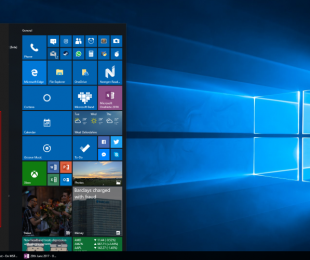
Windows 10 S wallpaper

Also announced are improvements to the narrator, the built-in screen reader, improvements for low vision users, and new features that make it easier for everyone to read and write. The narrator will include the ability to send commands from a keyboard, touch or braille display, and more. You can have a peek at these changes by reading below:

  • Usability improvements – Narrator will read controls more accurately and consistently, will include Scan Mode turned on by default (and remember whether Scan Mode is turned on or off in apps across sessions), and will read apps like Settings and Weather like a web page. Narrator continues to make progress toward a unified interaction model, where Windows apps and web pages can be navigated with a consistent set of commands so that Narrator is easy to learn and use without having to remember a large set of keyboard shortcuts.
  • Braille improvements – Narrator users can type and read using different braille translations. Users can also perform braille input for application shortcuts and modifier keys, which enables users to employ their braille display to perform common tasks such as pressing ALT + TAB to switch between active applications or pressing CTRL + B to bold text.
  • Automatically generated image descriptions – Narrator will include the ability to use artificial intelligence to generate descriptions for images that lack alternative text on demand. The service includes the ability to extract text from images using optical character recognition.

Again, these are just a quick peek at the accessibility changes coming to the Windows 10 Fall Creators Update. You can dive into all the details by checking this Microsoft web page. Do you know anyone that will take advantage of this new technology? Let us know your thoughts in the comments below!

Tweet thisFacebook ShareLinkedinShare on Reddit


Further reading: Assistive Technology, Microsoft, Windows 10, Windows 10 Fall Creators Update, Windows 10 Fall Update, Windows 10 S


Are you glad that Microsoft is giving Assistive technology users this offer?

Read these stories next

Microsoft releases Xbox Insider Hub app to the Windows Store

Hey Insiders, get the official “Adventures of Ninja Cat theme pack for Windows 10, free!

Windows 10 Preview build 16226 chock full of features (and bugs): here’s our recap

Windows 10 Insider build 16226: is it buggy for you, too?

Turns out Windows 10 S blocks side-loaded UWP apps, regedit, powershell, and cmd, too

HoloLens developer brings Super Mario Bros to New York’s Central Park

Microsoft updates its Surface Tools for IT including support for the Surface Pro and Surface Laptop

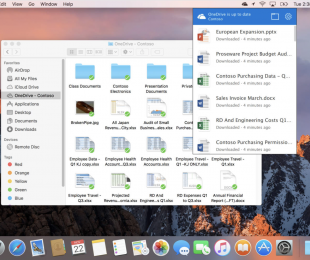
OneDrive for macOS gets context menus, improved activity center and more in latest update


From the OnMSFT Store

Share this article:
Tags:
Assistive Technology Microsoft Windows 10 Windows 10 Fall Creators Update Windows 10 Fall Update Windows 10 S
Previous Article Swiftkey gets updated on iOS, brings new languages, themes | On MSFT Next Article As tech support scams rise, Microsoft works to ‘unmask the imposters’ | On MSFT

Related Articles

Microsoft is no longer manufacturing the Windows RT powered Surface 2

February 23, 2026

Microsoft treats Windows Phone owners with extra 20GB of free SkyDrive storage for one year

February 23, 2026

Bing now lets you search and browse for your friends’ Facebook photos

February 23, 2026

Leave a Comment Cancel reply

Your email address will not be published. Required fields are marked *

Recent Posts

  • Microsoft is no longer manufacturing the Windows RT powered Surface 2
  • Microsoft treats Windows Phone owners with extra 20GB of free SkyDrive storage for one year
  • Bing now showcases professional and celebrity Klout scores during search results
  • Bing now lets you search and browse for your friends’ Facebook photos
  • Bing now lets you explore free online courses and helps you find books to read

Recent Comments

No comments to show.

Archives

  • February 2026
  • December 2022
  • November 2022
  • October 2022
  • September 2022
  • August 2022
  • July 2022
  • June 2022
  • May 2022
  • April 2022
  • March 2022
  • February 2022
  • January 2022
  • December 2021
  • November 2021
  • October 2021
  • September 2021
  • August 2021
  • July 2021
  • June 2021
  • May 2021
  • April 2021
  • March 2021
  • February 2021
  • January 2021
  • December 2020
  • November 2020
  • October 2020
  • September 2020
  • August 2020
  • July 2020
  • June 2020
  • May 2020
  • April 2020
  • March 2020
  • February 2020
  • January 2020
  • December 2019
  • November 2019
  • October 2019
  • September 2019
  • August 2019
  • July 2019
  • June 2019
  • May 2019
  • April 2019
  • March 2019
  • February 2019
  • January 2019
  • December 2018
  • November 2018
  • October 2018
  • September 2018
  • August 2018
  • July 2018
  • June 2018
  • May 2018
  • April 2018
  • March 2018
  • February 2018
  • January 2018
  • December 2017
  • November 2017
  • October 2017
  • September 2017
  • August 2017
  • July 2017
  • June 2017
  • May 2017
  • April 2017
  • March 2017
  • February 2017
  • January 2017
  • December 2016
  • November 2016
  • October 2016
  • September 2016
  • August 2016
  • July 2016
  • June 2016
  • May 2016
  • April 2016
  • March 2016
  • February 2016
  • January 2016
  • December 2015
  • November 2015
  • October 2015
  • September 2015
  • August 2015
  • July 2015
  • June 2015
  • May 2015
  • April 2015
  • March 2015
  • February 2015
  • January 2015
  • December 2014
  • November 2014
  • October 2014
  • September 2014
  • August 2014
  • July 2014
  • June 2014
  • May 2014
  • April 2014
  • March 2014
  • February 2014
  • January 2014
  • December 2013
  • November 2013
  • October 2013
  • September 2013
  • August 2013
  • July 2013
  • June 2013
  • May 2013
  • April 2013
  • March 2013
  • February 2013
  • January 2013
  • December 2012
  • November 2012
  • October 2012
  • September 2012
  • August 2012
  • July 2012
  • June 2012
  • May 2012
  • April 2012
  • March 2012
  • February 2012
  • January 2012
  • December 2011
  • November 2011
  • October 2011
  • September 2011
  • August 2011
  • July 2011
  • June 2011
  • May 2011
  • April 2011
  • March 2011
  • February 2011
  • January 2011
  • December 2010
  • November 2010
  • October 2010
  • September 2010

Categories

  • Announcements
  • Deals
  • Developer
  • Editorial
  • Feature
  • Feature stories
  • Hero-post
  • Hotdeals
  • How-to
  • Latest news
  • Microsoft / office 365
  • News
  • Office 365
  • Onpodcast
  • Opinion
  • Our featured post
  • Polls
  • Review
  • Reviews
  • Videos
OnMSFT.com

OnMSFT.com covers Microsoft news, reviews, and how-to guides. Formerly known as WinBeta, we have been your source for Microsoft news since 1998.

Categories

  • Windows
  • Surface
  • Xbox
  • How-To
  • OnPodcast
  • Gaming
  • Edge
  • Teams

Recent Posts

  • Microsoft is no longer manufacturing the Windows RT powered Surface 2
  • Microsoft treats Windows Phone owners with extra 20GB of free SkyDrive storage for one year
  • Bing now showcases professional and celebrity Klout scores during search results
  • Bing now lets you search and browse for your friends’ Facebook photos
  • Bing now lets you explore free online courses and helps you find books to read

Quick Links

  • About OnMSFT.com
  • Contact OnMSFT
  • Join Our Team
© 2010–2026 OnMSFT.com LLC. All rights reserved.
About OnMSFT.comContact OnMSFT