
Four nifty ways to use ink in Windows 10 Maps app

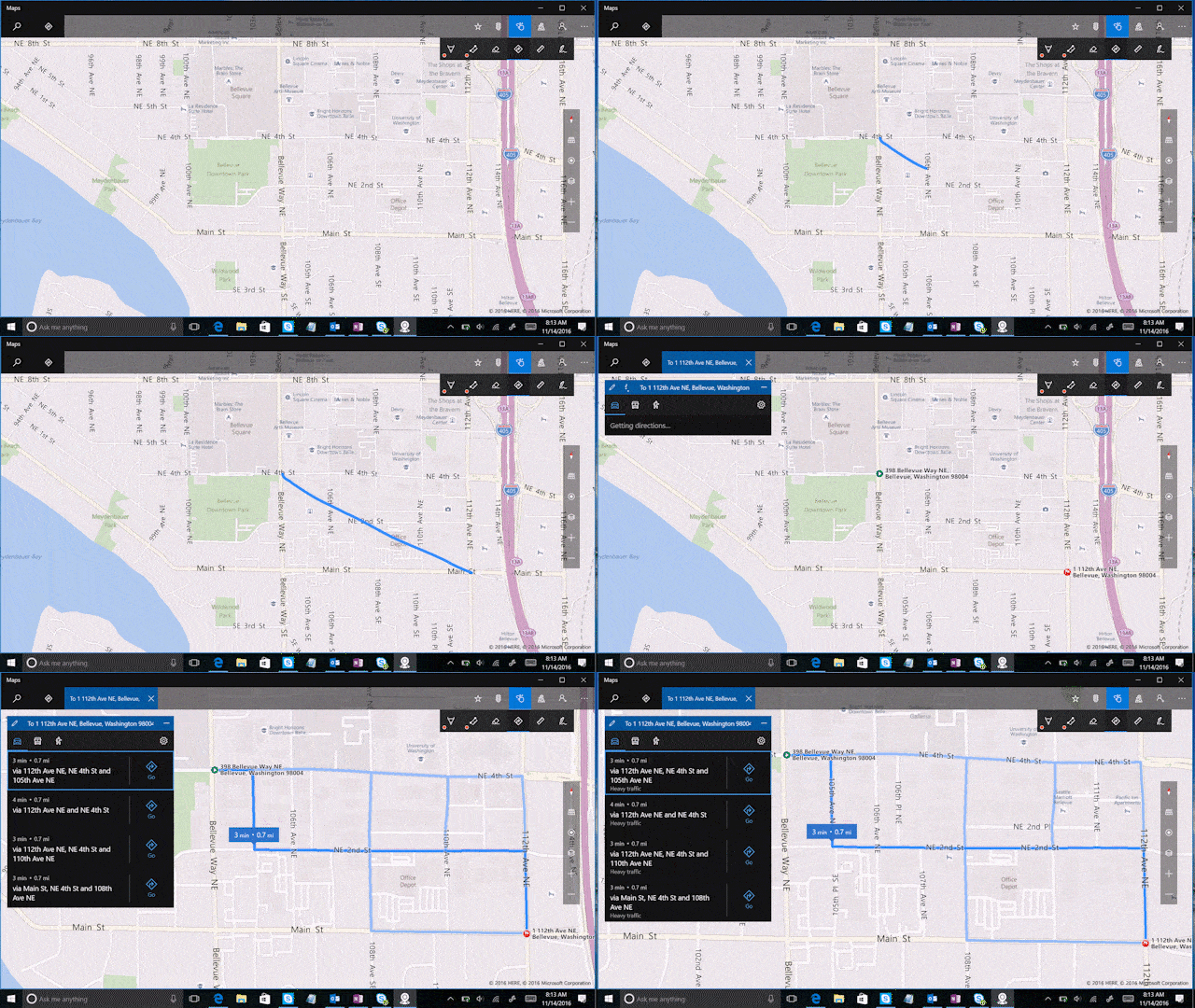
Microsoft released a Windows 10 blog post today showing off how Ink can be used in conjunction with the Windows Maps application. Known for its voice navigation and turn-by-turn directions similar to Google Maps, this Microsoft version comes with the ability to use Surface Pen to improve the app’s experience.
Drawing with Ink on Windows Maps includes:
- Draw a line between two points for directions
- Save marks and add notes to your map
- Trace a route to calculate distance
- Use a ruler to plot multiple locations
Windows Maps is for free on the Windows Store so you can download and try out these features today.


Further reading: Microsoft, Windows Ink, Windows Maps






Have you tried any of these features in Windows Maps?