
 \n
\n
I won’t lie. The Surface Pro X is an excellently designed device, but that will probably be the only good thing about it for most people. The reason why? The Microsoft SQ1 processor on the inside of the Surface Pro X, and the limits of Windows 10 on ARM cripple this device. I’ve spent years with all kinds of laptops, and this new Surface feels more of an iPad or Chromebook.
\n
Despite Microsoft beta testing an ARM64 version of the modern Edge browser, as well as planning 64 bit app emulation for Windows 10 on ARM, the damage is done. The Surface Pro X is a device out in the wild but with poor app support and compatibility.
\n
It might be running Windows 10 Pro, but the $1,200 (with keyboard/pen) Surface Pro X only works with 32-bit apps. Microsoft is also depending on developers to recompile their existing 64-bit x86 apps to the ARM64 format, and there doesn’t seem to be a rush, based on this community document.
\n
There’s nothing “Pro” at all with this device. That’s why, in just one week of use, I decided to return the Surface Pro X for a full refund from Microsoft. This simply is a Surface device that I tried to love but ended up hating.
\n
TL;DR
\n
If you’re a first-line worker or someone who is always connected and just using a device for casual web browsing or spreadsheets and office documents, then don’t worry. The Surface Pro X is something you might want. It will able to keep you connected. You can also put it to sleep and wake it up and jump back to where you were before, right when you need it, with no cost to battery life, just like a smartphone.
\n
However, if you’re looking for a serious computer, this isn’t the device for you. You might want to look elsewhere in the ever-diversifying Surface lineup, and perhaps buy a Surface Pro 7. As my job as a reviewer, I’ll tell you that, and some more.
\n
Editors Note: This Surface Pro X was not provided to us for review by Microsoft. Arif purchased it on his own and had planned to keep the device. The opinions are his own and are not influenced by Microsoft.
\n
\n
Very good design
\n
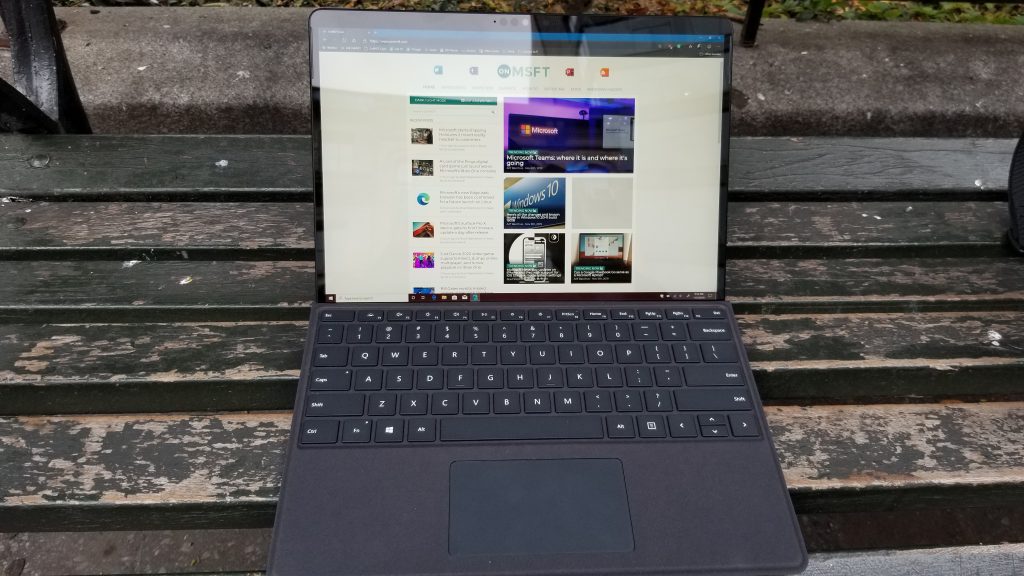
As I covered in both my hands-on and unboxing, the hardware and design of the Surface Pro X are excellent. From the big screen, slim bezels, and overall build quality, it is one of the best-designed Surface devices yet.
\n
On the technical side, the Surface Pro X sports a spacious 13-inch (2,880 x 1,920) resolution touch-screen display with support for 10 points of touch. That is a big improvement over the 12.3-inch (2,736 x 1,824) panel on the Surface Pro 7. It is very vibrant and gets up to 450 nits of brightness, according to Microsoft.
\n
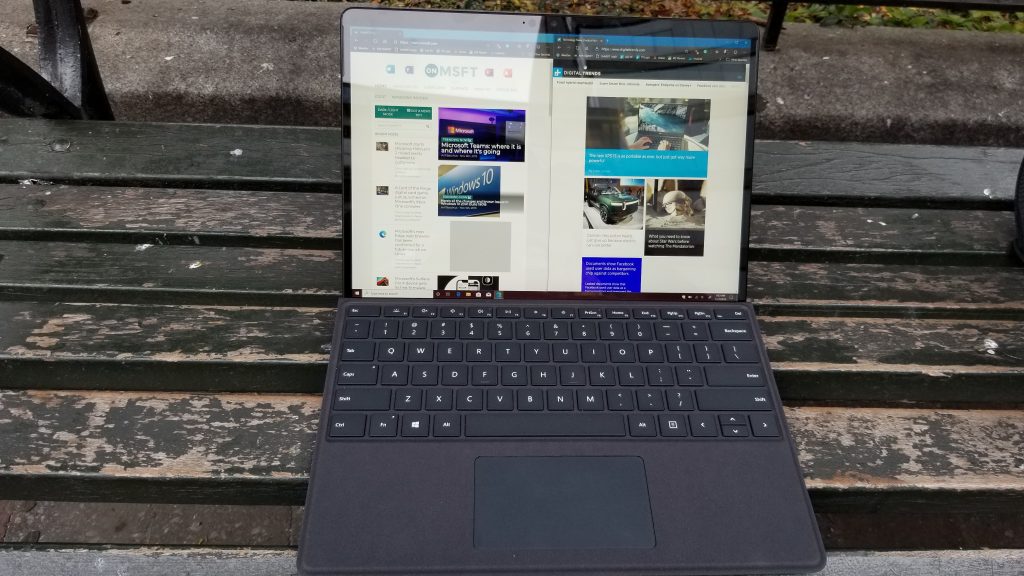
With a tall 3:2 aspect ratio and slim bezels along the side, this all means that I was able to stack my windows side by side. I barely noticed the bigger top bezels, and I was easily able to multi-task and get more things done with this Surface. The display is just so much less-cramped than it is compared to another Surface Pro device and it’s great for productivity.
\n
\n
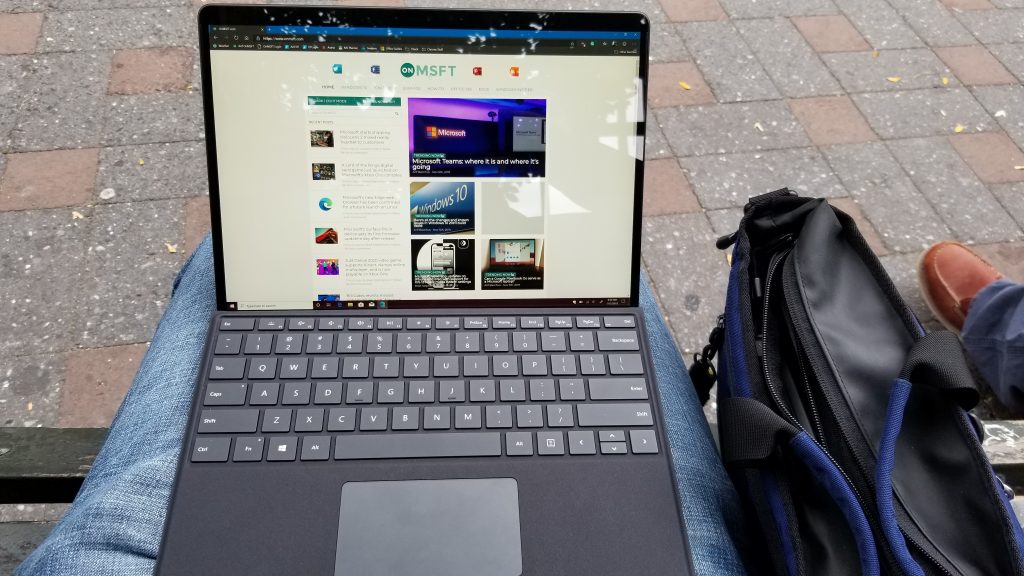
Elsewhere, the Surface Pro X is outfitted in its classic signature anodized aluminum finish. The color of the finish is Matte Black, which means that it is a fingerprint magnet. This really bothered me in my time with the device, and I found myself constantly wiping it to make sure it was clean.
\n
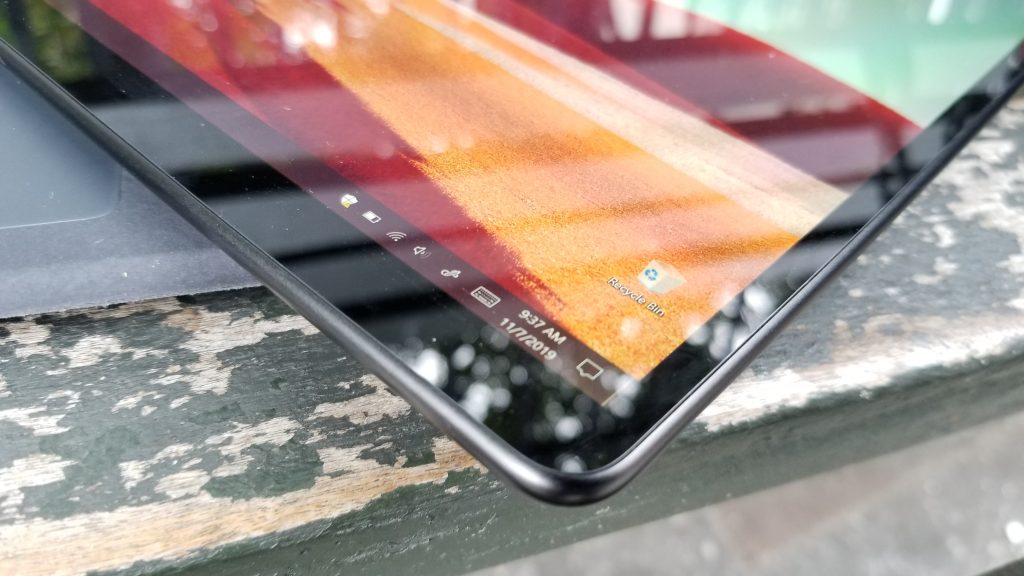
Moving on, the Surface Pro X has more rounded corners and is thinner than other Surface Pro devices. This makes it easier to hold in the hands. It weighs in at around 1.7 pounds, which is about the same as the other Surface Pro devices. The thickness comes in at around 7.3 mm, which is a bit less than 8.5mm on the Surface Pro 7.
\n
\n
Overall, I’ve never quite felt a Surface device like this before. It’s just so well-balanced and very nice to hold in my hands. For movie watching, and for other multimedia, I often held it in my hand or propped out the signature in-built kickstand and used it more like a tablet. That’s something that I would never do with my Surface Pro 5. It’s what I really loved about the device, and the main reason I was quite hesitant in sending it back.
\n
But, anyway, for all this great design, there is no expandable storage on the Surface Pro X. The SSD is technically upgradable via a slot under the kickstand, but Microsoft suggests that you do it through authorized retailers only. That still doesn’t make up for the fact that the Surface Pro X is missing the MicroSD card slot feature present on almost every Surface Pro device since the original.
\n

\n
USB-C is great (depending on how you look at it)
\n
Before heading into discussing the Microsoft SQ1 processor, another element on the Surface Pro X that I’d like to touch on is its overall connectivity. Depending on how you look at it, this is one of the biggest strengths of the Surface Pro X.
\n
Thanks to the Qualcomm Snapdragon X24 LTE Modem inside, the Surface Pro X is an Always-Connected PC. This means you’ll be able to live a life free of WiFi. For some, this might be a high-point of the device, but for most (like me) that would just be an added cost having to buy a data plan.
\n
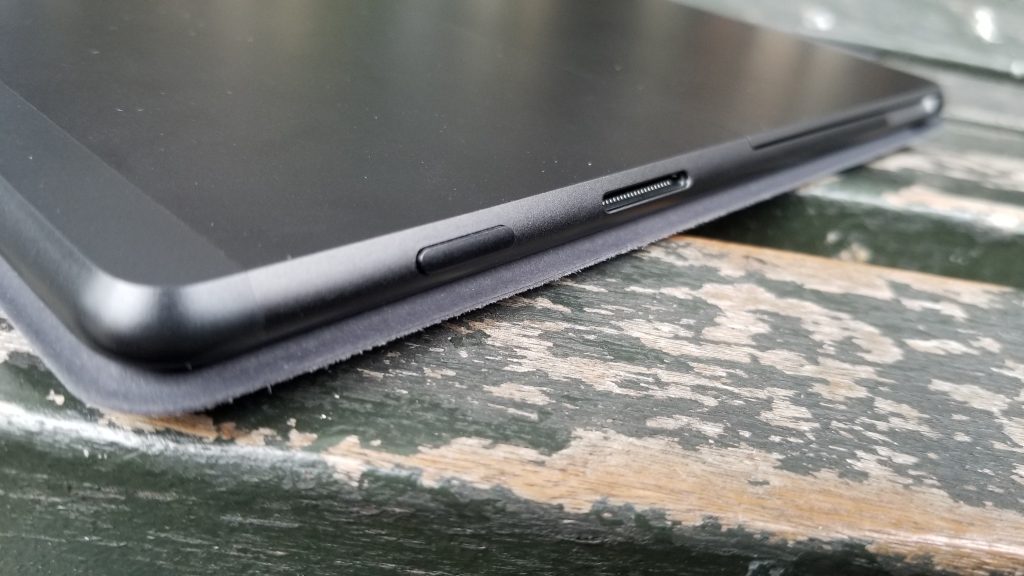
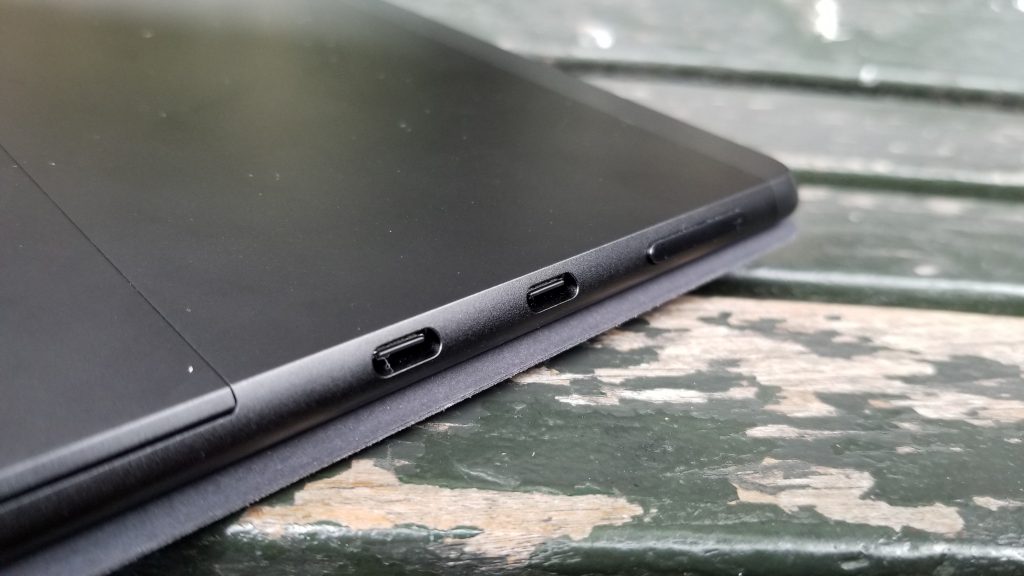
All around, the Surface Pro X only features USB-C ports, as well as Surface Connect for charging. USB-C is now the future of connectivity, and it’s the one port that does it all, so I’m glad to see Microsoft finally come on board with the technology.
\n
You’ll also be able to use USB-C for charging if needed. Microsoft says that the Surface Pro X supports fast charge. However, this is now a feature across all of the new Surface lineup. It’s not something to make the Surface Pro X special.
\n
\n
But there is one big glaring omission here. The USB-C port is not Thunderbolt 3 compatible, so you won’t be able to connect an external GPU to the Surface Pro X. Dell’s XPS 13, and other Windows laptops in this same $1,000 price range already take advantage of Thunderbolt 3, so for Microsoft, the omission is an embarrassment.
\n
Oh, and there’s no headphone jack on the Surface Pro X too. There is a dongle available for this to solve that problem, if it worries you, however. But, coming from a Surface Pro 5, I was initially upset that my new $1,200 PC couldn’t even connect to my $5 headphones.
\n
\n
The Microsoft SQ1 Processor powering the Surface Pro X isn’t what Microsoft says it is
\n
Now, for the SoC powering the device. As I’ve touched on, the Surface Pro X isn’t powered by an Intel processor like most Surface devices. Instead, you’ll find a custom-designed Microsoft SQ1 SoC under the hood. That’s paired with a Microsoft SQ1 Adreno 685 GPU, and, on our unit, a total of 8GB of RAM and a 128GB SSD. This is also a fanless processor too, and there are no ventilation holes in the device.
\n
Technically, this Microsoft SQ1 SoC is based on the Snapdragon 8cX which can be found in other Always Connected PCs like the Samsung Galaxy Book S. Microsoft said that the SoC has three times more performance per watt than the 8th-generation CPUs in older Surface devices. It also mentioned that the Adreno 685 GPU graphics processor is powerful enough to perform two teraflops of graphical computations.
\n
But, for real world-usage, it’s important to note that the Surface Pro X is only compatible with 32-bit Windows 10 apps. 64-bit apps won’t work unless a developer has recompiled it for the ARM64 format. However, Microsoft is said to be working on a 64-bit x86 app emulation for Windows 10 on ARM for some time in the future.
\n
As for the 32-bit apps, the Surface Pro X runs these apps through emulation, which comes at a huge performance cost. That also means that some devices (like my older HP printer) also won’t work on the Surface Pro X, unless there are ARM64 drivers available. Microsoft Store apps, though, work just fine.
\n
\n
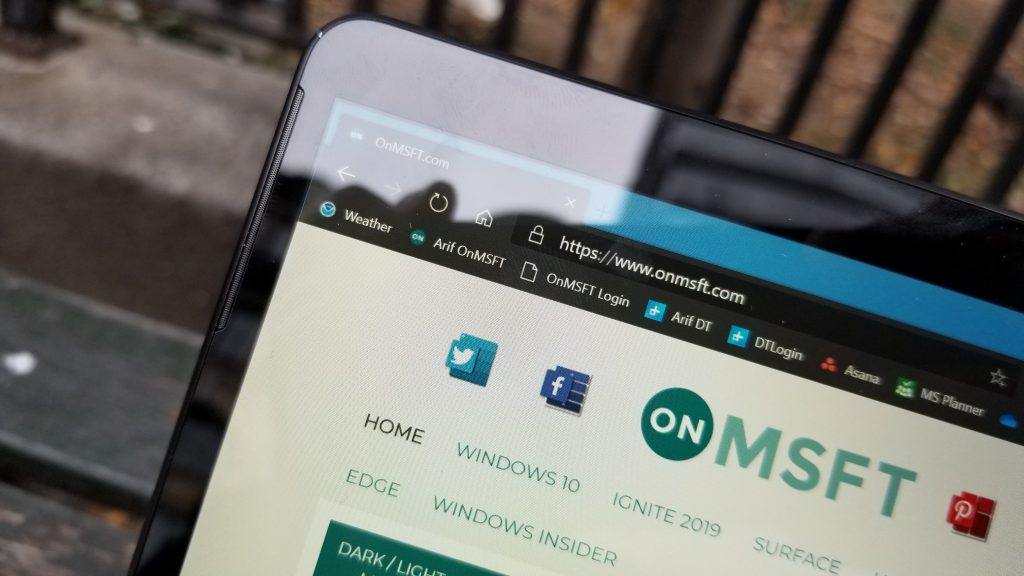
Anyway, these bold numbers and claims make the SQ1 seem awesome but trust me when I say it, it simply isn’t true. The SQ1 is really behind any recent processor from Intel, and its overall performance can be really slow due to app-emulation if you’re using 32-bit apps like Google Chrome. Of course this can change as more developers come on board with ARM64, but for now, it really sucks.
\n
I’ll start the technical side of things by first by mentioning some of the Geekbench testing. I tested the Surface Pro X against my Surface Pro 2017, which is powered by the Seventh Gen Intel Core i5-7300U processor. That’s one full generation behind what Microsoft has tested, but I’ve also linked to other reviewers’ Surface Pro 6 and Surface Pro 7 benchmarks too. Typically, I also try to test my laptops with 3D Mark to test the GPU performance, but that benchmark failed to run on the Surface Pro X.
\n
\n
\n
- Surface Pro X (Microsoft SQ1): 3,524 Single Core/ 11,440 Multi-Core Score
\n
- Surface Pro 7 (Core i5-1035G4): 5,342 Single Core/ /16,859 Multi-Core Score
\n
- Surface Pro 6 (Core i5-8250U): 4,074 Single Core/ 13,567 Multi-Core Score
\n
- Surface Pro 5 (Core i5-7300U): 4,242 Single Core/ 8,298 Multi-Core Score
\n
\n
\n
Anyway, as you can see above, the Surface Pro X is really lagging behind all older and newer Surface devices in Single-Core performance. It’s also behind in Multi-Core too but edges out the older Surface Pro 5. This makes it clear that Microsoft isn’t giving the full scope here with its claims.
\n
But these numbers don’t mean much without a story behind it. I’m about to explain, one, on one, why this all is a massive failure for me, and perhaps what might become even one for you too.
\n

\n
The best case of all this is how I used my Surface Pro X in my daily life. I typically use both the Chromium-Edge browser (I call it Credge) as well as the 32-bit versions of Slack, and Microsoft Teams. Again, I’m not a graphic designer or engineer. I’m using some very basic lightweight programs.
\n
So, much to my disappointment, opening a few tabs on the 32-bit version of Credge, and running the emulated version of the 32-bit Teams app, the Surface Pro X felt a bit slow. Slack was also slow to update when I clicked to it. Much to my sadness, Teams was constantly reloading when I clicked it to the foreground in front of Credge.
\n
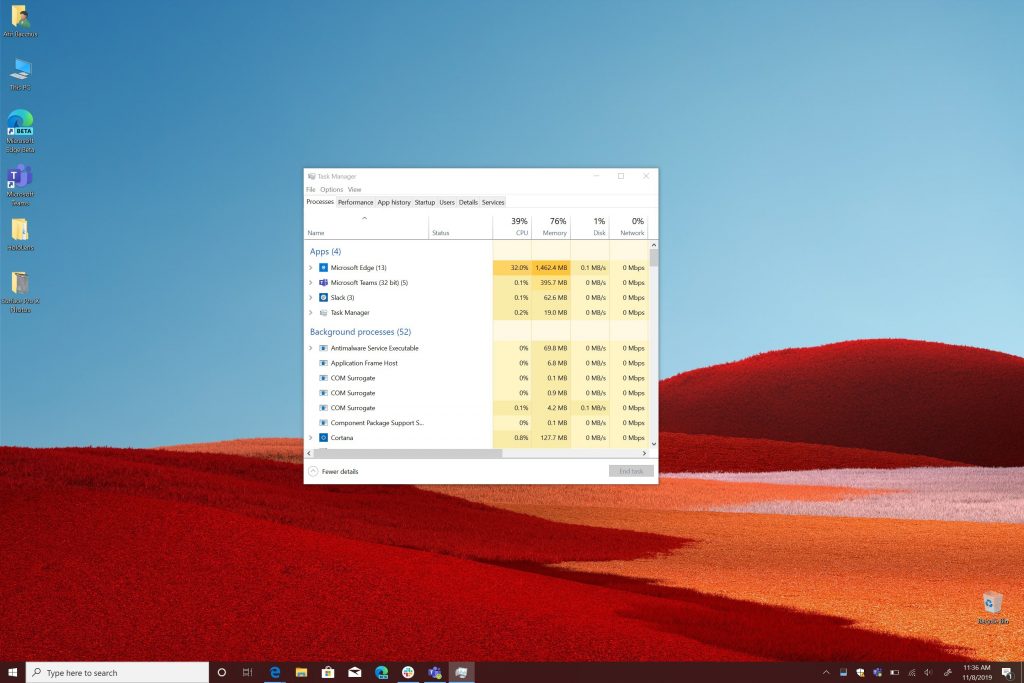
Typing in WordPress was also slow at times, although closing out tabs sometimes speeded it up. There even was a situation where the Surface Pro X froze on me in the middle of typing an article. But, if you have a look at the task manager image below, you can see the victims here. All these 32-bit apps were eating up 34% of the SQ1 processor and nearly 70% of the RAM.
\n
\n
To be fair, I tried switching out and avoiding all these 32-bit apps altogether. I opted to just use the old version of Microsoft Edge, as well as the web versions of Slack and Teams. The experience was a lot less laggy, and more at home to the way I felt with my Surface Pro 5.
\n
I’ll also go back and mention the ARM64 version of the Credge browser, which came out after my Surface Pro X purchase. I switched and tried it out, and the performance differences were significant. It was much less laggy compared to old Edge, as well as the 32-bit version. I felt right at home when multitasking and the system were able to keep up with my web browsing needs. but it’s important to note it still is in beta. Some things like scrolling were especially buggy and some pages occasionally reloaded without warning. While it might seem like the right fit, this isn’t a piece of software I would recommend for you to install.
\n
\n
Alright. I’ll give Microsoft a pass. Looks like the ARM64 version of Credge is now live. Not sending it back just yet. One more day of testing. https://t.co/FFXqdlJzvx https://t.co/EmH7PG3GfZ
\n
— Arif Bacchus (@abacjourn) November 13, 2019
\n
\n
With that in mind, I think that makes the Surface Pro X a great machine for web browsing, keen to an iPad or Chromebook. It definitely isn’t a machine for someone looking to get into graphic design or engineering, or anything that is processing-intensive. Instead, if you’re hoping to do these things, go buy a Surface Pro 7 instead. The 32-bit app emulation on the Surface Pro X will just eat up all the RAM and the SQ1 processor.
\n
But there is one key advantage to this SQ1 processor. Since the Surface Pro X is an always-connected PC, it’s able to go to sleep and wake up instantly, just like a smartphone. I put my Surface Pro X to sleep after writing an article in the morning with battery life at 74%. I then went out and spent a good 4 or 5 hours away from home. I came back and pulled down the Type Cover on my Surface Pro X. Within one second, everything I was doing a short 5 hours ago was right there in front of me, and the battery was still at 74%.
\n
At the end of the day, that’s amazing for some, but as I wrote this section of this review, I really just asked myself one question: I just purchased a $1,200 Surface, and should I really be changing up the workflow or apps I use just for fancy hardware or design? Definitely not, and I really think you shouldn’t either.
\n
\n
The battery life is just alright
\n
Battery life is something that is always quite controversial. With the promise that Always Connected PCs have better battery life than devices with Intel processors, I was a bit curious to see how the Surface Pro X stands up. Sadly, it didn’t do so well and put up similar numbers to an Intel-based PC.
\n
To test the battery, I turned the screen brightness down to around 15% and looped the trailer for Olympus Has Fallen overnight with the Surface in “Recommended” settings. Measuring against the in-built batterycfg report, the Surface Pro X lasted around 9.5 or 10 hours in this basic test. That’s about close to the 8.45 hours you’ll get with the Surface Pro 6.
\n
\n
That 40% lasted me for two hours of web browsing image and video playback, and writing my hands on in WordPress. I ended with 12% and a total battery life of around 9 hours. Definitely not the 13 hrs. But still great for me. pic.twitter.com/A9CVq3e4r2
\n
— Arif Bacchus (@abacjourn) November 8, 2019
\n
\n
I also tested web browsing and battery life by running it through my everyday workflow. Running a 32-bit version of Chredge, and Teams and Slack, the device lasted us for about 5 hours of web browsing. Switching that up to just using Old Edge, or the ARM64 version of Chredge, and non-32 bit apps improved it to about close to 7 or 8.5 hours. The screen was around 20% brightness at all times, and Bluetooth and the Cellular network were disabled.
\n
Overall, though, these numbers are still well short of the 13.5 hours quoted by Microsoft. It was still good enough to get me through my 8:30 AM-3:30 PM workday on a single charge.
\n
This isn’t a Surface for gaming
\n
Now, Microsoft mentioned during its October 2 event that the Surface Pro X processor is powerful enough to perform two teraflops of graphical computations. I’m not much of a PC gamer, but I will tell you that is nonsense. The Surface Pro X isn’t for gaming or any graphical intense tasks.
\n
It again goes back to my original point: This is a device that is more for first-line workers if you’re looking to game on your Surface, buy a Surface Book 2 instead.
\n
Anyway, some on Reddit have pointed out that the Surface Pro X can run games like Counterstrike: Global Offensive, but I haven’t had any luck with that at all. I installed Steam, and tried playing Rocket League, BroForce, as well as Castaway Paradise, and all three failed. The games would load but freeze at the title screen. It was a huge letdown for me, as these aren’t even intense games that work perfectly fine on my older Surface Pro 5.
\n
\n
Yeah, um, the Surface Pro X isn’t a gaming machine. You’ll be able to play Minecraft and some lighter Windows Store games… But I tried to install Steam and some games. But nope. It crashed. pic.twitter.com/INGPHpMhXd
\n
— Arif Bacchus (@abacjourn) November 9, 2019
\n
\n
However, all hope is not lost. Microsoft Store games work just fine on the Surface Pro X. Minecraft runs perfectly smooth without zero lag. A more graphically intense game like Asphalt 9: Legends works just fine too, with the occasional dropped frame.
\n
The Type Cover is decent, at the right angle
\n
Moving forward to the Type Cover, I want to mention the typing experience is just as good as anything I experienced with my Surface Pro 5. The keys on the type cover deck have a nice feeling, and I was easily able to jam my way though articles. The trackpad, however, is my least favorite part of the experience. It’s very loud, and hollow, and I often found myself using an external mouse with the Surface Pro X instead.
\n
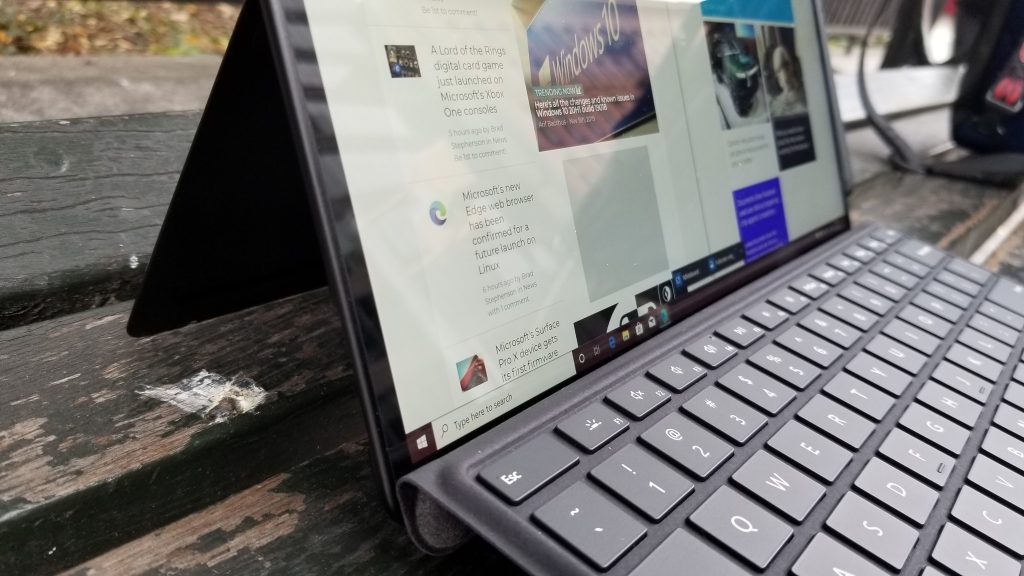
In addition, since there is now room for the Surface Slim Pen in the middle part of the Type Cover keyboard, it no longer securely attaches to the screen. Only the left and right sides of the keyboard have magnets that touch the screen, and this makes the keyboard very wobbly. It’s noticeable when I used the Surface Pro X in my lap, as I needed to adjust the kickstand to a precise angle, so the Type Cover wasn’t moving left and right when I was typing.
\n
\n
The Surface Slim Pen is amazing
\n
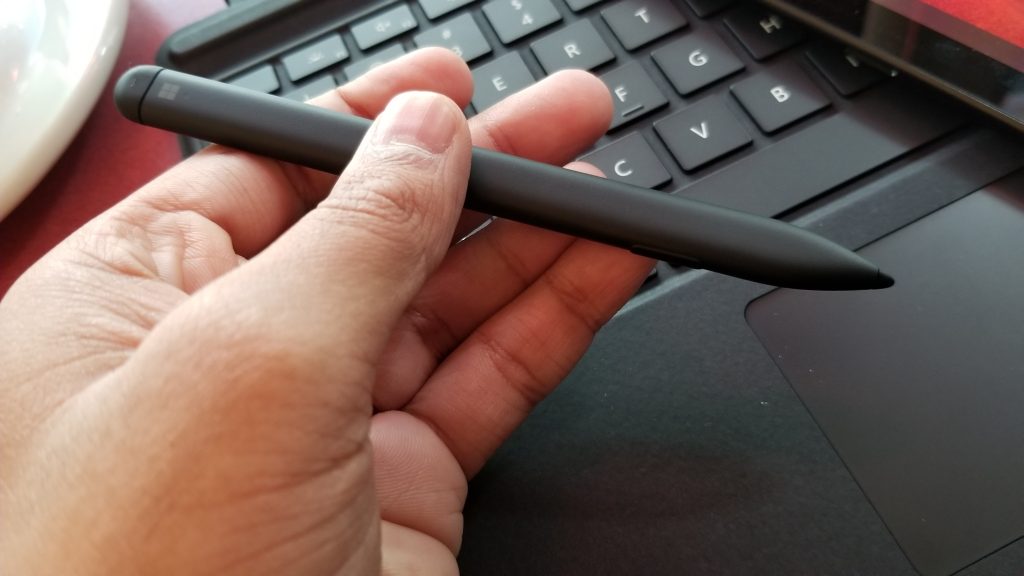
Finally, there is the new Surface Pen. Along with the design of the Surface Pro X, this new Surface Slim pen is downright amazing. I’m not much of an artist or a designer, but I do often find myself taking notes and journaling in OneNote, and the pen is great for that.
\n
Compared to previous generation Surface Pens, it is more flat and ergonomic. This means it fits in my hands more easily. There’s also the added benefit of it being rechargeable, as I don’t need to worry about swapping batteries when it dies out. However, I did find it quite annoying to have to “pull” down the Type Cover to get the pen out of its housing and built in recharging station. Most times, I just kept it attached to the side of the Surface as I did with my Surface Pro.
\n
\n
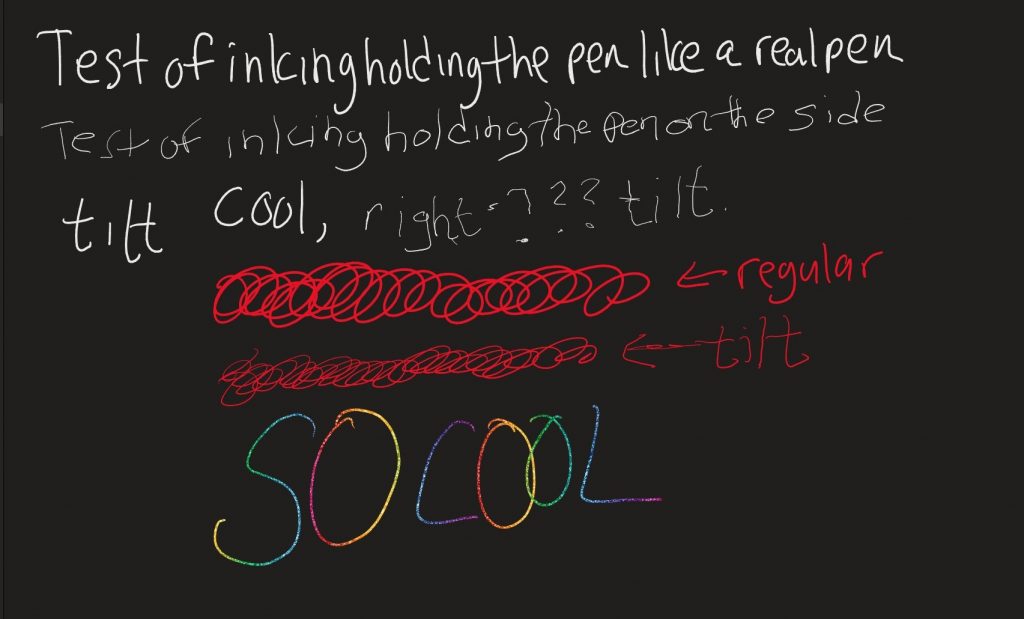
As for the performance of the pen itself, I find that its tip is harder when compared to the original Surface Pen. This makes it glide across the screen more easily. This also assists in the new “Tilt” support which Microsoft played up. I actually was able to turn the pen on its side and write on the screen, which fairly amazed me.
\n
\n
A return made easy, and I’m glad I did
\n
At the end of the day, I found out that the Surface Pro X is something that might not be for everyone. I really loved its new design, and that is something that I think people will like. However, the overall performance of the Microsoft SQ1 processor and the 32-bit app-emulation wasn’t for me and might pose problems for others too.
\n
I ended up having to change up the apps I use, just to get an optimal experience on this device. So, I walked into a Microsoft Store and returned it. I’ll be buying either a Surface Laptop 3, or a Surface Book 2 in its place, as these devices might actually work better for what I need it for.
\n\nFurther reading: Surface, Surface Pro X


