
 \n
\n
Yesterday’s Microsoft event in New York City was quite the doozy. While most attention was put towards the redesigned Surface Laptop 3, a new Surface Pro X, as well as the Surface Neo and Duo dual-screen devices, there was another product to be talked about too — the Surface Pro 7.
\n
Although the Surface Pro 7 design is unchanged — and not as exciting as the other products revealed yesterday — it still was able to show off some refinements. We spent some time with the device, and here’s more on why we think it is slightly better than before.
\n
Same old design, but a new Type Cover color to go along with it
\n
If you were longing for a redesigned Surface Pro 7, don’t get your hopes up. At 1.70 pounds and 0.33 mm in thickness, the device is essentially the same as the past few generations. In fact, holding it with my Surface Pro, I hardly noticed any difference. The 3:2 aspect ratio and 12.3-inch 2,736 x 1,824 PixelSense Display are all still the same.
\n
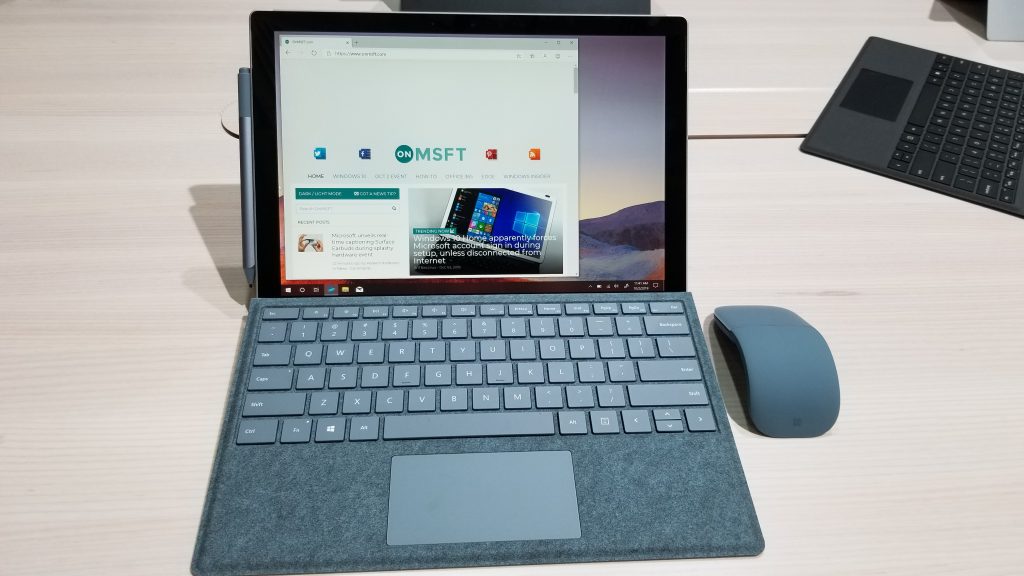
Elsewhere, the kickstand, bezels, and everything out about the external area and build of the device is unchanged. The only visual difference to me was an option for a new red Surface Pro Signature Type Cover. Even that felt similar to the previous versions — with an amply sized trackpad, decent key travel, as well as responsive keys and no big flex in the keyboard deck.
\n
Of all the Surface Pro models on the table, this one stuck out the most. It’s truly a bold color that just pops. But, that’s just the keyboard, which can spice up the visual look and work with any modern Surface Pro device.
\n

\n

\n

\n
\n
\n
\n\n
Finally, USB-C!
\n
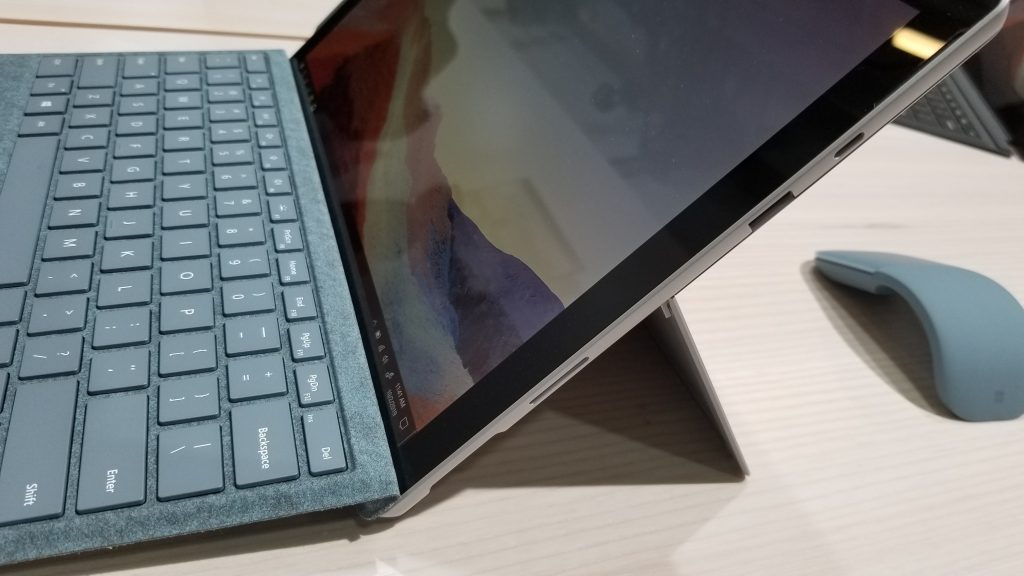
While the design on the Surface Pro 7 is the same, a key refinement is the addition of USB-C. Like with the Surface Pro X, and Surface Laptop 3, Microsoft has finally come on board with the modern connector that many have dubbed as “the one port that does it all.” Particularly, with the Surface Pro 7, the USB-C port is replacing the older Mini Displayport.
\n
On the right side of the device is now the Surface Connect port, USB-A, and USB-C. It’s nice to see Microsoft still sticking with Surface Connect, and also going with USB-A and USB-C. This means you can connect to multiple monitors, and charge your phone via USB-C or enjoy other modern USB-C and older accessories. You even can use the USB-C port to charge the device. Sadly, though, the port is not Thunderbolt 3 compatible, so you can’t connect to an external GPU or dual 4K monitors.
\n
Oh, and it’s also worth noting something important. All of the new Surface devices announced at yesterday’s event support fast charging. This means you can get up to an 80% battery level on the Surface Pro 7 with just 1 hour worth of charging. For me, in a world where I’m always looking to be disconnected from AC power, that kind of important. It is also important because Microsoft is quoting up to 10.5 hours of battery on the Surface Pro 7 for typical usage. That is quite the same as the 9.5 hours, most reviewers experienced when testing the Surface Pro 6.
\n

\n

\n

\n
\n
\n\n
A boost in power under the hood
\n
Like many other 2-in-1’s announced within the last month or two, Microsoft’s is finally giving the Surface Pro 7 a much-needed performance boost. Under the hood of the device are options for Intel’s 10th generation processors. You can either choose from a dual-core Core i3, or quad-core Core i5 and i7 processors.
\n
The model I was hands-on with featured the Core i7 option, which is the most expensive at $1,500. Still, this might be worth it for some, as the Core i7 processor features Intel’s Iris Plus integrated graphics. Microsoft claims this new CPU brings 2x graphics performance and 40% faster performance compared to the last generation chipsets, but obviously more testing is needed. This could be the option for some light gaming, as well as photo and video editing.
\n
At $750, the cheapest models feature an Intel Core i3 processor and 4GB of RAM or 128GB of storage. This makes it a decent machine for multitasking, but I wouldn’t take it too far.
\n
Nonetheless, in my hands-on time, I taxed the Core i7 Surface Pro 7’s web browser with multiple instances of YouTube, and other websites. It didn’t lag or freeze, despite the fact that every other tech writer around me had done the same before I did.
\n
\n
Some cool inking features, and improved mics
\n
Final of some things worth noting on the Surface Pro 7 is its studio mics. This means that the device can easily and clearly pick up what you’re speaking during Teams or Skype calls, and it’s also supposed to work better with Cortana. I tried it during my hands-on time, but the feature was quite messy. Cortana didn’t understand me when I asked her about the NY Mets baseball team. That’s probably due to the loud showroom floor, and the audio from the journalists next to me who were doing a video about the device.
\n
Also of note are some of the new Office 365 features Microsoft displayed on the stage during yesterday’s keynote. I don’t think these features will remain exclusive to the Surface Pro 7, but it’s still worth mentioning anyway. Using your Surface Pen, you can edit spreadsheets, and you can write directly into cells, to have it converted into regular numbers or text. You also now draw a line through text in word, and it will be deleted. See this in action in the video below.
\n
\n
Just slightly refined
\n
At the end of the day, the Surface Pro 7 is just a slightly refined device. With the addition of USB-C, and Intel Ice Lake processors, it’s a nice little upgrade over the last generation. For those with the Surface Pro 6, this might not be worth getting, unless you really want to enjoy USB-C.
\n
However, for those looking to buy a new Surface, the Surface Pro 7 is the way to go. Starting at $749, and available on October 22, it is relatively affordable compared to the Surface Laptop 3, and the Surface Pro X.
\n
\n\nFurther reading: #MicrosoftEvent, Surface, Surface Pro 7


