
To this end, Microsoft has shipped two feature drops for Windows 11 version 22H2, which was launched last year. The first Moment update shipped in October featuring tabs in File Explorer, that are designed to help users stay organized with their files and folders.
The company then made a second feature drop “Moment 2” earlier this year in February which featured tons of new features as well as quality-of-life improvements such as the injection of AI capabilities to the OS which saw Bing Chat make its way the Taskbar’s search box, Phone Link support for iOS and, more.
As we were edging closer to the end of last year, Microsoft indicated that it had big plans in store for Windows 11 in 2023 and further mapped out its plans to be shipping updates to Windows 11 version 22H2 more frequently.
And as it happens, Microsoft is getting ready to ship yet another feature update “Moment 3” in the next couple of weeks. There’s plenty in store for users, so let’s dive in and take a look at what you can expect to be part of the update:
Enhanced widget experience
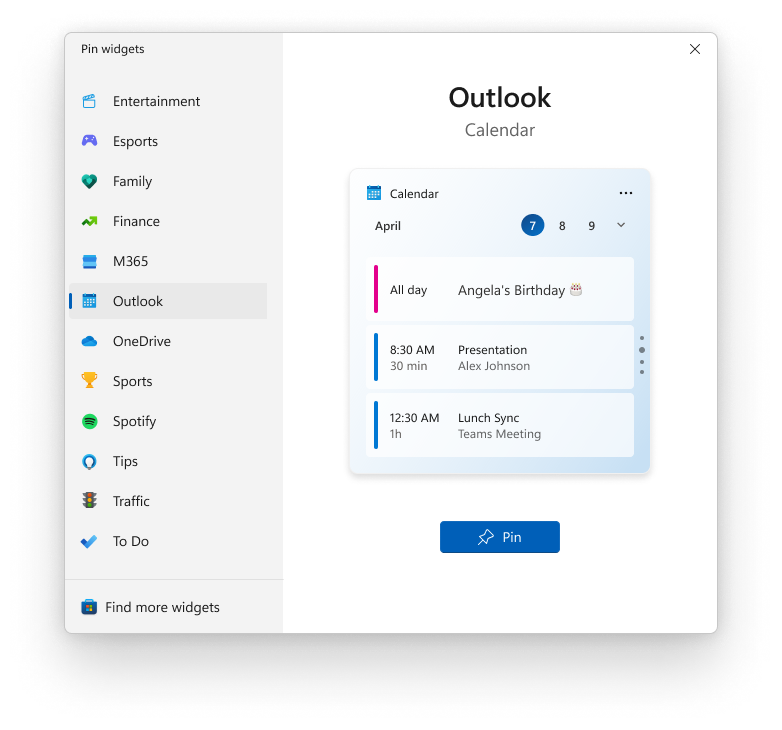
As promised, Microsoft bringing major improvements to widgets on Windows 11. Once this feature drop ships to users, the Widgets Board on Windows 11 will be revamped. The new design will set widgets on Windows 11 apart from the MSN feed.
Widgets will now be featured on the left side of the Widget Board in their own secluded column. What’s more, users will also have the capability to arrange them based on their preference vertically.
Additionally, Microsoft will also be enhancing the pinning experience for widgets such that it will now be easier for users to pin installed widgets on the board.
Taskbar and Notification upgrades
The Moment 3 update is also adding a nifty copy button which will let users instantly copy authentication codes once they pop up in the notifications. This will help enhance the users’ productivity. At the moment, you have to navigate through apps to get access to the 2FA codes sent to your mail just to use them to sign in to an app.
This feature is already available on Android and iOS, but it will now be shipping to Windows 11 users too. Windows will automatically detect when you receive a 2FA code on your device and reflect the code in your notifications, you can use the dedicate copy button to quickly capture the code and use it.
For best results, you might need to sync your notifications using Phone Link. The feature also works perfectly with apps such as Email, Skype, and more. It should also be noted that the feature will roll out exclusively to English users with the possibility of expanding to more users in the future.
As for the Taskbar, Microsoft will be refreshing the icons. Just like the Start button, Microsoft will also be animating the weather icons. Additionally, the company will also be making a significant addition to the system tray which will feature a VPN status indicator. This will make it easier for users to tell whether the VPN they have installed in their device is enabled, as the status will be displayed alongside the Wi-Fi icon.
What’s more, if you have the search box on your Windows 11 PC enabled, you’ll find that the Bing Chat icon has been redesigned into a button. When you click on the new button, you’ll be redirected to Edge.
Task Manager enhancement
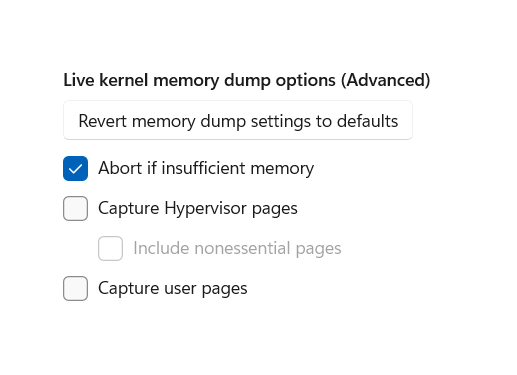
Moment 3 is adding a new feature to Windows 11’s Task Manager dubbed kernel memory dump. The feature will help users identify and troubleshoot issues impacting the performance of their device while it is still running.
New Settings updates
With this feature drop, you can expect a set of new settings in Windows 11. Here’s what you need to know:
Touch keyboard controls
Microsoft is giving users more control over how the touch keyboard behaves in instances when the keyboard is not detected. The company has incorporated three alternatives to the dropdown menu when you navigate through Settings > Time & Language > Typing as highlighted below:
- The first option, Never, when selected will prevent the touch keyboard from launching.
- There’s also a When no keyboard attached alternative that’s in place to ensure that the touch keyboard is availed every time a touch-enabled device is put to use without a keyboard present.
- The last option, Always, will have the touch keyboard pop up every time you engage the text input field.
Instant Windows Update
Rather than having to wait for the monthly Patch Tuesday updates, Microsoft is incorporating a new toggle in Windows Update. Once you have it enabled, your PC will automatically download updates immediately as soon as they are available.
Learn more about USB4-based hubs
The feature drop also comes with a significant addition for users with the latest devices that ship with USB4 support. It will introduce a new USB4 settings page where users can quickly check for more details regarding hubs and devices that are USB4 compatible as well as the connected devices.
Content Adaptive Brightness Control
This is an energy-saving feature designed to help save power in laptops and tablets. The feature will automatically detect when the user needs more brightness or not based on the contents featured on the screen.
While this feature has already been available to users, the Moment 3 update adds more customization options designed to help the user establish more control. The new options, will let you toggle off the feature, enable the feature when using the device’s battery, and lastly have it enabled throughout.
Second clock
If you’re a big fan of the Windows 10 clock system, then you’ll be happy to learn that the clock in the system tray on Windows 11 will also feature seconds.
More privacy settings
Users will also be able to establish more control over which apps are able to detect their presence while using the device with compatible hardware via the new presence sensing options. They’ll have the option to turn off access to apps individually or completely block it.
Privacy settings are being updated to include new presence sensing options for controlling which apps can detect your presence when using a PC with compatible hardware. You can turn off app access individually or turn off presence sensing altogether.
Better search experience
According to Microsoft, the search feature in the Settings app has been enhanced. Users will now be able to find whatever they are looking for faster and navigate to the specific setting easily.
It’s also worth noting that the Print Screen key will no longer help you to take screenshots. Instead, it will launch the Snipping Tool which also comes with screen recording capabilities. You can however change its function via the Settings app.
Accessibility changes
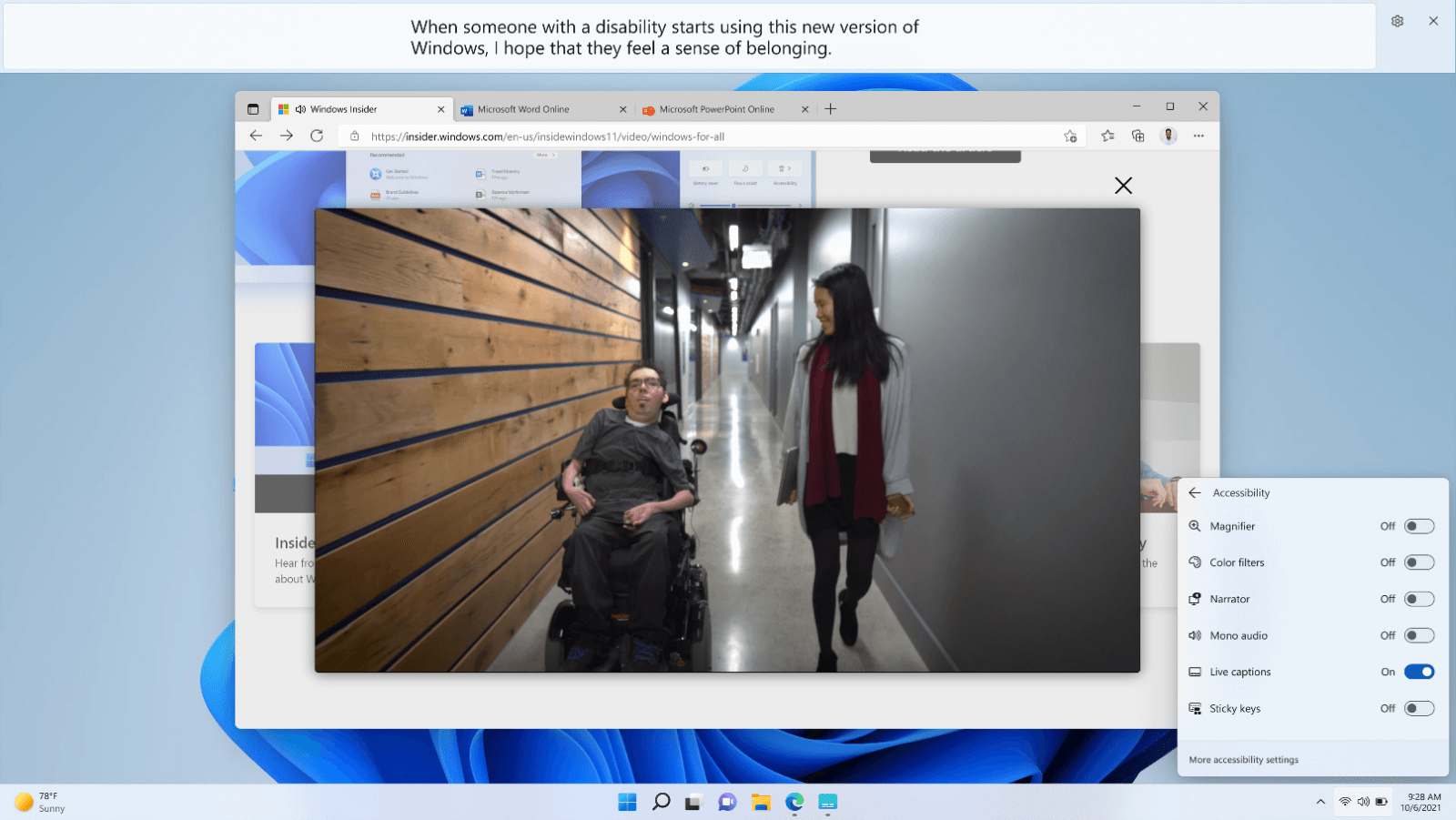
Microsoft has made significant changes and enhanced Windows 11’s accessibility features. More users from Chinese (Simplified and Traditional), French, German, Italian, Japanese, Portuguese (Brazil), Spanish and other English dialects. will now be able to make use of Live Captions in Windows 11. You’ll need to navigate through Quick Actions Menu > Accessibility to enable the feature,
Voice Access
Additionally, the update will see major improvements come to the Voice Access feature in Windows 11 allowing users to control their Windows PCs better. What’s more, the update also ships with a revamped help page that details each command as well as other variations that you can also use. It support has also been expanded to English users across the UK, India, Australia, New Zealand, and Canada.
Photos App
Earlier this month, Microsoft announced three major changes coming to the Photos app on Windows 11, that is, a new slideshow experience, a timeline scrollbar, and finally, a spots fix feature that’s designed to help users get rid of blemishes from their photos.
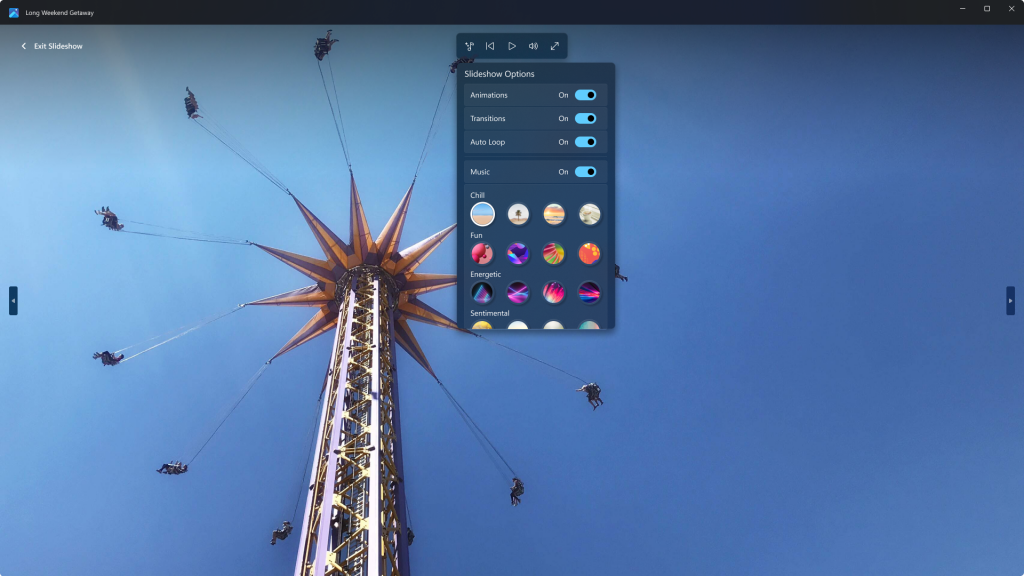
At the moment, these features are currently exclusive to Windows Insiders that are part of the Canary and Dev Channels. But they’ll be shipping to general availability once the Moment 3 feature update drops.
That’s it folks! And while we only hit the key features that are part of the Moment 3 update there’s much more to expect. For instance, the added support for access keys in the File Explorer app in the modern context menus.
The Settings app will also allow users to better manage their cloud storage as it will now have a dedicated section for OneDrive subscriptions. The section will provide a detailed account of how the storage is being used. We invite you to check out the full changelog over at Microsoft’s blog post for more details.
Which feature are you anticipating most in this feature drop for Windows 11? Let us know in the comments.