
\n
\n
Starting at $1,799.99
\n
While Intel continues to work on a processor that delivers similar performance per wattage like Apple’s M-series, OEM’s such as Lenovo are refining their industrials designs, features lists and overall laptop experiences to keep pace with offerings coming from Cupertino and the Lenovo Slim Pro 9i 14 and 16 are about as close to a MacBook as a Windows users can get.
\n
Specs
\n
| 2023 Lenovo Slim Pro 9i 14.5″ (Yoga Pro 9i 14.5″ in Europe) | 2023 Lenovo Yoga Slim Pro 9i 16″ (Yoga Pro 9i 16″ in Europe) | |
| Screen | 14.5-inch, 16:10, touch or non-touch, both glossy | 16-inch, 16:10, touch or non-touch, both glossy |
| 3K 3072 x 1920 px IPS, 120Hz, 400-nits, 100% DCI-P3 (touch or non-touch) | 3K 3072 x 1920 px IPS, 165Hz, 400-nits, 100% DCI-P3 (touch or non-touch) | |
| 3K 3072 x 1920 px mini-LED, 165Hz, 1200-nits peak HDR, 100% DCI-P3 (touch only) | 3K 3072 x 1920 px mini-LED, 165Hz, 1200-nits peak HDR, 100% DCI-P3 (touch only) | |
| Graphics | NVIDIA® GeForce RTX™ 4050 Laptop GPU 6 GB GDDR6 VRAM; Up to 2055 MHz Boost Clock, up to 100W TGP | NVIDIA® GeForce RTX™ 4060 Laptop GPU 8 GB GDDR6 VRAM; Up to 1890 MHz Boost Clock, up to 100W TGP |
| Processor | 13th Generation Intel® Core™ i9-13905H Processor (E-cores up to 4.10 GHz P-cores up to 5.40 GHz) | 13th Generation Intel® Core™ i9-13905H Processor (E-cores up to 4.10 GHz P-cores up to 5.40 GHz) |
| Video | Intel + RTX 4000 graphics, up to RTX 4070 8GB 80W | Intel + RTX 4000 graphics, up to RTX 4070 8GB 100W |
| Memory | 32GB LPDDR5X 6400MHz | 32GB LPDDR5X 6400MHz |
| Storage | 1 TB SSD M.2 2280 PCIe Gen4 TLC | 1 TB SSD M.2 2280 PCIe Gen4 TLC |
| Connectivity | Wireless 6E with Bluetooth 5.1 | Wi-Fi 6E and Bluetooth 5.1 |
| Ports | Left: 1x USB-C with TB4 (DP 1.4, PD3.0 140W charging), 1x USB-C 3.2 (DP1.2, PD3.0), HDMI 2.1 (12 Gbps), SD card reader | Left: 1x USB-C with TB4 (DP 1.4, PD3.0 140W charging), 1x USB-C 3.2 (DP1.2, PD3.0), HDMI 2.1 (12 Gbps), SD card reader |
| Right: 2x USB-A gen1, 1x audio jack, 1x eShutter button | Right: 2x USB-A gen1, 1x audio jack, 1x eShutter button | |
| Battery | 75 watt-hour | 4 cell 75WH Lithium-Polymer Battery |
| Size | As thin as 17.6mm x 327mm x 224mm / 0.85″ x 12.9″ x 9.64″ | As thin as 18.16mm x 362mm x 245mm / 0.71″ x 14.3″ x 9.64″ |
| Weight | Starting at 1.7kg / 3.7 lbs | Starting at 2.23kg / 4.9 lbs |
| Extras | Lenovo Slim Pro 9i (14″ Intel) | Lenovo Slim Pro 9i Gen 8 (16″ Intel) |
| 140W AC Adapter | AC Adapter | |
| Internal Battery | 75Whr Internal Battery | |
| Quick Start Guide | Quick Start Guide |
\n
Design
\n
4/5
\n
The Lenovo Slim Pro 9i 14-inch and 16-inch are nearly identical in their design and feature set, except for the obvious screen size difference and the full number pad offered on the keyboard panel of the 16-inch model, so please forgive me if I reference both devices interchangeably during this review.
\n
The chassis of the Slim Pro 9i follows Lenovo’s recent shift to its Comfort Edge design that smooths out the edges of its laptop for a nice in-the-hand feel when totting the laptops from desks to bags or vice versa. Lenovo began implementing its Comfort Edge design back in January 2022 and has used it on both its 7 and 9-series laptop and the Pro 9i continues the trend.
\n
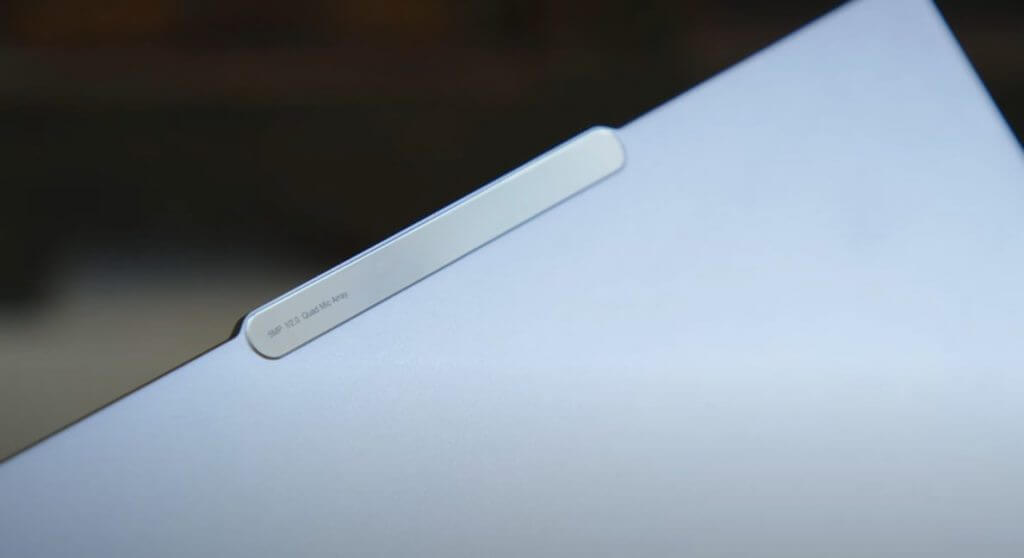
Similar to its predecessors, the Slim 9i Pro is densely constructed with no flexing in the keyboard deck or the lid, as well as no creaking hinges or internal rattling of parts. The Slim Pro 9i also comes with Lenovo’s patented inverted display notch that houses an average f/2.0 5MP webcam and quad mic array, as well as giving the owner an easy one-finger lid opener. If you’re planning on using the Slim Pro 9i as your conference rig, you’ll definitely want to invest in a webcam as the 5MP lens onboard does a decent job when in a pinch but offers very little in the way of customizations and camera tweaks to have0 your video come out looking like anything other than hurried call from an average computer.
\n
\n
The review units we got for the Slim Pro 9i came in the standard dark grey aluminum coloring that tends to fade into the background after using the laptop for a couple of days. There doesn’t appear to be any other color options on its site for the Lenovo Slim Pro 9 aside from the dark grey sandstone-ish option we received.
\n
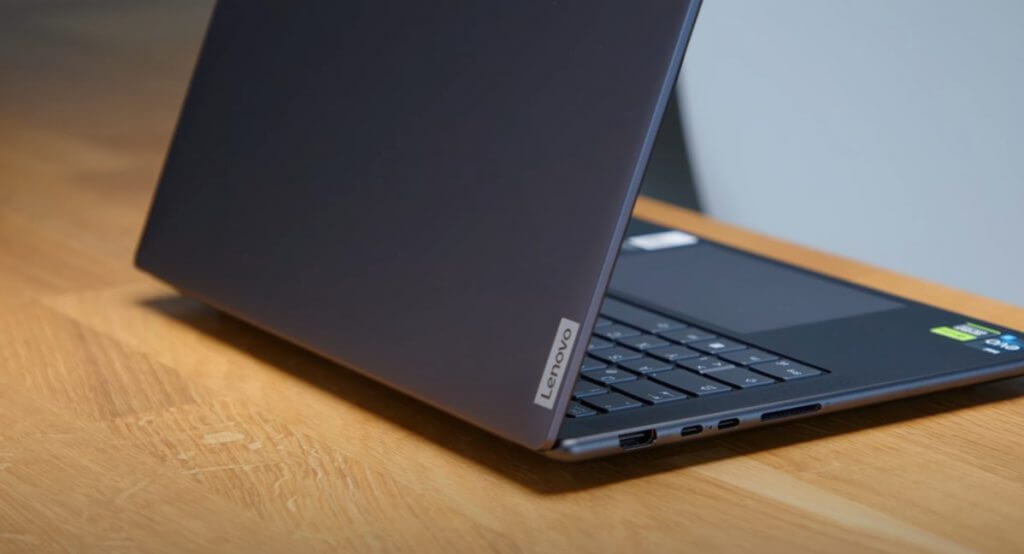
The Slim Pro 9i also comes with a bevy of connectivity options that reverse a minimalism trend OEMs were previously enamored with, as it offers HDMI 2.1, USB-C 3.2, 1 USB-C Thunderbolt 4, Full Sized SD card, 2X USB-A 3.2, and Audio/mic slot.
\n
There are vents located towards the back and bottom of the Slim Pro 9i that will get a workout when pushing the NVIDIA GPUs for any length of time over 30 minutes.
\n
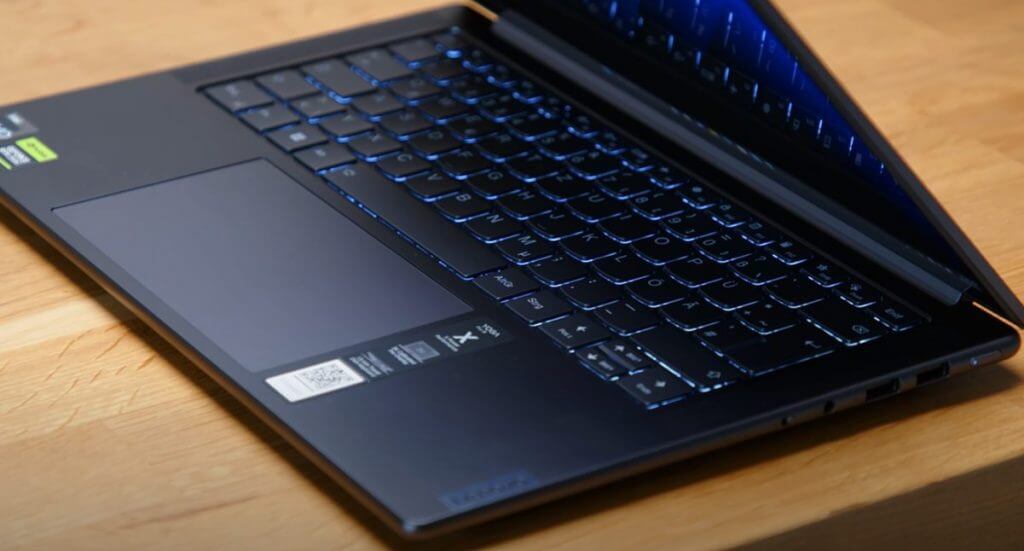
The keyboard decks of the Slim Pro 9i are solid in feel and offer Lenovo’s signature chicklet style keys with a mushy 1.5mm depth with 0.3mm grease-resistant dish key that’s familiar on the company’s other 7, 9 and Yoga-Series laptops.
\n
\n
The only real downsides to the general design of the Slim Pro 9i surfaces when talking about the trackpad which, despite being larger and smoother than other Lenovo laptops, still uses a mechanical click design that forces users to dig deep into the corners to confirm clicks. In addition to directing all clicks to the corners of the trackpad, its very design also comes with its own audible clicking noise. To be fair, most Windows users may find the trackpad click sound to be mere white noise at this point, but moving from a Surface Laptop Studio with its haptic trackpad to a more standard mechanical keyboard does warrant the observation.
\n
Overall, the 14-inch version of the Slim Pro 9i is light and feels good in the hand, while the 16-inch does have a noticeable weight difference but still every bit as comfortable in the hand as the 14-inch one.
\n
Display
\n
5/5
\n
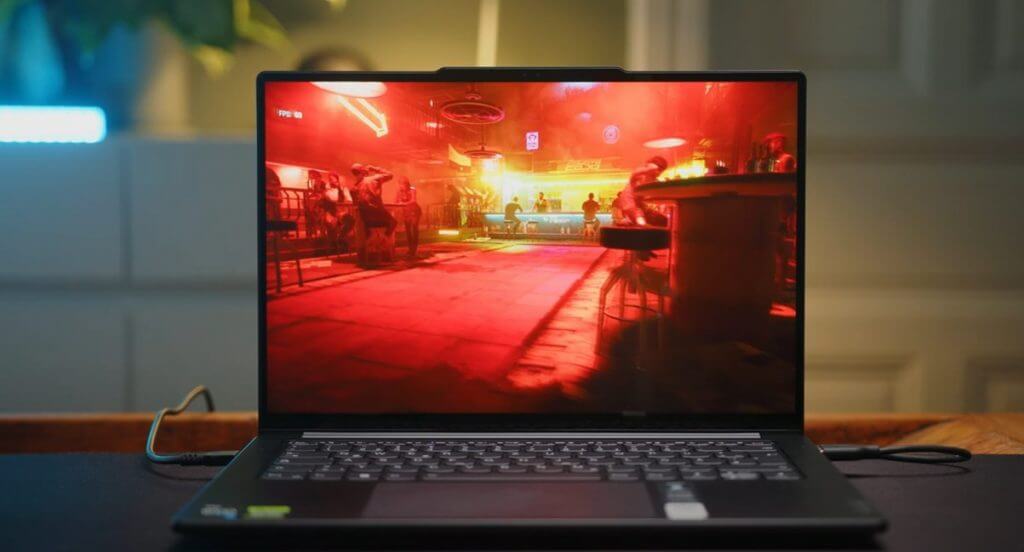
The bread and butter of the Lenovo Slim Pro 9i is its 16:10 and 3K resolution mini-LED display that pumps out an average of 750 nits of brightness but can top out at 1200. Before we go any further, it should be noted that mini-LED should be the future of most, if not all, Windows laptop displays.
\n
While OLED does an excellent job of conserving power when black areas are present on screen, the reality is that the internet is mostly white with brighter colors. Fortunately, Windows 11 has an HDR mode that allows users to get a similar power conservation out of the mini-LED display on the Slim Pro 9i while also offering a standard IPS single zone blacklight for easy color calibration and devoid of blooming that often comes with OLED. The contrast can be tweaked through the HDR settings in Windows 11 when using the mini-LED which is something that becomes visually less apparent on OLED displays as the contrast is already a bit saturated out of the box.
\n
\n
Designers, photographers, graphics editors, postproduction engineers, and the like will appreciate the color gamut of the Slim 9i Pro but may be a little peeved that it takes some additional tweaking to get color reproduction accurate enough for industry standards.
\n
Couple the brighter screen with the multitude of contrast and clarity options embedded in Windows 11, a 165hz refresh rate panel, and the visual experience on the Slim 9i Pro is second to none in the Windows ecosystem right now. There are options for both touch and non-touch displays, but it seems like a waste of the 165Hz refresh rate to go with a standard non-touch display even if you don’t game.
\n
Performance
\n
3/5
\n
I’m not entirely sure why Lenovo opted for this variant of Intel’s H-series chip, but the 13705h bucks the trend of 13700h chips in most i7 and i9 offerings on the market. If I had to wager a guess, it’s a calculated inclusion to cut down on fan noise while delivering similar performance, despite the 13705h not getting the vPRO certification from Intel.
\n
\n
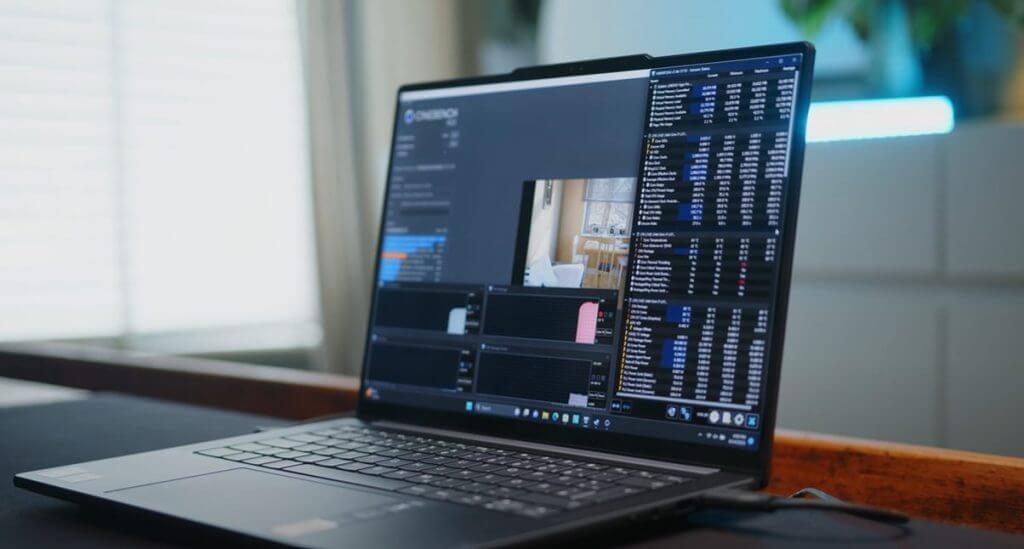
In technical terms, Lenovo has placed a hybrid SoC in the Slim Pro 9i that’s capable of channeling one hundred watts in short bursts or a sustained seventy-five watts for all core loads when tapping into the pool of power.
\n
In layman’s terms, it can output a similar level of performance as an M2 powered MacBook Pro off the power connector but for only 4 to 6 hours and outperform that same laptop as well as an MSI Stealth 14 Studio, Lenovo Yoga Pro 7 and AMD-powered Razer Blade 14 when connected to power.
\n
For everyday data processing tasks, the Slim Pro 9i will feel like overkill, but when pushed an NVIDIA RTX 4050, 4060, or 4070 GPU that accompanies Intel’s 13705h chip helps ramp up performance nicely.
\n
\n
In a vacuum the Slim Pro 9i is a worthy powerhouse, but there are other laptops on the market that run similar configurations a bit better such as the Asus Zenbook Pro 14 and Asus ROG Flow X16, however, neither of those devices come with the design and build quality of Lenovo’s.
\n
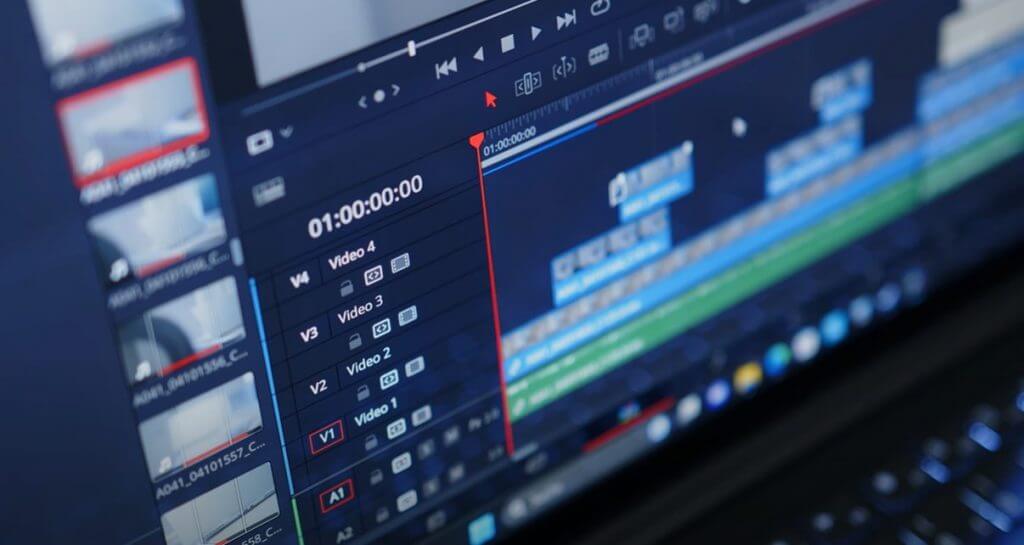
In real world usage from someone in the marketing field as well, the Slim Pro 9i was a great portable content creation station, enabling long video and audio editing sessions, as well as some photo editing via Adobe Photoshop and Affinity Photo 2. Running my daily macro-heavy Excel reports on ad bids, geo-location retargeting trends and profit and loss analysis in real time while also keeping both Edge and Chrome open as research tools was all handled without the slightest glitches or hiccups.
\n
I was able to do my routine podcast production which included recording, processing, and editing three 1080p video streams, several audio beds, rendered graphics, cuts custom animations, and upwards of fourteen tracks simultaneously, all off power for over four hours. Rendering video projects roughly forty-five mins or an hour in length took about fourteen minutes each.
\n
While the fans blasted during rendering, they remained relatively quiet during editing, so some may sacrifice a bit of silence to wrap up a project but those tend to be the brakes on almost all Windows laptops these days.
\n
The only time the system dropped its performance was when I enrolled it into the Windows Insider program, to which, admittedly, is not something every customer will do, but I thought I should note. More emblematic of the current state of Windows Insider builds, is a recent issue with FAT file explorer memory cause several delays in just accessing files as well as a mind-blowing number of crashes with any Adobe application.
\n
While the Slim Pro 9i isn’t marketed as gaming rig, the inclusion of an RTX GPU was too tempting to pass up and in my brief time playing games on the device, it held up well. The fans kicked in almost immediately and the system got uncomfortably warm on a lap, but the performance on screen was smooth during FPS games and the graphical fidelity was high for RPGs. Paired with the 165Hz screen, games such as Cyberpunk 2077 made use of both the smooth frame rates and graphics density.
\n
It’ll be interesting to see how customers who opt for the Lenovo Slim Pro 9i do with Microsoft’s new Starfield game on their devices as I would image it plans to tax PCs pretty hard with the exclusion of native XeSS or NVIDIA DLSS support.
\n
Battery
\n
3/5
\n
It may be the shift from powering an OLED screen to a new mini-LEd panel that’s helped squeeze out a bit more battery life from the Slim Pro 9i over the Yoga book, the 7i, the 9, or other similarly constructed offerings from Lenovo. While the MacBook Pro M2 versions remains the battery king for per wattage consumption benchmarks landing at an astounding 820 mins, the Lenovo Slim Pro 9i comes in at 502 mins or roughly 8.36 hrs. of usage off power.
\n
\n
Obviously, everyone’s milage will vary but I managed to hit the 8-hour marker for battery consumption on most days with a few lighter days dipping into 10+ category. Unfortunately, for the 16-inch model, the Slim Pro 9i uses a proprietary USB-A like charger with a heavy power brick attached so charging becomes a much more cumbersome affair, but if the 16-inch is meant to server as desktop replacement, then I suppose the charging situation can be overlooked.
\n
At the end of the day, the battery on this 3K resolution panel refreshing at 165Hz and hitting peak brightness’s of 1200 nits delivers only adequate performance. Would I like more battery, yes, but unfortunately, Intel and Microsoft haven’t been able to solve that puzzle just yet.
\n
The Marketing Promise
\n
5/5
\n
Lenovo is marketing the 14-inch version of the Slim Pro 9i as “14” powerhouse laptop engineered for pro creators” and the 16-inch version as “Groundbreaking 16″ laptop for professional creators,” and it’s delivered just that.
\n
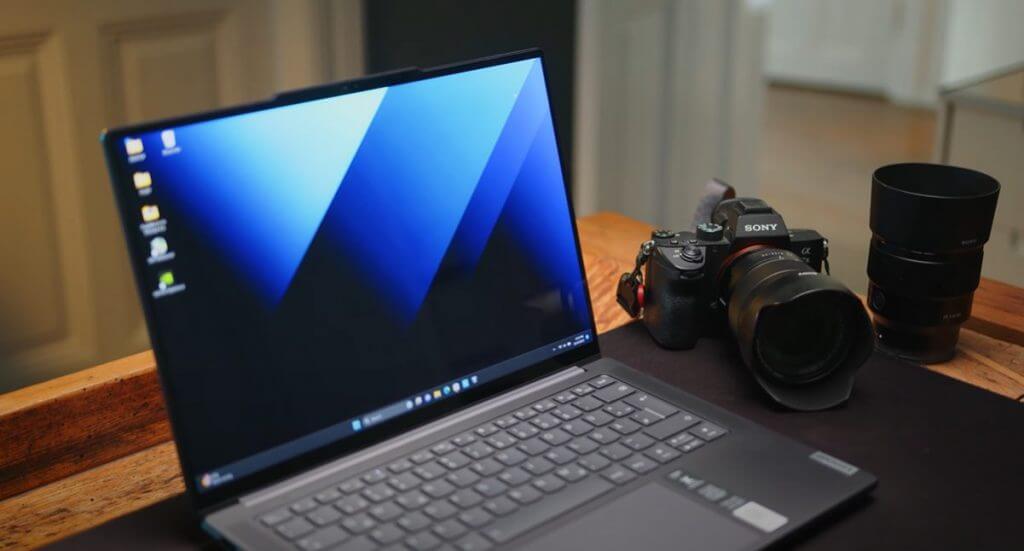
It’s rare that marketing materials every match the real-world experiences of products when they’re out in the wild and when they do, it’s done with a heavy dose of asterisks alongside, but the Lenovo Slim Pro 9i offers the latest processor tweaked to edge out even more performance from a thin and light-ish laptop more than its off-the-shelf cousin, as well as introducing a new display tech that offers more customization than a standard LED or OLED.
\n
\n
Delivering on its promise for prosumer level creators the options of NVIDIA’s RTX 40 Series should be enough for content creators on the go who live in either DaVinci Resolve or Adobe Premiere Pro (admittedly when the software isn’t crashing) as well audio engineers in FL Studios, Audition, Ableton Live.
\n
For engineering students, there is enough horsepower in the GPUs onboard to tackle moderately dense CAD projects, but there may be other options to seek out to get a device that excels at those tasks.
\n
Summary
\n
For Windows users looking for their unicorn MacBook equivalent, the Slim Pro 9i comes about as close as there is when factoring in build quality, design, portability, connectivity, and overall performance. Yes, the fans are a bit loud when pushing the device and it can get warm on a lap when doing anything other than simple data processing or web browsing, but for most tasks such as creating PowerPoint decks, triaging email, download and reading PDFs, watching Netflix or other streaming services, and using Edge or Chrome, the device should remain relatively quiet and cool.
\n
Slipping the Slim Pro 9i in a bag never gave me pause as to what I could and couldn’t do with the laptop. I knew, on a full or mostly full charge I could get through my day whether it be creating marketing pitches, campaign graphics and videos or hours of research.
\n