
\n
\n
Microsoft’s September 21, 2023, event focused heavily on Copilot features coming to Windows 11 this week, but even the hour-long showcase couldn’t detail all the company’s operating system-based generative AI developments destined for PCs soon, so here is comprehensive list to explore.
\n
While it’s easier to identify each version of Copilot by its associated platform experience, Microsoft mentioned last Thursday, the company is consolidating the title of its disparate platform specific generative artificially intelligent experiences under a single Copilot branding.
\n
The Copilot experience for Windows is centered around helping users not only have quick access to resources for collaboration, research and creativity, but also as means for navigating and troubleshooting OS-specific questions, request, or issues.
\n
After the update brings Windows Copilot to the desktop, users can navigate via the new icon or by using the WIN + C key combination to surface the side pane experience.
\n
Paint
\n
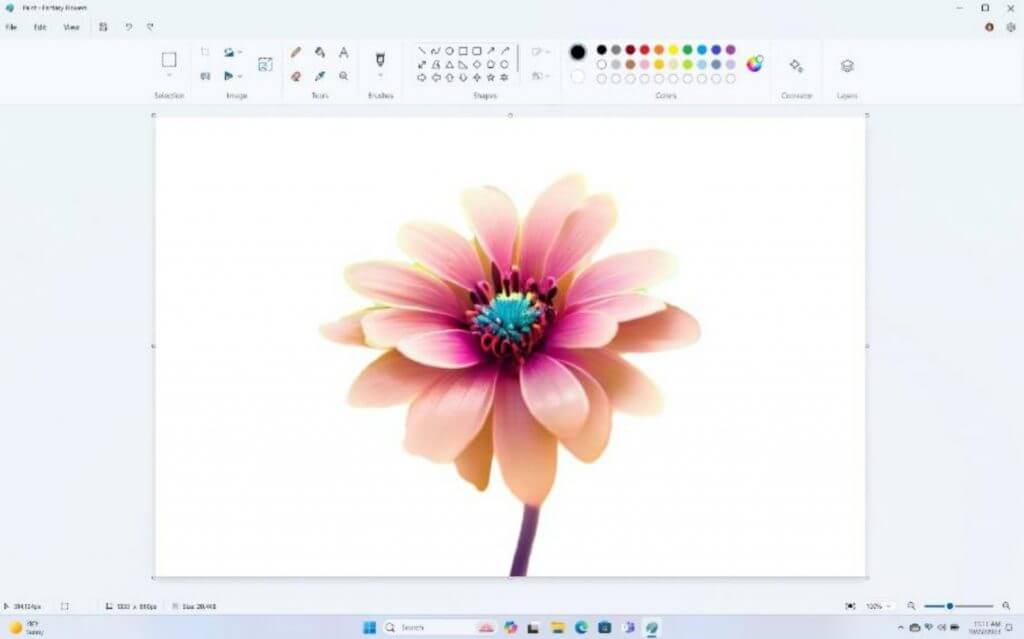
However, Microsoft hasn’t relegated its AI efforts just to a single pane on the desktop, users can also experience AI enhancements in many of the in-box Windows apps such as Paint.
\n
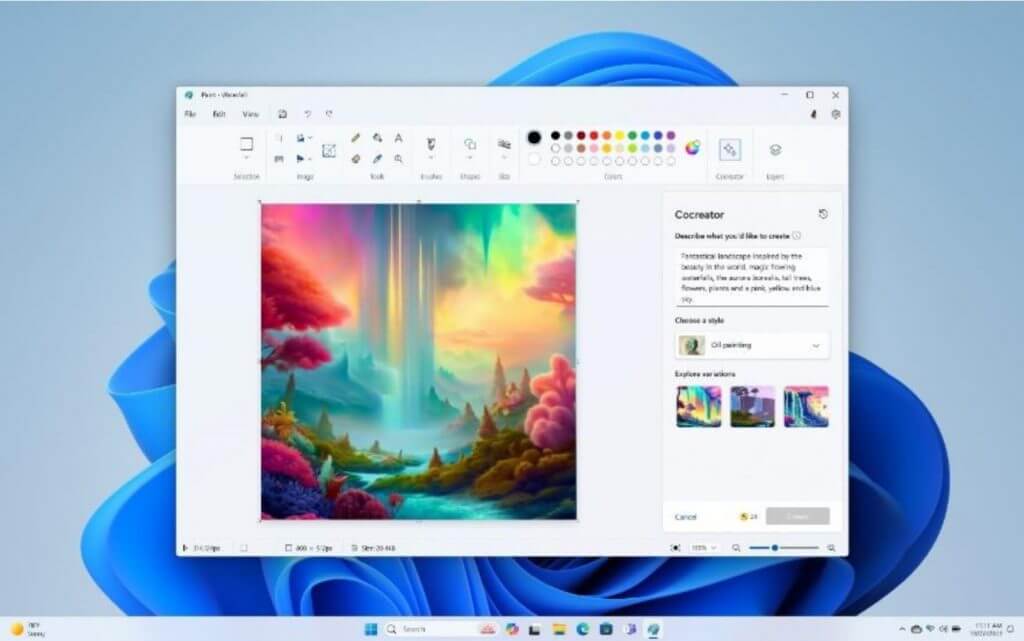
The old school image editor has been updated with its own mini-Copilot where users can interact with a text prompt to search for styles and journey through creative suggestions similar to Bing Image creator.
\n
\n
Paint will also get the coveted Adobe Photoshop Layers experience, which should allow for more precise editing within the platform versus the Undo and Redo dance most users have mastered.
\n
\n
While Paint represents Microsoft’s AI revitalization of a classic OS editing tool, the company is also bringing its AI to its new editing toy Clipchamp.
\n
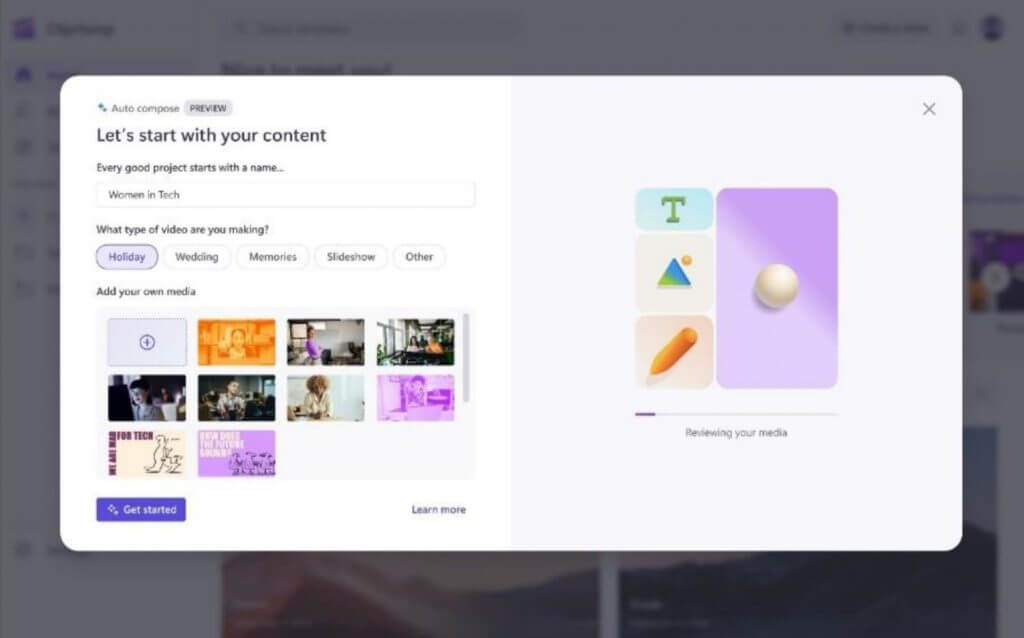
Users can now use new settings such as Auto Compose to save time by letting the system sift through the editing process based on a brief QA about a project. Once the QA about a project is completed by a user, Clipchamp will use generative AI to produce several recommended scenes, edits, and narratives based on the uploaded content.
\n
\n
Snipping Tool
\n
Microsoft’ Snipping Tool has slowly been gaining more features over the past two years and its evolution continues with the addition of audio capture via audio and mic support recently implemented.
\n
\n
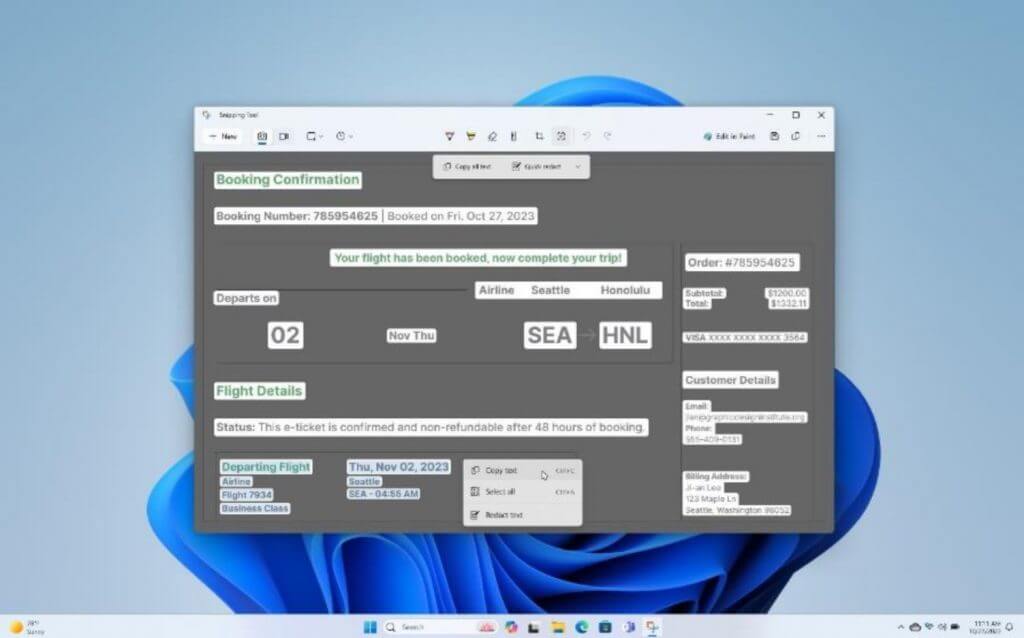
Snipping Tool also gains the ability to extract and redact text from a still or video capture image through a new beefed up Microsoft’s Lens technologies.
\n
Photos
\n
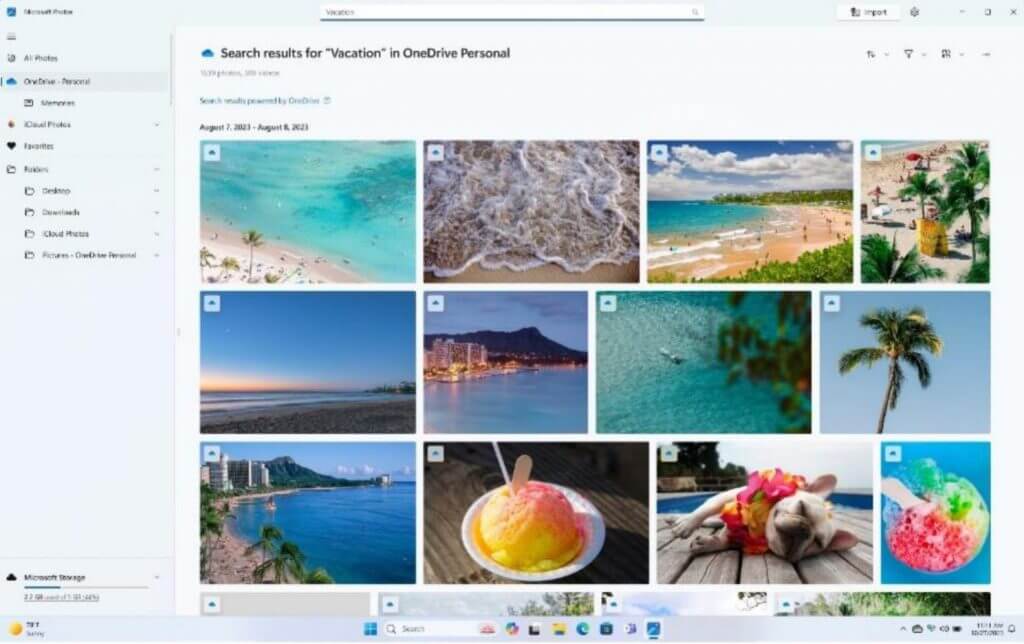
Microsoft Photos is constantly getting updates, but many have landed deftly with the broader Windows community due to several evolving image curation behaviors from phone to desktop, but for those who still navigate images via a laptop, the Search in Photos is getting a boost.
\n
\n
Once an image is found, AI can help users adjust backgrounds with an enhanced resolution tool to apply blurred effects to images, after the fact.
\n
Windows Backup
\n
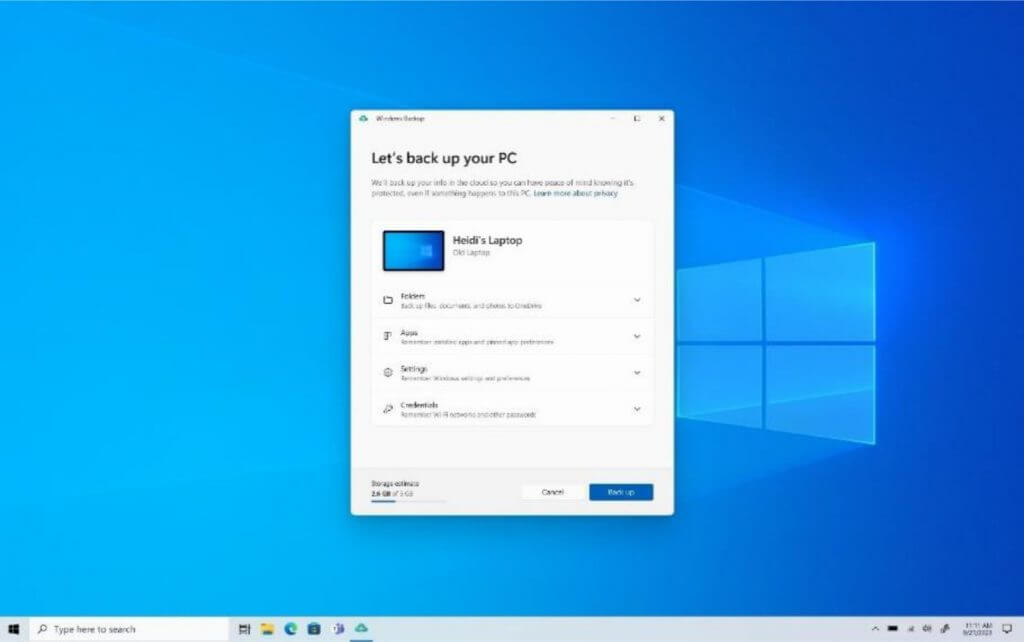
Microsoft is reducing the time it takes to set up new PCs with its new Windows Backup feature that acts like Samsung’s Smart Switch between phones.
\n
Instead of having to go through the rigmarole of manually searching for and redownloading apps, resetting manual settings and preferences and uploading previous logins and credentials, users will now have those items transferred over via the cloud and applied to their new device shortly after the out-box intro setup is complete.
\n
\n
Voice access
\n
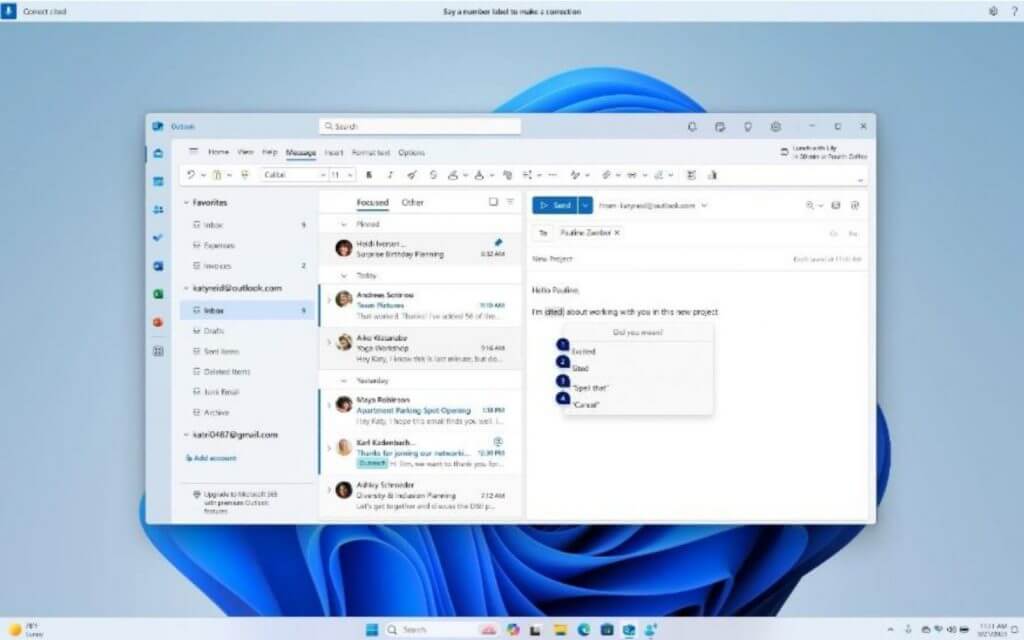
Microsoft is beefing up its Voice Access platform in Windows with support for voices during log-in and preferred PC voice settings and complex dictation of standard and non-standard words.
\n
\n
Users can also make use of new spelling, auto corrections and recognition experiences through Voice Access when the Windows 11 Moments 2 update lands this week, according to Microsoft.
\n
Narrator Natural Languages
\n
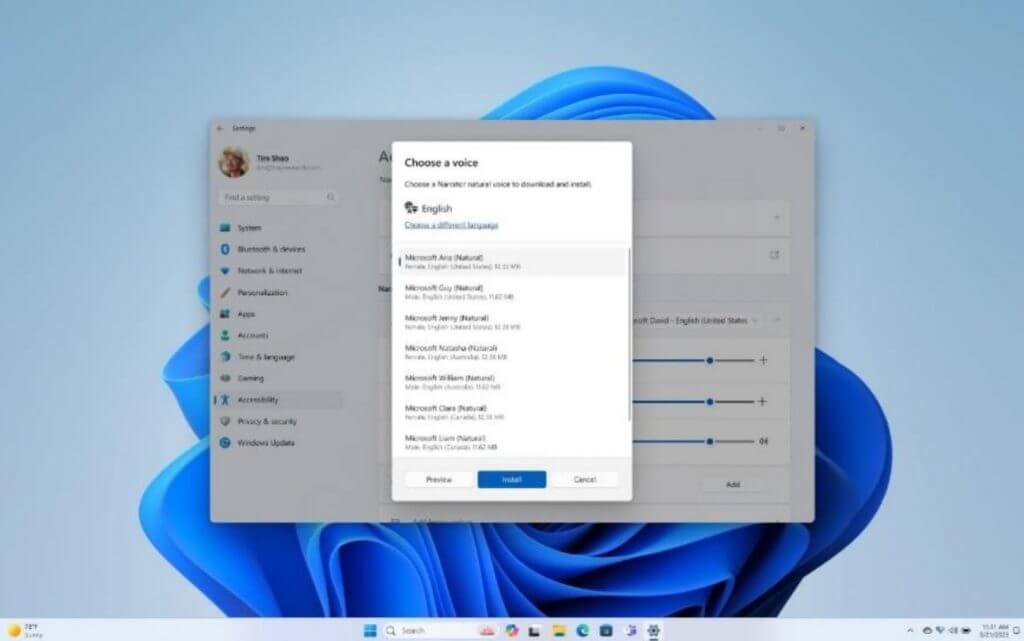
Windows users who make use of Narrator can now do so with support for even more languages such as Spanish, Portuguese, French, German, Mandarin, Japanese, Korean, and UK and India versions of English.
\n
\n
To try grab a Natural Language package that better suits the region, accents, or colloquialisms to help navigate Window, users can simply use the Win + Ctrl + Enter keyboard commands.
\n
Passkeys
\n
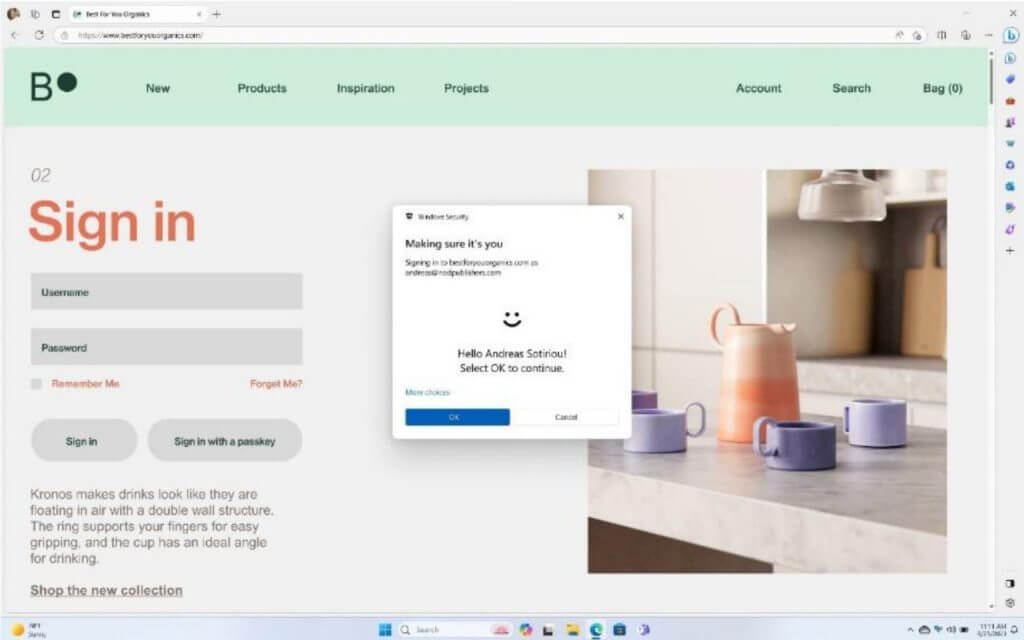
Microsoft is following Apple a bit with its new Passkey feature for Windows 11 that will piggyback Windows Hello integration to offer secure sign-in management for password-based logins and confirmations.
\n
A passkey creates a unique, unguessable credential and allows you to sign in using your face, fingerprint, or device PIN. Passkeys on Windows 11 will work on multiple browsers including Edge, Chrome, Firefox, and others.
\n
\n
Presence Sensing
\n
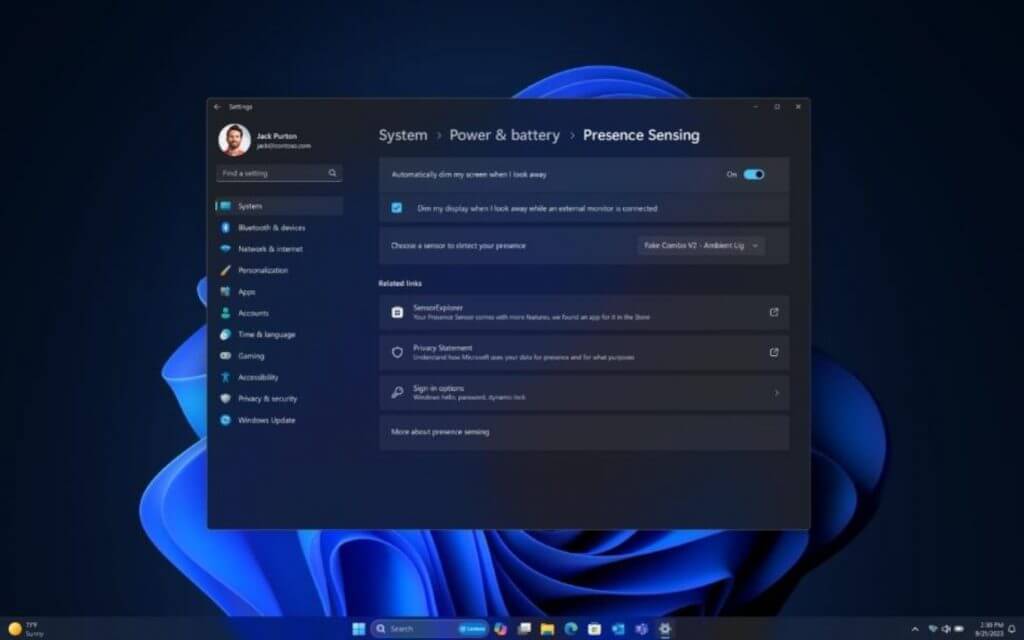
Some Windows OEMs have been building proprietary versions of Presence Sensing for some time now, and it seems Microsoft is ready to finally support it as a standard operating-level feature.
\n
Combined with new Adaptive Dimming, Wake on Approach, and Lock on Leave, Presence Sensing is intended to help secure PCs when users are away as well as conserve battery.
\n
\n
Presence Sensing can also be added to external monitors if support is built into them. For now, Presence Sensing is an opt-in feature that will allow users to customize how their system reacts when they are way or idle long enough in front of their screens Windows 11 Moments 2 hits.
\n
Admins can also assign Passkey functionality as a replacement for traditional password security, as a policy set through Microsoft Entra ID to access company resources.
\n
Config Refresh
\n
Moving to the nittier and grittier details of Windows 11’s Moments 2 Update involves resetting the settings in the PolicyCSP for Windows 11 devices every 30 or 90 minutes to help IT Admins access saved files for troubleshooting situations.
\n
Admins can also pause the Config Refresh for select times, but the feature will eventually startup again unless monitored by Admins.
\n
Intune
\n
Intune with App Control for Business now replaces Windows Defender Application Control for Admins but still allows the same level of application control as before Admins via the Settings in the Admin console.
\n
WDAP is not a system level update and thus comes to only current Microsoft Intune customers with Intune managed Installer whenever it does make it to the mainstream rollout of Windows Moments 2 Update.
\n
Windows 365 Boot
\n
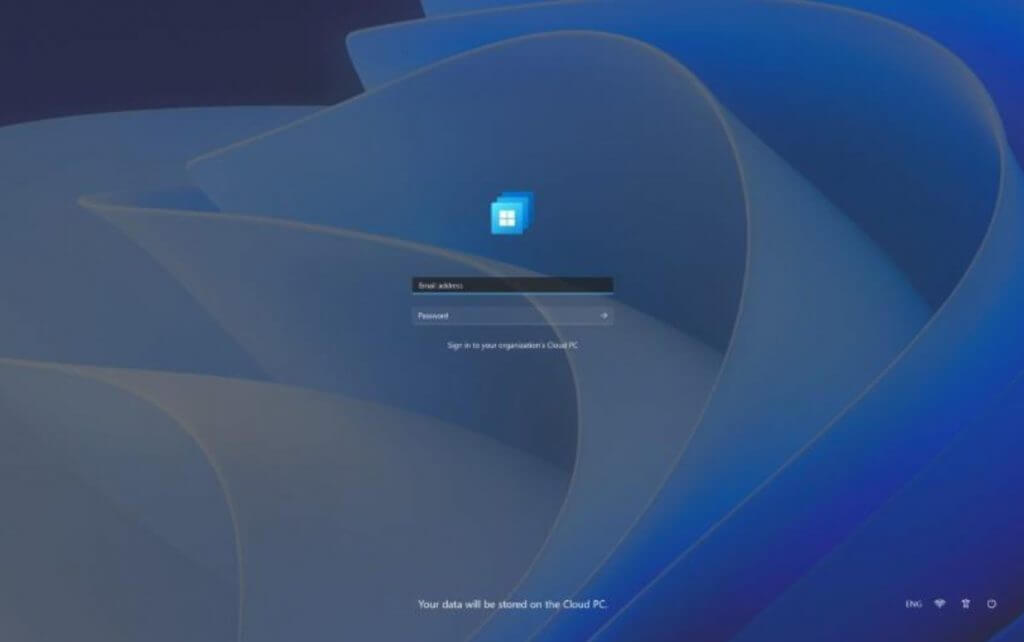
Windows 365 Boot will be coming out of preview and hitting general availability for commercial Windows 365 subscribers enabling to port Windows 11 login experiences from one device to another via Cloud PC technologies.
\n
\n
The Windows 365 Boot is free to use current, and Microsoft 365 subscribers.
\n
Mobile Application Management (MAM)
\n
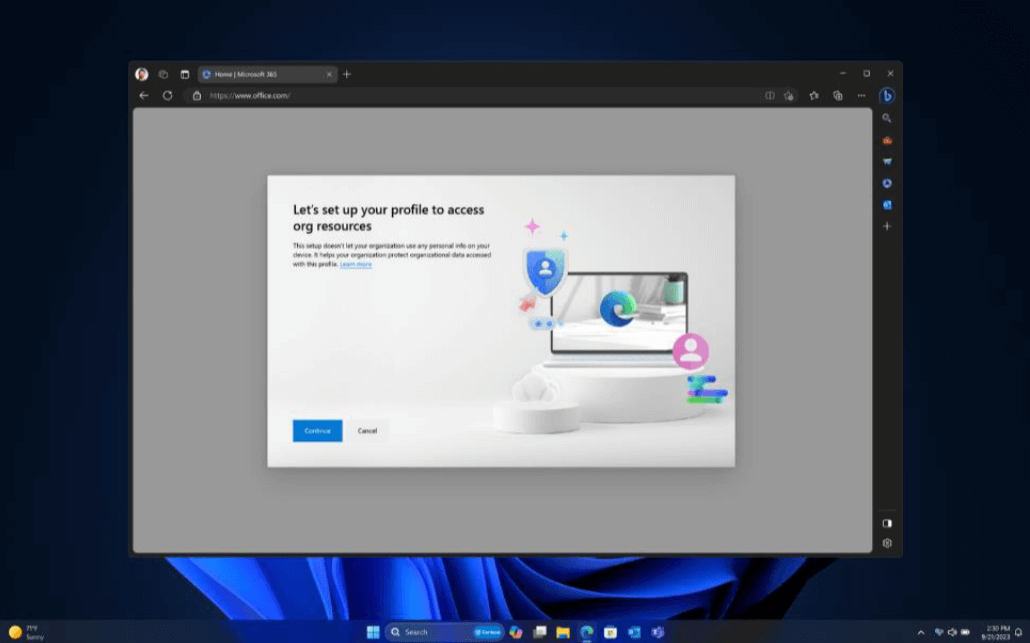
Microsoft is now making it easier for Admins to assign access to company information from personal devices through MAM.
\n
\n
\n
Through Microsoft Edge on unmanaged devices, Admins can assign access to company content as well as putting in conditions like timed, location based and the number of access attempts from employees when dealing with company data on personal devices.
\n
File Explorer & Start Menu
\n
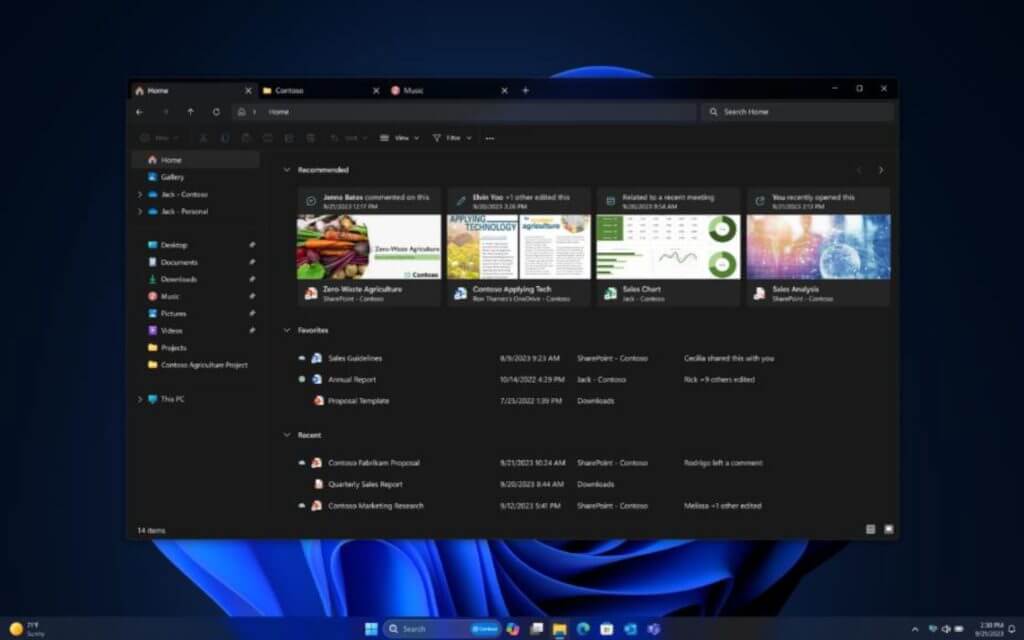
Microsoft will be beefing up its File Explorer and Start Menu experiences with AI-powered recommendation and settings at the onset usage of the respective applications in large and bright thumbnails.
\n
\n
Microsoft Store & Instant Games
\n
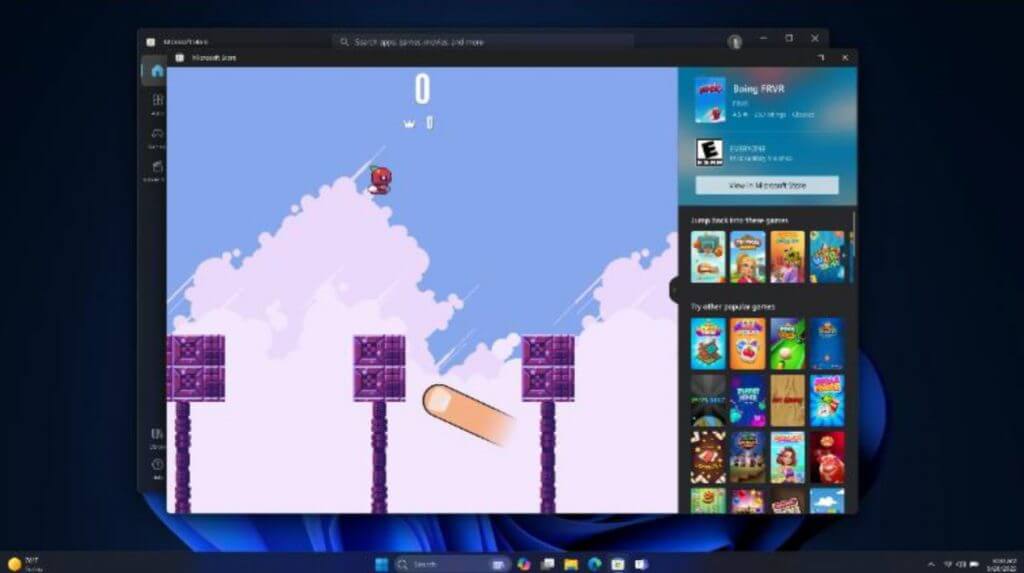
Users will now be able to jump from previewing games in the Microsoft Store to directly playing them without having to wait for full downloads to occur.
\n
Not every game will be part of this new platform feature, but Microsoft has already been working with several publishers to make the experience worthwhile. Developers can speak with Microsoft about joining the Instant Games platform in the future to help build out the experience.
\n
\n
Admins also can assign where downloaded content from the Microsoft Store goes such as specific drivers and locations for game installations.
\n
The Store will be getting several rounds of fresh paint over the next few weeks that will bring performance improvements, richer search engine results on the Apps webpage, and new ways to discover gaming content on Windows devices.
\n
Miscellaneous features
\n
Other updates that aren’t category specific will also be coming in the Windows 11 Moments 2 Update such as the new Outlook for Windows, which is the PWA version that’s intended to replace the Mail App from Windows 10, a new Settings Home tab that surface several key settings in place, Auto Color management which should help improve gradients and color accuracy, Volume mixer bringing per-app based customizations, Dynamic Lighting, and new Dev tools such as Dev Home, WinGet configuration and the Windows Subsystem for Linux which should help a lot of Linux users stomach Windows development environments.
\n
How to Get Windows 11 Moments 2 (version 22H2)
\n
Consumers with eligible devices running Windows 11, version 22H2 who are interested in experiencing these new enhancements now, including Copilot in Windows, can choose to do so by going to Settings > Windows Update and turning on and get the latest updates as soon as they’re available.
\n