Skip to content
OnMSFT.com
  • Home
  • About
  • Contact
  • Windows
  • Surface
  • Xbox
  • How-To
  • OnPodcast
  • Edge
  • Teams
  • Gaming
Menu
  • Home
  • About
  • Contact
  • Windows
  • Surface
  • Xbox
  • How-To
  • OnPodcast
  • Edge
  • Teams
  • Gaming
  1. Home
  2. News
  3. Word for Windows gets the transcribe feature

Word for Windows gets the transcribe feature

Kevin Okemwa Kevin Okemwa
February 2, 2023
1 min read

Microsoft has made it easier for Word users to transcribe audio recordings from meetings or interviews in Windows. The feature will allow you to “convert speech to a text transcript, with each speaker individually separated”.

This feature makes the process of transcribing hassle-free. The feature provides users with two options for users to achieve this task. First up, is that you can record directly in Word. Alternatively, you can upload an audio file.

To access this feature, open Microsoft Word on your Windows PC and allow it to access your Mic. Navigate through Home > Dictate > Transcribe, then select the Start recording in the Transcribe pane. It will start recording the meeting automatically, you can click on the Save and transcribe now option once the meeting ends.

If you already have a recording, you can upload it by navigating through Home > Dictate > Transcribe. At this point select the Upload audio option in the Transcribe pane. You’ll now need to select the file you want to upload from the file picker, then hit the Open button.

It should be noted that the feature currently supports .wav, .mp4, .m4a, and .mp3 formats only and works with 80+ languages. It is rolling out to Beta Channel users running Version 2302 (Build 16107.20000) or later.

Do you find this feature useful? Let us know in the comment section.

Share this article:
Previous Article Microsoft Teams Premium ships with OpenAI’s GPT-3.5 technology Next Article Redfall to require a persistent online connection even in single-player

Related Articles

After Chrome, Edge tests launching the browser automatically when you sign into Windows

March 13, 2026
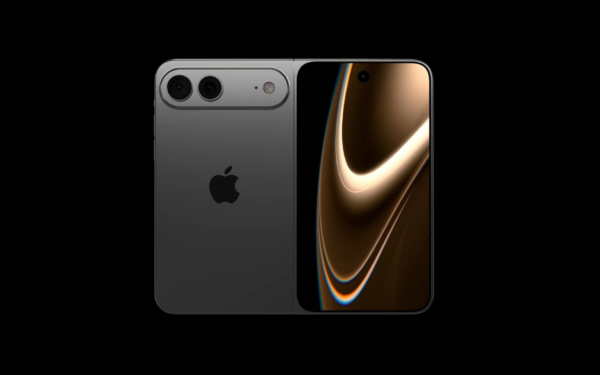
Latest iPhone Fold rumors reveal display crease details, hole-punch cameras, iOS multitasking layout, 12GB RAM, and storage options for Apple’s first foldable iPhone.

iPhone Fold Latest Rumors: Display, Cameras, RAM and Price Details Revealed

March 13, 2026
Samsung concerned about smartphone profits as chip prices surge

Samsung fears first mobile operating loss due to memory price surge

March 13, 2026

Leave a Comment Cancel reply

Your email address will not be published. Required fields are marked *

Recent Posts

  • After Chrome, Edge tests launching the browser automatically when you sign into Windows
  • iPhone Fold Latest Rumors: Display, Cameras, RAM and Price Details Revealed
  • Samsung fears first mobile operating loss due to memory price surge
  • Elon Musk’s X to Change Verification in Europe Following EU Fine
  • Facebook Marketplace adds Meta AI to reply to buyer messages automatically

Recent Comments

No comments to show.
OnMSFT.com

OnMSFT.com covers Microsoft news, reviews, and how-to guides. Formerly known as WinBeta, we have been your source for Microsoft news since 1998.

Categories

  • Windows
  • Surface
  • Xbox
  • How-To
  • OnPodcast
  • Gaming
  • Edge
  • Teams

Recent Posts

  • After Chrome, Edge tests launching the browser automatically when you sign into Windows
  • iPhone Fold Latest Rumors: Display, Cameras, RAM and Price Details Revealed
  • Samsung fears first mobile operating loss due to memory price surge
  • Elon Musk’s X to Change Verification in Europe Following EU Fine
  • Facebook Marketplace adds Meta AI to reply to buyer messages automatically

Quick Links

  • About OnMSFT.com
  • Contact OnMSFT
  • Join Our Team
  • Privacy Policy
© 2010–2026 OnMSFT.com LLC. All rights reserved.
About OnMSFT.comContact OnMSFTPrivacy Policy