Skip to content
OnMSFT.com
  • Home
  • About
  • Contact
  • Windows
  • Surface
  • Xbox
  • How-To
  • OnPodcast
  • Edge
  • Teams
  • Gaming
Menu
  • Home
  • About
  • Contact
  • Windows
  • Surface
  • Xbox
  • How-To
  • OnPodcast
  • Edge
  • Teams
  • Gaming
  1. Home
  2. Latest news
  3. Windows Phone finally gets a decent stock video editing app with Video Tuner

Windows Phone finally gets a decent stock video editing app with Video Tuner

Ron Ron
July 15, 2019
1 min read

Windows Phone finally gets a stock video editing app with Video Tuner

Windows Phone doesn’t have a stock (built-in / out of the box) video editing app. While we did have some handy alternatives, like Movie Maker 8.1, Microsoft’s mobile operating system was lacking a video editing tool. Until today, when the company launched Video Tuner.

Video Tuner allows you to edit your video files before you share them on your favorite social networking sites. The editor allows you to add filters, put a background music to your homemade clips, and add effects like cropping, rotating, flipping, or mirroring the visible frames.

You can also adjust the speed, and add exposure, contrast or other color-based parameters onto your videos. The app supports MPEG-4 (MP4) and MP3 file formats, which has most bases covered, but you won’t be able to add tracks from several music streaming services such as MixRadio and Xbox Music due to DRM protections. 

Video Tuner also comes with dedicated Instagram and Vine sharing options, that might help the users trim and crop videos to the relevant length, and adjust the aspect ratio for uploading to the said networks.

Video Tuner takes up 40MB of space and is freely available from the Windows Phone Store. Download it from the link below, and let us know how you like it!

Video Tuner

Further reading: Windows Phone

Share this article:
Tags:
Windows Phone
Previous Article Rudy Huyn’s 6cret app for Windows Phone gets killed off thanks to copyright claim by Secret Next Article Windows 8.1 tips and tricks: Choosing the default apps for specific file types or tasks

Related Articles

What Is NemoClaw and How Does It Work?

March 21, 2026
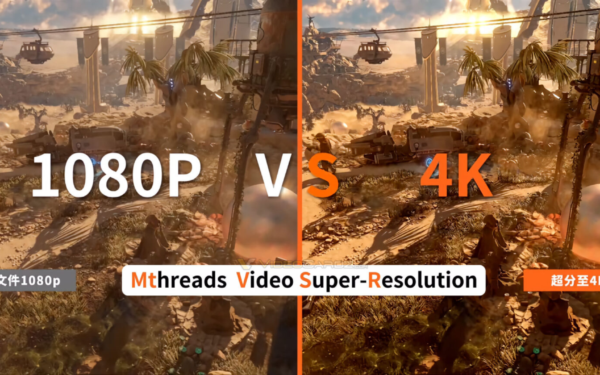
Moore Threads v330.140 driver adds MTVSR AI video upscaling for real-time playback, improving video quality, not gaming performance.

Moore Threads introduces MTVSR video upscaling in v330.140 driver update

March 21, 2026
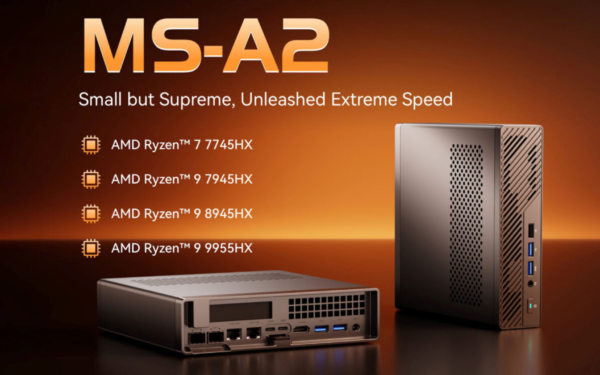
MINISFORUM MS-A2 update adds new Ryzen 9 8945HX tier

MINISFORUM MS-A2 update adds new Ryzen 9 8945HX tier

March 21, 2026

Leave a Comment Cancel reply

Your email address will not be published. Required fields are marked *

Recent Posts

  • What Is NemoClaw and How Does It Work?
  • Moore Threads introduces MTVSR video upscaling in v330.140 driver update
  • MINISFORUM MS-A2 update adds new Ryzen 9 8945HX tier
  • Thermal Grizzly releases Mycro Pro RGB CPU blocks with built-in filter
  • Elon Musk Guilty of Misleading Twitter Shareholders in Acquisition Dispute

Recent Comments

No comments to show.
OnMSFT.com

The Tech News Site

Categories

  • Windows
  • Surface
  • Xbox
  • How-To
  • OnPodcast
  • Gaming
  • Edge
  • Teams

Recent Posts

  • What Is NemoClaw and How Does It Work?
  • Moore Threads introduces MTVSR video upscaling in v330.140 driver update
  • MINISFORUM MS-A2 update adds new Ryzen 9 8945HX tier
  • Thermal Grizzly releases Mycro Pro RGB CPU blocks with built-in filter
  • Elon Musk Guilty of Misleading Twitter Shareholders in Acquisition Dispute

Quick Links

  • About OnMSFT.com
  • Contact OnMSFT
  • Join Our Team
  • Privacy Policy
© 2010–2026 OnMSFT.com LLC. All rights reserved.
About OnMSFT.comContact OnMSFTPrivacy Policy