Skip to content
OnMSFT.com
  • Home
  • About
  • Contact
  • Windows
  • Surface
  • Xbox
  • How-To
  • OnPodcast
  • Edge
  • Teams
  • Gaming
Menu
  • Home
  • About
  • Contact
  • Windows
  • Surface
  • Xbox
  • How-To
  • OnPodcast
  • Edge
  • Teams
  • Gaming
  1. Home
  2. News
  3. Windows Holographic version 21H2 is now available for HoloLens 2 headsets – onmsft.com

Windows Holographic version 21H2 is now available for HoloLens 2 headsets – onmsft.com

Rabia Noureen Rabia Noureen
October 13, 2021
1 min read

Microsoft has announced a big update for its HoloLens 2 Mixed Reality headsets. Indeed, Windows HoloGraphic version 21H2 has started rolling out to HoloLens 2 headsets with some new features and capabilities, including a Moving Platform Mode, PFX certificates support, and much more.

First up, Microsoft has introduced a new Moving Platform Mode that allows users to track previously unreachable locations (such as ships and marine vessels) with low dynamic motion. This feature is currently available in preview, and it only targets specific moving platforms. However, the company plans to expand its capabilities in the near future.

This update brings more granular controls for IT admins, with the ability to block the installation of publicly available store apps. This release enables a new policy for HoloLens 2 that lets users only access the apps offered by their organization in Microsoft Store for Business.
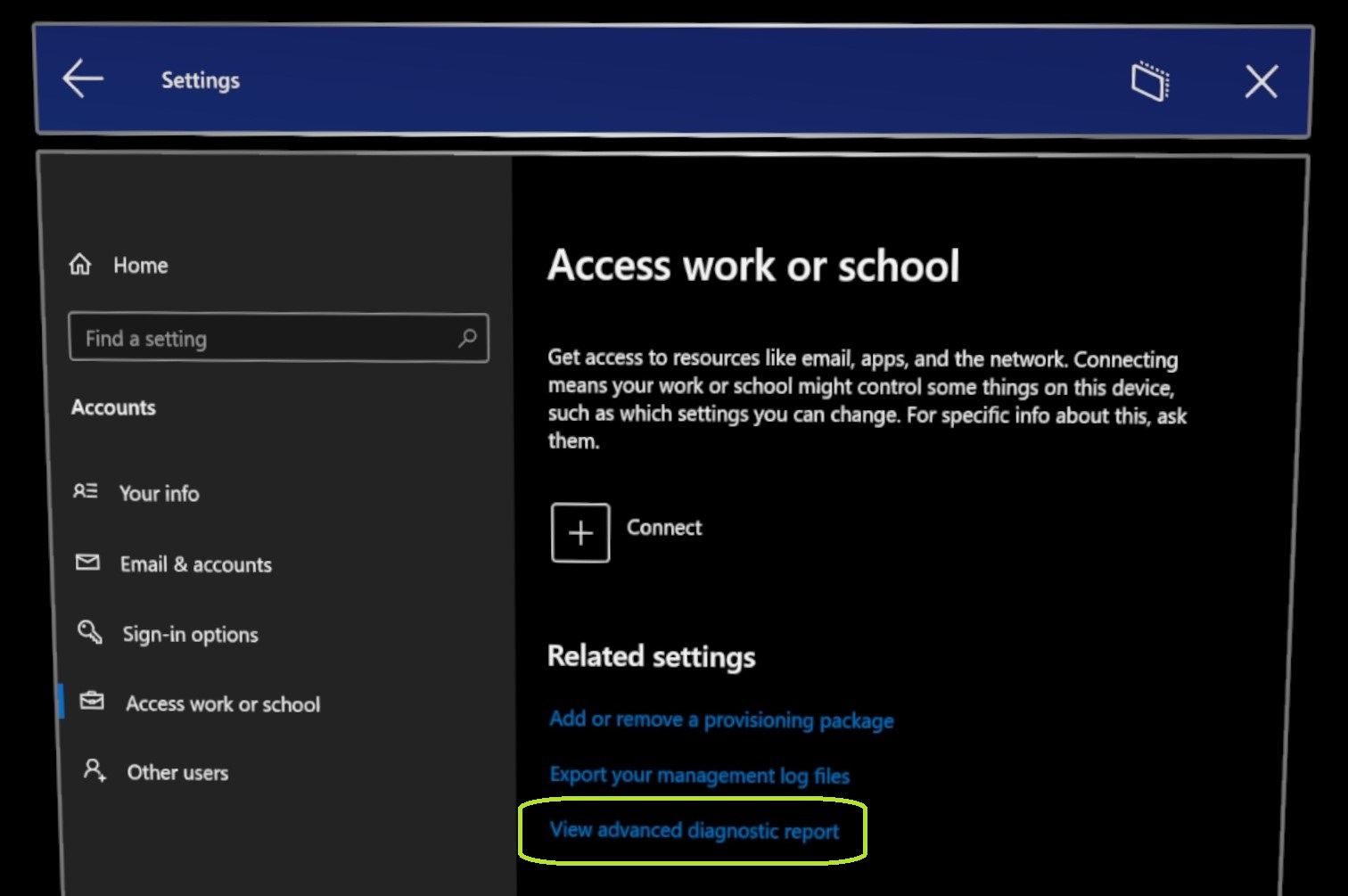
View advanced diagnostic report in settings app.

Windows HoloGraphic version 21H2 also brings support for PFX certificates and offline diagnostics notifications. In addition to this, Microsoft has added new update and restart policies and an option to schedule update retries. Other improvements include the ability to view advanced diagnostic logs directly on the HoloLens device.

Microsoft noted that HoloLens 2 customers can now install Windows Holographic version 21H2 by heading to Settings >> Update & Security >> Windows Update and clicking the “Check for Updates” option. In the meantime, IT admins can follow this step-by-step guide to deploy this update on a fleet of devices.


Share This Post:

Share this article:
Tags:
21H2 HoloLens 2 Windows 10
Previous Article First post-launch update for Windows 11 causes more performance issues on AMD CPUs Next Article Some Azure VM customers fall victim to 8-hour global outage – onmsft.com

Related Articles

Legion Go 2 now costs $1,999 at Best Buy, pricing no longer makes sense

April 4, 2026

ELSA Launches GigaIO Gryf Portable AI System with Modular Design

April 4, 2026
NASA Artemis II astronauts report Outlook not working in space as both versions fail during historic lunar mission testing and operations

NASA Artemis II astronauts face Outlook issues in space as mission hits unexpected software glitch

April 4, 2026

Leave a Comment Cancel reply

Your email address will not be published. Required fields are marked *

Recent Posts

  • Legion Go 2 now costs $1,999 at Best Buy, pricing no longer makes sense
  • ELSA Launches GigaIO Gryf Portable AI System with Modular Design
  • NASA Artemis II astronauts face Outlook issues in space as mission hits unexpected software glitch
  • Microsoft Publisher Will Shut Down in October 2026 and Users Are Not Happy
  • State of Decay 3 Returns With Alpha Playtests After Years of Silence

Recent Comments

  1. XxRIVTYxX on Intel Says It Tried to Help Before Crimson Desert Dropped Arc Support
  2. Gaurav Kumar on Chrome Prepares Nudge to ‘Move Tabs to the Side’ as Vertical Tabs Near Release
OnMSFT.com

The Tech News Site

Categories

  • Windows
  • Surface
  • Xbox
  • How-To
  • OnPodcast
  • Gaming
  • Edge
  • Teams

Recent Posts

  • Legion Go 2 now costs $1,999 at Best Buy, pricing no longer makes sense
  • ELSA Launches GigaIO Gryf Portable AI System with Modular Design
  • NASA Artemis II astronauts face Outlook issues in space as mission hits unexpected software glitch
  • Microsoft Publisher Will Shut Down in October 2026 and Users Are Not Happy
  • State of Decay 3 Returns With Alpha Playtests After Years of Silence

Quick Links

  • About OnMSFT.com
  • Contact OnMSFT
  • Join Our Team
  • Privacy Policy
© 2010–2026 OnMSFT.com LLC. All rights reserved.
About OnMSFT.comContact OnMSFTPrivacy Policy
