Skip to content
OnMSFT.com
  • Home
  • About
  • Contact
  • Windows
  • Surface
  • Xbox
  • How-To
  • OnPodcast
  • Edge
  • Teams
  • Gaming
Menu
  • Home
  • About
  • Contact
  • Windows
  • Surface
  • Xbox
  • How-To
  • OnPodcast
  • Edge
  • Teams
  • Gaming
  1. Home
  2. News
  3. Skype for Windows Phone 8 updated, app start and resume performance sees big improvement – onmsft.com

Skype for Windows Phone 8 updated, app start and resume performance sees big improvement – onmsft.com

Ron Ron
July 9, 2013
1 min read

Skype Windows Phone

Microsoft has rolled out an update to the Skype app for Windows Phone 8, adding significant improvements to the app start and resume performance. This update is part of Microsoft’s focus on placing conversations first when it comes to Skype on Windows Phone 8.

“Today we’ve released an update for Skype for Windows Phone 8, the next step on our journey towards Skype’s Mobile Future. We’re focusing on putting conversations first, improving quality and performance, and bringing new features to Skype for Windows Phone 8,” Microsoft stated in an official blog post.

Microsoft has improved the app start and resume performance, making it faster to return to the app. If you open the app and hit the start button or even turn off the screen, pressing the back or power button on your phone will bring up the Skype app faster than before. Microsoft has also added general improvements to the app start experience.

Microsoft has also changed the way the Live tile notifications work. Rather than showing you a count of unread messages, you will now see a count of unread conversations. This new feature was based on user feedback. Microsoft has also made Skype for Windows Phone 8 available in South Korea.

Hit the download link below to snag the updated Skype app for Windows Phone 8.

Skype for WP8

Share This Post:

Share this article:
Tags:
Skype Windows Phone
Previous Article Microsoft hires Jen Topping to be the business manager of its UK studio Soho Productions – onmsft.com Next Article Deceptive Windows 8 apps invade the Windows Store, trick you into wasting your money – onmsft.com

Related Articles

ASUS Says No New Motherboards Needed for Intel Core Ultra 200S Plus

April 8, 2026
Chrome Link Preview feature showing a webpage in a floating window on desktop

Google is Killing Chrome’s Link Preview Feature from Desktop

April 8, 2026
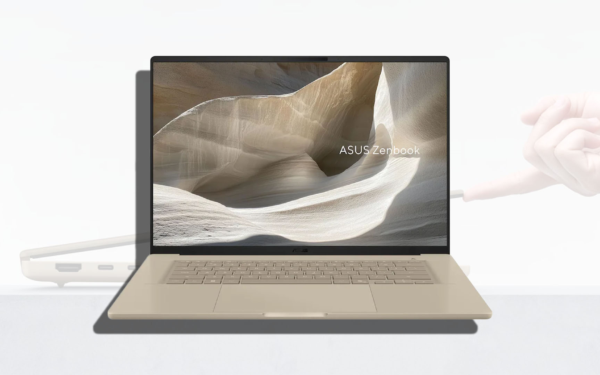
ASUS Snapdragon X2 Laptops Get Sudden Price Increase After Reviews

ASUS Snapdragon X2 Laptops Get Sudden Price Increase After Reviews

April 8, 2026

Leave a Comment Cancel reply

Your email address will not be published. Required fields are marked *

Recent Posts

  • ASUS Says No New Motherboards Needed for Intel Core Ultra 200S Plus
  • Google is Killing Chrome’s Link Preview Feature from Desktop
  • ASUS Snapdragon X2 Laptops Get Sudden Price Increase After Reviews
  • Intel Adds Arc Pro B70 and B65 Support to Gaming Driver in Latest Update
  • Intel Teams Up With Tesla for TeraFab to Bring 18A Chip Production to US

Recent Comments

  1. XxRIVTYxX on Intel Says It Tried to Help Before Crimson Desert Dropped Arc Support
  2. Gaurav Kumar on Chrome Prepares Nudge to ‘Move Tabs to the Side’ as Vertical Tabs Near Release
OnMSFT.com

The Tech News Site

Categories

  • Windows
  • Surface
  • Xbox
  • How-To
  • OnPodcast
  • Gaming
  • Edge
  • Teams

Recent Posts

  • ASUS Says No New Motherboards Needed for Intel Core Ultra 200S Plus
  • Google is Killing Chrome's Link Preview Feature from Desktop
  • ASUS Snapdragon X2 Laptops Get Sudden Price Increase After Reviews
  • Intel Adds Arc Pro B70 and B65 Support to Gaming Driver in Latest Update
  • Intel Teams Up With Tesla for TeraFab to Bring 18A Chip Production to US

Quick Links

  • About OnMSFT.com
  • Contact OnMSFT
  • Join Our Team
  • Privacy Policy
© 2010–2026 OnMSFT.com LLC. All rights reserved.
About OnMSFT.comContact OnMSFTPrivacy Policy