Skip to content
OnMSFT.com
  • Home
  • About
  • Contact
  • Windows
  • Surface
  • Xbox
  • How-To
  • OnPodcast
  • Edge
  • Teams
  • Gaming
Menu
  • Home
  • About
  • Contact
  • Windows
  • Surface
  • Xbox
  • How-To
  • OnPodcast
  • Edge
  • Teams
  • Gaming
  1. Home
  2. News
  3. September Xbox update brings Microsoft’s new Edge browser on Xbox consoles

September Xbox update brings Microsoft’s new Edge browser on Xbox consoles

kip@winbeta.org kip@winbeta.org
September 24, 2021
1 min read

A new system update is now available to download on Xbox One and Xbox Series X|S consoles. The September Xbox update replaces the legacy Edge browser with the new Chromium-based version, which brings improved web standards as well as mouse and sync support.

“If a game opens a new window on Microsoft Edge for hints or guides, send that tab to another signed-in device so you can continue gaming on your console seamlessly,” the Xbox team emphasized. Having the full-fledged Edge browser running on Xbox consoles opens a lot of new possibilities, and you can even use the new web browser to access streaming services including Google Stadia or Nvidia’s GeForce Now.

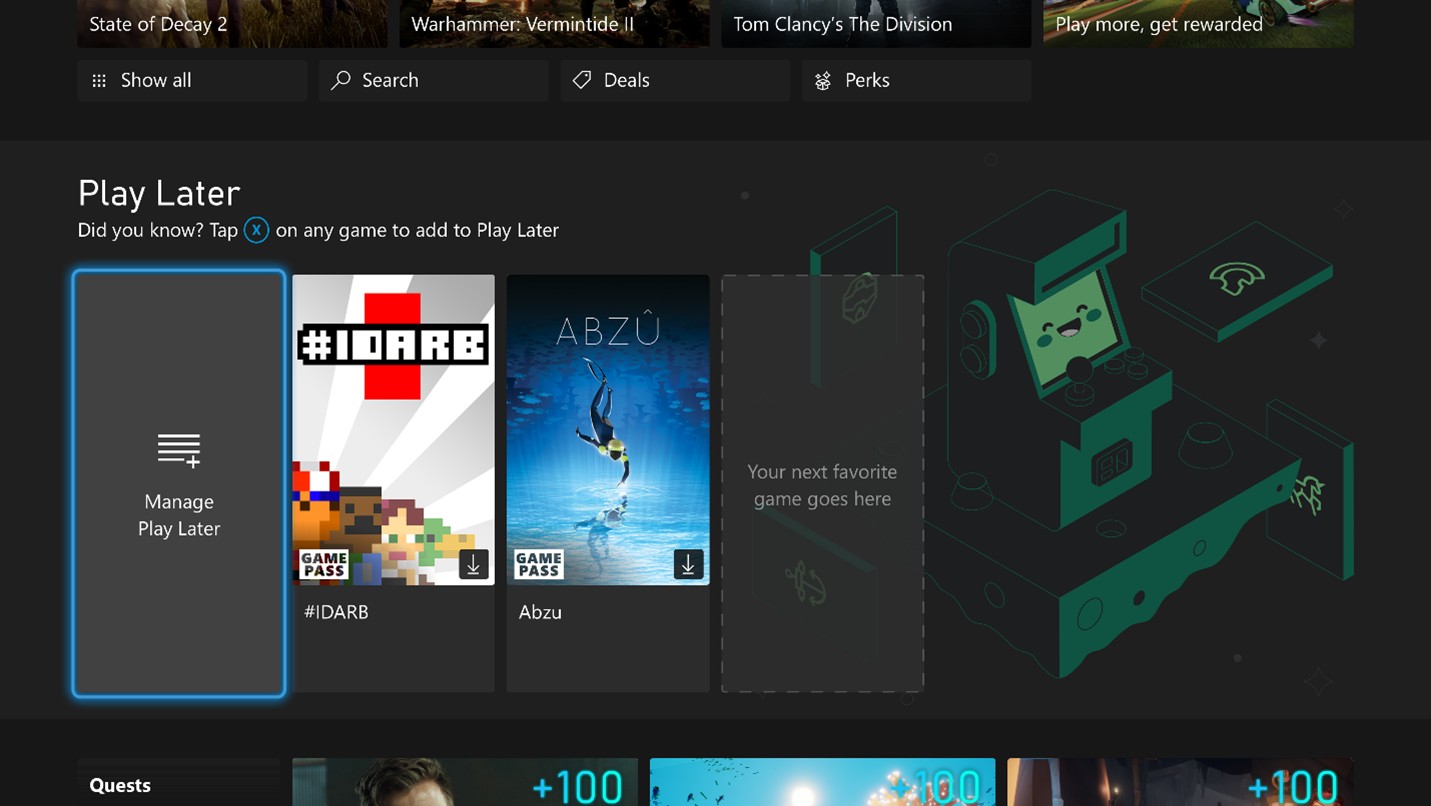
The September Xbox update also introduces a new Play Later list for Xbox Game Pass games, which lets subscribers curate their own list of games from the ever-growing catalog. To help gamers get started with this new feature, Microsoft will also recommend gamers some Xbox Game Pass titles to add to their Play Later list.
September xbox update

The September Xbox Update should install automatically on your console, but you can also download it manually by going into Settings > System > Updates & downloads > Update console. If the new Microsoft Edge browser is a very welcome update, Microsoft is also working to bring Xbox Cloud Gaming on Xbox consoles this holiday season.


Share This Post:

Share this article:
Tags:
Xbox Xbox One Xbox Series X
Previous Article New patches for Windows 10 versions 21H1 and 21H2 are available for Release Preview Insiders – onmsft.com Next Article New Halo Infinite Technical Preview is live on Xbox and PC

Related Articles

Chrome and Gemini icons representing Gemini Live voice assistant integration in Chrome

Chrome tests Gemini Live voice assistant in a floating overlay panel

March 14, 2026

Chrome’s Organizer feature may sync Gemini and AI conversations across devices

March 14, 2026

After Chrome, Edge tests launching the browser automatically when you sign into Windows

March 13, 2026

Leave a Comment Cancel reply

Your email address will not be published. Required fields are marked *

Recent Posts

  • Chrome tests Gemini Live voice assistant in a floating overlay panel
  • Chrome’s Organizer feature may sync Gemini and AI conversations across devices
  • After Chrome, Edge tests launching the browser automatically when you sign into Windows
  • iPhone Fold Latest Rumors: Display, Cameras, RAM and Price Details Revealed
  • Samsung fears first mobile operating loss due to memory price surge

Recent Comments

No comments to show.
OnMSFT.com

OnMSFT.com covers Microsoft news, reviews, and how-to guides. Formerly known as WinBeta, we have been your source for Microsoft news since 1998.

Categories

  • Windows
  • Surface
  • Xbox
  • How-To
  • OnPodcast
  • Gaming
  • Edge
  • Teams

Recent Posts

  • Chrome tests Gemini Live voice assistant in a floating overlay panel
  • Chrome’s Organizer feature may sync Gemini and AI conversations across devices
  • After Chrome, Edge tests launching the browser automatically when you sign into Windows
  • iPhone Fold Latest Rumors: Display, Cameras, RAM and Price Details Revealed
  • Samsung fears first mobile operating loss due to memory price surge

Quick Links

  • About OnMSFT.com
  • Contact OnMSFT
  • Join Our Team
  • Privacy Policy
© 2010–2026 OnMSFT.com LLC. All rights reserved.
About OnMSFT.comContact OnMSFTPrivacy Policy
