Skip to content
OnMSFT.com
  • Home
  • About
  • Contact
  • Windows
  • Surface
  • Xbox
  • How-To
  • OnPodcast
  • Edge
  • Teams
  • Gaming
Menu
  • Home
  • About
  • Contact
  • Windows
  • Surface
  • Xbox
  • How-To
  • OnPodcast
  • Edge
  • Teams
  • Gaming
  1. Home
  2. News
  3. OSX Lion Browser-Only Mode, Chrome OS Beware? – onmsft.com

OSX Lion Browser-Only Mode, Chrome OS Beware? – onmsft.com

Ron Ron
June 13, 2011
1 min read

Not that long ago, Google introduced its Chrome OS, which features a web-centric design and usability. Looks like Apple is offering a similar and competitive functionality with the upcoming Mac OS X Lion.
OSX Lion Browser-Only Mode, Chrome OS Beware? onmsft.com June 13, 2011

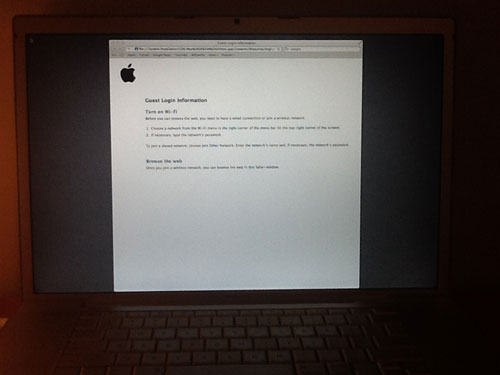
With the recent launch of Mac OS X Lion beta, a new feature was discovered called “Restart to Safari.” As we all know, Safari is Apple’s flagship internet browser introduced in 2003. Once in the OSX Lion’s user lock screen, the user is given the option to “Restart to Safari” rather than logging in. This feature will boot the computer into a browser-only mode, similar to Google’s Chrome OS. You can’t do anything else but use the Safari browser.

The browser only mode allows for unauthorized users to simply browse the internet using Safari rather than having access to any personal files or applications on the computer.

Apple’s intentions differ from Google though. Apple wants to offer its users a nice little option to use Lion as a secure and anynomous way to use the internet. Perhaps this will be useful in kiosks? Google, on the other hand, is working with manufacturers to actually build laptops that are browser-only. Critics will argue that Apple is copying Google’s idea here, but in the end, the user benefits by having two choices.

Mac OSX Lion will be available in July for $29.99 in the Mac App Store.

Who here would prefer Apple’s OSX Lion’s browser-only mode over Google’s Chrome OS? Leave your thoughts in the comments section below.


Share This Post:

Share this article:
Tags:
Apple Google Mac OS X
Previous Article Microsoft Security Essentials Is Most Used Antivirus – onmsft.com Next Article Bill Gates: I’m not going back to Microsoft – onmsft.com

Related Articles

Chrome’s Organizer feature may sync Gemini and AI conversations across devices

March 14, 2026

After Chrome, Edge tests launching the browser automatically when you sign into Windows

March 13, 2026
Latest iPhone Fold rumors reveal display crease details, hole-punch cameras, iOS multitasking layout, 12GB RAM, and storage options for Apple’s first foldable iPhone.

iPhone Fold Latest Rumors: Display, Cameras, RAM and Price Details Revealed

March 13, 2026

Leave a Comment Cancel reply

Your email address will not be published. Required fields are marked *

Recent Posts

  • Chrome’s Organizer feature may sync Gemini and AI conversations across devices
  • After Chrome, Edge tests launching the browser automatically when you sign into Windows
  • iPhone Fold Latest Rumors: Display, Cameras, RAM and Price Details Revealed
  • Samsung fears first mobile operating loss due to memory price surge
  • Elon Musk’s X to Change Verification in Europe Following EU Fine

Recent Comments

No comments to show.
OnMSFT.com

OnMSFT.com covers Microsoft news, reviews, and how-to guides. Formerly known as WinBeta, we have been your source for Microsoft news since 1998.

Categories

  • Windows
  • Surface
  • Xbox
  • How-To
  • OnPodcast
  • Gaming
  • Edge
  • Teams

Recent Posts

  • Chrome’s Organizer feature may sync Gemini and AI conversations across devices
  • After Chrome, Edge tests launching the browser automatically when you sign into Windows
  • iPhone Fold Latest Rumors: Display, Cameras, RAM and Price Details Revealed
  • Samsung fears first mobile operating loss due to memory price surge
  • Elon Musk’s X to Change Verification in Europe Following EU Fine

Quick Links

  • About OnMSFT.com
  • Contact OnMSFT
  • Join Our Team
  • Privacy Policy
© 2010–2026 OnMSFT.com LLC. All rights reserved.
About OnMSFT.comContact OnMSFTPrivacy Policy