Skip to content
OnMSFT.com
  • Home
  • About
  • Contact
  • Windows
  • Surface
  • Xbox
  • How-To
  • OnPodcast
  • Edge
  • Teams
  • Gaming
Menu
  • Home
  • About
  • Contact
  • Windows
  • Surface
  • Xbox
  • How-To
  • OnPodcast
  • Edge
  • Teams
  • Gaming
  1. Home
  2. News
  3. Office Mix turns your PowerPoints into interactive online lessons or presentations

Office Mix turns your PowerPoints into interactive online lessons or presentations

Ron Ron
August 22, 2019
2 min read

Office Mix turns your PowerPoints into interactive online lessons or presentations

Microsoft is looking to revolutionize the classroom experience with a new service called Office Mix. While its not live yet and requires an invite to sign up, Office Mix a new service that turns PowerPoint presentations into interactive, online lessons that you can share with anyone. 

“MIX allows you to turn your PowerPoints into interactive online lessons or presentations. We install an add-in that gives you the ability to record audio, video, and handwriting, and insert interactive elements like quizzes and CK12 exercises. There’s even a screen capture tool so you can record anything on your PC,” the description reads. 

First spotted by @h0x0d, Office Mix sounds like an excellent tool for schools, allowing instructors to distribute presentations to all their students via the web. Instructors can check student progress online and see who actually watched the presentation. 

“Once your presentation is ready just click “Create MIX.” We work our magic to mix in xml for an interactive document complete with analytics, and place it in the cloud. From there, just share the link, and your students can watch it on just about any device with a web browser. You can then check student progress online and see who watched the presentation, and how they did on your quizzes.”

More on this as it develops. You can head over here to sign up to test the service when it becomes available.

Offie Mix https://t.co/ut9n6GmeJ2 turns PowerPoint presentations into interactive, online lessons that you can share with anyone.

— WalkingCat (@h0x0d) April 20, 2014

Further reading: Microsoft, Office Mix
Share this article:
Tags:
Microsoft Office Mix
Previous Article Khan Academy lands on the Xbox One bringing free education videos to your TV Next Article Avengers Alliance hits the Windows Phone store, it’s time to play as a SHIELD agent

Related Articles

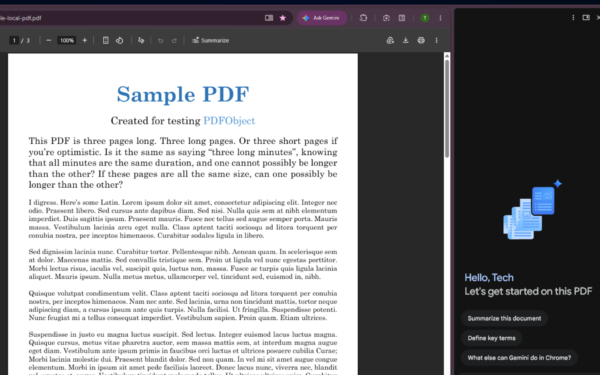
Gemini in Chrome side panel showing PDF summary options alongside an open document

Chrome could soon automatically summarize PDFs with Gemini

April 8, 2026

Snapdragon X2 Elite Gaming Shows Real Progress but Still Falls Short for Serious Players

April 8, 2026

ASUS Says No New Motherboards Needed for Intel Core Ultra 200S Plus

April 8, 2026

Leave a Comment Cancel reply

Your email address will not be published. Required fields are marked *

Recent Posts

  • Chrome could soon automatically summarize PDFs with Gemini
  • Snapdragon X2 Elite Gaming Shows Real Progress but Still Falls Short for Serious Players
  • ASUS Says No New Motherboards Needed for Intel Core Ultra 200S Plus
  • Google is Killing Chrome’s Link Preview Feature from Desktop
  • ASUS Snapdragon X2 Laptops Get Sudden Price Increase After Reviews

Recent Comments

  1. XxRIVTYxX on Intel Says It Tried to Help Before Crimson Desert Dropped Arc Support
  2. Gaurav Kumar on Chrome Prepares Nudge to ‘Move Tabs to the Side’ as Vertical Tabs Near Release
OnMSFT.com

The Tech News Site

Categories

  • Windows
  • Surface
  • Xbox
  • How-To
  • OnPodcast
  • Gaming
  • Edge
  • Teams

Recent Posts

  • Chrome could soon automatically summarize PDFs with Gemini
  • Snapdragon X2 Elite Gaming Shows Real Progress but Still Falls Short for Serious Players
  • ASUS Says No New Motherboards Needed for Intel Core Ultra 200S Plus
  • Google is Killing Chrome's Link Preview Feature from Desktop
  • ASUS Snapdragon X2 Laptops Get Sudden Price Increase After Reviews

Quick Links

  • About OnMSFT.com
  • Contact OnMSFT
  • Join Our Team
  • Privacy Policy
© 2010–2026 OnMSFT.com LLC. All rights reserved.
About OnMSFT.comContact OnMSFTPrivacy Policy

