Skip to content
OnMSFT.com
  • Home
  • About
  • Contact
  • Windows
  • Surface
  • Xbox
  • How-To
  • OnPodcast
  • Edge
  • Teams
  • Gaming
Menu
  • Home
  • About
  • Contact
  • Windows
  • Surface
  • Xbox
  • How-To
  • OnPodcast
  • Edge
  • Teams
  • Gaming
  1. Home
  2. News
  3. Microsoft will soon allow meeting organizers to mute chat during Teams meetings

Microsoft will soon allow meeting organizers to mute chat during Teams meetings

Rabia Noureen Rabia Noureen
October 16, 2020
1 min read

Microsoft is working on a new feature, which will give meeting organizers the ability to turn off the chat functionality during Teams meetings. This feature is in development and coming in November, according to the Microsoft 365 roadmap.

As a reminder, the feature builds on the already popular “Hard Mute” feature in Teams. It allows the meeting organizers to mute audio from all attendees. The company has listened to the feedback from its users to implement the new Meeting chat moderation settings.

The Meeting option has been designed to enable the meeting organizers to manage participants’ ability to chat before, during, and after a Teams meeting. Once the change starts rolling out, the organizer of the meeting will be able to set the “Allow meeting chat” setting within the Meeting options to On, Off, or during the meeting only.
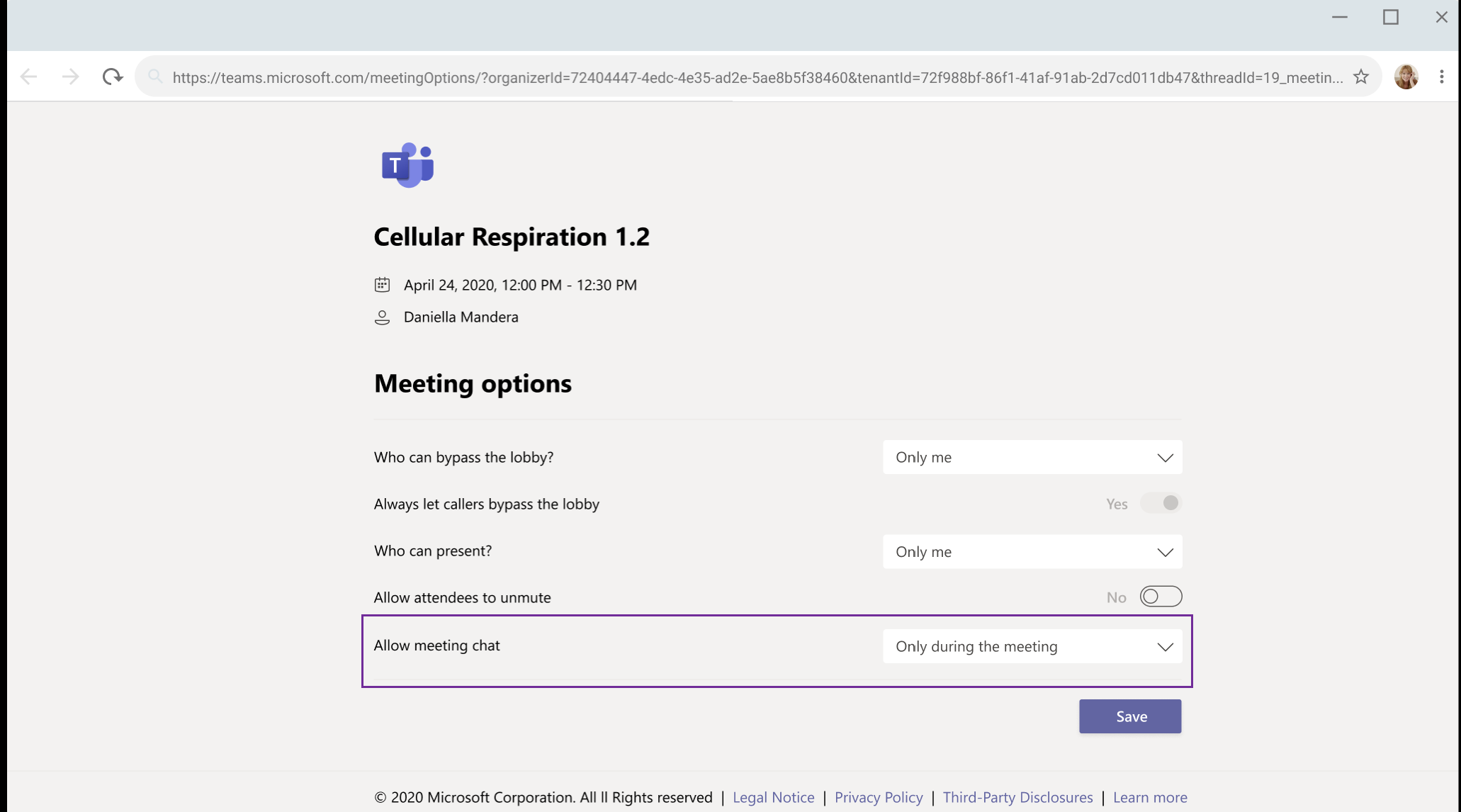
In the remote-work era, Teams meeting conversation can get quite “noisy” in large meetings. As the session continues, a couple of important points may generate a lot of discussions. Indeed, Microsoft wants to address this issue by updating the Meeting options. This feature comes in extremely handy for the organizers to concentrate on the work at hand without being distracted by messages from their team.

How do you think the new meeting option will impact your work? Let us know in the comments down below.


Share This Post:

Tags: Microsoft | Microsoft 365 | Microsoft Teams | Office 365
Share this article:
Tags:
Microsoft Microsoft 365 Microsoft Teams Office 365
Previous Article Windows 10 Xbox Game Bar gets new Resources widget Next Article Microsoft pushes new cumulative update to Dev Channel Insiders to test servicing pipeline

Related Articles

Chrome and Gemini icons representing Gemini Live voice assistant integration in Chrome

Chrome tests Gemini Live voice assistant in a floating overlay panel

March 14, 2026

Chrome’s Organizer feature may sync Gemini and AI conversations across devices

March 14, 2026

After Chrome, Edge tests launching the browser automatically when you sign into Windows

March 13, 2026

Leave a Comment Cancel reply

Your email address will not be published. Required fields are marked *

Recent Posts

  • Chrome tests Gemini Live voice assistant in a floating overlay panel
  • Chrome’s Organizer feature may sync Gemini and AI conversations across devices
  • After Chrome, Edge tests launching the browser automatically when you sign into Windows
  • iPhone Fold Latest Rumors: Display, Cameras, RAM and Price Details Revealed
  • Samsung fears first mobile operating loss due to memory price surge

Recent Comments

No comments to show.
OnMSFT.com

OnMSFT.com covers Microsoft news, reviews, and how-to guides. Formerly known as WinBeta, we have been your source for Microsoft news since 1998.

Categories

  • Windows
  • Surface
  • Xbox
  • How-To
  • OnPodcast
  • Gaming
  • Edge
  • Teams

Recent Posts

  • Chrome tests Gemini Live voice assistant in a floating overlay panel
  • Chrome’s Organizer feature may sync Gemini and AI conversations across devices
  • After Chrome, Edge tests launching the browser automatically when you sign into Windows
  • iPhone Fold Latest Rumors: Display, Cameras, RAM and Price Details Revealed
  • Samsung fears first mobile operating loss due to memory price surge

Quick Links

  • About OnMSFT.com
  • Contact OnMSFT
  • Join Our Team
  • Privacy Policy
© 2010–2026 OnMSFT.com LLC. All rights reserved.
About OnMSFT.comContact OnMSFTPrivacy Policy
