Skip to content
OnMSFT.com
  • Home
  • About
  • Contact
  • Windows
  • Surface
  • Xbox
  • How-To
  • OnPodcast
  • Edge
  • Teams
  • Gaming
Menu
  • Home
  • About
  • Contact
  • Windows
  • Surface
  • Xbox
  • How-To
  • OnPodcast
  • Edge
  • Teams
  • Gaming
  1. Home
  2. News
  3. Microsoft Teams for Education gets new illustrated character to help students express their emotions – onmsft.com

Microsoft Teams for Education gets new illustrated character to help students express their emotions – onmsft.com

Rabia Noureen Rabia Noureen
September 9, 2021
1 min read

Microsoft Teams for Education has announced a new feature to help students share their emotions with educators. As research studies have hinted that the ongoing pandemic has negatively impacted students’ social-emotional skills, Microsoft is adding a new illustrated character within the Reflect app in Teams for Education in an effort to improve student’s emotional vocabulary.

“Later this month, we’re excited to introduce students and educators to a new illustrated character that brings the 51 emotions in Reflect to life. This series of delightful characters helps students expand their emotional vocabulary and gives educators the ability to review students’ feelings over time to better understand their social and emotional health,” said Paige Johnson, Vice President for Microsoft Education.
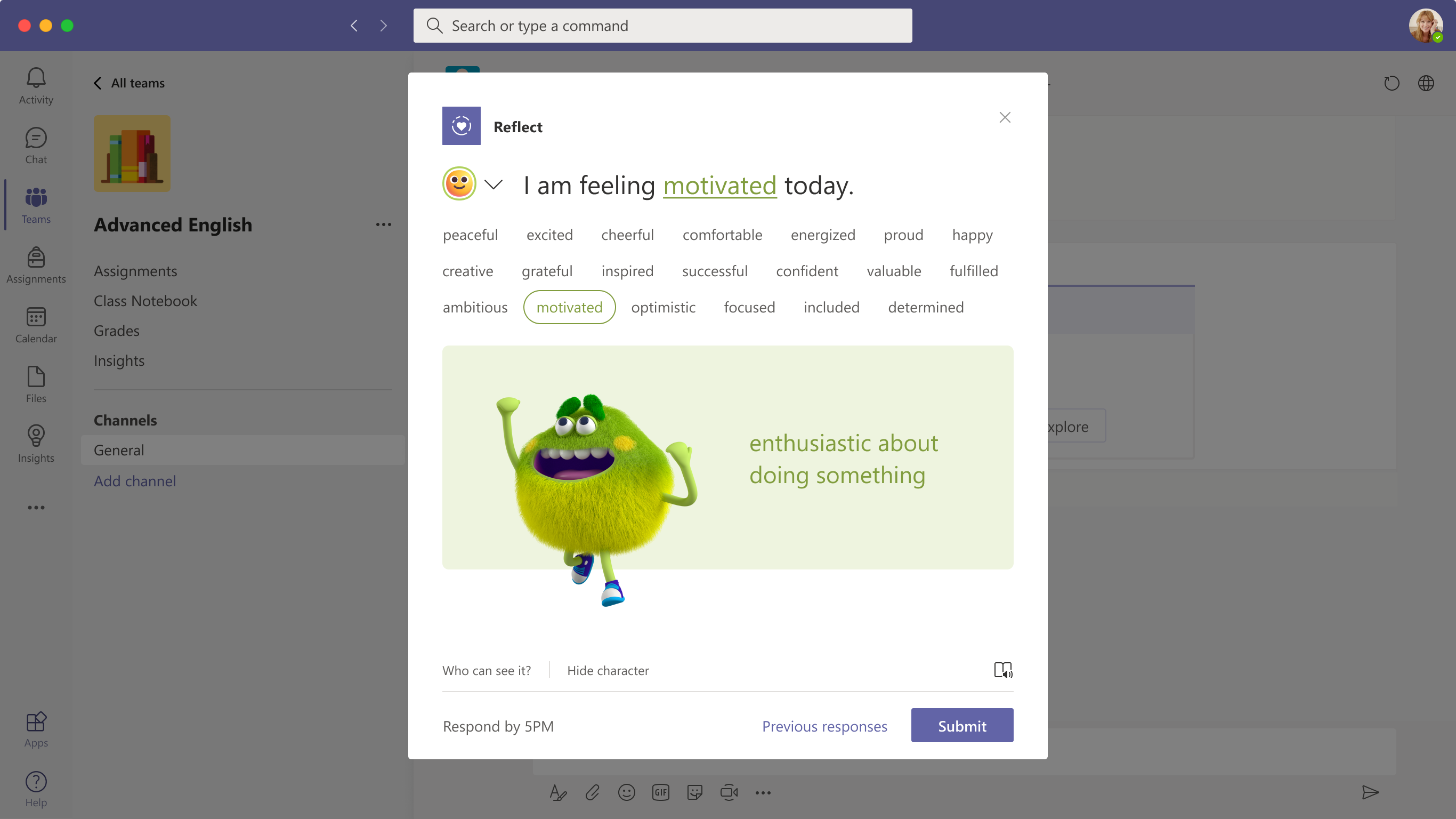
An image of reflect in microsoft teams for education.

Microsoft Teams launched the Reflect app for education customers back in February this year. It provides educators an easy and effective way to grow student-teacher connections and get insights into their well-being. The Reflect app in Teams helps learners develop their emotional vocabulary and improve their understanding of the impact of emotions on the learning process. You can learn more about the Reflect app in Microsoft Teams on this page.

Overall, the new illustrated emotion is a welcome addition for educators, and it should support them in incorporating social and emotional learning into their classroom. It offers an effective communication mechanism to make the hybrid learning experience more engaging for students.


Share This Post:

Share this article:
Tags:
Microsoft 365 Microsoft Teams
Previous Article Microsoft News apps update on iOS and Android to become Microsoft Start – onmsft.com Next Article Microsoft has a new blockbuster ad for Windows 11

Related Articles

Chrome and Gemini icons representing Gemini Live voice assistant integration in Chrome

Chrome tests Gemini Live voice assistant in a floating overlay panel

March 14, 2026

Chrome’s Organizer feature may sync Gemini and AI conversations across devices

March 14, 2026

After Chrome, Edge tests launching the browser automatically when you sign into Windows

March 13, 2026

Leave a Comment Cancel reply

Your email address will not be published. Required fields are marked *

Recent Posts

  • Chrome tests Gemini Live voice assistant in a floating overlay panel
  • Chrome’s Organizer feature may sync Gemini and AI conversations across devices
  • After Chrome, Edge tests launching the browser automatically when you sign into Windows
  • iPhone Fold Latest Rumors: Display, Cameras, RAM and Price Details Revealed
  • Samsung fears first mobile operating loss due to memory price surge

Recent Comments

No comments to show.
OnMSFT.com

OnMSFT.com covers Microsoft news, reviews, and how-to guides. Formerly known as WinBeta, we have been your source for Microsoft news since 1998.

Categories

  • Windows
  • Surface
  • Xbox
  • How-To
  • OnPodcast
  • Gaming
  • Edge
  • Teams

Recent Posts

  • Chrome tests Gemini Live voice assistant in a floating overlay panel
  • Chrome’s Organizer feature may sync Gemini and AI conversations across devices
  • After Chrome, Edge tests launching the browser automatically when you sign into Windows
  • iPhone Fold Latest Rumors: Display, Cameras, RAM and Price Details Revealed
  • Samsung fears first mobile operating loss due to memory price surge

Quick Links

  • About OnMSFT.com
  • Contact OnMSFT
  • Join Our Team
  • Privacy Policy
© 2010–2026 OnMSFT.com LLC. All rights reserved.
About OnMSFT.comContact OnMSFTPrivacy Policy
