Skip to content
OnMSFT.com
  • Home
  • About
  • Contact
  • Windows
  • Surface
  • Xbox
  • How-To
  • OnPodcast
  • Edge
  • Teams
  • Gaming
Menu
  • Home
  • About
  • Contact
  • Windows
  • Surface
  • Xbox
  • How-To
  • OnPodcast
  • Edge
  • Teams
  • Gaming
  1. Home
  2. News
  3. Microsoft Forms is getting Text Formating capabilities, new Start Page experience, and more this month

Microsoft Forms is getting Text Formating capabilities, new Start Page experience, and more this month

Rabia Noureen Rabia Noureen
January 14, 2021
2 min read

Microsoft is adding a bunch of new capabilities to its quizzing tool, Forms, later this month. These features are aimed to streamline the way users access, create, and share forms while conducting online surveys.

First of all, the company is bringing text formatting capabilities to Microsoft Forms, allowing designers to easily differentiate and emphasize content. Indeed, users will soon get the ability to bold, italics, and underline text content by using a floating toolbar or keyboard shortcuts. The new formatting experience will begin rolling out in late January.
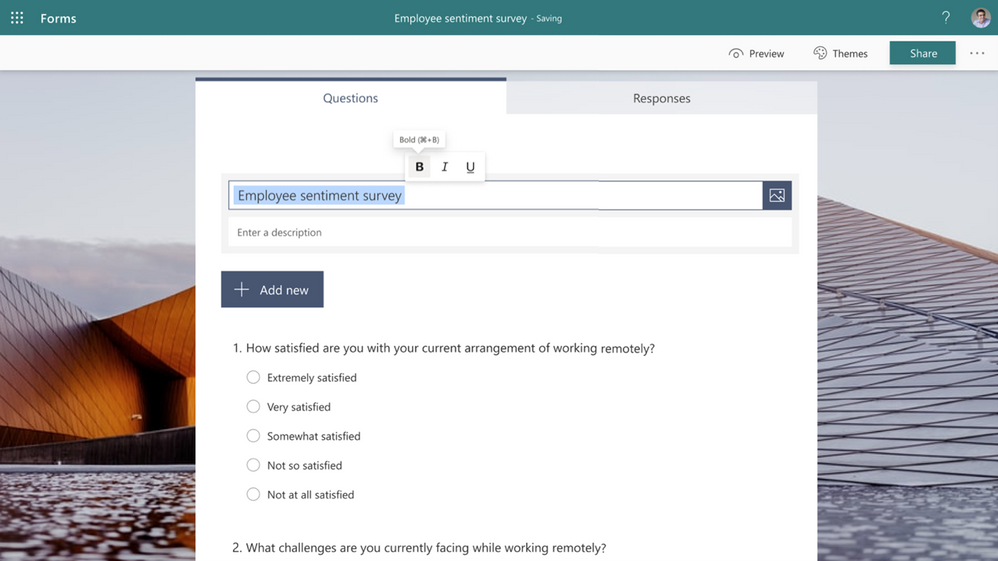
thumbnail image 1 captioned Bold, Italicize, or Underline Form Title

Microsoft has started rolling out a new feature that allows form respondents to download or print a copy of their responses on the “Thank you” page after submission. Form designers will be able to enable this option for everyone within and outside of their organization. To use this feature, go to the “Settings” menu and select the “Allow receipt of responses after submission” option.
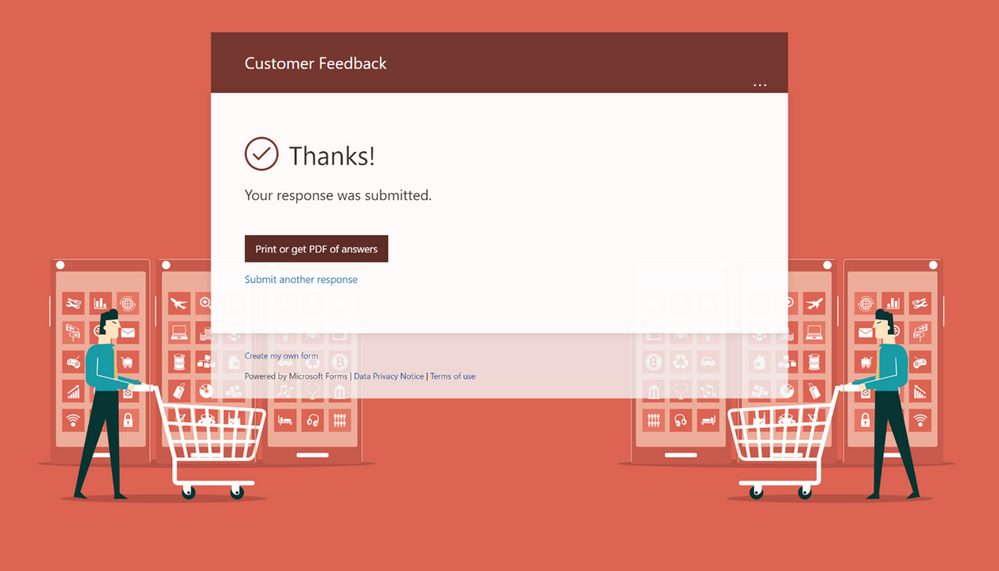
thumbnail image 5 captioned Option to Print or Download Answers on Thank You page

In addition, Microsoft Forms owners will now be able to collect survey responses from specific users or security groups easily. To enable this feature on the desktop, click the “Specific people in my organization can respond” option from the drop-down menu. The new experience is available for mobile users, too.
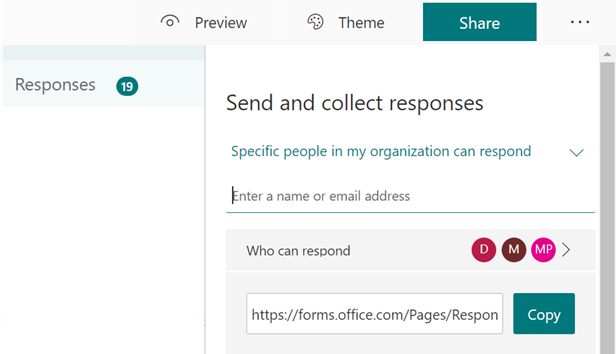
thumbnail image 3 captioned Specific People Can Respond - Desktop

Microsoft Forms has rolled out a start page experience for both desktop and mobile users. The newly designed landing page makes it easier for users to search shared forms, pin forms, find recently used forms, and more. The change applies to Enterprise, Business, Education, and Personal accounts.
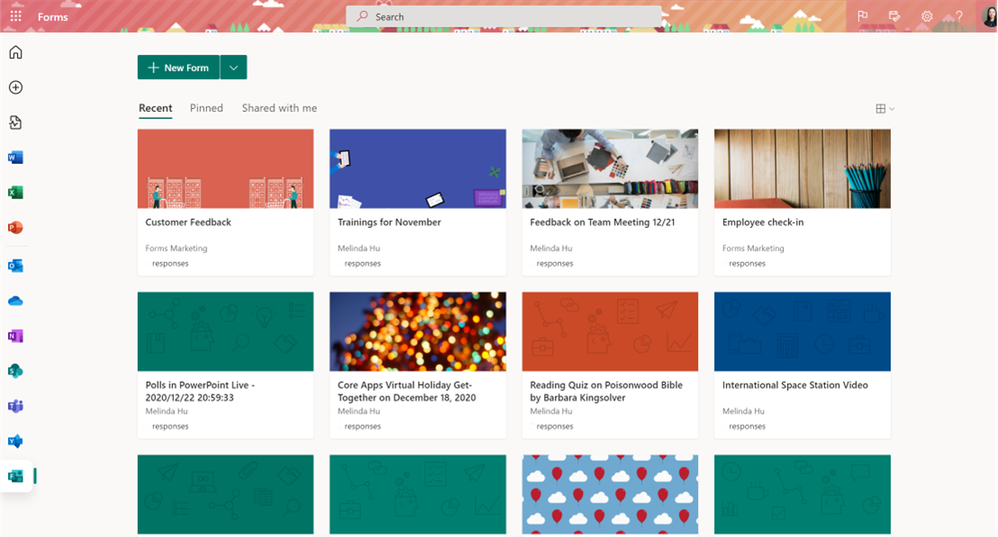
thumbnail image 6 captioned Office.com Forms Start Page

The company has also increased the limit for using polls in other Microsoft 365 apps. “Polls you create starting in January 2021 will count towards the new limit of 200; however, polls made before the end of December are still counted in the original 200-form limit, the company explained.

Last but not least, anonymous respondents will now be able to use the Immersive Reader in Forms. If you want to provide any feedback regarding these features or like to submit a feature request, be sure to visit the company’s UserVoice website.


Share This Post:

Tags: Microsoft Forms
Share this article:
Tags:
Microsoft Forms
Previous Article Hands-on with Windows 10X for single screen PCs: It’s like Microsoft’s own version of Chrome OS Next Article NRDC invites Microsoft and Sony to reduce power consumption on Xbox Series X and PlayStation 5

Related Articles

Chrome and Gemini icons representing Gemini Live voice assistant integration in Chrome

Chrome tests Gemini Live voice assistant in a floating overlay panel

March 14, 2026

Chrome’s Organizer feature may sync Gemini and AI conversations across devices

March 14, 2026

After Chrome, Edge tests launching the browser automatically when you sign into Windows

March 13, 2026

Leave a Comment Cancel reply

Your email address will not be published. Required fields are marked *

Recent Posts

  • Chrome tests Gemini Live voice assistant in a floating overlay panel
  • Chrome’s Organizer feature may sync Gemini and AI conversations across devices
  • After Chrome, Edge tests launching the browser automatically when you sign into Windows
  • iPhone Fold Latest Rumors: Display, Cameras, RAM and Price Details Revealed
  • Samsung fears first mobile operating loss due to memory price surge

Recent Comments

No comments to show.
OnMSFT.com

OnMSFT.com covers Microsoft news, reviews, and how-to guides. Formerly known as WinBeta, we have been your source for Microsoft news since 1998.

Categories

  • Windows
  • Surface
  • Xbox
  • How-To
  • OnPodcast
  • Gaming
  • Edge
  • Teams

Recent Posts

  • Chrome tests Gemini Live voice assistant in a floating overlay panel
  • Chrome’s Organizer feature may sync Gemini and AI conversations across devices
  • After Chrome, Edge tests launching the browser automatically when you sign into Windows
  • iPhone Fold Latest Rumors: Display, Cameras, RAM and Price Details Revealed
  • Samsung fears first mobile operating loss due to memory price surge

Quick Links

  • About OnMSFT.com
  • Contact OnMSFT
  • Join Our Team
  • Privacy Policy
© 2010–2026 OnMSFT.com LLC. All rights reserved.
About OnMSFT.comContact OnMSFTPrivacy Policy
