
Microsoft is testing a new “Create podcast” option for Copilot in the Edge Canary version. It lets you turn PDFs into audio summaries directly from the toolbar.
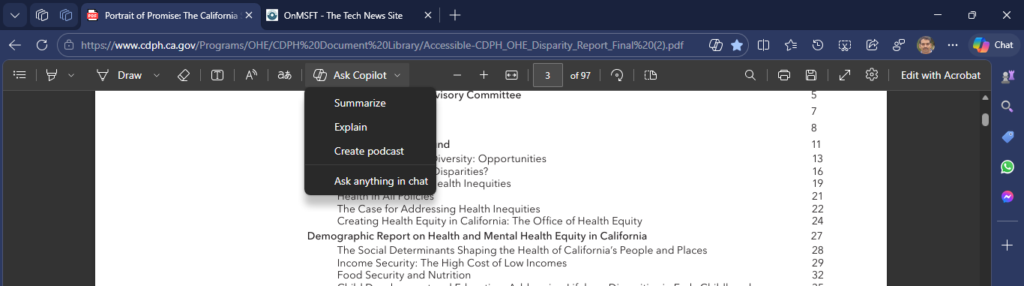
In the Edge PDF viewer, Copilot already helps summarize documents, explain sections, and answer questions about the content. These features are available under the “Ask Copilot” menu, which opens the Copilot sidebar next to the file.
The new Create podcast option adds another way to go through a document. It converts a PDF into a podcast-style narration without leaving the viewer, so you can listen instead of reading through long pages.
It generates a podcast-style script in Copilot, with a read-aloud option at the end of the response so you can listen to the narration instead of reading it.
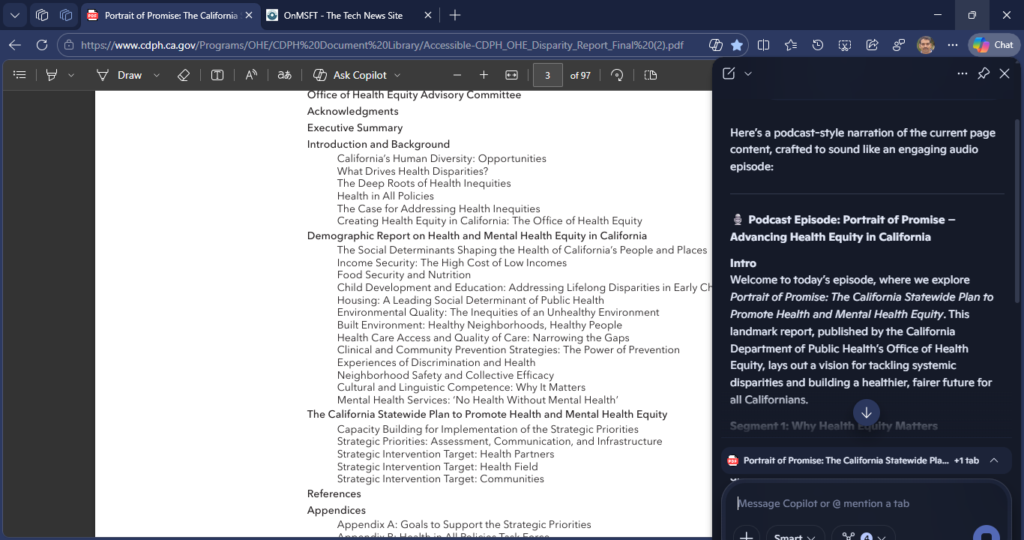
You’ll find the option under the same Ask Copilot menu. Selecting it opens the sidebar and starts generating the audio version based on the PDF.
Copilot already supports similar podcast-style summaries for web pages and files stored in OneDrive. Bringing it into the Edge PDF viewer removes the need to copy text or switch between apps.
Copilot is also being used in other parts of Edge, including features like suggesting what to watch next while browsing YouTube.
The feature is available in the Edge Canary version for now, but not in the stable version of Edge.
For long reports, research papers, or official documents, listening can be easier than going through pages manually.