Skip to content
OnMSFT.com
  • Home
  • About
  • Contact
  • Windows
  • Surface
  • Xbox
  • How-To
  • OnPodcast
  • Edge
  • Teams
  • Gaming
Menu
  • Home
  • About
  • Contact
  • Windows
  • Surface
  • Xbox
  • How-To
  • OnPodcast
  • Edge
  • Teams
  • Gaming
  1. Home
  2. News
  3. Microsoft 365 apps now support real time co-authoring on encrypted files – onmsft.com

Microsoft 365 apps now support real time co-authoring on encrypted files – onmsft.com

Rabia Noureen Rabia Noureen
September 15, 2021
1 min read

Microsoft has announced that real-time co-authoring support for encrypted documents is now generally available on both Windows and Mac. This feature will let users collaborate with each other in real-time and make changes while working on protected Word, Excel, and PowerPoint files.

Previously, this capability was only available for Office on the web, but starting today, everyone with an active Microsoft 365 E3/A3/G3/E5/A5/G5 subscription will be able to use the new co-authoring feature. “With Microsoft 365, when sensitivity labels are used to encrypt Word, Excel, or PowerPoint documents, multiple users can now edit these documents in real-time with AutoSave, empowering teams to do their best work while maintaining protection across the document lifecycle,” Paras Kapadia, Principal Program Manager for Office 365 explained.
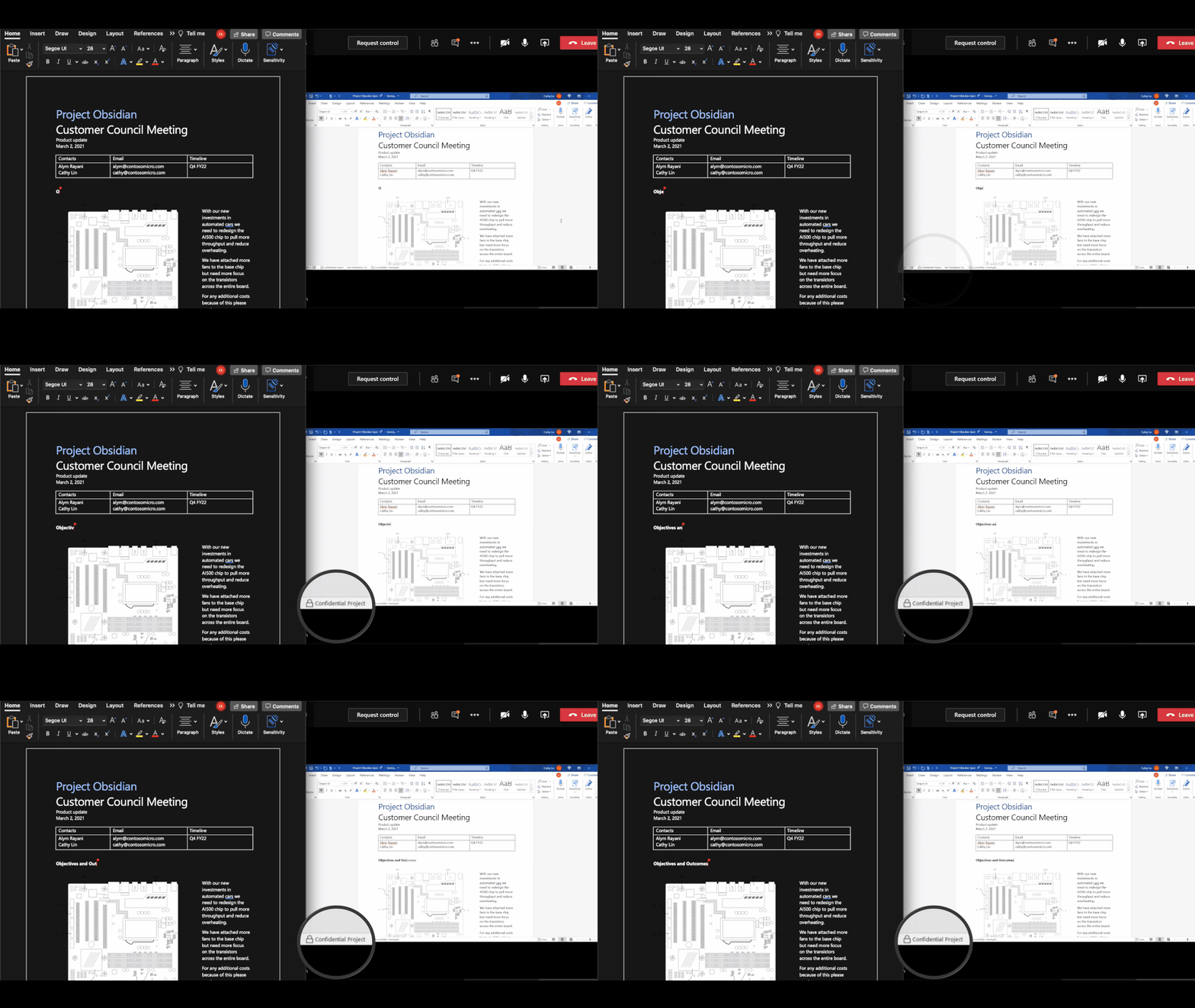
Thumbnail image 1 of blog post titled co-authoring on microsoft information protection encrypted documents is now generally available

Microsoft noted that customers who want to try out the co-authoring experience can start deploying it by installing the latest Office Current Channel or Monthly Enterprise Channel updates. Users can go to the Microsoft 365 Compliance Center settings in order to enable and use the real-time co-authoring capabilities. You can find more details about the prerequisites of the feature on this support page.

Microsoft says that real-time co-authoring support on MIP encrypted documents is also coming to mobile users. However, the Redmond giant has yet to give a time frame when this feature will be added to its Office mobile apps.


Share This Post:

Share this article:
Tags:
Microsoft 365
Previous Article Age of Empires IV is getting an open technical stress test on September 17-20 Next Article Microsoft President Brad Smith joins company board as Vice Chairman – onmsft.com

Related Articles

Chrome and Gemini icons representing Gemini Live voice assistant integration in Chrome

Chrome tests Gemini Live voice assistant in a floating overlay panel

March 14, 2026

Chrome’s Organizer feature may sync Gemini and AI conversations across devices

March 14, 2026

After Chrome, Edge tests launching the browser automatically when you sign into Windows

March 13, 2026

Leave a Comment Cancel reply

Your email address will not be published. Required fields are marked *

Recent Posts

  • Chrome tests Gemini Live voice assistant in a floating overlay panel
  • Chrome’s Organizer feature may sync Gemini and AI conversations across devices
  • After Chrome, Edge tests launching the browser automatically when you sign into Windows
  • iPhone Fold Latest Rumors: Display, Cameras, RAM and Price Details Revealed
  • Samsung fears first mobile operating loss due to memory price surge

Recent Comments

No comments to show.
OnMSFT.com

OnMSFT.com covers Microsoft news, reviews, and how-to guides. Formerly known as WinBeta, we have been your source for Microsoft news since 1998.

Categories

  • Windows
  • Surface
  • Xbox
  • How-To
  • OnPodcast
  • Gaming
  • Edge
  • Teams

Recent Posts

  • Chrome tests Gemini Live voice assistant in a floating overlay panel
  • Chrome’s Organizer feature may sync Gemini and AI conversations across devices
  • After Chrome, Edge tests launching the browser automatically when you sign into Windows
  • iPhone Fold Latest Rumors: Display, Cameras, RAM and Price Details Revealed
  • Samsung fears first mobile operating loss due to memory price surge

Quick Links

  • About OnMSFT.com
  • Contact OnMSFT
  • Join Our Team
  • Privacy Policy
© 2010–2026 OnMSFT.com LLC. All rights reserved.
About OnMSFT.comContact OnMSFTPrivacy Policy
