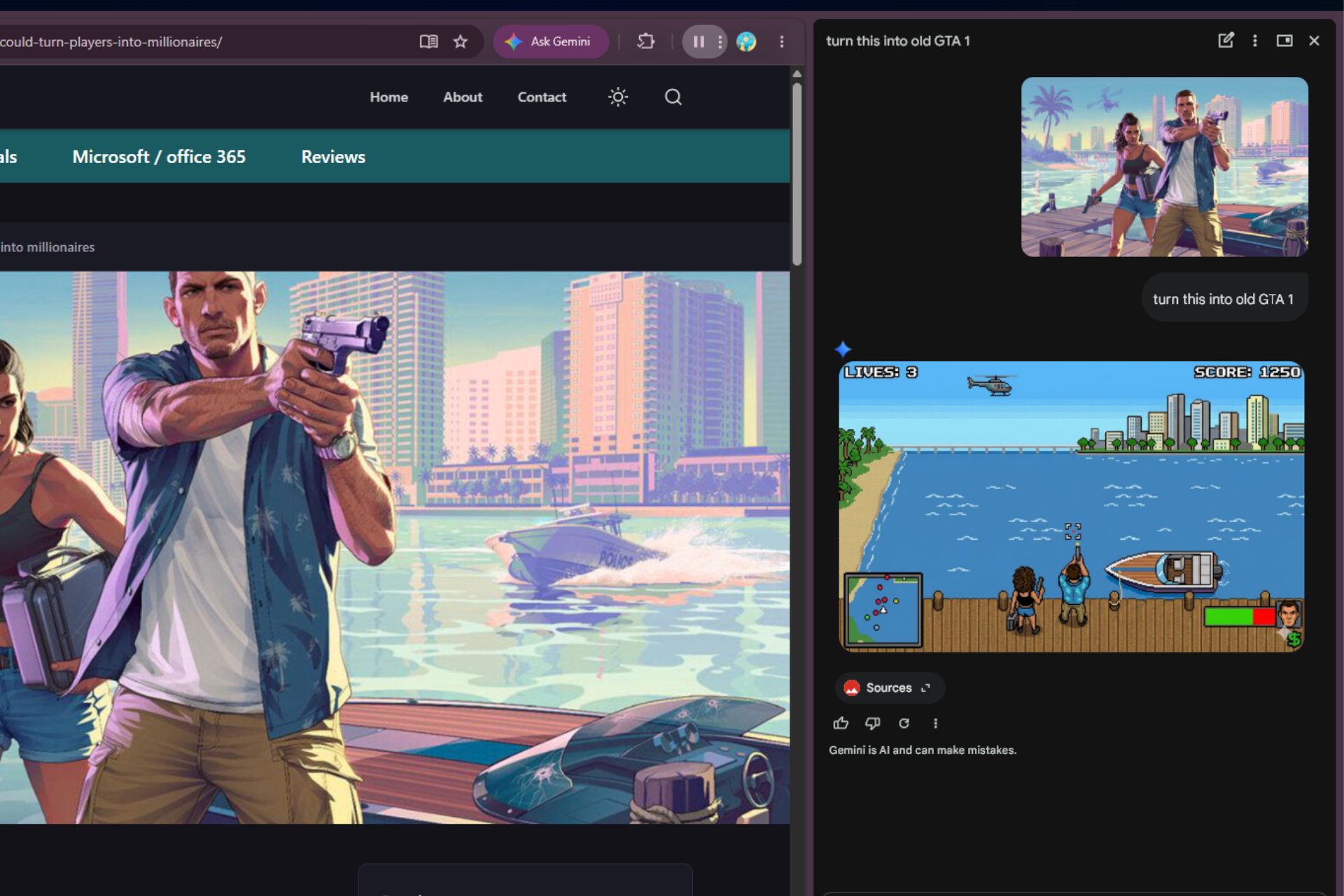

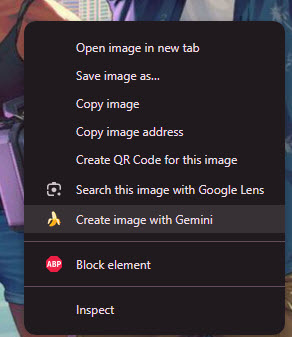
Google is testing a new option in Chrome that lets users recreate images directly from the page using Gemini. The feature was spotted in Chrome Canary, where a “Create image with Gemini” entry appears in the image context menu.
How Chrome lets you recreate images from a right-click with Gemini
The option appears when you right-click an image. Selecting it opens the Gemini side panel and automatically sends the image. The panel shows that Chrome sends the chosen image to Gemini without needing a manual upload.
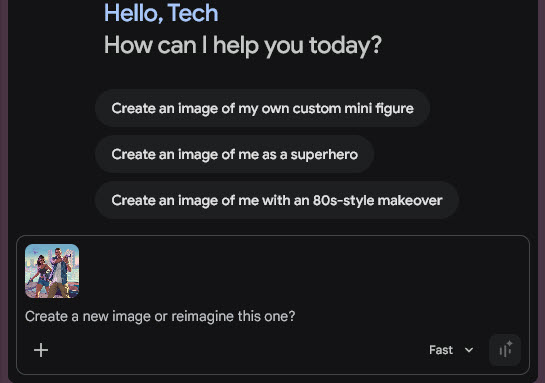
In testing, the side panel shows a list of standard prompt suggestions. These prompts don’t change based on the selected image and stay the same for different images. Users need to write their own instructions to change or recreate the image.
For instance, if you right-click a GTA VI-related image and enter a prompt to recreate it in the style of the early GTA 1, it produces a modified version in the panel with a retro, nostalgic look. The output follows the prompt but needs manual input instead of using the suggested prompts.
Currently, Chrome lets you handle images with options such as open, save, copy, or search with Google Lens. Lens focuses on recognizing content or finding similar images. This new option adds a creation step, allowing you to change the image using text prompts.
Chrome already includes Gemini in a side panel on desktop and iOS. In those versions, users open Gemini first and then give input. This test links Gemini directly to page content through the context menu.
The feature is still in testing in Chrome Canary on desktop and may not be available to all users. It requires Gemini in Chrome, which is currently available only in select regions. There is no confirmation on when the “Create image with Gemini” option will be available in the right-click menu in stable Chrome.
Chrome also integrates Gemini across desktop, Android, and iOS. It can summarize pages, answer questions, and help with browsing tasks. Recent tests show Gemini working across multiple tabs on Android, along with features like auto summarization and a floating voice assistant panel.


