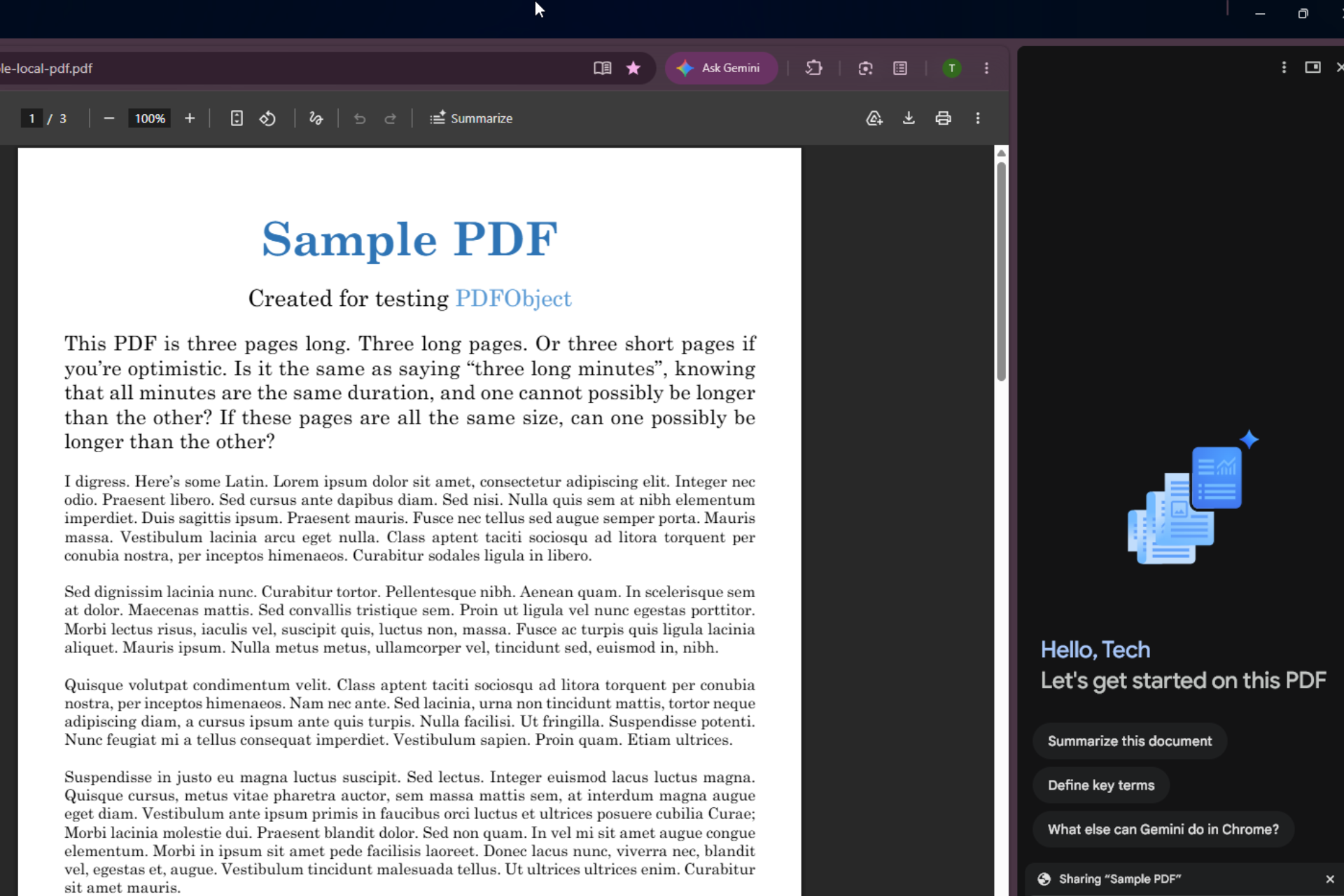

Gemini in Chrome could soon skip the ‘summarize this’ step. Google is testing a feature in Canary that automatically generates page summaries for supported content like PDFs as soon as you click the Ask Gemini button.
Gemini in Chrome works within the browser through the “Ask Gemini” side panel. Users can ask questions about a page, get summaries, work with open content, explain topics, compare information, or draft text based on what they see.
Chrome tests automatic PDF summaries with Gemini
Currently, when a user clicks the Ask Gemini button, the side panel opens and waits for the user to choose or type a prompt. Google is testing a different approach: on supported pages like PDFs, Gemini could automatically generate a summary when the panel opens. The summary would appear right away, so the user wouldn’t need to type a prompt.
This change relates to the toolbar button. The summary action begins as soon as Gemini opens for that page.
Chrome already has a Summarize option for PDFs when Gemini in Chrome is available. Right now, users must select this option themselves or ask Gemini to create a summary. With this experiment, that step could occur automatically when the panel opens on supported pages.
PDFs are among the most common files people open in Chrome, and they often contain long or detailed content. An instant summary can help users quickly scan documents and identify key points without extra steps.
The feature is still experimental, hidden behind a flag, and is not live yet for regular use. It is still in development, as noted in the related commit. You’ll need Chrome Canary with the relevant experimental flag enabled to try it. The experiment is optional and does not change existing settings for users.
The flag reads:
Glic Button Auto Summarize
Automatically triggers a summary when the Glic button is clicked on a supported page (for example, a PDF).
Gemini in Chrome is reaching more users and regions. Google is also making it more accessible during everyday browsing with faster access to actions within the browser.

Chrome is also testing a Gemini Live voice assistant in a floating overlay panel, while Google is experimenting with replacing “Auto” with “Fast” in Gemini’s model picker.
Have you checked out Gemini in Chrome yet, and would you use auto‑summaries for PDFs? Share your thoughts in the comments.