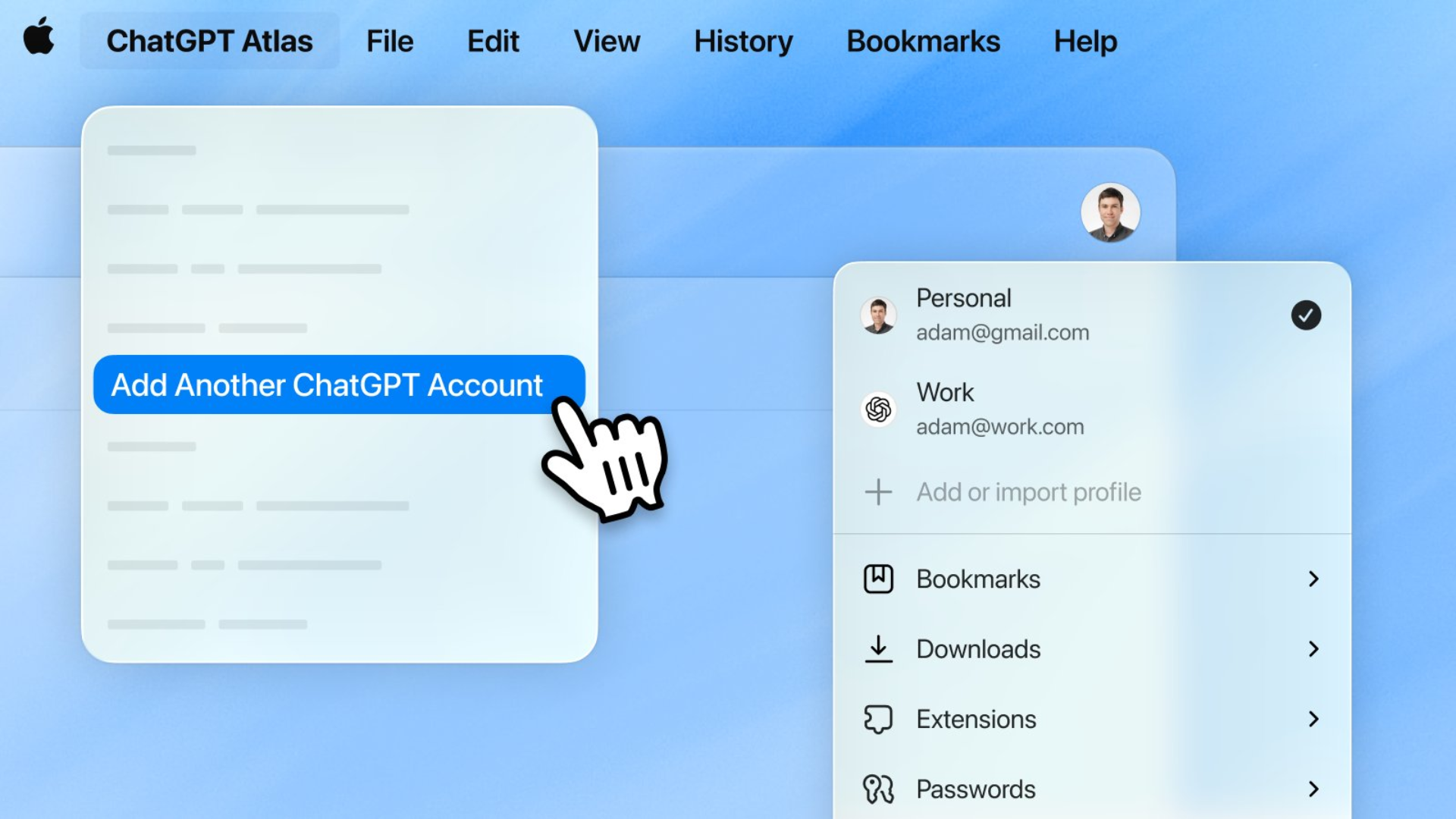

ChatGPT Atlas has received an update that allows users to sign in to multiple ChatGPT accounts using separate browser profiles. The change allows people to keep personal, work, and school accounts organized while browsing. Each profile now holds its own ChatGPT login, browsing history, and activity, which helps users move between different parts of their life without mixing data.
This update builds on earlier improvements that OpenAI introduced after launching the browser last year. Atlas started as a lightweight agentic browser, but users quickly asked for features they already use in traditional browsers. OpenAI responded with regular updates that added better tab organization, extension imports, tab groups, and tab renaming. Multi-profile support also arrived earlier, but users still had to sign out and back in when switching ChatGPT accounts.
According to Adam Fry, product lead for ChatGPT Atlas, users strongly requested this capability. He said the missing feature was “one of the biggest blockers to using Atlas everywhere in their life.” His comment underscores the importance of account separation for people managing multiple roles across personal and professional tasks.
Multi-Account Profiles Now Work in Atlas
Users can now create different browser profiles and sign in with separate ChatGPT accounts in each one. That means a work profile can stay connected to a work ChatGPT account while a personal profile keeps a personal account active.
The company confirmed the update in a post announcing, “You can now sign in to multiple ChatGPT accounts with separate profiles.” The same post encouraged users to update the browser to access the feature.
ChatGPT Atlas currently runs on macOS and continues to receive frequent feature updates as OpenAI expands its capabilities.