Skip to content
OnMSFT.com
  • Home
  • About
  • Contact
  • Windows
  • Surface
  • Xbox
  • How-To
  • OnPodcast
  • Edge
  • Teams
  • Gaming
Menu
  • Home
  • About
  • Contact
  • Windows
  • Surface
  • Xbox
  • How-To
  • OnPodcast
  • Edge
  • Teams
  • Gaming
  1. Home
  2. News
  3. CatchApp Is A Decent Team Tracking App For Windows 8.1 – onmsft.com

CatchApp Is A Decent Team Tracking App For Windows 8.1 – onmsft.com

Hammad Saleem Hammad Saleem
April 28, 2014
2 min read

CatchApp

If you’re looking for a way to keep track of the projects your team is working on, look no further and give CatchApp a try. The app was already available for iPhone users, but it has made its way to Windows Store. You can use it on your browser as well.

“The pulse of work: The easiest way to catch up with everything your team is working on. See what’s going on, gain insights and take action. CatchApp connects to the apps your team is working in. It extracts the activities of each team member and shows them in chronological order. It’s your newsfeed for work. Lists let you split up this newsfeed into smaller sections to get super-organized. CatchApp is also available on iPhone, iPad and the desktop web browser of your choice,” the app description reads.

CatchApp integrates with the popular apps people are using nowadays, including Dropbox, Google Drive, Google Calendar, Evernote, Box, OneDrive, Trello, Basecamp, Podio, Pivotal Tracker, Jira, Confluence, GitHub, Bitbucket, Desk, Zendesk, Highrise, Yammer, Salesforce Chatter, Mendeley, Lighthouse, Facebook, Twitter, and RSS feeds. What it actually does is keep a check on the activities of each member using any one of the connected apps, and shows them as a newsfeed for the manager. This way, the manager can get a pretty good idea about the projects his team is working on.

You can take a look at the daily activity of your team members, and display the news feed in a chronological order. Best of all, users can make use of the app in their browser, WIndows PC, or any iOS device. Here is a list of all the features the app has to offer:

  • Monitoring: Track your team’s activity in the apps you are working with
  • Integrations: Supports 20+ apps for multiple use cases (projects, files, office, development and support)
  • Newsfeed: Activities are listed in chronological order, it’s your newsfeed for work
  • Lists: Split up your newsfeed into smaller projects to get organized
  • Daily catch-up: Shows recent activities and what’s important for you
  • Everywhere: Use CatchApp on your Windows PC, iPhone, iPad or web browser

If you think this is something useful for you and your team, head over to the Windows Store and grab the app. The app is free for 100 feed updates per month, which can be extended to 1,000 by referring friends and colleagues. For users who want unlimited updates, commenting and premium integration, they can sign up for a premium plan which costs $4.99/month or $49.99/year — you do get a month of free trial to make up your mind.

CatchApp

Share This Post:

Share this article:
Previous Article 1MSQFT App For Windows 8.1 Makes Its Debut, Packed With Artistic Culture – onmsft.com Next Article Nokia’s New Ad Claims The Company Is ‘Not Like Everybody Else’ [Video] – onmsft.com

Related Articles

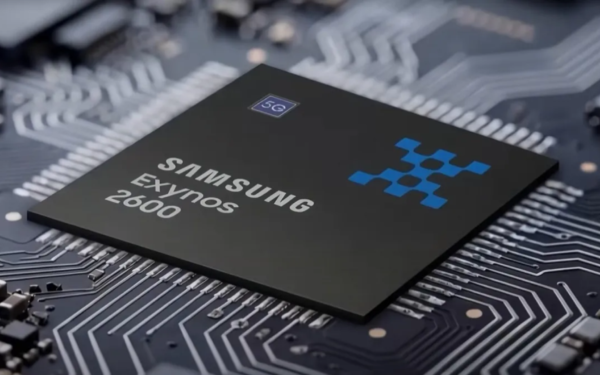
Samsung’s 2nm Yield Hits 60% as Taylor Facility Prepares for Full Operations

Samsung’s 2nm Yield Hits 60% as Taylor Facility Prepares for Full Operations

April 6, 2026

Samsung increases DRAM prices for Q2 after massive jump earlier this year

April 6, 2026

AMD Ryzen 9 9950X3D2 Dual Edition Listed Early at Nearly $1000 Ahead of Launch

April 6, 2026

Leave a Comment Cancel reply

Your email address will not be published. Required fields are marked *

Recent Posts

  • Samsung’s 2nm Yield Hits 60% as Taylor Facility Prepares for Full Operations
  • Samsung increases DRAM prices for Q2 after massive jump earlier this year
  • AMD Ryzen 9 9950X3D2 Dual Edition Listed Early at Nearly $1000 Ahead of Launch
  • Intel Nova Lake May Beat Zen 6 in IPC, But AMD Could Take Clock Speed Crown
  • Intel Laptop Price Increase Hits Panther Lake Models, Apple MacBook M5 Stays Stable

Recent Comments

  1. XxRIVTYxX on Intel Says It Tried to Help Before Crimson Desert Dropped Arc Support
  2. Gaurav Kumar on Chrome Prepares Nudge to ‘Move Tabs to the Side’ as Vertical Tabs Near Release
OnMSFT.com

The Tech News Site

Categories

  • Windows
  • Surface
  • Xbox
  • How-To
  • OnPodcast
  • Gaming
  • Edge
  • Teams

Recent Posts

  • Samsung’s 2nm Yield Hits 60% as Taylor Facility Prepares for Full Operations
  • Samsung increases DRAM prices for Q2 after massive jump earlier this year
  • AMD Ryzen 9 9950X3D2 Dual Edition Listed Early at Nearly $1000 Ahead of Launch
  • Intel Nova Lake May Beat Zen 6 in IPC, But AMD Could Take Clock Speed Crown
  • Intel Laptop Price Increase Hits Panther Lake Models, Apple MacBook M5 Stays Stable

Quick Links

  • About OnMSFT.com
  • Contact OnMSFT
  • Join Our Team
  • Privacy Policy
© 2010–2026 OnMSFT.com LLC. All rights reserved.
About OnMSFT.comContact OnMSFTPrivacy Policy