Skip to content
OnMSFT.com
  • Home
  • About
  • Contact
  • Windows
  • Surface
  • Xbox
  • How-To
  • OnPodcast
  • Edge
  • Teams
  • Gaming
Menu
  • Home
  • About
  • Contact
  • Windows
  • Surface
  • Xbox
  • How-To
  • OnPodcast
  • Edge
  • Teams
  • Gaming
  1. Home
  2. News
  3. Alarms App For Windows 8.1 Receives Update, No Change Log Available – onmsft.com

Alarms App For Windows 8.1 Receives Update, No Change Log Available – onmsft.com

Ron Ron
December 10, 2013
1 min read

Alarms app for Windows 8.1 receives update, no change log available

The official Windows Alarms app for Windows 8.1 and Windows RT 8.1 has received an update today, however, Microsoft has yet to disclose what is new as no change log is currently available. However, we are more than happy to install an app update.

“A simple yet beautiful and multi-functional timing app that comes with alarms, countdown timers, and a stopwatch. Use it to set wake up alarms and reminders, to time sporting events, and to keep track of time whenever you need to,” the app description reads. Here are the key features of this app, for those that did not know:

  • Set alarms at specific times to alert you with sounds and notifications
  • Set recurring alarms to alert you at certain times once or more a week
  • Use multiple timers at once
  • Personalize your alarms with a variety of sounds
  • Use the stopwatch to time tasks and keep track of laps and splits
  • Snooze or dismiss alarms from the lock screen
  • Hear alarms even when your device is in standby or muted
  • Use the app at any size alongside other apps

This app update is available now for those of you running Windows 8.1. So far we havent noticed anything new visually, but we’d imagine there were bugs fixed. Hit the download and let us know if you notice any improvements.

Thanks for the tip, @dingl_
Alarms for Windows 8.1

Share This Post:

Share this article:
Tags:
Windows 8.1 Windows Store
Previous Article Xbox One Is Back In Stock At Amazon, Grab It While You Can – onmsft.com Next Article Acer Unveils Aspire Z3-600, A 21.5 Inch All-in-one Portable Windows 8 PC – onmsft.com

Related Articles

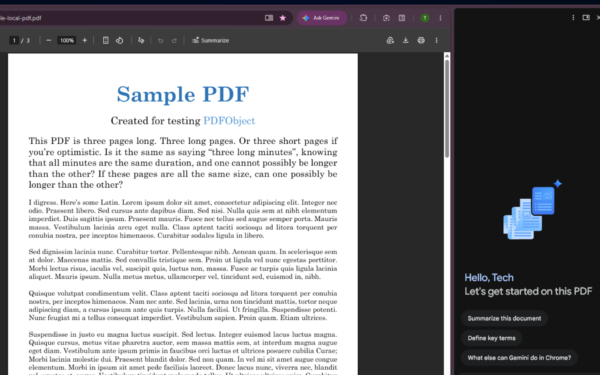
Gemini in Chrome side panel showing PDF summary options alongside an open document

Chrome could soon automatically summarize PDFs with Gemini

April 8, 2026

Snapdragon X2 Elite Gaming Shows Real Progress but Still Falls Short for Serious Players

April 8, 2026

ASUS Says No New Motherboards Needed for Intel Core Ultra 200S Plus

April 8, 2026

Leave a Comment Cancel reply

Your email address will not be published. Required fields are marked *

Recent Posts

  • Chrome could soon automatically summarize PDFs with Gemini
  • Snapdragon X2 Elite Gaming Shows Real Progress but Still Falls Short for Serious Players
  • ASUS Says No New Motherboards Needed for Intel Core Ultra 200S Plus
  • Google is Killing Chrome’s Link Preview Feature from Desktop
  • ASUS Snapdragon X2 Laptops Get Sudden Price Increase After Reviews

Recent Comments

  1. XxRIVTYxX on Intel Says It Tried to Help Before Crimson Desert Dropped Arc Support
  2. Gaurav Kumar on Chrome Prepares Nudge to ‘Move Tabs to the Side’ as Vertical Tabs Near Release
OnMSFT.com

The Tech News Site

Categories

  • Windows
  • Surface
  • Xbox
  • How-To
  • OnPodcast
  • Gaming
  • Edge
  • Teams

Recent Posts

  • Chrome could soon automatically summarize PDFs with Gemini
  • Snapdragon X2 Elite Gaming Shows Real Progress but Still Falls Short for Serious Players
  • ASUS Says No New Motherboards Needed for Intel Core Ultra 200S Plus
  • Google is Killing Chrome's Link Preview Feature from Desktop
  • ASUS Snapdragon X2 Laptops Get Sudden Price Increase After Reviews

Quick Links

  • About OnMSFT.com
  • Contact OnMSFT
  • Join Our Team
  • Privacy Policy
© 2010–2026 OnMSFT.com LLC. All rights reserved.
About OnMSFT.comContact OnMSFTPrivacy Policy

