Skip to content
OnMSFT.com
  • Home
  • About
  • Contact
  • News
  • How-to
  • Feature stories
  • Deals
  • Microsoft / office 365
  • Reviews
Menu
  • Home
  • About
  • Contact
  • News
  • How-to
  • Feature stories
  • Deals
  • Microsoft / office 365
  • Reviews
  1. Home
  2. News
  3. 3DMark Benchmarking Tool For Windows 8 Launching Feb 4th, Windows RT Version Coming Soon – onmsft.com

3DMark Benchmarking Tool For Windows 8 Launching Feb 4th, Windows RT Version Coming Soon – onmsft.com

Ron Ron
February 1, 2013
2 min read

3dMark

Futuremark has revealed a release date for the popular 3DMark benchmarking tool for Microsoft’s newest operating system, Windows 8. Futuremark plans on launching 3DMark for Windows 8 on the 4th of February, with a subsequent release for Windows RT a few weeks after.

“After a feverish few weeks of polishing and honing, the Windows version of our new 3DMark is finally complete and ready for release. The launch will be on Monday February 4, 2013 at 18:00 UTC. There is more work and testing to be done on the Android, iOS and Windows RT versions, but we are aiming for a short gap between releases, think weeks rather than months,” Futuremark stated in an official announcement. Hit the source link for the full announcement as well as some details on the new features 3DMark brings to Windows 8.

Futuremark revealed its plans for Windows 8 back in 2011. “With Windows 8 gamers will be able to enjoy their games on a wide range of devices from lightweight tablets to heavy-duty desktop rigs. Faced with so much choice it will be hard to work out which devices offer the best value for money. Fortunately 3DMark for Windows 8 will be our most wide-reaching 3DMark ever, able to accurately measure and compare gaming performance across all devices and graphical feature sets available with Windows 8,” Jukka Mäkinen, CEO of Futuremark, stated. This new version of 3DMark will measure and compare gaming performance on all Windows 8 devices and offer users a choice of bench-marking in Metro UI or classic Windows UI.

Futuremark

Share This Post:

Share this article:
Tags:
Windows 8
Previous Article Check This Out! A Simple Windows 8 Keyboard And Touch Shortcut Cheat Sheet – onmsft.com Next Article Twitter Announces Security Breach, 250,000 Accounts Compromised – onmsft.com

Related Articles

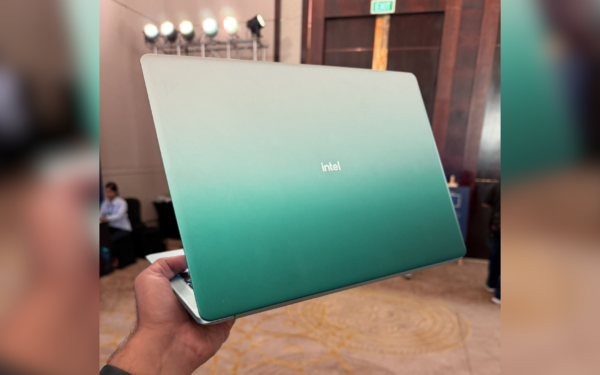
Intel Wildcat Lake laptop leak reveals 6 core hybrid CPU, 17 TOPS AI engine, thin design, and fanless mode support for everyday use.

Intel Wildcat Lake Laptop Spotted Ahead of Market Release

April 23, 2026

Microsoft Plans More Flexible Game Pass With New Xbox and Discord Deal

April 23, 2026
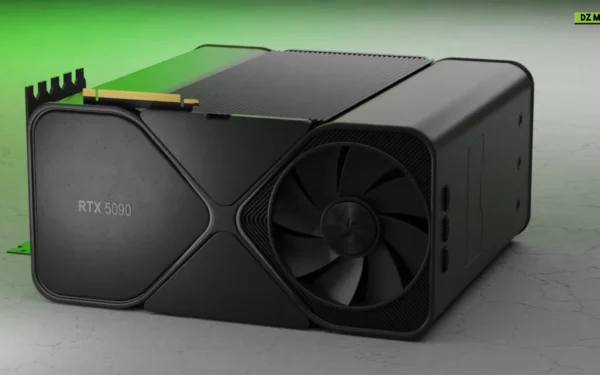
NZXT disputes RTX 5090 leak claims, citing higher offers, timeline gaps, and safety concerns, as the case moves toward legal review.

NZXT Responds to RTX 5090 Leak Claim, Disputes Redditor’s Version of Events

April 23, 2026

Leave a Comment Cancel reply

Your email address will not be published. Required fields are marked *

Recent Posts

  • Intel Wildcat Lake Laptop Spotted Ahead of Market Release
  • Microsoft Plans More Flexible Game Pass With New Xbox and Discord Deal
  • NZXT Responds to RTX 5090 Leak Claim, Disputes Redditor’s Version of Events
  • Chrome tests Google Drive file uploads in the AI Mode compose box
  • Chrome lets you remake images with Gemini on desktop using just a right-click

Recent Comments

  1. XxRIVTYxX on Intel Says It Tried to Help Before Crimson Desert Dropped Arc Support
  2. Gaurav Kumar on Chrome Prepares Nudge to ‘Move Tabs to the Side’ as Vertical Tabs Near Release
OnMSFT.com

The Tech News Site

Categories

  • Windows
  • Surface
  • Xbox
  • How-To
  • OnPodcast
  • Gaming
  • Edge
  • Teams

Recent Posts

  • Intel Wildcat Lake Laptop Spotted Ahead of Market Release
  • Microsoft Plans More Flexible Game Pass With New Xbox and Discord Deal
  • NZXT Responds to RTX 5090 Leak Claim, Disputes Redditor’s Version of Events
  • Chrome tests Google Drive file uploads in the AI Mode compose box
  • Chrome lets you remake images with Gemini on desktop using just a right-click

Quick Links

  • About OnMSFT.com
  • Contact OnMSFT
  • Join Our Team
  • Privacy Policy
© 2010–2026 OnMSFT.com LLC. All rights reserved.
About OnMSFT.comContact OnMSFTPrivacy Policy