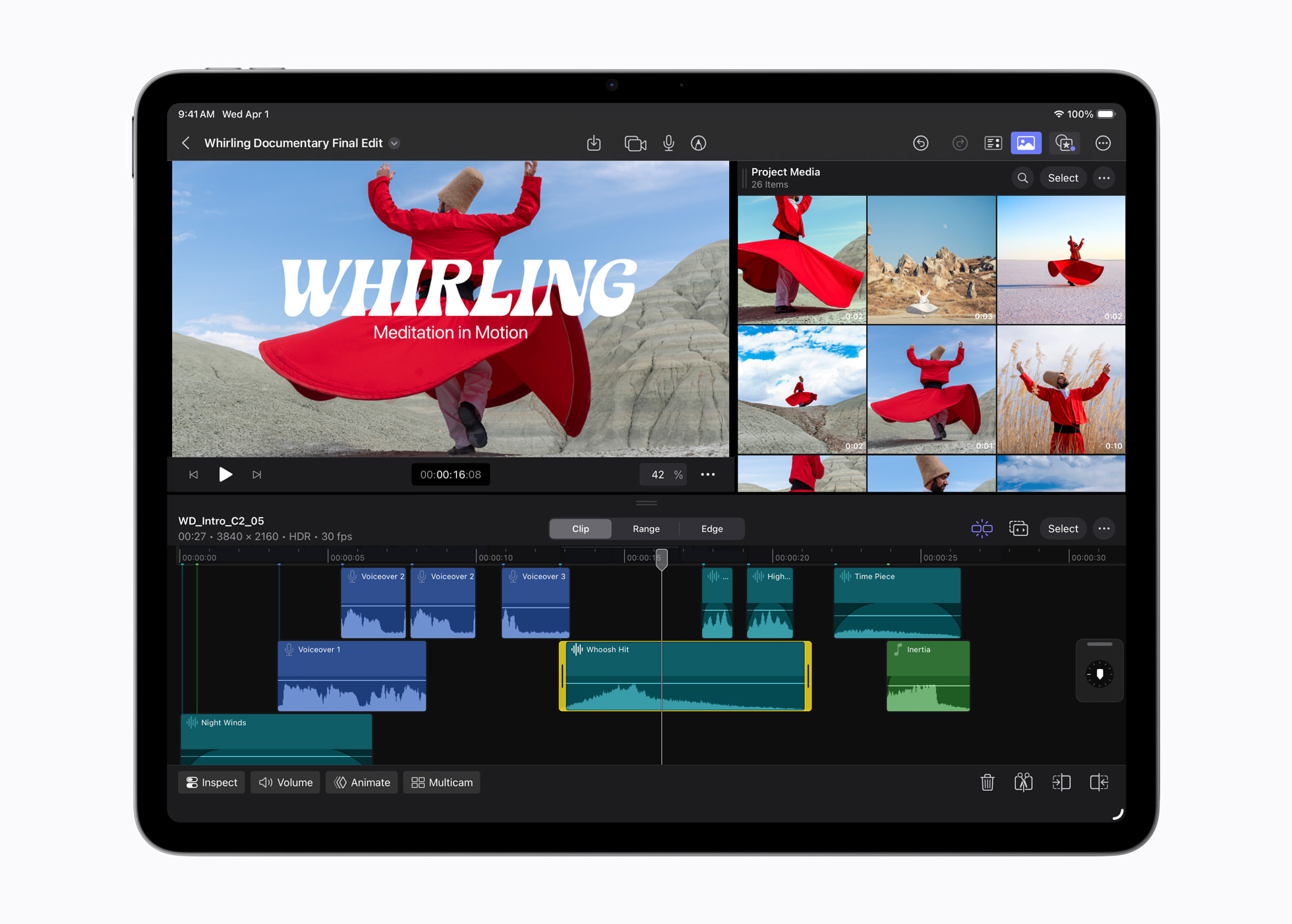

If you’re on the iPad Air with M1 (5th gen) and wondering whether Apple’s new iPad Air with M4 is worth the jump, the answer comes down to three things you’ll actually notice: more headroom for multitasking and heavier apps, a much stronger GPU feature set (including hardware ray tracing), and newer connectivity (Wi-Fi 7 plus Apple’s latest wireless and cellular chips).
Apple is also tying the new model closely to iPadOS 26’s productivity push, including the new windowing system, menu bar, Files upgrades, and Preview for PDFs.
M1 iPad Air vs new M4 iPad Air
| What matters | iPad Air (M1, 5th gen) | iPad Air (M4, 2026) | What it means day to day |
|---|---|---|---|
| Chip | M1 (8-core CPU, 8-core GPU, 16-core Neural Engine) | M4 (8-core CPU, 9-core GPU, 16-core Neural Engine) | Faster general performance, plus a bigger GPU jump for games and 3D work |
| Memory | 8GB RAM | 12GB unified memory, 120GB/s bandwidth | Fewer reloads, smoother multitasking, more room for heavier projects |
| Graphics features | No hardware ray tracing listed | Hardware-accelerated ray tracing + mesh shading | Better lighting/reflections in supported games, faster 3D workflows |
| Wi-Fi / wireless | Older gen Wi-Fi / Bluetooth (varies by model year) | N1 chip with Wi-Fi 7, Bluetooth 6, Thread | Faster, more modern networking and smart-home Thread support |
| Cellular | Prior modem generation | C1X modem (cellular models), up to 50% faster data and up to 30% less energy usage (Apple claim) | Better cellular performance and potentially better battery efficiency on cellular |
| Sizes | 10.9-inch class model | 11-inch or 13-inch options | 13-inch option is a real draw if you want more room for split work |
| Price / timing | (Older model pricing varies now) | From $599 (11-inch) / $799 (13-inch); preorders Mar 4, available Mar 11 | Straightforward upgrade window if you’re buying in March |
Performance and graphics (the part gamers and creators will care about)
M4 brings an 8-core CPU and 9-core GPU to iPad Air, plus GPU features like hardware-accelerated ray tracing and mesh shading.
If you play graphics-heavy games or use 3D apps, that GPU feature list is the kind of change that can show up immediately in supported titles and workflows, especially as more iPad games start chasing “console-like” lighting and effects.
Memory and multitasking (this is where M1 owners feel it)
The M1 iPad Air has 8GB RAM. The new iPad Air moves to 12GB unified memory and 120GB/s memory bandwidth.
That upgrade is less about a single “wow” moment and more about how the iPad behaves when your day gets messy: lots of Safari tabs, PDFs, a call running, Notes open, and something exporting or rendering in the background. More memory and bandwidth usually means fewer app reloads and less friction when you bounce between tasks.
Connectivity upgrades (Wi-Fi 7 + Thread, and a new modem on cellular models)
Apple says iPad Air now uses its N1 wireless chip, enabling Wi-Fi 7, Bluetooth 6, and Thread. If you’re on busy networks (home, campus, office) or you’ve been waiting for Wi-Fi 7 hardware to become common, this is one of the cleanest spec-sheet upgrades.
On cellular models, Apple says the new C1X modem delivers up to 50% faster cellular performance and up to 30% less energy usage than the iPad Air with M3 (Apple’s claim).
iPadOS 26 features you’ll actually notice on a new Air
Apple is pushing iPadOS 26 as a productivity-heavy update, and it reads like a direct answer to long-running iPad complaints:
- a new windowing system and a new menu bar for app commands
- Files upgrades including an updated List view, folder customization, folders in the Dock, and default apps for file types
- Preview on iPad for viewing/editing/marking up PDFs and images
If you’ve been using your M1 iPad Air as a “light laptop,” these are the changes that can make the upgrade feel bigger than the raw chip name suggests, especially once you combine them with the extra memory headroom.
So… should you upgrade from M1?
Upgrade makes sense if:
- you regularly multitask hard (lots of apps/tabs/files open) and you’re tired of reloads
- you care about graphics features like ray tracing for gaming or 3D work
- you want Wi-Fi 7, Thread, or the newer cellular modem
You can hold off if:
- your M1 iPad Air already feels fast for what you do (single-app use, light work, streaming)
- you don’t care about iPadOS 26’s new windowing / file handling changes
Apple event March live: everything expected today
Apple’s “big week” of launches is already in motion. On Monday, March 2, Apple announced two big products: iPhone 17e and the new iPad Air with M4.
Here’s what’s been announced so far, and what people are watching for next.
What Apple announced on March 2
Apple introduced iPhone 17e, positioning it as a value-focused iPhone that adds MagSafe and starts with 256GB of storage. Apple also announced iPad Air with M4, including 12GB memory, Wi-Fi 7, Thread, and the C1X modem on cellular models, with preorders starting March 4 and availability on March 11.
What to watch for on March 3
Apple’s launch week expect more product announcements to land across Tuesday and Wednesday, with MacBooks being the biggest open question.
This part is still expectation, not confirmation, but it’s the direction the rumor cycle is pointing.