Skip to content
OnMSFT.com
  • Home
  • About
  • Contact
  • News
  • How-to
  • Feature stories
  • Deals
  • Microsoft / office 365
  • Reviews
Menu
  • Home
  • About
  • Contact
  • News
  • How-to
  • Feature stories
  • Deals
  • Microsoft / office 365
  • Reviews
  1. Home
  2. News
  3. Everything New in OneDrive from January to March

Everything New in OneDrive from January to March

Arif Bacchus Arif Bacchus
March 31, 2022
1 min read

With the month of March coming to a close, Microsoft has put together a recap of all the OneDrive features that have been added or in preview so far this year. The list includes some features for the macOS client and for the web experience. So, without further ado, here’s everything new in OneDrive from January to March.

In January, Microsoft added a new OneDrive sync experience on macOS. It matched the look and feel of the latest versions of the Apple operating system. Based on feedback, Microsoft also rolled out some changes to that experience. This includes syncing all content locally using the Download OneDrive files now option, improving the syncing experience with external drives, and ensuring that always keep on this device works as it did in old versions of MacOS.

Also in January, with the OneDrive web experience, Microsoft tested a new copy link experience in the command bar, where you can change the default link type and permissions before generating a link. Then, with SharePoint, Microsoft rolled out a new dialogue when moving or copying files so you can choose where you want files to go. Finally, Microsoft rolled out built-in photo editing capabilities in OneDrive for the web where you can crop, rotate, adjust light, and color on photos.
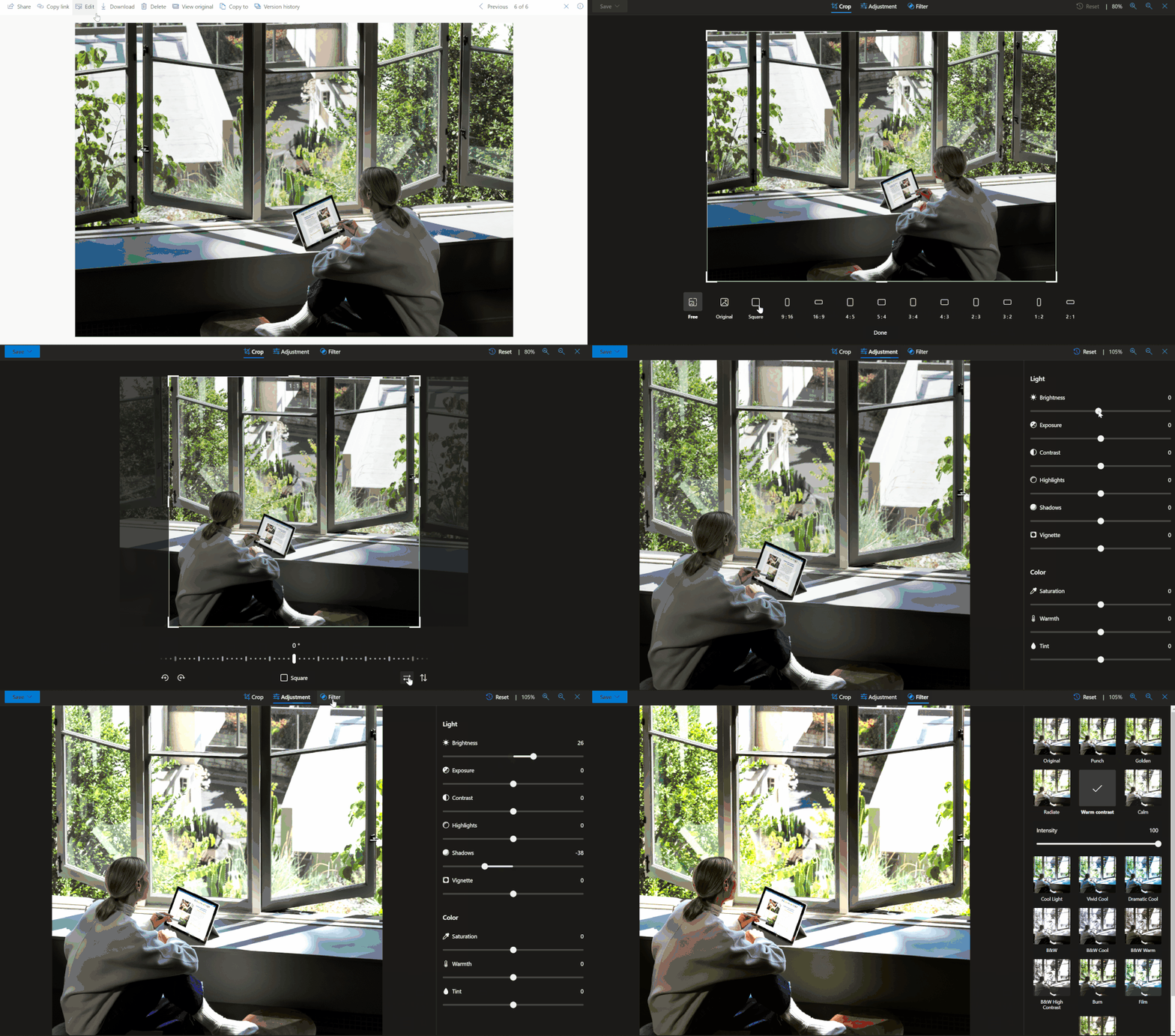
thumbnail image 4 captioned Built-in photo editing capabilities in OneDrive

In February, support for known folder move rolled out in public preview on macOS. This gives you the ability to protect desktop, documents, and pictures by syncing to the cloud. Also, Microsoft rolled out native support for Apple M1 Macs, meaning the client runs without emulation. Other features added in February include a library dropdown in OneDrive and SharePoint, updates to the activity center on Windows to match the Windows 11 design.

To end, in March, OneDrive just got two updates. Users with ARM-based Windows devices got a native sync client. Finally, there’s the ability to add to OneDrive folder shortcuts the way you want by moving them into any private folder. You can always stay up to date and get the latest OneDrive news right here at OnMSFT, just click the More Topics link at the top of the page!

Share This Post:

Share this article:
Tags:
OneDrive
Previous Article How to force quit apps in Windows 10 or Windows 11  – onmsft.com Next Article Intel’s Arc GPU will be a “limited edition” release in 2022 – onmsft.com

Related Articles

Chrome tests Google Drive file uploads in the AI Mode compose box

April 14, 2026
Gemini image creation using right click desktop Chrome

Chrome lets you remake images with Gemini on desktop using just a right-click

April 13, 2026
Samsung Display crosses 5 million QD-OLED monitor shipments as demand grows fast, with new panels and strong premium market expansion worldwide.

Samsung Display Ships 5 Million QD-OLED Monitor Panels in Four Years

April 9, 2026

Leave a Comment Cancel reply

Your email address will not be published. Required fields are marked *

Recent Posts

  • Chrome tests Google Drive file uploads in the AI Mode compose box
  • Chrome lets you remake images with Gemini on desktop using just a right-click
  • Samsung Display Ships 5 Million QD-OLED Monitor Panels in Four Years
  • Intel Arc Pro B70 Teardown Reveals Blower Cooler and Early Board Design Details
  • Users Modify RTX 5090 Lightning Z Hardware to Unlock MSI’s Restricted 2500W BIOS

Recent Comments

  1. XxRIVTYxX on Intel Says It Tried to Help Before Crimson Desert Dropped Arc Support
  2. Gaurav Kumar on Chrome Prepares Nudge to ‘Move Tabs to the Side’ as Vertical Tabs Near Release
OnMSFT.com

The Tech News Site

Categories

  • Windows
  • Surface
  • Xbox
  • How-To
  • OnPodcast
  • Gaming
  • Edge
  • Teams

Recent Posts

  • Chrome tests Google Drive file uploads in the AI Mode compose box
  • Chrome lets you remake images with Gemini on desktop using just a right-click
  • Samsung Display Ships 5 Million QD-OLED Monitor Panels in Four Years
  • Intel Arc Pro B70 Teardown Reveals Blower Cooler and Early Board Design Details
  • Users Modify RTX 5090 Lightning Z Hardware to Unlock MSI’s Restricted 2500W BIOS

Quick Links

  • About OnMSFT.com
  • Contact OnMSFT
  • Join Our Team
  • Privacy Policy
© 2010–2026 OnMSFT.com LLC. All rights reserved.
About OnMSFT.comContact OnMSFTPrivacy Policy

