Skip to content
OnMSFT.com
  • Home
  • About
  • Contact
  • News
  • How-to
  • Feature stories
  • Deals
  • Microsoft / office 365
  • Reviews
Menu
  • Home
  • About
  • Contact
  • News
  • How-to
  • Feature stories
  • Deals
  • Microsoft / office 365
  • Reviews
  1. Home
  2. News
  3. Evernote and Quiet Hours for Windows Phone 8 updated with new features

Evernote and Quiet Hours for Windows Phone 8 updated with new features

Hammad Saleem Hammad Saleem
August 19, 2019
2 min read

Evernote for Windows Phone

Recently, two excellent applications, namely Evernote and Quiet Hours, were updated for Windows Phone 8 and introduced a bunch of new features and enhancements.

Starting with Evernote, it’s one of the best productivity applications available at the moment. The service has a web application, as well as dedicated ones for all major mobile platforms, including Windows Phone, and makes sure that all your notes are in sync on all your devices. Recently, the application received an update, bumping it to version 4.2.0.1108, and brought along a few new features including the inclusion of a Post-it Note Camera that allows users to capture a photo of a Post-it Note and enhance it, the ability to add multiple Post-it Note snapshots to a single note, and more. Here is the list of new features introduced in the latest version of Evernote:

  • Post-it Note Camera
  • Snap a photo of a Post-it Note to digitize and enhance your handwritten to-dos and ideas
  • Automatically assign notebooks, tags and Reminders to different colors of Post-it Notes
  • Add multiple Post-it Note snapshots to a single note
  • Search through handwritten text in images

Additionally, Quiet Hours for Windows Phone also received an update. The application give users the ability to schedule specific hours in which your smartphone will go on silent mode, restricting calls or messages. The latest update comes with a new design, renamed “Apply” button to “Test Now” in the scheduler settings and more. Here’s the complete list of enhancements introduced in the latest update of Quiet Hours:

  • Redesign
  • Toggle tile now switch between silent and normal mode regardless of your scheduler times
  • Apply button renamed to Test now, by pressing on in you can set current mode according to your scheduler settings
  • Now you can set more precise time in 30 minutes step

Simply head over to the Windows Phone Store to snag the applications.

Evernote

Further reading: Windows Phone

Share this article:
Tags:
Windows Phone
Previous Article Xbox 360 dominates console market yet again for 27 consecutive months Next Article Nokia yet to resolve 250 million Euro tax dispute with Indian government

Related Articles

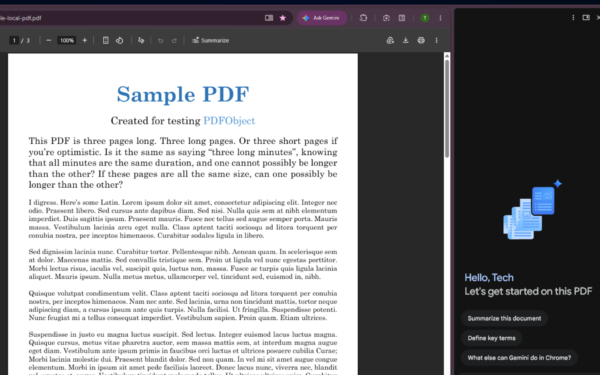
Gemini in Chrome side panel showing PDF summary options alongside an open document

Chrome could soon automatically summarize PDFs with Gemini

April 8, 2026

Snapdragon X2 Elite Gaming Shows Real Progress but Still Falls Short for Serious Players

April 8, 2026

ASUS Says No New Motherboards Needed for Intel Core Ultra 200S Plus

April 8, 2026

Leave a Comment Cancel reply

Your email address will not be published. Required fields are marked *

Recent Posts

  • Chrome could soon automatically summarize PDFs with Gemini
  • Snapdragon X2 Elite Gaming Shows Real Progress but Still Falls Short for Serious Players
  • ASUS Says No New Motherboards Needed for Intel Core Ultra 200S Plus
  • Google is Killing Chrome’s Link Preview Feature from Desktop
  • ASUS Snapdragon X2 Laptops Get Sudden Price Increase After Reviews

Recent Comments

  1. XxRIVTYxX on Intel Says It Tried to Help Before Crimson Desert Dropped Arc Support
  2. Gaurav Kumar on Chrome Prepares Nudge to ‘Move Tabs to the Side’ as Vertical Tabs Near Release
OnMSFT.com

The Tech News Site

Categories

  • Windows
  • Surface
  • Xbox
  • How-To
  • OnPodcast
  • Gaming
  • Edge
  • Teams

Recent Posts

  • Chrome could soon automatically summarize PDFs with Gemini
  • Snapdragon X2 Elite Gaming Shows Real Progress but Still Falls Short for Serious Players
  • ASUS Says No New Motherboards Needed for Intel Core Ultra 200S Plus
  • Google is Killing Chrome's Link Preview Feature from Desktop
  • ASUS Snapdragon X2 Laptops Get Sudden Price Increase After Reviews

Quick Links

  • About OnMSFT.com
  • Contact OnMSFT
  • Join Our Team
  • Privacy Policy
© 2010–2026 OnMSFT.com LLC. All rights reserved.
About OnMSFT.comContact OnMSFTPrivacy Policy