
\n
\n
Starting at $499
\n
The race has been on for a mini PC OEM to stuff one of Intel’s most power hungry and heat challenging SoCs into their tiny framed computers and it looks like Geekom might have found the best solution, with a few caveats.
\n
The Geekom Mini IT13 heads off the SimplyNUC Onyx and Intel’s own NUC mini pc this holiday season and the private Shenzhen Jiteng Network Technology company is attempting to make a splash with its flagship 13th Gen Intel Core i9-13900H (14 Core) powered mini PC.
\n
Specs
\n
| Specs | |
| Geekom Mini IT13 | |
| Size | 117mm x 112mm x 49.2mm |
| Weight | 652g |
| CPU | 13th Gen Intel® Core™ i9-13900H (14 Cores, 20 Threads, 24MB Cache, up to 5.40 GHz) \n13th Gen Intel® Core™ i7-13700H (14 Cores, 20 Threads, 24MB Cache , up to 5.00 GHz) \n13th Gen Intel® Core™ i5-13500H (12 cores, 16 threads, 24 MB cache, up to 4.70 GHz) |
| Graphics | Intel® Iris® Xe graphics compatible |
| Memory | Dual-channel DDR4-3200 SODIMM, supports up to 64GB |
| Storage | 1 x M.2 2280 PCIe Gen 4 x4 SSD, support up to 2TB 1 x M.2 2242 SATA SSD slot, expandable up to 1TB1 x 2.5″ SATA HDD (7mm) slot, expandable up to 2TB |
| Operating System | Windows 11 Pro |
| Bluetooth® Wireless Technology | Bluetooth® v5.2 |
| LAN | 2.5G LAN (RJ45) |
| Wireless Network | Intel® Wi-Fi 6E AX211 |
| Power Supply | 19V, 6.32A |
| I/O Ports | 3 x USB 3.2 Gen 2 ports \n1 x USB 2.0 port \n2 x USB4 ports \n1 x SD card reader \n1 x Speaker (3.5mm jack) \n1 x 2.5GbE LAN port \n2 x HDMI 2.0 ports \n1 x Power connector \n1 x Power button |
| What’s In The Box | 1 x Mini IT13 Mini PC \n1 x VESA Mount \n1 x Power Adapter \n1 x HDMI Cable \n1 x User Manual \n1 x Thank You Card |
\n
Build Quality
\n
4/5
\n
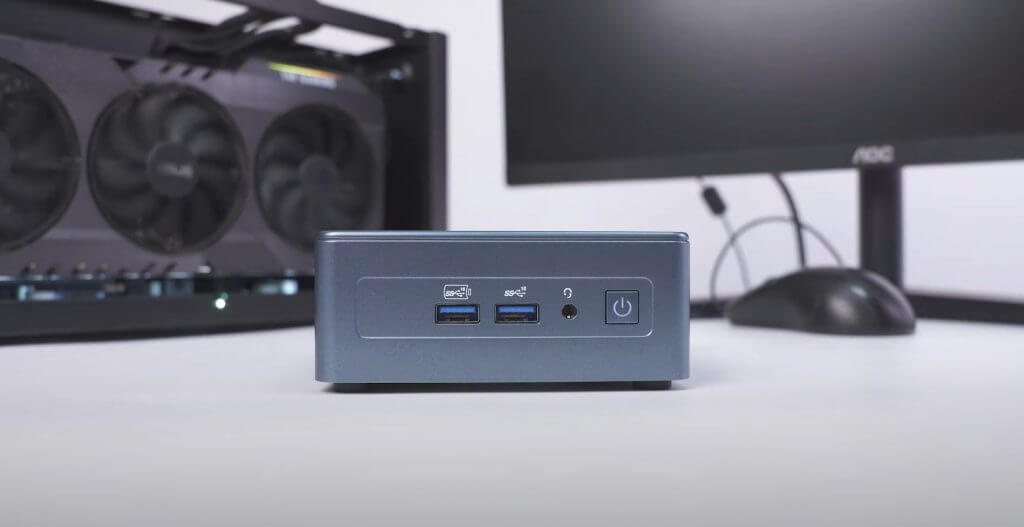
Geekom’s Mini IT13 follows the company’s 4×4 construction formula, however, with slightly rounded corners around the frame this time, similar to its A5, Air12 and IT8 mini pcs. Historically, Geekom has leaned into darker less descript colorways for their mini pcs, opting for matte blacks or Navy blues, but the IT13 goes for a bold Royal Blue-ish casing over its standard high-strength metal frame and above its plastic bottom.
\n
\n
\n
The casing design I’m told is specifically constructed to help prevent static and electromagnetic interferences when the mini PC is on a desk or attached to the back of a monitor, and to date, I have yet to be shocked when moving the device around.
\n
The IT13 feels dense without feeling heavy due to its mostly metal construction which may give some customers pause when attaching it to the back of a monitor, but in my testing it sits perfectly well behind the screen. Just for clarification the Mini IT3 weighs just over a pound at 1.43 lbs or 654g.
\n
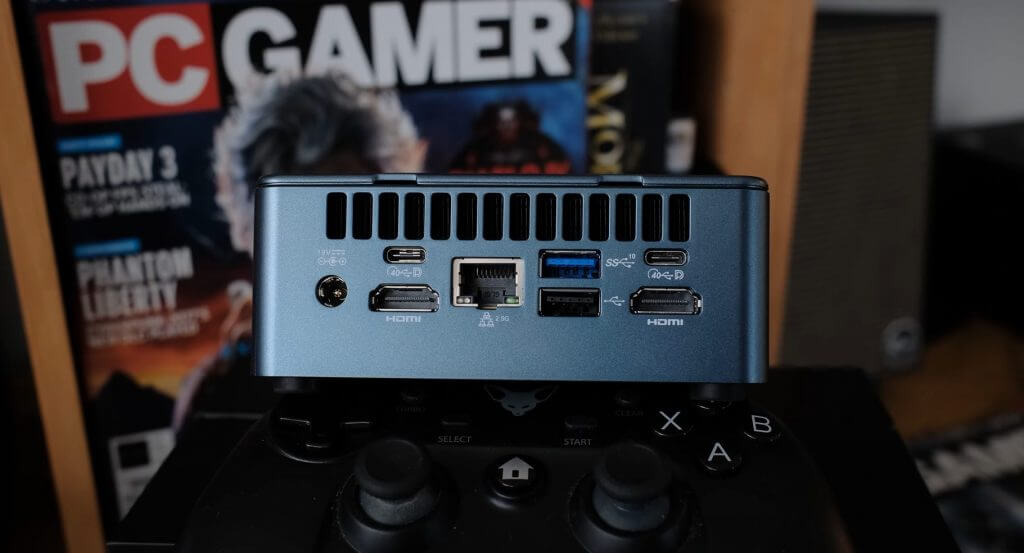
As is becoming customary with Geekom’s mini pcs, the IT13 comes with 3 USB 3.2 Gen 2, 2 full HDMI 2.0, 1 2.5GbE LAN socket, 2 USB4 ports, and a full sixed SD reader.
\n
For accessibility, Geekom has placed two if its USB 3.2 ports at the front of the device while stashing the rest of collection of ports at the back of the device.
\n
\n
Geekom is also touting its redesigned cooling system that proved to deliver sustained performance over longer periods of time but at the cost of fan noise.
\n
A understated Geekom adorns the top of the min PC and besides the black airflow vents that offer a two-tone contrasting to the shiny Royal Blue this year, there really isn’t much more to about the 4×4 mini PC regarding design.
\n
Performance
\n
3/5
\n
Enough about how it looks, does the IT13 actually deliver? In short, yes.
\n
Geekom configured our test unit with a 13th Gen Intel Core i9-13900H chip paired with a dual-channel DDR4-32900 SODIMM worth of 32GB of memory, Intel’s latest Iris Xe graphics, and 2TB’s of M.2 2242 SATA SSD.
\n
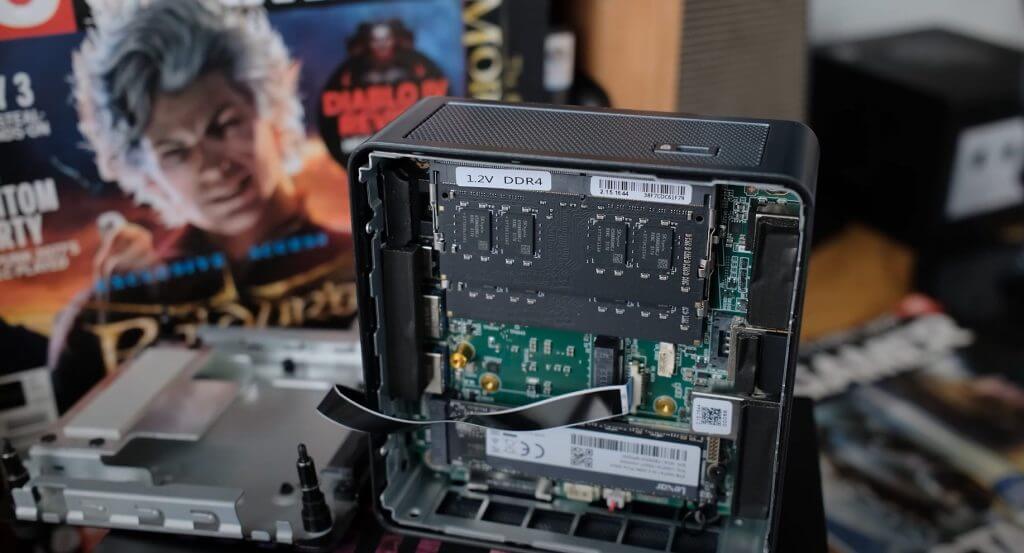
Digging a bit under the hood, Geekom does pre-populate its Gen4x4 M.2 SSD slots with custom configurations. As for the Core i9-13900H stuffed into this tiny chassis, it apparently has a TDP of 45W and minimum 35W (cTDP-down) which hovers in the Ultrabook territory of heat and performance management.
\n
\n
Despite its limited ceiling, the extra two performance cores on the SoC inside the IT13 helped to deliver a bit more processing speed for various tasks such as encoding, read/write speeds, and the use of machine learning applications.
\n
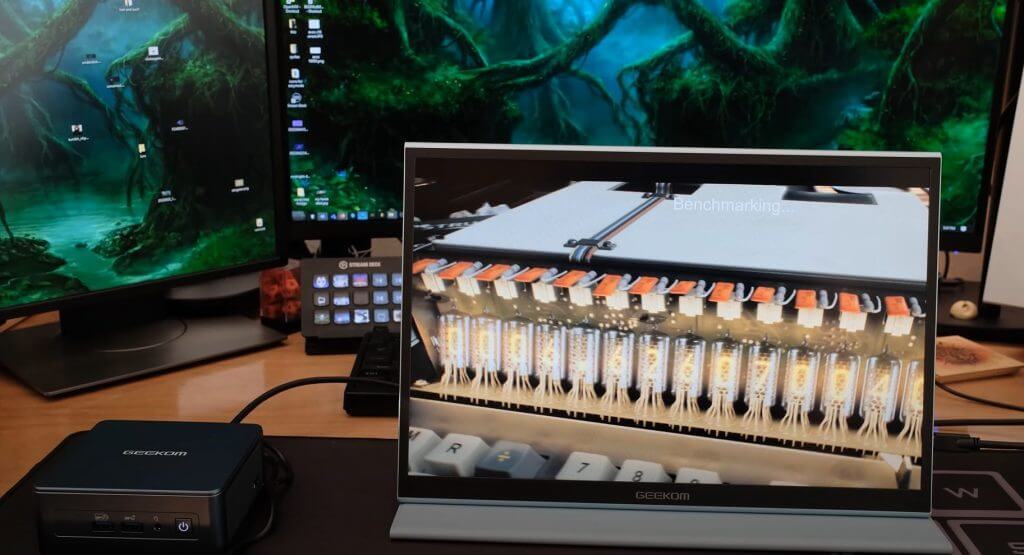
Utilizing the configuration sent by Geekom, I was able to maintain my normal workflow of marketing duties that include graphics editing, AI-led research into demographics, population density, seasonal spending trends, and purchasing funnels via macro-enabled Excel docs, without a hiccup. As for other more creative tasks, such as podcasting that includes multi-level audio channeling, video recording and editing, streaming and modest work with Adobe, the IT13 handled most of it well.
\n
\n
The biggest struggle for the IT13 is its use of Raptor Lake-H processor in the flagship 4×4 chassis that Geekom’s known for. Intel’s 13th Gen processor has been configured to help boost web browsing and accelerating single-thread taxing tasks, but data processing users will see little to no difference between 12th and 13th gen SoCs from Intel, and without a dedicated GPU, content creators will run into the same bottlenecks as before despite two more performance cores on the chip.
\n
Exporting a 40-minute long podcast recording with dual video tracks, a single audio bed and five graphical animations took 37 minutes and 14 seconds, which is typical of Intel’s Iris Xe graphical performance, indicating that the bump in cores doesn’t really aid in rendering or processing.
\n
When it comes to the occasional non-productivity led activities such as gaming, the power limit and thermal throttling cuts frame rates by an order of 15 to 20 under a normal pc configuration with an i9 chip, DDR5 RAM, and a 45W power limit.
\n
Due to the TDP ceiling Geekcom put on its Raptor Lake-H processor in the IT13, performance is only nominally improved while thermals and fan noise take a hit on this device. Moreover, thermal throttling also puts a cap on BIOS or other software configurations that can be put in place to squeeze a bit more performance out of the IT13.
\n
Summary
\n
3/5
\n
The IT13 is a tale of marketing versus reality and the reality for most average customers is that, while the IT13 can technically handle Intel’s 13th Gen i9 processor, it does so by putting some very conversative restraints on the chip to maintain their chassis design.
\n
In the IT13, the extra two cores afforded the i9-13900H tend to go to waste due to the lower TDP of the system, and while most average users may not notice limits of the configuration compared to other devices, they will notice the inconsistent fan noise that constantly going on the mini pc.
\n
Perhaps due to the thermal pasting applied to the IT13, the unit struggles with trying to keep Intel’s power hungry Raptor Lake chip cooled in the compact 4×4 body of the mini PC. Often while idling, the IT13 will pre-emptively ramp up cooling out of nowhere leading to random burst of loud fan noise for no apparent reason.
\n
However, if fan noise isn’t an issue for some customers, getting an IT13 Core i9 becomes a matter of spec bragging because an i7 under the same conservative Geekcom configuration will net the same performance at a $100 discount and at the i5 configuration, the IT13 makes even more financial sense.
\n
Geekom is also tossing in a $40 off code for our readers interested when entering onmsft40 during purchase.
\n
For anyone looking to snag this PC from Amazon, you can also use code: 8RP2RWGI for a similar $40 off.
\n
The plus side of the IT13 is that it remains a very powerful tiny computer and for anyone looking to declutter their desktop setups or replace a fleet of aging mini PCs at places like repair shops, warehouses, banks, edge servers, or research labs, the IT13 is still a very good alternative to the NUC for the price.
\n