
\n
\n
Microsoft Rewards allows avid users of Microsoft products and services to have the opportunity to earn valuable rewards by performing various activities online and off. In this guide, we will delve into the intricacies of Microsoft Rewards, providing you with invaluable insights and strategies to help you make the most of this program. Get ready to embark on a rewarding journey with Microsoft Rewards!
\n
Exploring the 5 Ways to Earn Microsoft Rewards
\n
\n
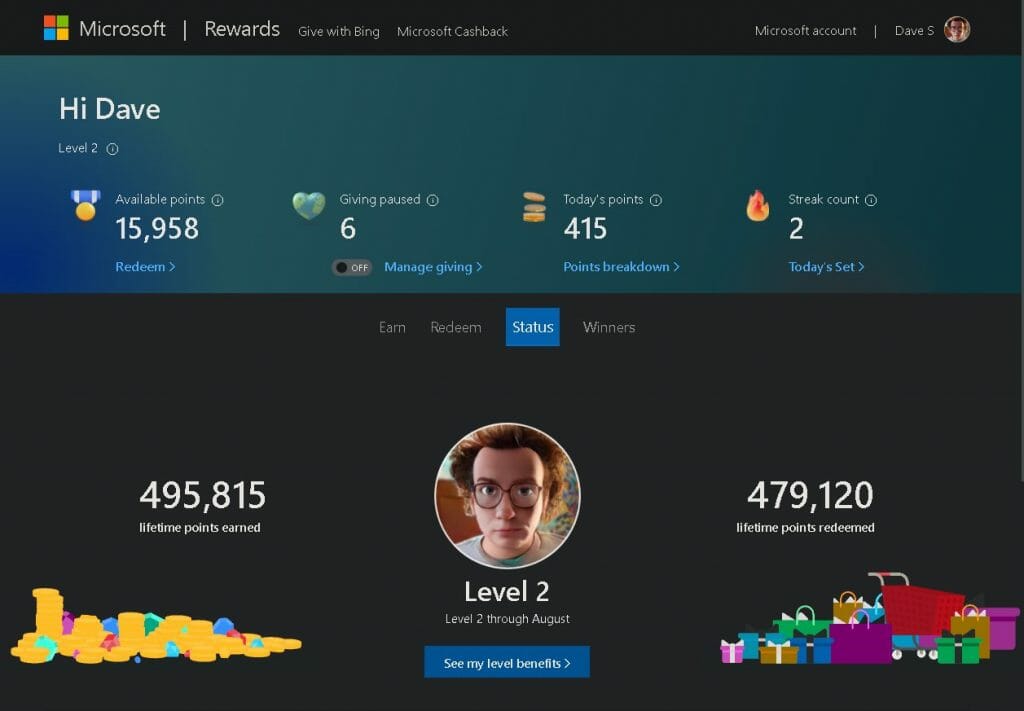
Microsoft Rewards is a loyalty program designed to reward users for their engagement with Microsoft products and services. By completing a range of tasks and activities, you can accumulate points that can be redeemed for a variety of rewards, including gift cards, discounts, sweepstakes entries, and even donations to charitable organizations. Here are five ways you can earn Microsoft Rewards points:
\n
\n
\n
\n
\n
\n
\n
- \n
- Web Searches and Microsoft Edge: One of the easiest ways to earn Microsoft Rewards is by conducting web searches using the Microsoft Bing search engine. By simply searching the web, you can accumulate points on a daily basis. To make the most of this opportunity, we recommend setting Microsoft Bing as your default search engine and utilizing the Microsoft Edge browser. This way, you can effortlessly earn points while browsing the internet.
- Daily Sets and Quizzes: Another great way to earn Microsoft Rewards is by completing daily sets and quizzes. These sets consist of a series of activities and challenges that provide you with an engaging and interactive experience. By successfully completing them, you can earn additional points while expanding your knowledge about various Microsoft products and services.
- Shopping and Microsoft Store: Did you know that you can earn Microsoft Rewards while shopping? By making purchases through the Microsoft Store, you can earn points for every dollar spent. Additionally, keep an eye out for special promotions and offers, as they often provide opportunities to earn bonus points on select purchases.
- Xbox Game Pass and Microsoft Rewards App: For gaming enthusiasts, the Xbox Game Pass and Microsoft Rewards app present an exciting way to earn points. By completing specific tasks, achievements, and challenges within supported games, you can earn a significant number of Microsoft Rewards points. Be sure to check the app regularly for new opportunities and exclusive rewards tailored to gaming enthusiasts.
- Microsoft Rewards Emails and Bonus Offers: Stay connected and informed by subscribing to Microsoft Rewards emails. By doing so, you will receive notifications about exclusive bonus offers and promotions. These emails often contain valuable opportunities to earn additional points, so be sure to take advantage of them.
\n
\n
\n
\n
\n
\n
Explore the Microsoft Rewards levels to earn
\n
\n
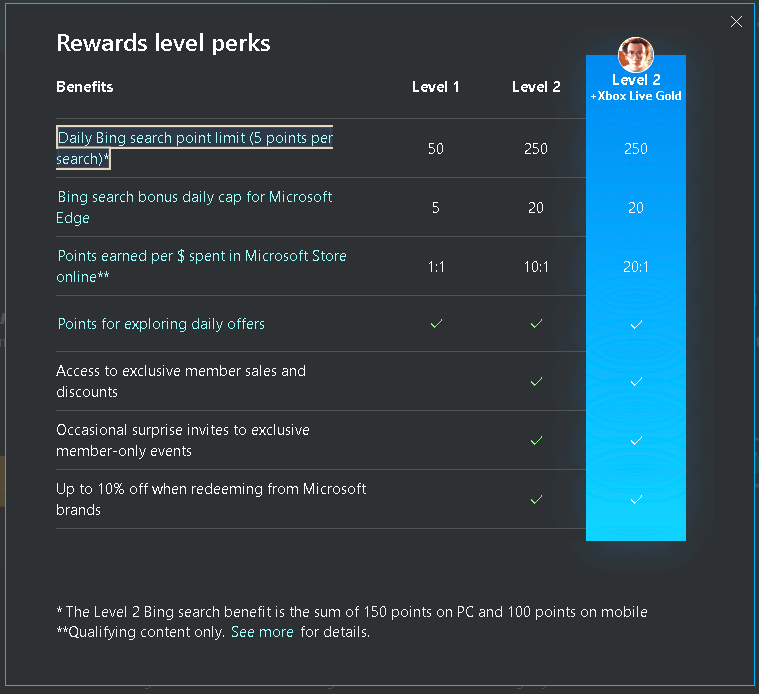
Microsoft Rewards presents users with two distinct status tiers: Level 1 and Level 2. To attain and maintain Level 2 status, individuals must accumulate a minimum of 500 Microsoft Rewards points each month. The beauty of this system lies in the fact that regardless of the method employed to earn points, every single point contributes to your Microsoft Rewards points!
\n
Once elevated to Level 2, members gain the advantage of earning points at an accelerated rate—five times faster, to be exact—when conducting searches on Bing.com. Additionally, they can unlock the benefit of saving up to 10% on rewards obtained from a plethora of Microsoft products and services. Furthermore, Level 2 members are granted exclusive access to a multitude of enticing offers, ensuring a unique and enhanced experience. To stay updated with the latest offers, remember to regularly check your Microsoft Rewards page.
\n
5 Strategies to Optimize Your Microsoft Rewards level perks
\n
\n
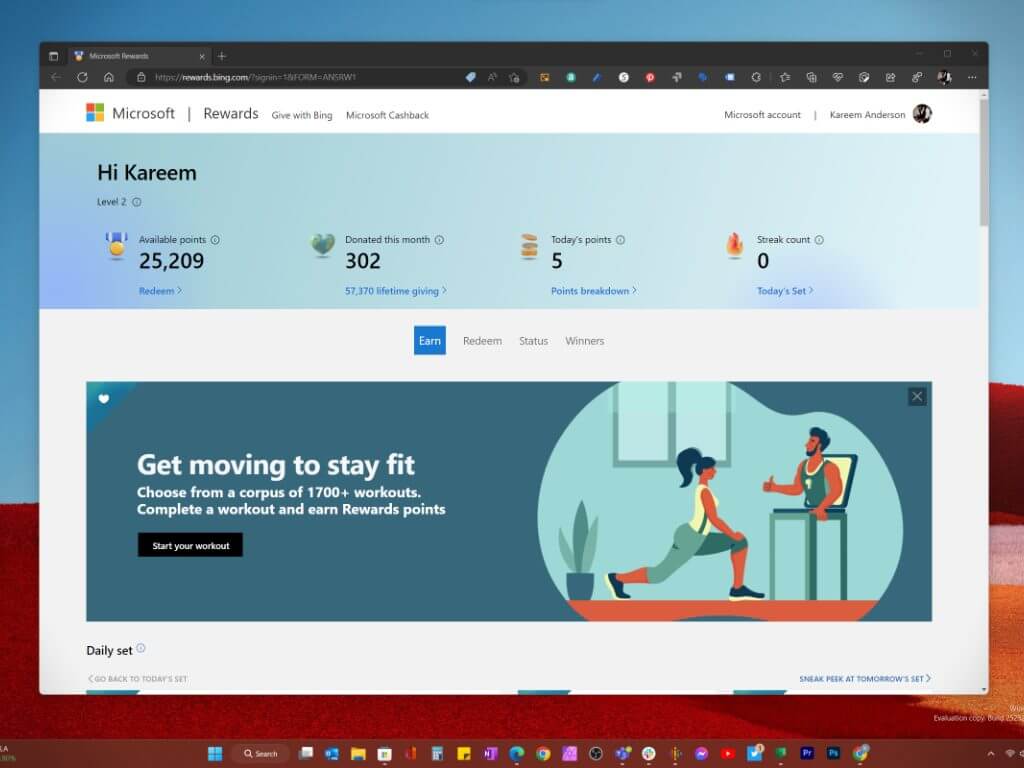
To optimize your Microsoft Rewards experience and make the most of this valuable loyalty program, it’s essential to employ effective strategies. By implementing these strategies, you can earn more points, unlock exciting benefits, and maximize the value you receive from your engagement with Microsoft products and services. From setting daily goals and tracking progress to leveraging Microsoft Edge features and participating in bonus point events, these strategies will help you elevate your rewards game and enhance your overall Microsoft Rewards experience.
\n
- \n
- Set Daily Goals and Track Progress: To maximize your Microsoft Rewards, it’s essential to set daily goals and track your progress. By establishing achievable targets, you can stay motivated and ensure a consistent effort towards earning points. Additionally, monitoring your progress allows you to identify areas where you can improve and adjust your strategies accordingly.
- Be Active and Consistent: Consistency is key when it comes to earning Microsoft Rewards. Make it a habit to engage with the program daily and complete the available activities. The more active you are, the more points you can accumulate over time.
- Leverage Microsoft Edge Features: As mentioned earlier, using Microsoft Edge as your primary browser can enhance your Microsoft Rewards experience. Take advantage of features such as personalized news, shopping integration, and seamless access to Bing search to earn points effortlessly while enjoying a smooth browsing experience.
- Participate in Bonus Point Events: Keep an eye on bonus point events and promotions offered by Microsoft Rewards. These events often provide significant opportunities to earn extra points for specific activities or purchases. Stay proactive and take full advantage of these limited time offers to maximize your rewards.
- Explore Partner Offers and Sweepstakes: Microsoft Rewards frequently collaborates with partners to offer exclusive deals, discounts, and sweepstakes entries. Take the time to explore these partnerships and leverage the available offers. Participating in sweepstakes can be an exciting way to potentially win valuable prizes while earning additional points.
\n
\n
\n
\n
\n
\n
Congratulations! You are now equipped with a comprehensive understanding of how to maximize your Microsoft Rewards and unlock a wealth of benefits. By leveraging the various earning opportunities, staying consistent, and following the strategies outlined in this guide, you can elevate your rewards game to new heights. Embrace the Microsoft Rewards program and let your engagement with Microsoft products and services reward you in more ways than one!
\n
\n
\n
\n
\n
\n
\n
Remember, the path to unlocking exciting benefits and rewards starts with your commitment and active participation to earning and redeeming your Microsoft Rewards. Begin your journey today and embark on an incredible adventure with Microsoft Rewards!
\n
\n