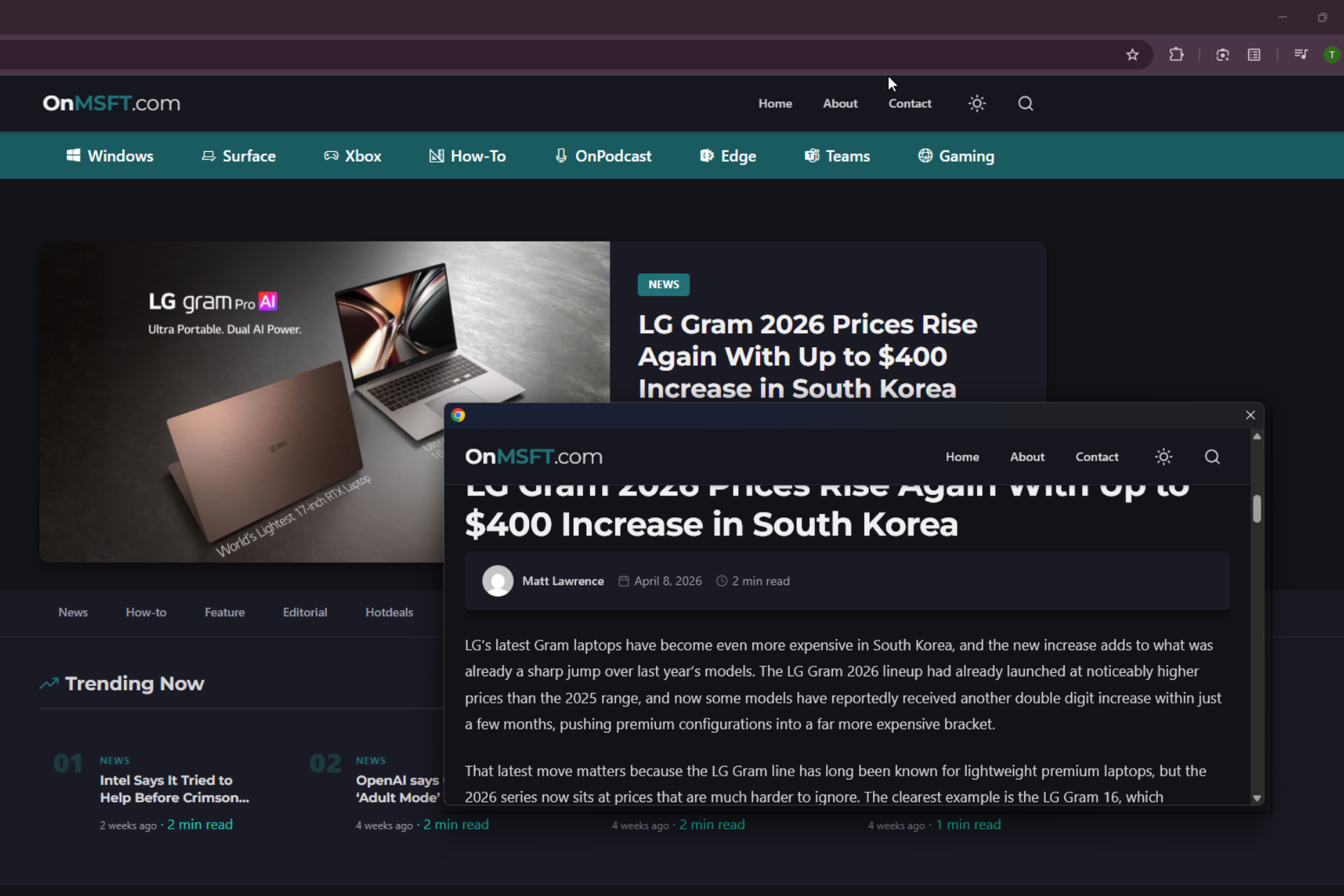

Google has started removing an experimental “Link Preview” feature in Google Chrome that lets users preview links in a small floating window without leaving the current tab.
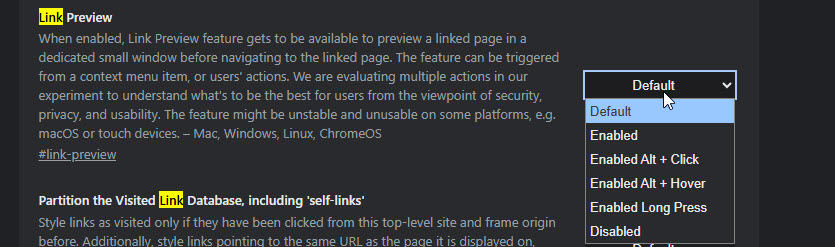
Link Preview opens a webpage inside a compact overlay at the bottom of the screen. It loads a full page that users can scroll and interact with without opening a new tab. The feature includes multiple trigger methods such as Alt + click, Alt + hover, long press, and a right-click option.
At present, Chrome opens links in the current tab or a new tab. With Link Preview, users can check content first and decide whether to open it fully. This reduces tab switching, saves bandwidth, and allows quick inspection of links.
The Link Preview feature has been available behind a flag for some time. Chrome already offers tab hover previews, but those only show a small card with page information. Link Preview loads a full interactive page in the preview window.
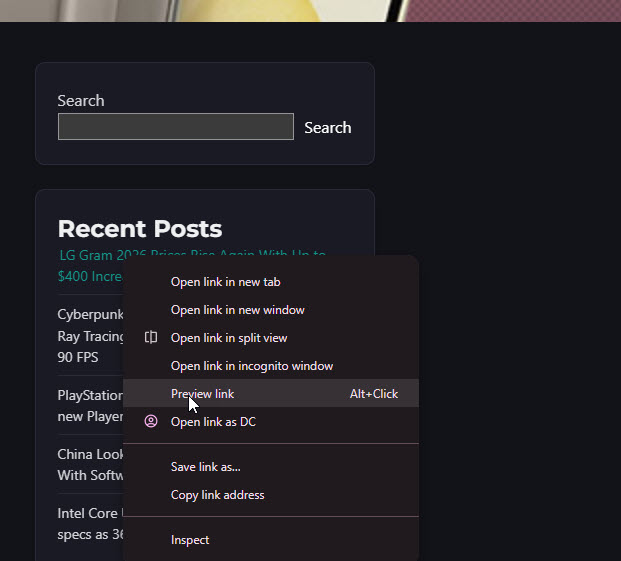
Google describes the feature as experimental and notes that it has been testing different trigger methods with a “focus on usability, security, and privacy”. The flag also warns that the feature may be unstable or may not work properly on some platforms, including macOS and touch-based devices.
We at onMSFT spotted a Chromium Gerrit commit that removes the Link Preview feature and its related components from the codebase. It also notes that the “experimental Desktop Link Preview feature” is being removed along with associated implementations and tests.
RIP Link Preview
Google has not explained why the feature is being removed, but the commit states:
“LinkPreview: Remove Desktop Link Preview feature. This CL removes the experimental Desktop Link Preview feature from the desktop codebase. All associated code including feature flags, triggerer implementations, browser-side managers, and relevant tests are deleted or modified. This includes cleanup of dead code and policy enums.”
Before it disappears, you can still try the Link Preview feature in Chrome by visiting chrome://flags, enabling the feature, and relaunching the browser.
Chrome for Android offers a stable “Preview page” feature (via long-press on links), separate from this desktop experiment and unaffected by this removal.