

Select a few tabs in Firefox on Android, and you can now group them with names and colors.
In recent builds of Firefox Nightly, selecting multiple tabs shows an “Add to group” option. Tap it to open a panel where you can enter a name and pick a color.
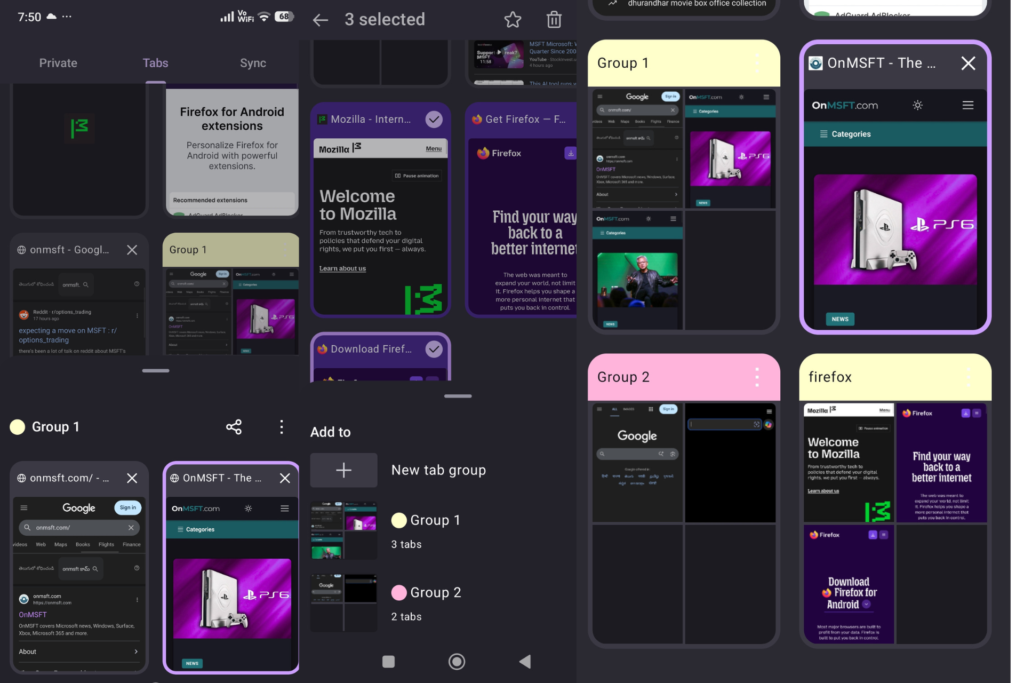
Tap Save, and the selected tabs move into a single group in the tab switcher. Each group uses its color, which makes it easy to spot.
Firefox already shows tabs in a grid on Android. Each tab appears as a card. You can scroll through them or close them one by one.
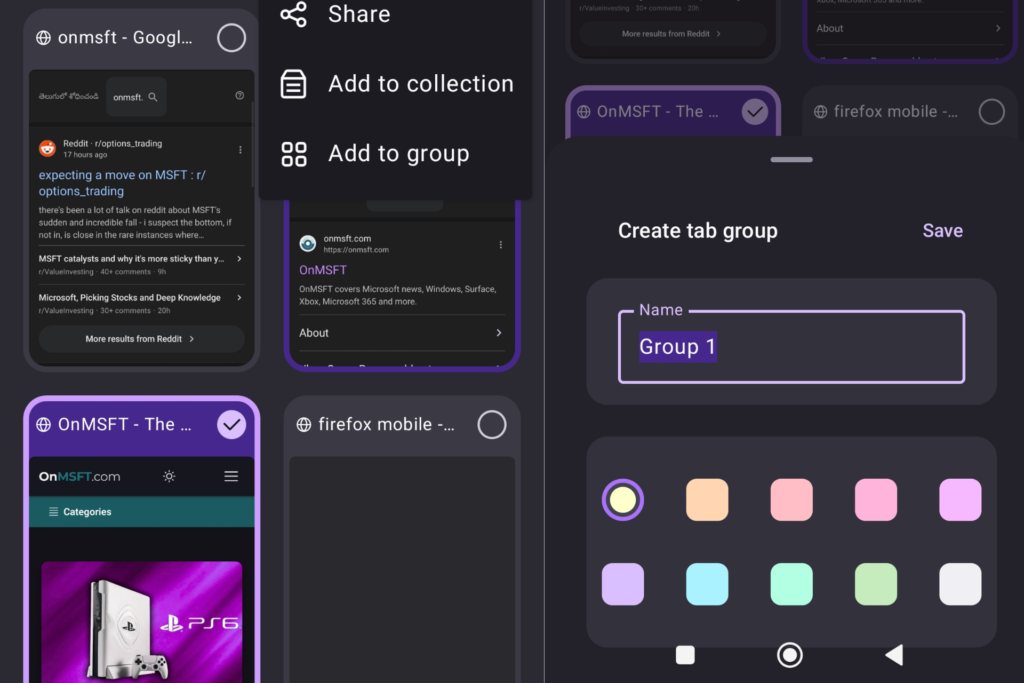
With groups, related tabs stay together instead of appearing as separate cards. This reduces the need to scan through a long list.
When you create another group, Firefox shows existing groups in the picker. You can place tabs into a new group or add them to one you already created.
Tab grouping is already available in Google Chrome on Android, with Microsoft Edge offering similar tools. Firefox is now testing its own version. The browser is also testing an AI feature called “Shake to Summarize” in Nightly on Android, which is already available on iOS.
Tab grouping is available in Nightly builds. You can create groups, name them, assign colors, and add tabs to existing groups.
How to group tabs in Firefox on Android
- Launch Firefox
- Open the tab switcher and select multiple tabs
- Open the menu
- Tap “Add to group”
- Choose New tab group or an existing group
- Enter a name and pick a color
- Tap “Save“