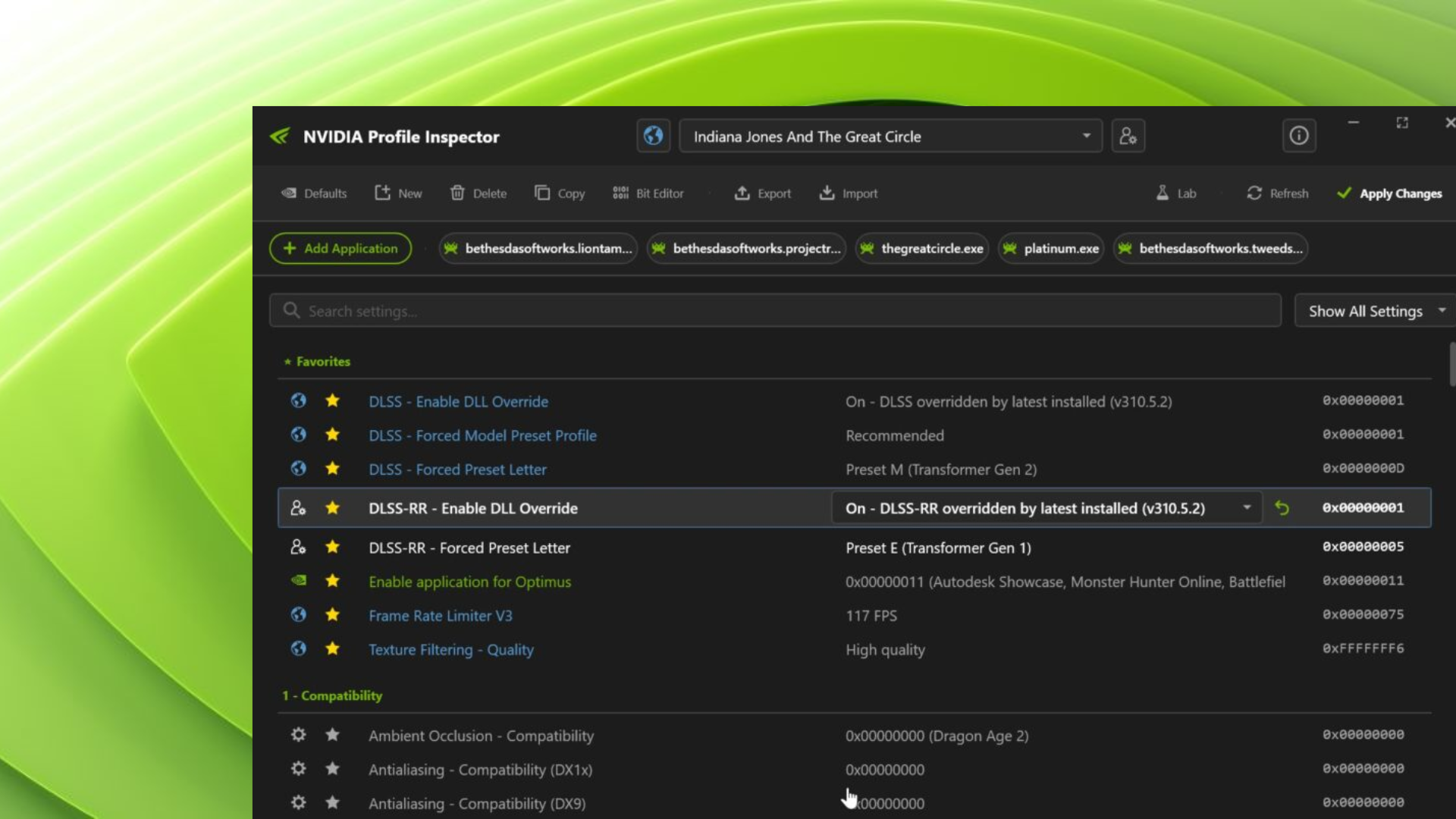

NVIDIA Profile Inspector has started rolling out Version 3 builds, and the update focuses heavily on design changes and usability improvements. The tool now supports dark mode, which many users have been waiting for, and early builds also add a light theme with a simple toggle option.
The new Version 3 branch began with v3.0.1.3 on March 23 and has already moved to v3.0.1.7. These builds are still in pre-release, so they are not stable enough for all users. If you rely on the tool daily, you should stay on the stable version for now.
The biggest shift comes from the redesigned interface. NVIDIA Profile Inspector now includes both light and dark themes, along with a new appearance menu that lets you switch between modern and compact layouts.
Later builds also bring Windows visual effects. You get Mica and Acrylic on Windows 11, while Windows 10 users see a Glass effect. These changes make the tool feel more in line with the current Windows design language.
Improvements in the latest build
The latest v3.0.1.7 build focuses on usability and fixes several long-standing issues. It introduces collapsible group headers, which help organize large profile lists, and adds icons to make profiles easier to identify.
Here are the main changes:
- Collapsible group headers for better navigation
- Icons for profiles and modified profiles
- Bitvalue editor restored and working
- Fixed drag and drop and NIP file import
- Improved profile lookup using EXE, LNK, and Steam links
- Fixes for DPI scaling, window behavior, and visual glitches
The update also cleans up tooltips and dropdown text, which improves readability.
Overall, Version 3 shows a clear push toward a cleaner interface and better usability, even though the builds are still not final.