
Microsoft has outlined a clear plan to improve Windows 11 with better performance, fewer update interruptions, and more user control. The company wants to fix long-standing complaints around slow performance, forced updates, and cluttered features, while also making everyday tasks feel smoother and more reliable.
The update focuses on core parts of the system that users interact with daily. File Explorer, system responsiveness, and memory usage are all getting attention, while Microsoft is also reducing how often updates interrupt users and how aggressively features like Copilot appear across apps.
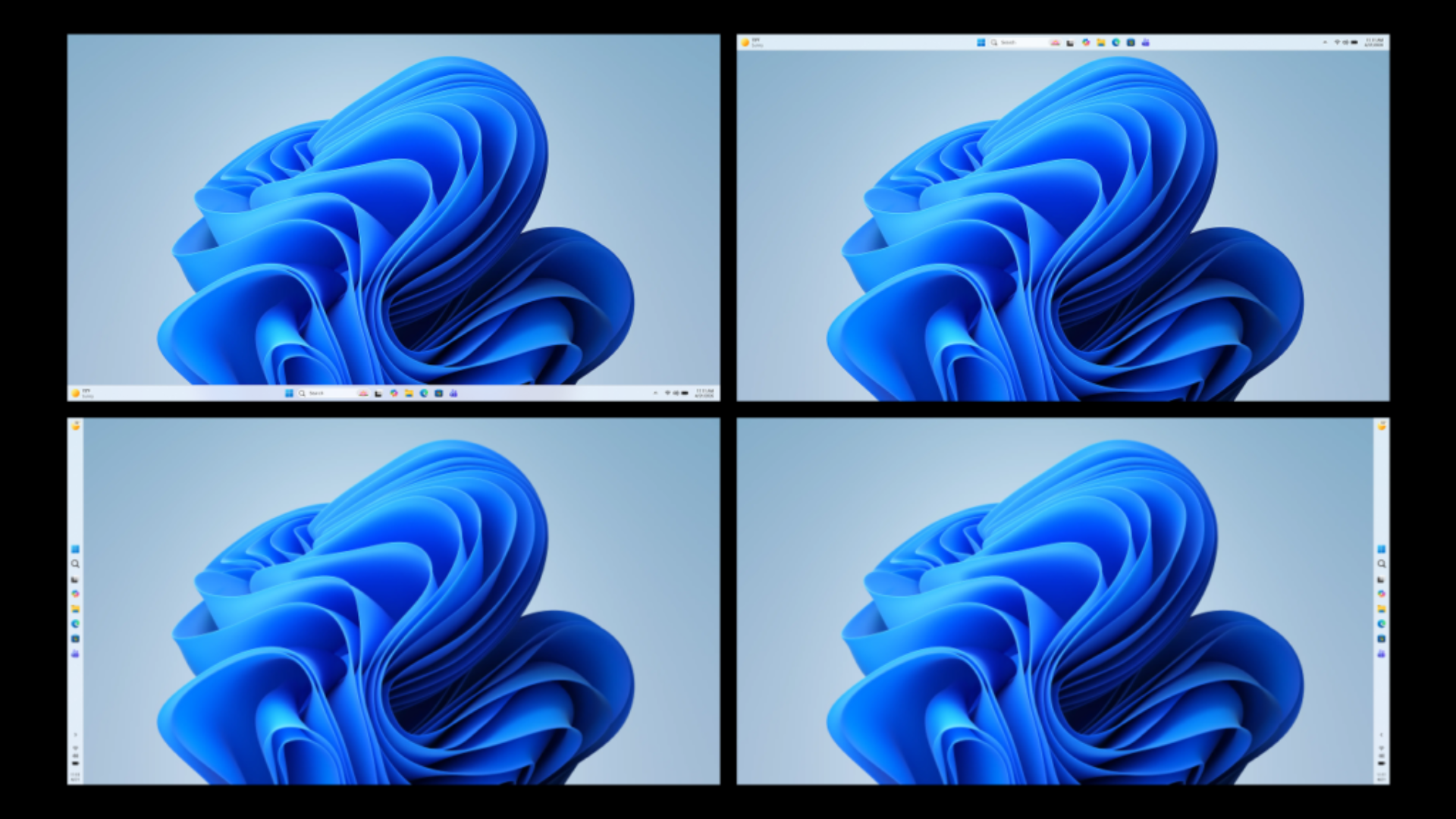
“We are introducing the ability to reposition it to the top or sides of your screen, making it easier to personalize your workspace.”
Performance improvements and faster File Explorer
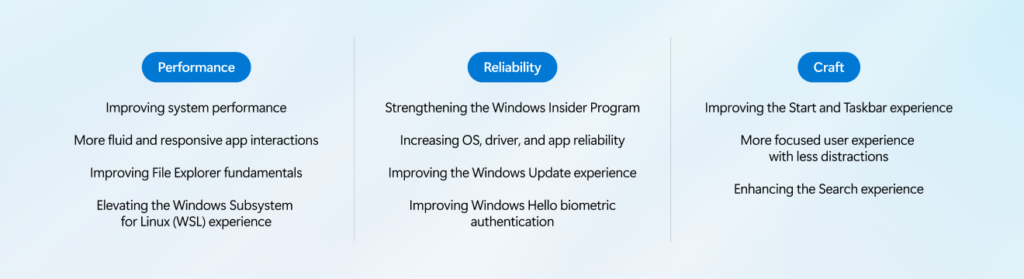
Microsoft says Windows 11 will use fewer system resources and feel more responsive across the board. File Explorer stands out as a major focus, with faster launch times, smoother navigation, improved search, and better handling of large files. These changes aim to fix one of the most common frustrations users face today.
At the same time, Microsoft plans to move more system components to WinUI3, which helps reduce interaction delays and improves overall responsiveness. Windows Subsystem for Linux will also see faster file performance and better network speed, along with a simpler setup process.
Microsoft is changing how updates work to give users more control. You will be able to skip updates during setup, restart or shut down without installing updates, and pause updates for longer periods. The company is also reducing automatic restarts and unnecessary notifications, which should make the experience feel less intrusive.
More customization and less Copilot
The taskbar is finally getting more flexibility, with support for moving it to the top or sides of the screen. This change has been one of the most requested features, and Microsoft is now adding it to improve personalization.
At the same time, Microsoft is scaling back Copilot integration in apps like Notepad, Photos, and Snipping Tool. Widgets and content feeds will also become quieter, with better control over what appears on screen.
Overall, Microsoft’s roadmap shows a shift toward fixing core Windows issues instead of adding more features, with updates starting to roll out to Insiders through April.